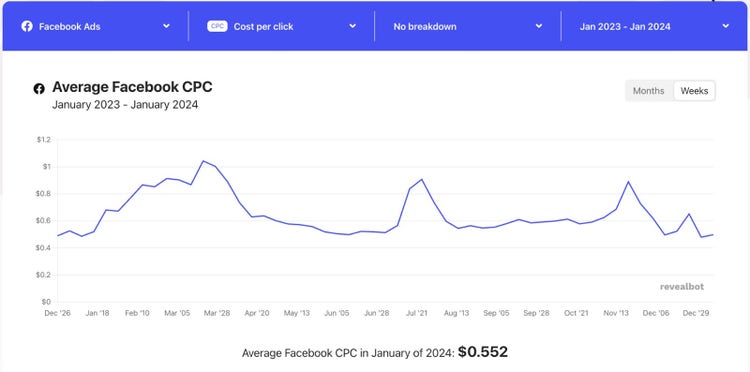
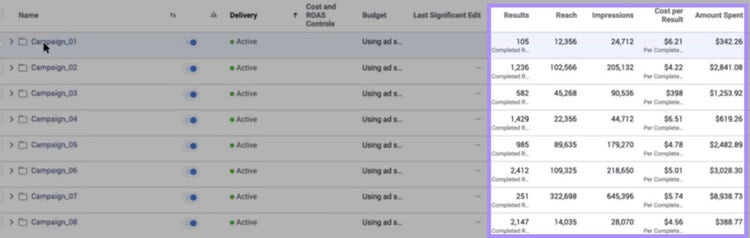
For example, IT and software companies generally have the highest cost per click at $0.85.
Whereas food products and other services have a lower CPC—around $0.18.
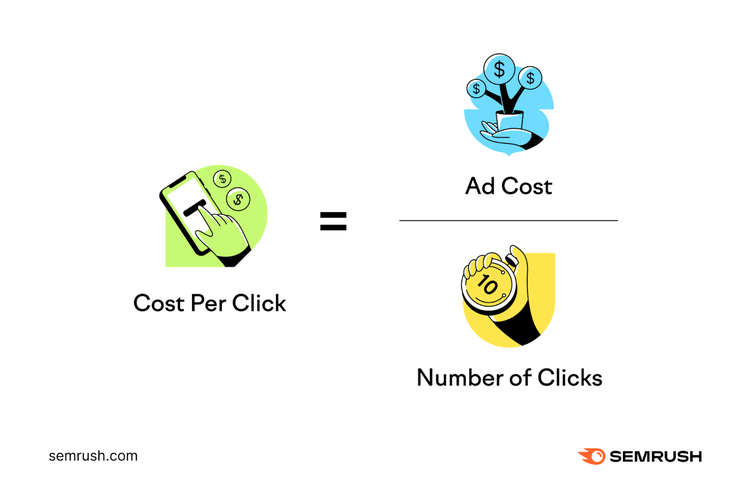
Facebook calculates cost per click by dividing the total cost of an ad by the total number of clicks.
The CPC formula looks like this:
Cost per click = total ad cost / total number of clicks
What Are the Different Types of Facebook Ads?
There are several types of Facebook ads to use to promote your business.
Let’s look at each ad format and explain the best use to help create successful advertising campaigns on Facebook.
Image Ads
Image ads are one of the most basic forms of advertising on Facebook. The ad consists of a single photo, ad copy, and a call to action (CTA).
Create a new image ad using Ads Manager or create one from an existing post on your Facebook Business Page. Which is known as a boosted post.
Use image ads to promote your product or service and convince people to take action. For example, click a button to shop your store or call your business.
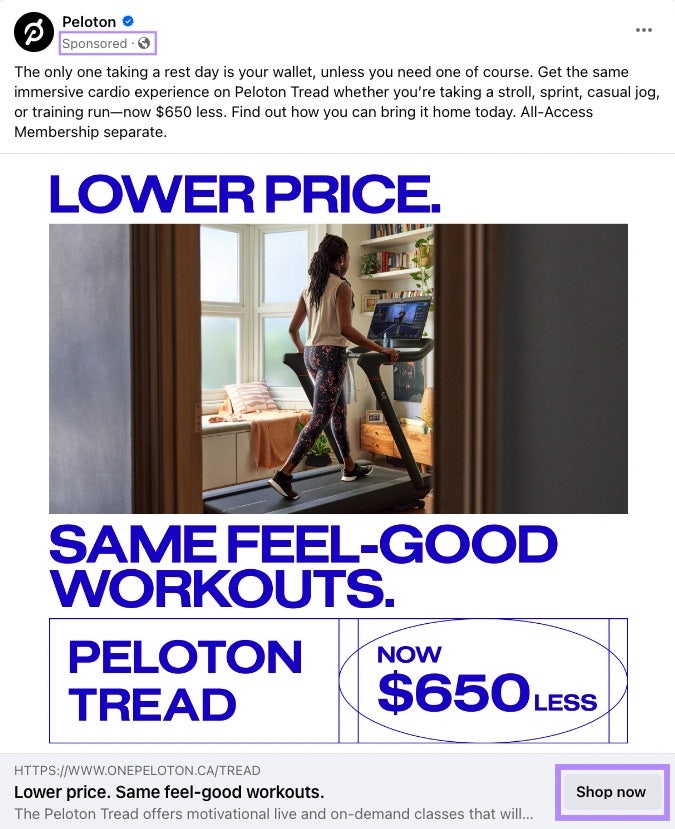
Here’s a Facebook image ad example from fitness brand Peloton:
In this ad example, the call to action encourages the ad viewer to “Shop now.” This aligns with the ad’s copy that tells the audience Peloton is having a sale.
Video Ads
Video ads promote your product or service using video. Like image ads, you create a video ad in Ads Manager or boost an existing post.
Or record your own video ad and upload it to Facebook.
Video ads are highly engaging and capture an audience's attention. They also allow you to share a single, clear message in an easily digestible format.
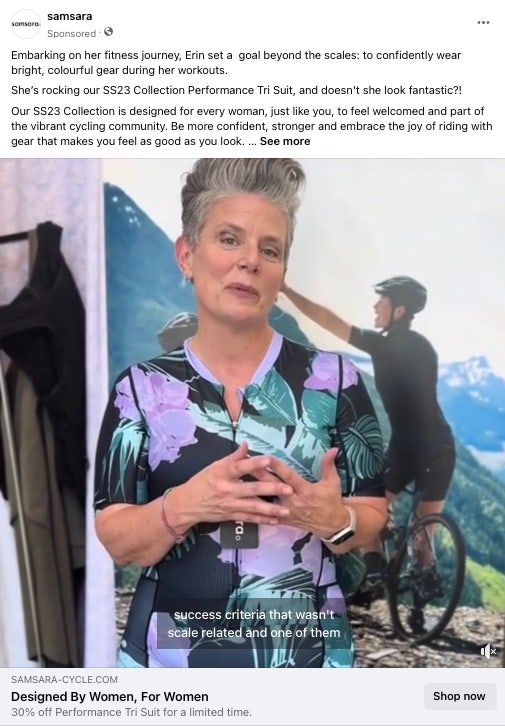
Here’s a screenshot from a Facebook video ad from women’s cycling brand Samsara:
Video also helps tell a story and connect with your target audience emotionally.
Use video to showcase product demos, provide tutorials or how-to content, or show a behind-the-scenes look at your business.
Facebook video ads can be as long as 240 minutes. Or as short as one second.
The length of your Facebook ad will depend on the placement on the platform.
For example, ads on Facebook Marketplace can run for the full 240 minutes. In contrast, Facebook Stories ads can be between one and 15 seconds long.
Carousel Ads
Carousel ads give you space to share up to 10 images or videos the audience can swipe through.
Each image or video has its own headline, description, and button. Meaning that you’ll convey a lot of information in one advertisement.
Use carousel ads to showcase a variety of products or features, provide updates, tell a story, or highlight multiple features of one product.
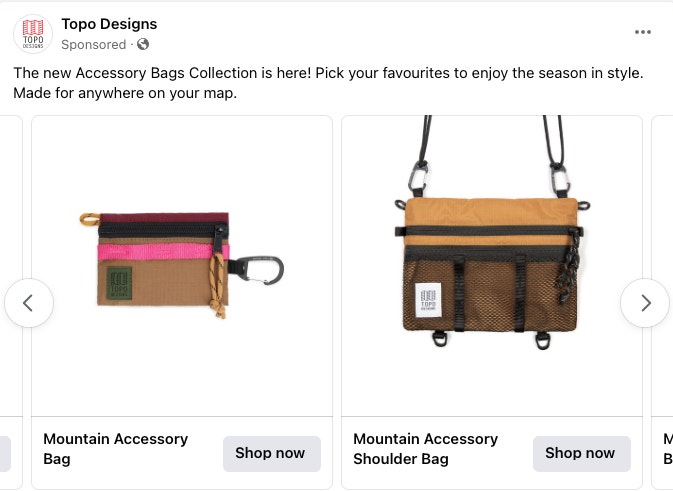
Here is an example of a carousel ad from fashion company Topo Designs:
Collection Ads
Collection ads on Facebook are designed to turn casual browsers into passionate buyers.
The ad format includes a main feature image or video and three smaller images beneath in a grid.
Users who tap and browse your collection ad will be directed to an immersive Instant Experience designed to generate further engagement with your brand.
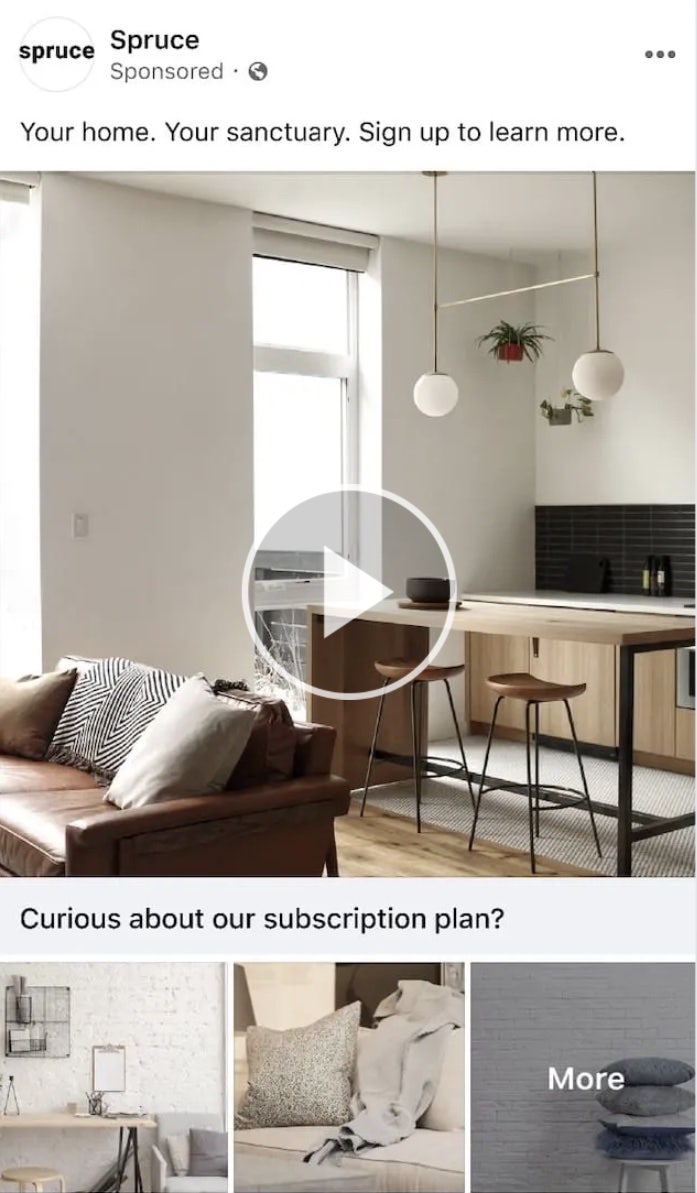
Here’s an example of a collection ad by Spruce:
Collection ads are especially useful for ecommerce businesses and merchants who can use collection ads to drive purchases from a catalog.
Instant Experience ads are full-screen Facebook advertisements optimized for mobile browsing.
Designed to capture audience attention, Instant Experience ads open after a viewer taps on the ad.
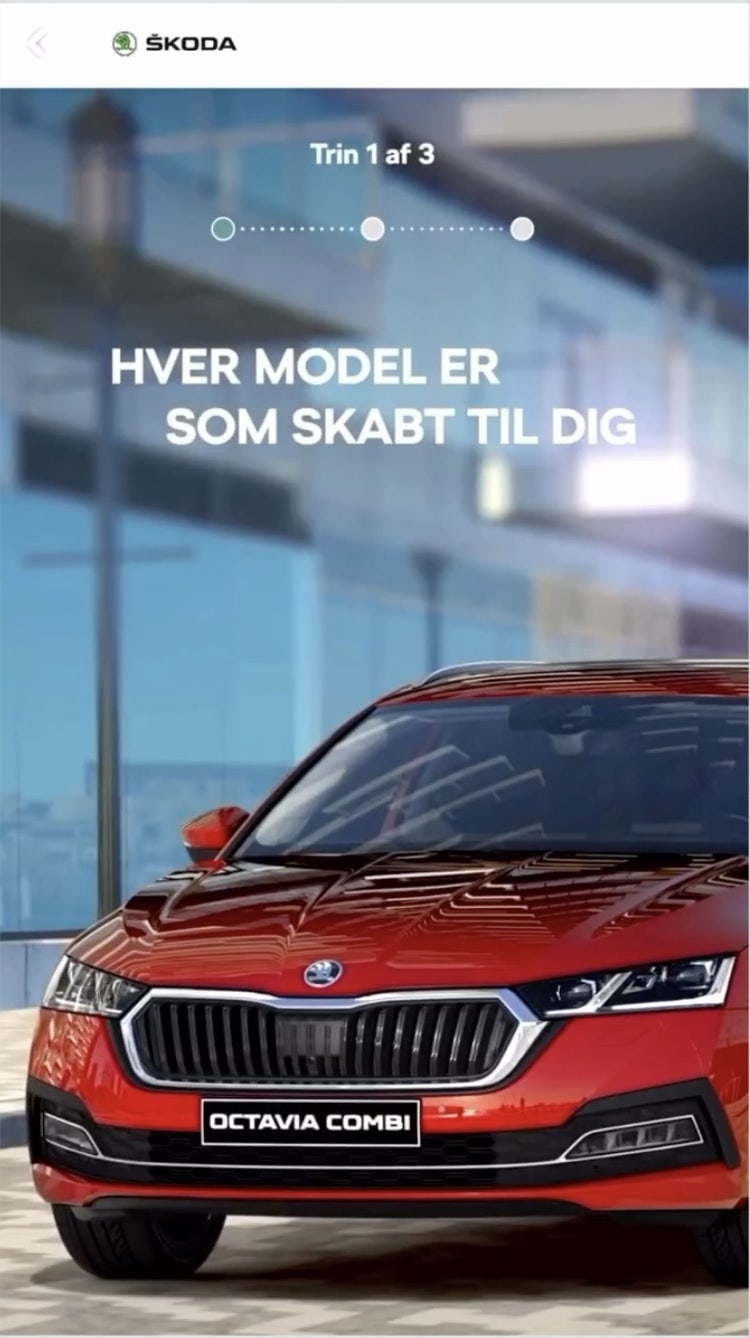
Use Instant Experience ads to create an engaging visual experience, tell a story about your brand, and deep dive into your message by linking two or more Instant Experience ads together.
Here’s an example of an Instant Experience ad by Skoda:
Poll Ads
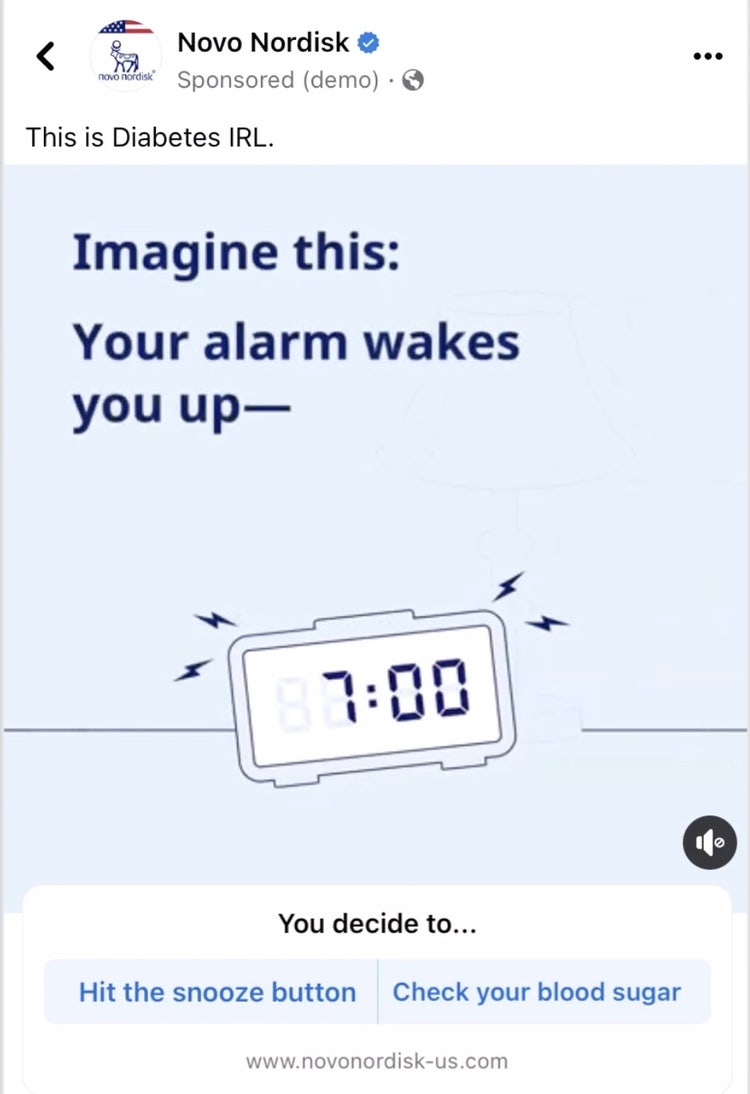
Poll ads allow you to survey your target audience with a two-answer poll.
Use polls to ask your audience questions or gain insight into how they feel about a topic or your latest product.
Here’s an example of a poll ad by Novo Nordisk:
This helps you learn more about your target audience. Use the information from your poll to help shape future campaigns.
Slideshow Ads
Slideshow ads are a looping sequence of three to 10 images or one video.
Use slideshow ads to communicate a story, showcase your products or services, and simplify a complex message.
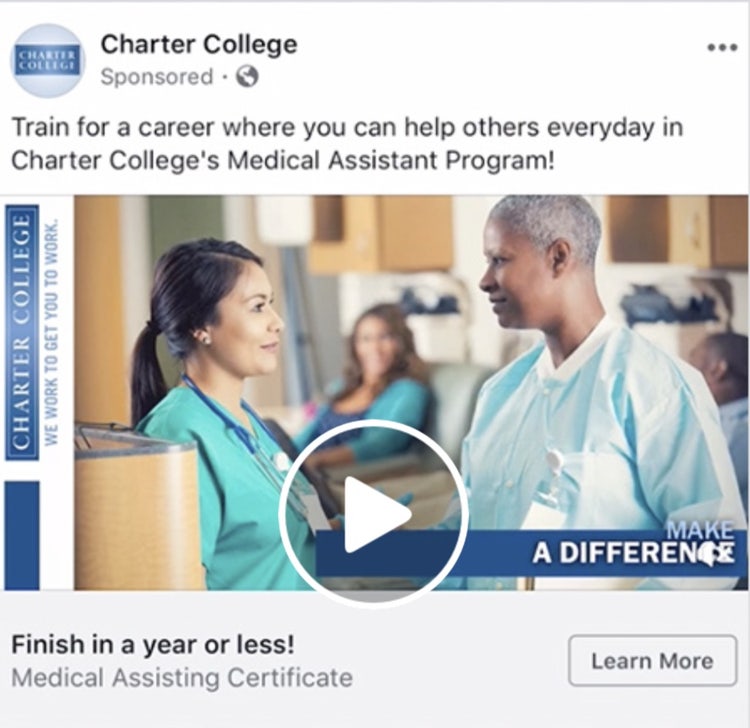
Slideshow ads are a good alternative to video ads. Which can be expensive to produce.
And because slideshow ads can use up to five times less data than video, the ad format is useful to reach audiences with slower internet speeds. Like this ad from Charter College:
Stories Ads
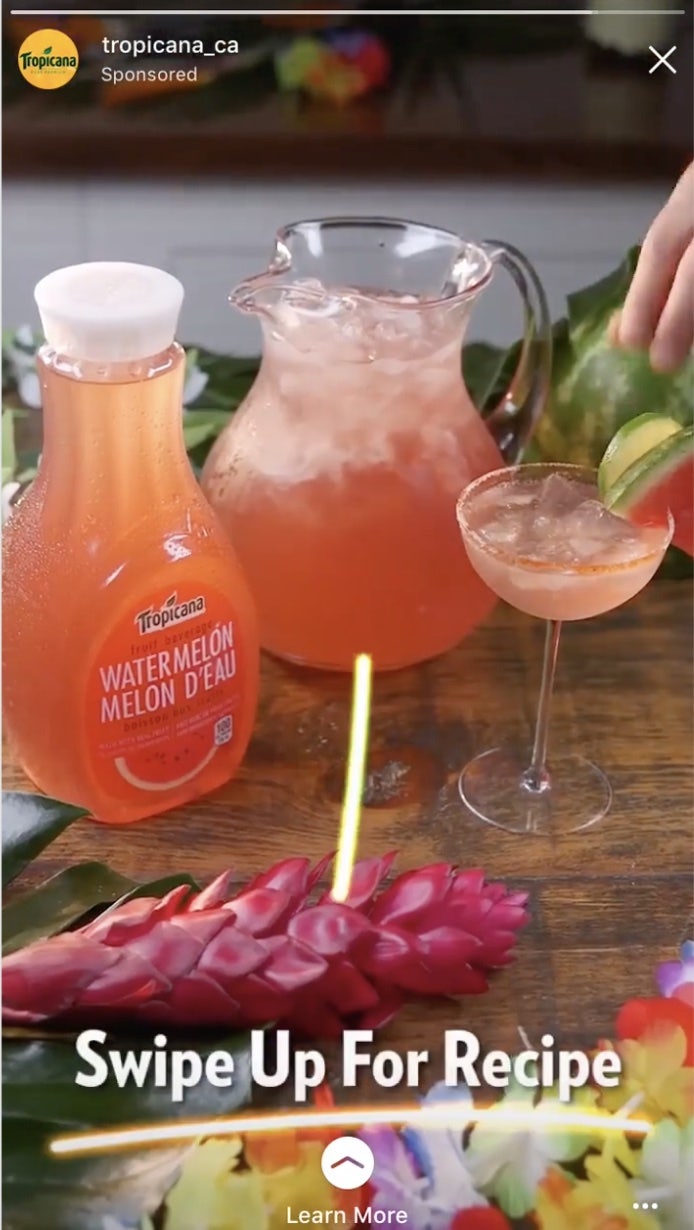
Stories ads are highly engaging, interactive, full-screen, vertical images or videos in Facebook’s Story feed.
Include clear visuals and a compelling narrative to use Facebook Stories to improve brand awareness and generate interest in your product or service.
Include a call to action in your story and direct a viewer to a landing page for further engagement with your business. Like Tropicana does here:
Lead Ads
Lead ads collect information from a viewer and offer an opportunity for audiences to engage deeper with a business and continue on their journey to become a customer.
Lead ads will include a call to action. For example, sign up, request a demo, or register.
The viewer then inputs information. Which creates the lead.
Use leads to grow your business and scale an email list (if you have one).
If you’ve got a new app to launch, running an app promotion campaign will help you gain more downloads and customers.
For example, if you’re a new grocery delivery app, you could use the app promotion campaign objective to increase downloads of your new product.
Choose this objective to:
Increase downloads of your app
Optimize your ad with App Events for deeper customer insights and targeting
Drive high-value purchases
Increase link clicks to your app
Sales
Sales are a key driver of business revenue.
The sales campaign objective lets you target people who are likely to make a purchase. Or, perform an action—like putting an item in their basket.
Choose this objective to:
Gain more customers and increase revenue
Focus on conversions
Encourage purchase from a catalog
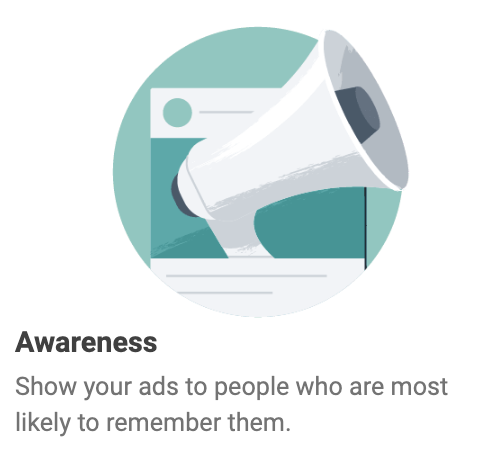
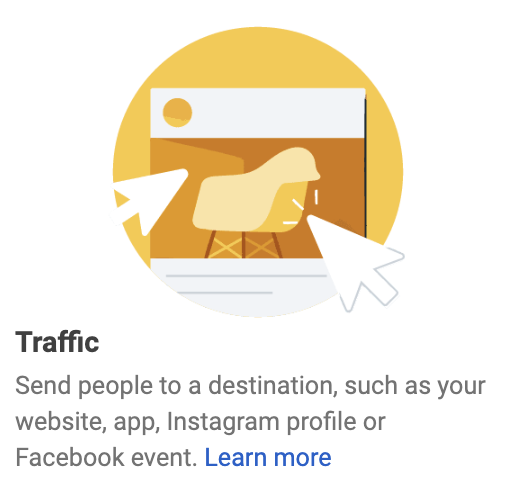
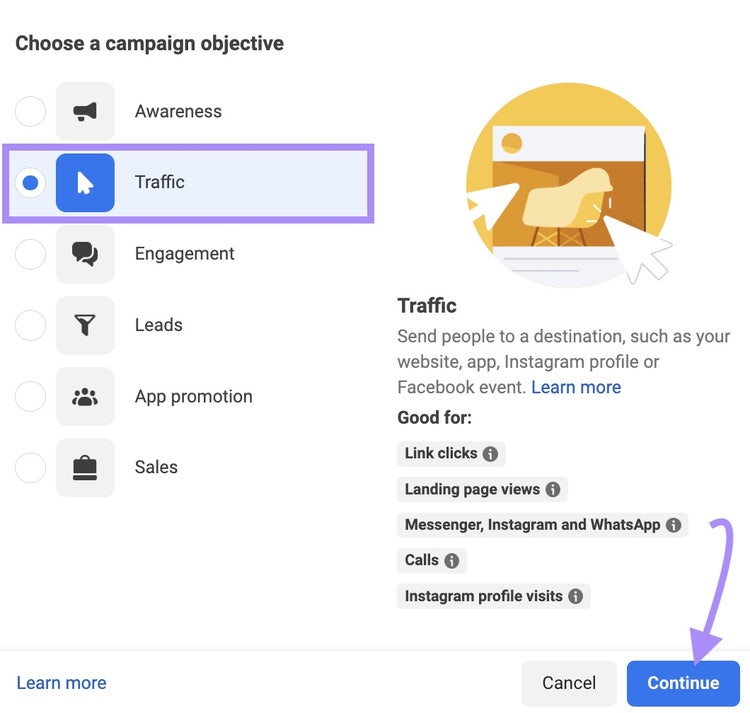
Choose the campaign objective that best fits your social media goal. Then, click “Continue.”
In this example, we’ve selected the traffic campaign objective. With the goal to increase calls to a fictional pizza parlor called Mario’s Pizza Seattle.
Step 4. Create Your Ad Campaign
Fill out the specific details of your campaign, starting with the campaign name.
The campaign name should reference the product or service you’re advertising, the campaign objective, and the date.
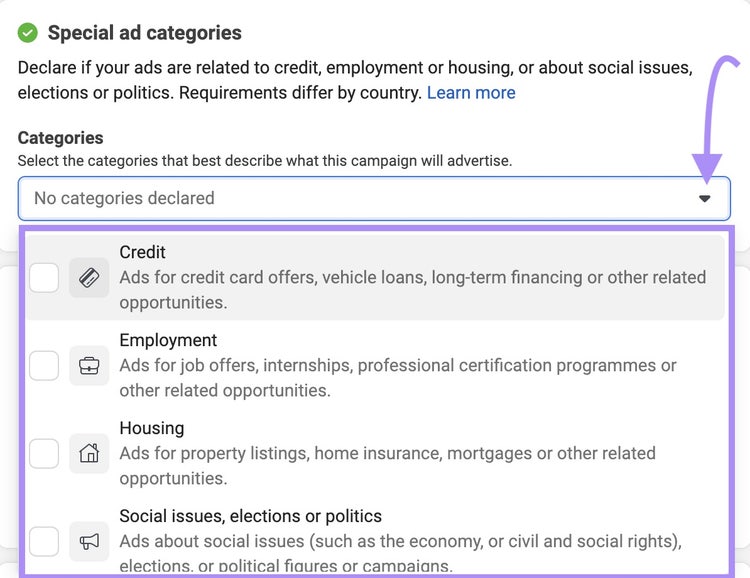
Next, clarify if your ad falls under Facebook’s special ad categories (e.g., finance, education, politics, etc.).
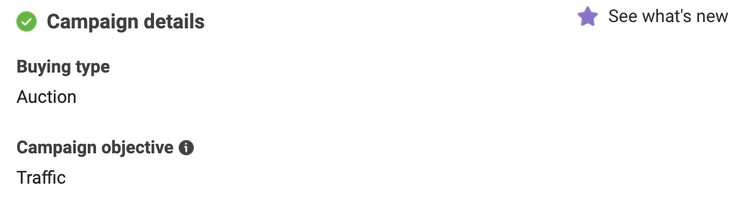
And confirm the buying type and campaign objective.
Now, you have the option to create an A/B test. Which is a research method that compares two versions of a Facebook ad to determine the one that performs better.
For now, we’ll leave this unchecked.
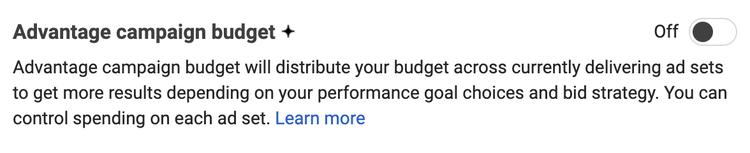
If you’re creating multiple Facebook ads, activate the Advantage campaign budget. But for now, we can also leave this turned off.
Then, click “Next” to name your ad set.
An ad set is a group of ads that share the same setting. For example, audience or location.
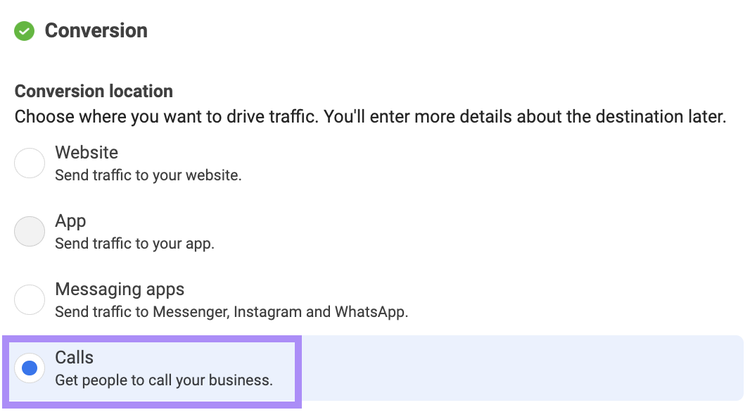
Then, choose the location you want to drive traffic to.
For the traffic campaign objective, choose between a website, an app, messaging apps (WhatsApp, Messenger, Instagram), or calls.
We want more calls for our pizza business, so we’ll select that option.
Step 5. Set Your Ad Budget and Schedule
Next, you need to set your ad budget.
How much money you allocate from your social media budget to Facebook advertising will depend on:
Your campaign goals
How your Facebook audience buys
How many people managing ad campaigns
Your ad campaign duration
There are two types of Facebook ad budgets:
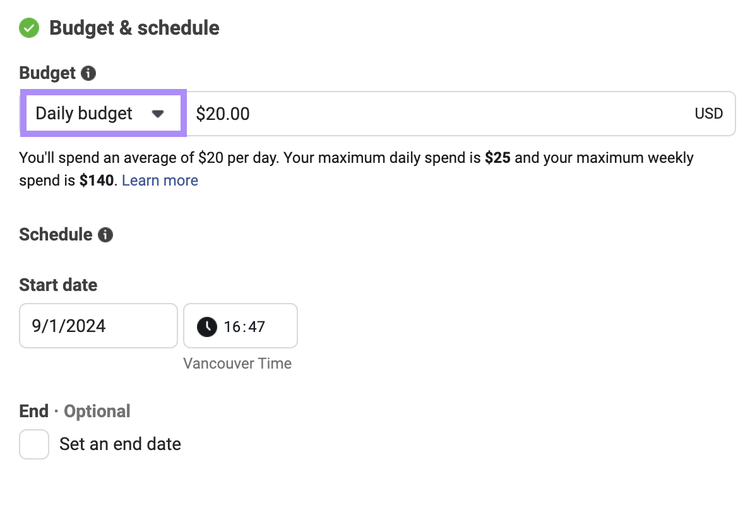
Daily Budget
A daily budget has a limit on the amount you spend each day advertising your business on Facebook.
By setting a daily budget, the platform will show an ad to your target audience when and where they’re most likely to engage.
Once your budget is reached, your ad stops running for the day. And starts again the next day.
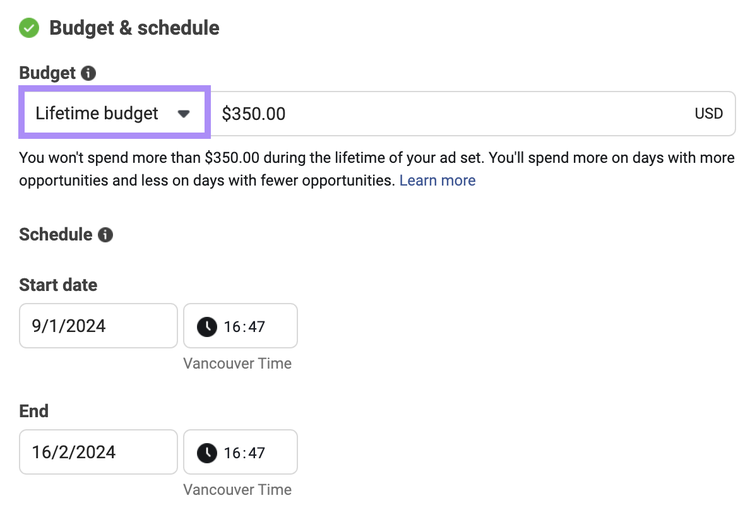
Lifetime Budget
A lifetime budget is the total amount you’ll spend during the entire duration of your ad campaign.
Provide Facebook with details on a start and end date, and the platform will allocate the money based on the performance of your ad.
Once your budget is reached, the ad campaign will finish.
As a starting point, we recommend beginning with a small ad budget to help you test your Facebook ad’s effectiveness.
If the ad is successful, scale it to meet your campaign goals.
Choose whether you want to run a daily or lifetime budget, enter your budget amounts, and schedule the duration of your campaign.
Step 6. Customize Your Target Audience
For your Facebook advertisement to be effective, it needs to be placed in front of an audience most likely to be interested in your product or service.
Otherwise, you’ll struggle to drive engagement. And your campaigns won’t generate results.
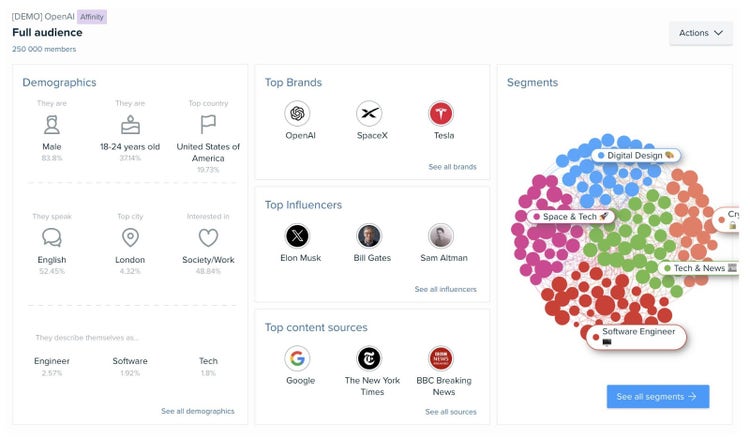
To get inside the minds of consumers and understand what engages them, you need to conduct audience research to uncover specific demographics, behaviors, and characteristics.
This way, you’ll create Facebook advertising campaigns that resonate.
The tool helps identify and gain insights by examining audience demographics, interests, content engagement, online habits, and purchase behavior.
This allows you to build helpful profiles of who you should target in your ad content.
To create a new audience for your Facebook advertisement, follow these steps:
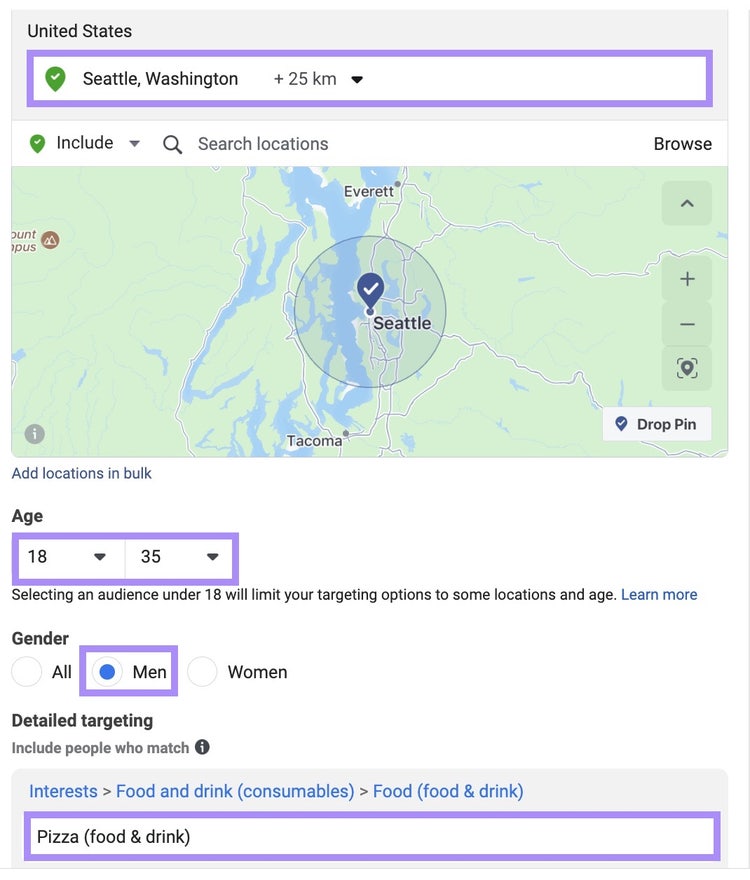
Locations: Choose a relevant location to target with your ad campaign. For example, our fictional pizza place, Mario’s, is located in Seattle, so that’s an obvious city for them to target.
Age and gender: Set the age and gender of your target audience. For Mario’s, we’ve chosen men aged 18-35.
Detailed targeting: Enter the interests of your target audience. In Mario’s case, pizza.
It’s important to include as much information about your target audience as possible. This will help build ad campaigns that achieve results.
For example, if your target audience speaks more than one language, add this information.
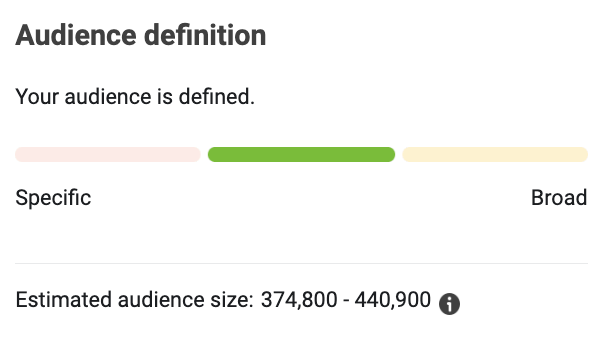
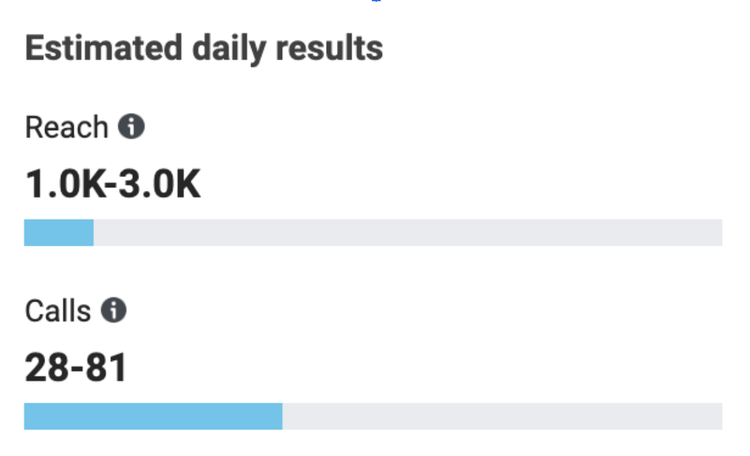
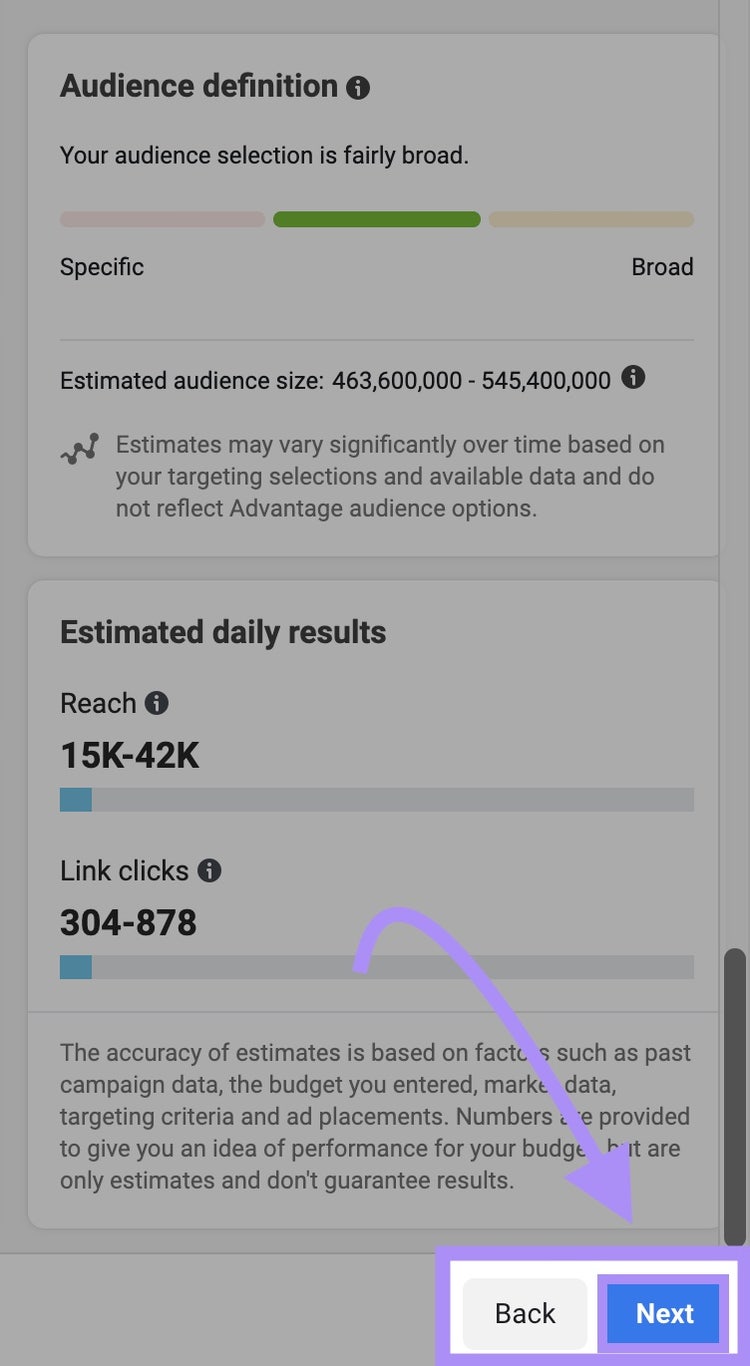
Next, look to the side of the screen. Facebook provides information on:
Audience definition: How specific or broad your audience targeting is
Estimate audience size: The number of people you could reach with your daily budget
Estimated results: The expected daily results from your campaign
Remember—these are daily estimates, so your actual results may vary.
If you’re happy with your estimates, click “Next.”
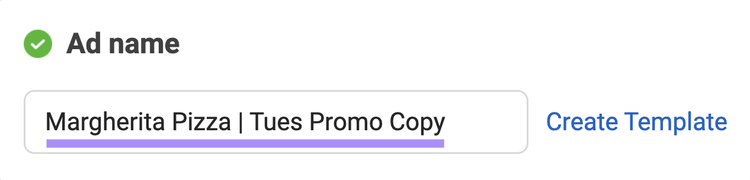
It’s best practice to include information about the design of your Facebook ad. For example, image use and copy information.
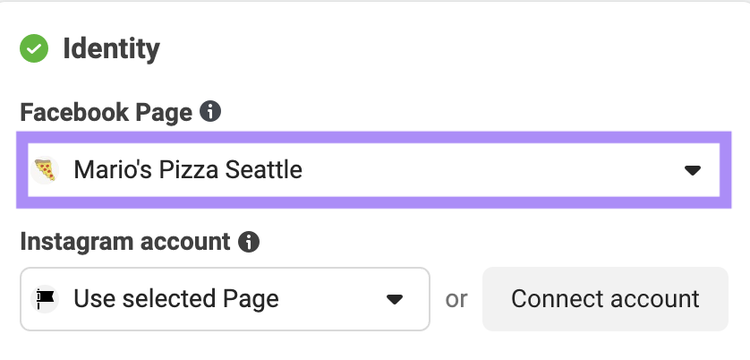
Next, confirm the identity of the Facebook page you’ll run ad campaigns on.
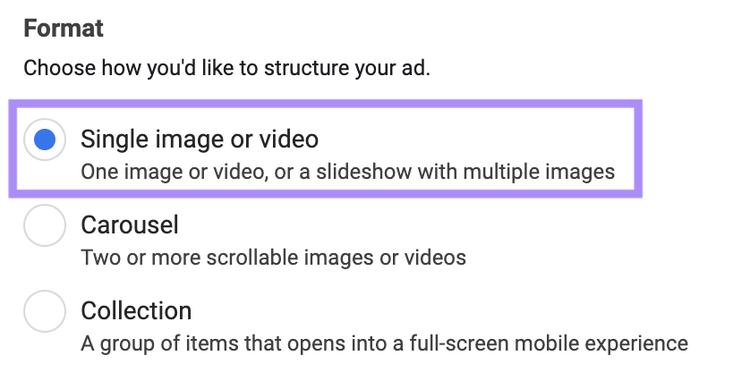
Then, choose the format of your ad. For example, a single image or video, carousel, or collection.
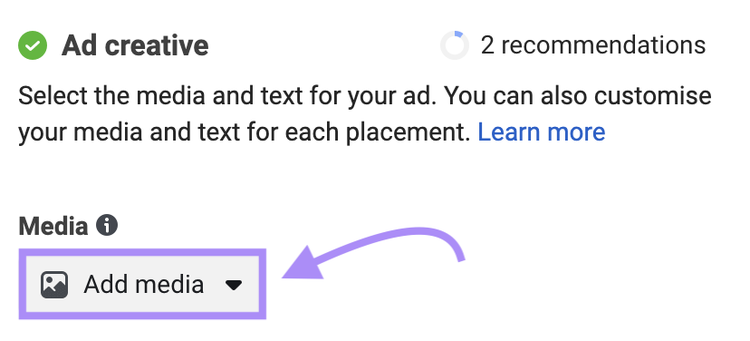
Next, scroll down to the “Ad creative” section.
This is where you’ll add creative and interactive elements to your ad. For example, images, videos, ad copy, and a call to action.
Click “Add media.”
Select the image or video you want to include in your Facebook ad. Then, click “Next.”
Now, add the copy that will appear alongside your Facebook advertisement.
Facebook ad copy is one of the most important elements of your ad. It needs to be engaging, hook the audience, and explain what you’re advertising.
Luckily, Facebook makes writing ad copy easy by breaking it down into three elements:
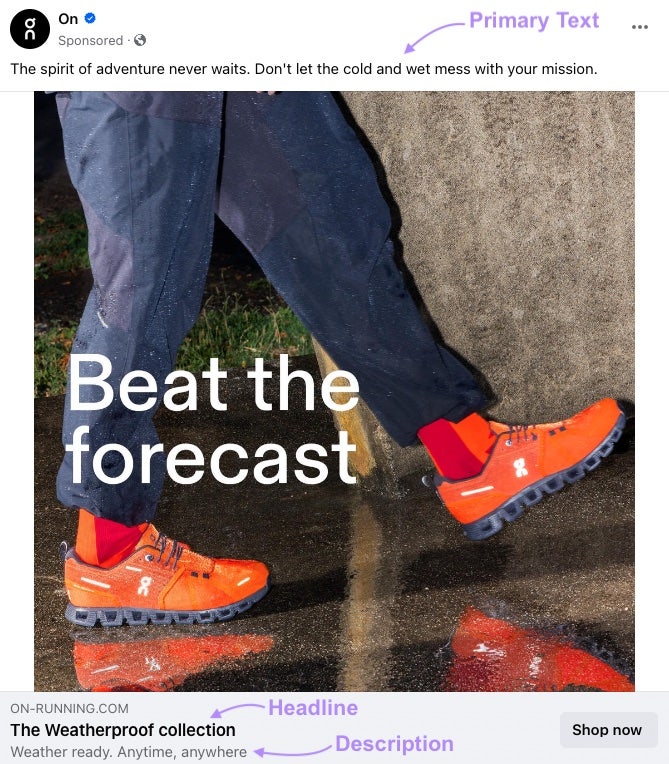
Primary text: Appears above the ad creative (e.g., images or video). Use 125 characters or less for the best impact.
Headline: Appears below the ad creative. Use 40 characters or less.
Description: Appears just below the headline. Use 30 characters or less.
In this example from running shoe company On, we can see they’ve leveraged their Facebook copy perfectly to promote their weatherproof shoe.
And they encourage the audience to engage further with their brand by including a CTA (“Shop now”).
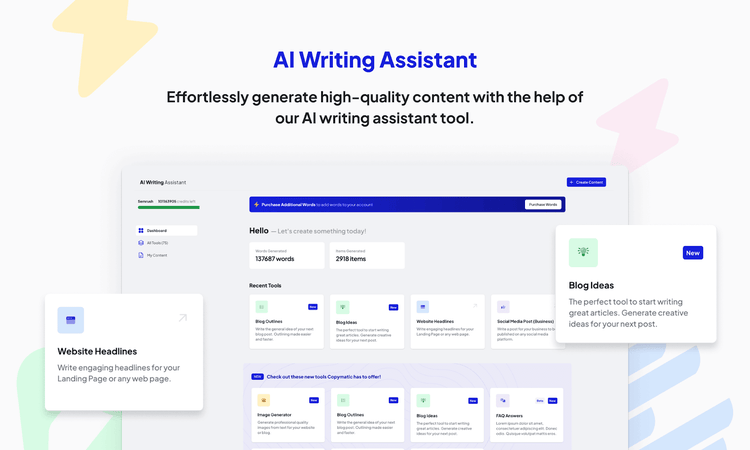
But starting from a blank page is hard. If you need support writing Facebook ad copy, use Semrush’s AI Writing Assistant.
The tool helps generate creative ideas, checks for spelling and grammar, and uses AI to align your ad copy with your brand voice, tone, and target audience.
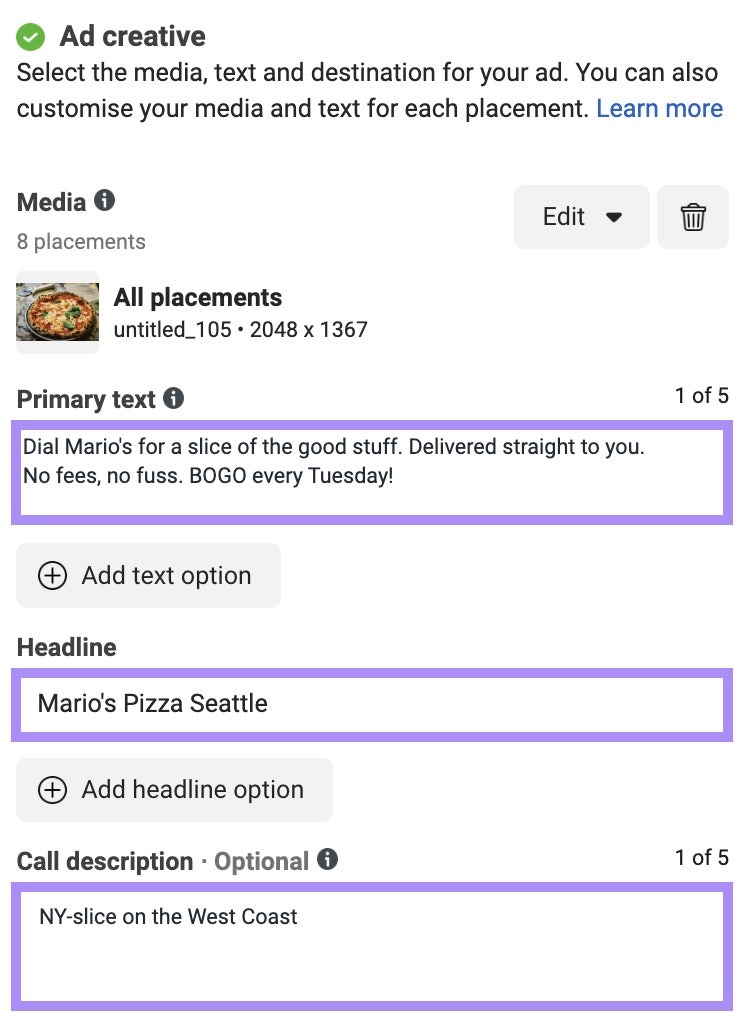
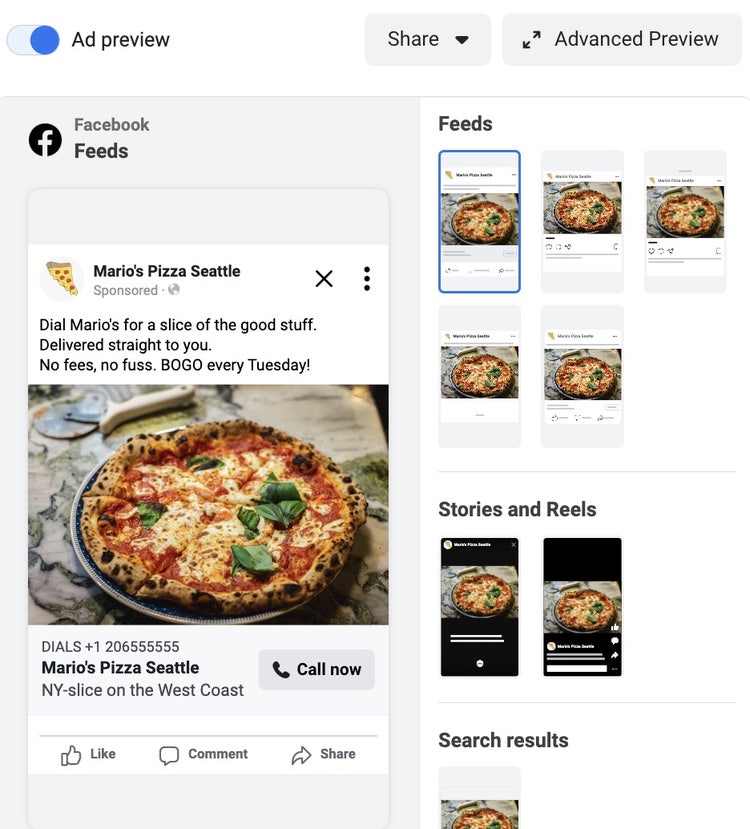
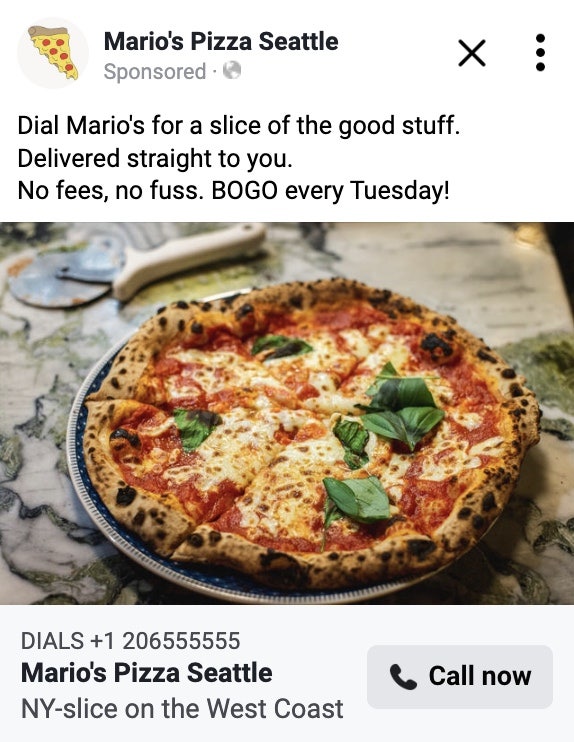
Here’s the Facebook ad copy we’ve added for Mario’s:
Primary text: Dial Mario’s for a slice of the good stuff. Delivered straight to you. No fees, no fuss. BOGO every Tuesday!
Headline: Mario’s Pizza Seattle
Description: NY-slice on the West Coast
This ad copy works because:
Primary text: Includes a catchy opening slogan, tells the audience Mario’s delivers for no fee, and explains the deal they’re promoting (buy one, get one every Tuesday).
Headline: States the name of the business.
Description: Includes a short description of the business and its place in the market.
For our chosen campaign objective (traffic), we need to set a destination for our viewers after they engage with our ad.
Because we selected our conversion destination as calls, we have the option to enter our phone number.
Next, preview your ad.
You’ll see how your ad will appear in Facebook feeds, Stories and Reels, and search results.
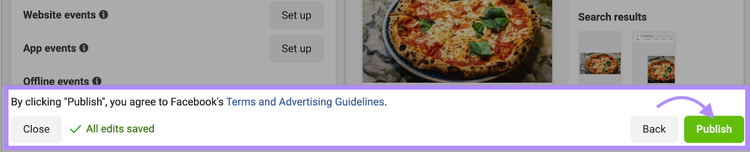
Confirm that your ad is correct, then hit “Publish.”
Congratulations! You’ve just learned how to create a Facebook ad.
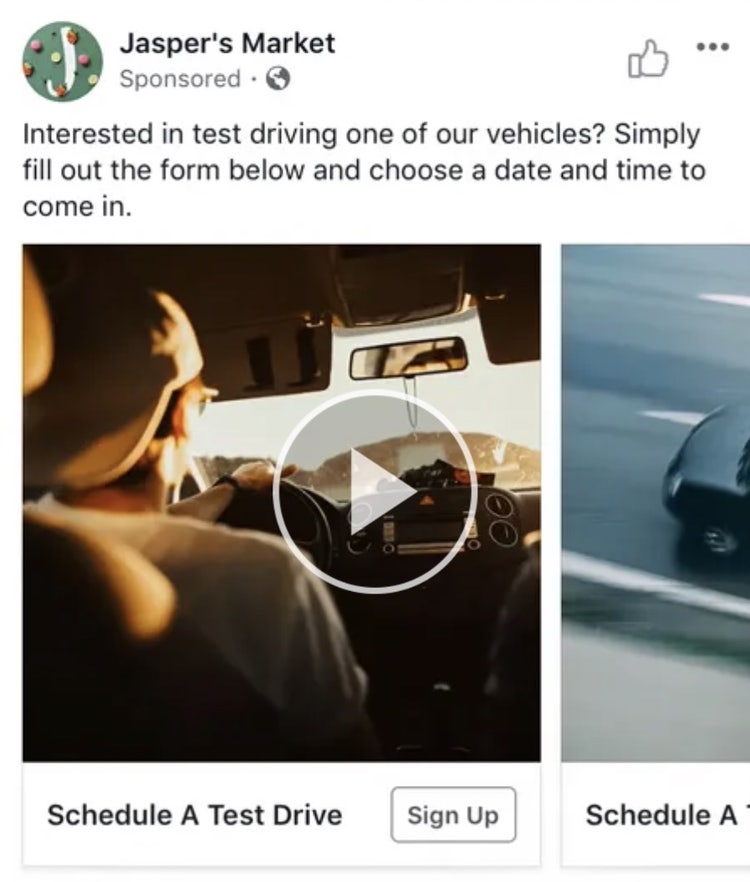
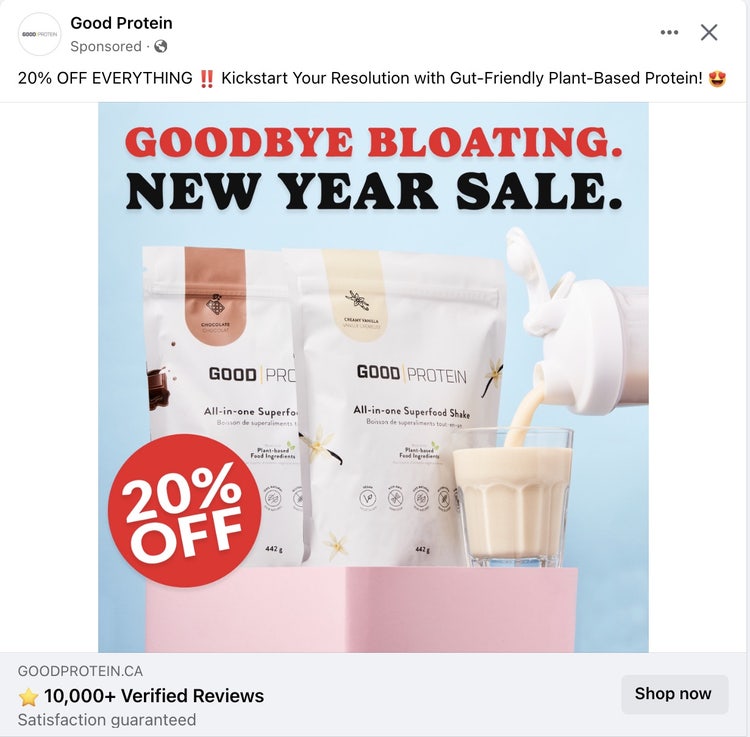
Here’s an example of a Facebook image ad by Good Protein:
Facebook Video Ad Specs
File type: MP4, MOV or GIF Ratio: 1:1 (for desktop or mobile) or 4:5 (for mobile only) Video settings: H.264 compression, square pixels, fixed frame rate, progressive scan, and stereo AAC audio compression at over 128 kbps Resolution: At least 1080 x 1080 pixels
Look at your organic (i.e., not paid) Facebook posts to understand the types of content that resonate with your target audience.
This way, you’ll easily create and run a boosted post that advertises content your audience will likely engage with.
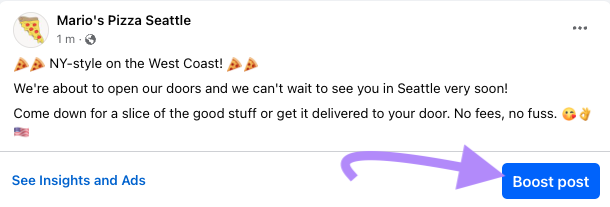
For example, Mario’s shares an organic post announcing they’re opening soon, which creates a lot of engagement.
They could then boost this organic post to create an ad.
Promoting organic posts also means you don’t need to spend much time creating a Facebook ad. The content is already there and ready to be distributed to your target audience.
To understand which organic posts create engagement on Facebook, use Semrush Social.
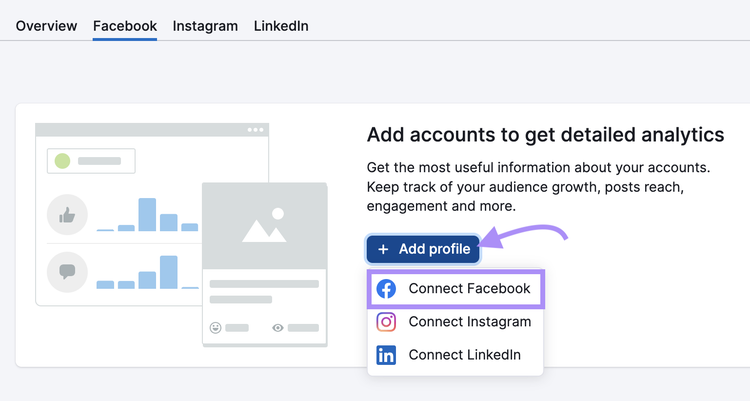
Simply open the tool and click “+ Add profile.”
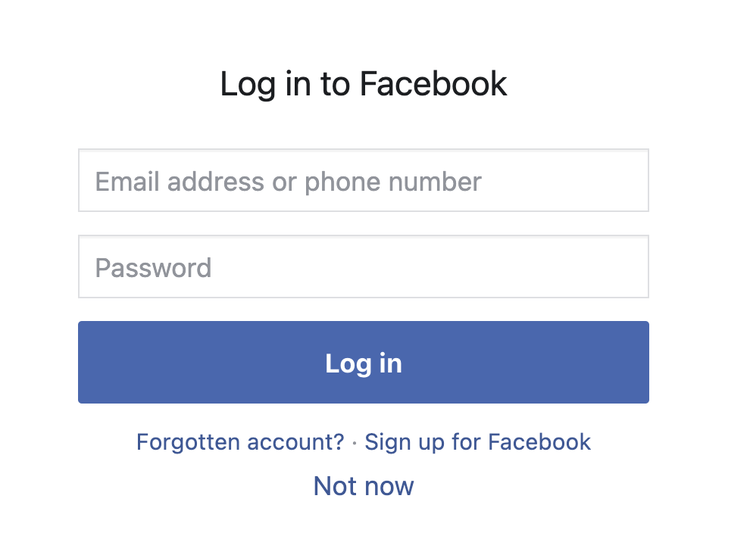
Then, follow the prompts to connect Facebook. Like this:
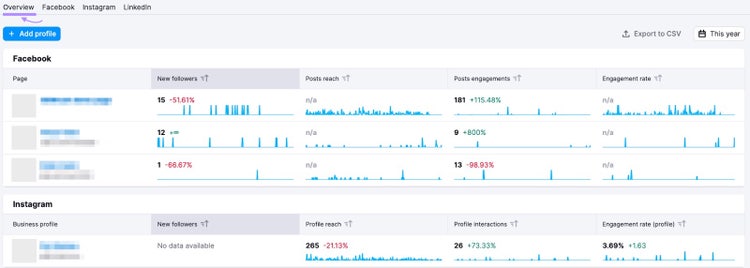
Then, open the tool to the “Overview” tab. Here, take a look at metrics from each of your social channels:
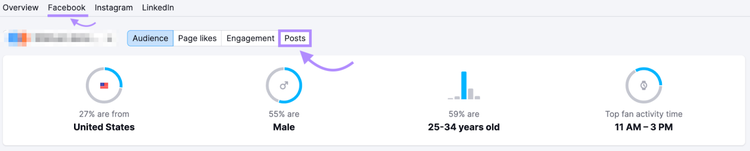
To look specifically at the performance of individual Facebook posts, go to the “Facebook” tab and select “Posts.”
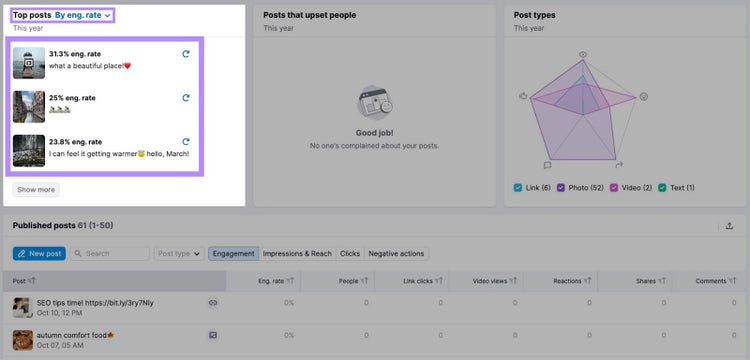
Here, you’ll see which Facebook posts create the best engagement:
Now, use this information to help determine which Facebook posts might work well as ads.
Advertising on Facebook is an efficient and cost-effective way to grow your business.
Whether you’re looking to run your first ad campaign or you’re a seasoned paid social pro, Semrush comes with a suite of tools to help you run successful campaigns.
Claire Beveridge is a content writer, strategist, and consultant for software and technology companies. She uses her 13+ years of experience in marketing to create engaging editorial that performs against the KPIs businesses care about most.
Subscribe to learn more about Social Media
Subscribe
By clicking “Subscribe” you agree to Semrush Privacy Policy and consent to Semrush using your contact data for newsletter purposes
Share
Tells Google to show you more from Semrush in AI, Search, and Discover.