If you sell products on Amazon, one of your key concerns should be how to rank your products higher in its search results. This is where Amazon SEO can help.
In this Amazon SEO guide, we’ll go over the top strategies you can use to drive more traffic to your Amazon product listings and generate more sales.
What Is Amazon SEO? Why Does It Matter for Product Rankings?
Amazon SEO is the process of optimizing Amazon product listings to increase their chances of ranking high in Amazon’s product search results.
Amazon listing optimization can help:
Improve product and brand visibility
Drive more traffic to product listings
Generate more Amazon product sales
How Amazon’s A10 Ranking Algorithm Works
The algorithm Amazon uses to rank products in search results is called A10. Its purpose is to determine the most relevant products to display for shoppers’ searches.
The difference between A10 and search engine algorithms (e.g., those of Google, Bing, and the like) is that A10 is designed to solely address transactional intent.
In other words, Amazon users aren’t looking to learn new information or perform research—they’re specifically interested in making a purchase.
Because of this, Amazon’s algorithm favors products that are the most likely to drive sales.
A10 examines multiple factors when determining how to rank products, including:
Keywords: Including relevant search terms throughout your product listing helps signal to Amazon that your product is relevant for a particular search
Conversion rate: It’s in Amazon’s interest that the product listings it displays to shoppers convert well. This means that having a higher conversion rate is likely to help with getting your product listing to the top of Amazon search results
Reviews: Positive reviews help nudge shoppers toward making a purchase. Having a lot of positive reviews on your product listing means better conversion rates, which, in turn, lead to better rankings in search results
Sales history: A product listing that generates a large number of sales is popular for a reason. Having a long sales history signals to Amazon that your product listing is worth showcasing to shoppers.
How to Improve SEO on Amazon: Tips & Best Practices
Follow these tips to improve your Amazon SEO and give your products the chance to rank higher in search results:
Keyword Research and Analysis for Amazon SEO
Your Amazon SEO strategy starts with keyword research.
Amazon keyword research will give you an understanding of the best keywords to target with your product listings. Ideally, you should target one primary keyword and one secondary keyword with each of your product listings.
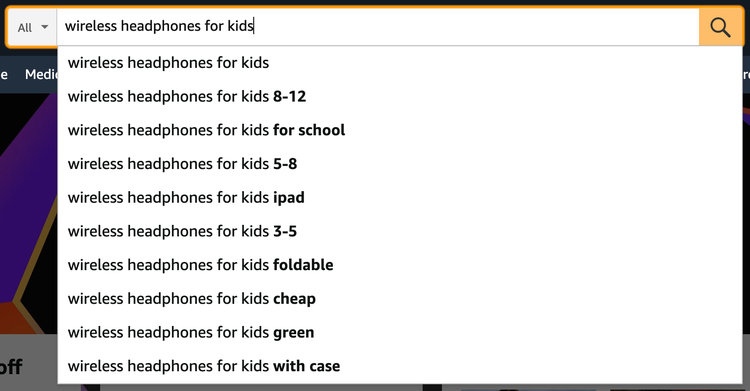
If you’re just starting out, your best bet is to target long-tail keywords. These are highly specific search queries (think “wireless headphones for kids 8-12” vs. just “wireless headphones”), which usually have less competition and are therefore easier to rank for.
Amazon allows you to add two types of keywords to your listings: frontend and backend keywords.
Frontend keywords are those you use throughout your product listing (e.g., in the product title and description) and are visible to shoppers.
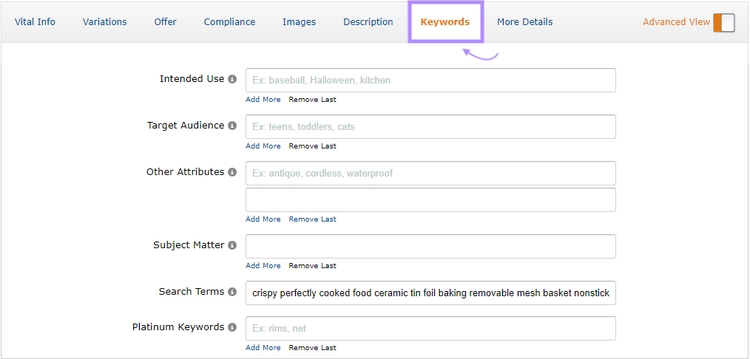
Backend keywords aren’t visible to shoppers. But Amazon still takes them into account when ranking your products in search. They’re a great way to help Amazon associate your product with relevant searches without having to cram more keywords into your product listing.
Backend keywords are added in the “Keywords” tab of your product listing in Amazon Seller Central.
But how do you figure out which keywords to use for your product listings?
Here are three methods you can use:
Using Amazon’s Auto-Complete Feature
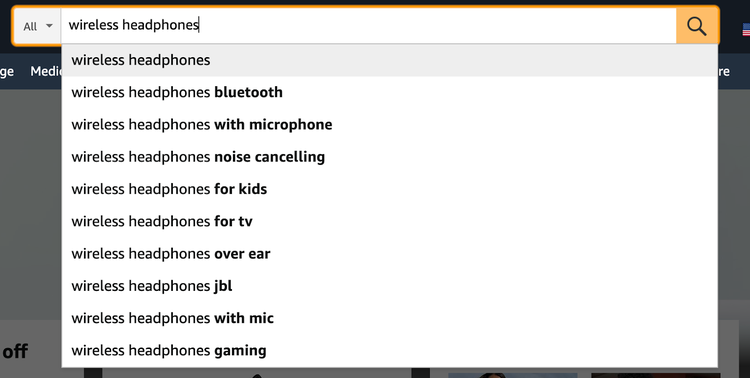
The Amazon search box is the best starting point for keyword research. Once you start typing in a search term, it will suggest relevant and related terms.
Simply type in your seed keyword, and Amazon’s search feature will suggest related keywords.
For more suggested terms, you can hit space and start typing in letters from A to Z to see what kind of suggestions Amazon gives you.
You can also try adding prepositions like “for,” “in,” “to,” “on,” “with,” and “without” to try to get more suggestions.
Then, repeat the process with each suggested search term to get even more keyword ideas.
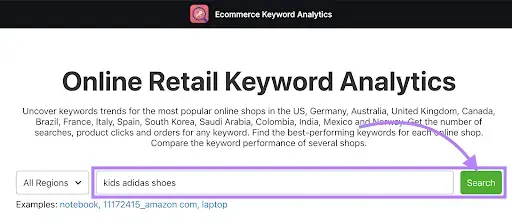
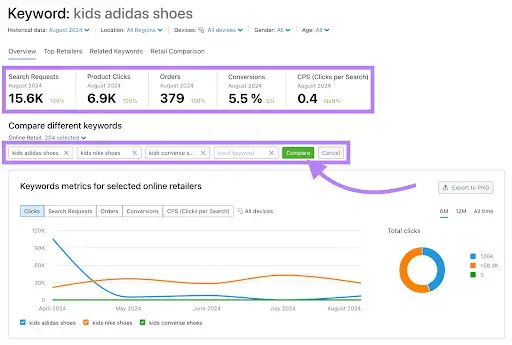
Enter your main product keyword and click “Search.”
You’ll get a report with the following important metrics:
Number of search requests
Number of product clicks
Number of orders
Number of conversions
Number of clicks per search (CPS)
We recommend adding more keywords in the “Compare different keywords” section. To get more detailed graphs and data.
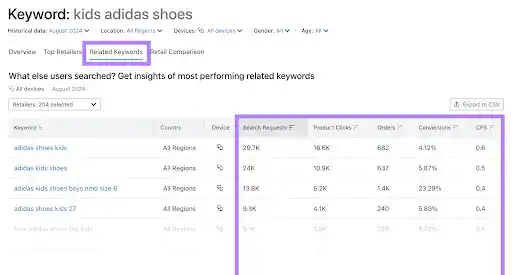
Explore the "Related Keywords" section to find additional, relevant keywords and keyword data.
Use these insights to select highly effective keywords. And optimize your Amazon product listings for better visibility and increased sales.
Optimizing Product Titles and Descriptions for Maximum Impact
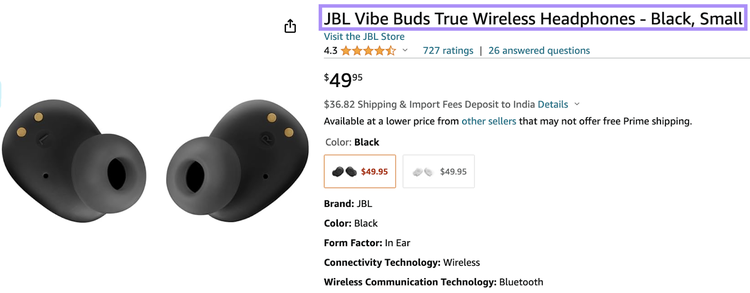
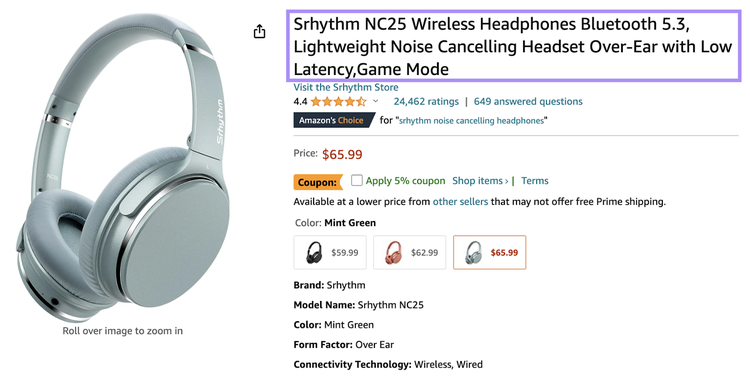
The product title is one of the main things Amazon’s A10 search algorithm uses to determine whether a product listing is relevant for a particular search.
Don’t include size and color variations in the title
If you don’t follow these requirements, Amazon might suppress your product listing in search results.
Your product title should include the primary keyword you’re looking to rank your product listing for.
As for product descriptions, Amazon suggests that sellers include the following information:
Brand name
Size (e.g., shirt size)
Type of material (e.g., cotton)
Other relevant details (e.g., color, quantity, packaging)
There are also specific guidelines for individual product categories. Make sure to check the guidelines for your product’s category when writing the description.
The product description is also a good place to add more relevant keywords but make sure not to overdo it—including a couple of keywords should be enough.
Tip
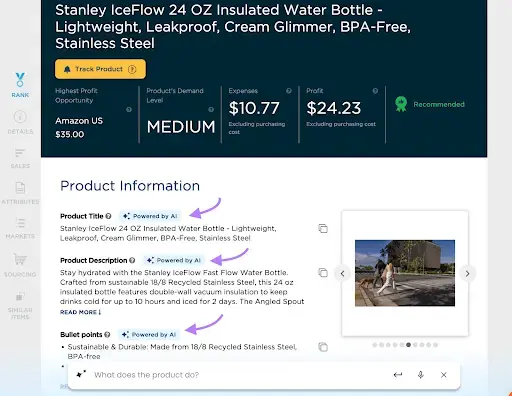
You can use the Product Research Pulse app to analyze your competitors' products on Amazon.
Simply enter a competitor’s product information into the app to access AI-generated recommendations for titles, descriptions, and bullet points.
Bullet Points and Product Features Optimization
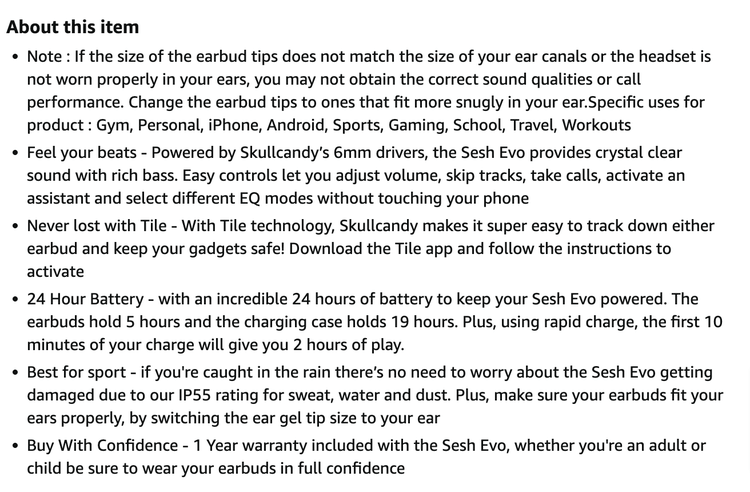
Amazon gives sellers the option to add short bullet points to their job listing. These should give shoppers a quick overview of the product’s features and benefits.
Amazon recommends using the bullet points section to highlight your product’s top five features.
It also offers a few guidelines you need to follow:
Start each bullet point with a capital letter
Write numbers as numerals
Spell out measurements (e.g., “inches”)
Don’t use hyphens, periods, symbols, or exclamation points
Don’t include company, shipping, pricing, or promotional information
Amazon allows sellers to add up to five bullet points for each product. If you’re a vendor, you can add up to 10 bullet points.
Amazon recommends keeping your entire bullet point section under 1,000 characters. So, aim for around 200 characters per bullet point.
You should start each bullet point with a benefit of your product. Then, connect that benefit to a feature.
We recommend making the first bullet point about your product’s most important benefit and feature. Then, move on to the second most important. And so on.
For example, let’s say you’re selling a pet carrier. You might want to lead with the fact that your pet carrier is well-ventilated thanks to a number of ventilation holes. This will help ease shoppers’ minds about their pet being able to breathe comfortably while being transported in the carrier.
Then, you could move on to less important features and benefits, such as the carrier being easy to clean.
Note that the features and benefits you discuss in your product listing need to be specific to the product, not the brand or the manufacturer. Remember to use unique copy for your bullet points—don’t just copy the manufacturer’s product description.
Bullet points should also be scannable and easy to read. So, make them concise.
Also, include a few relevant keywords from your research within the bullet points.
Creating High-Quality Product Images and A+ Content
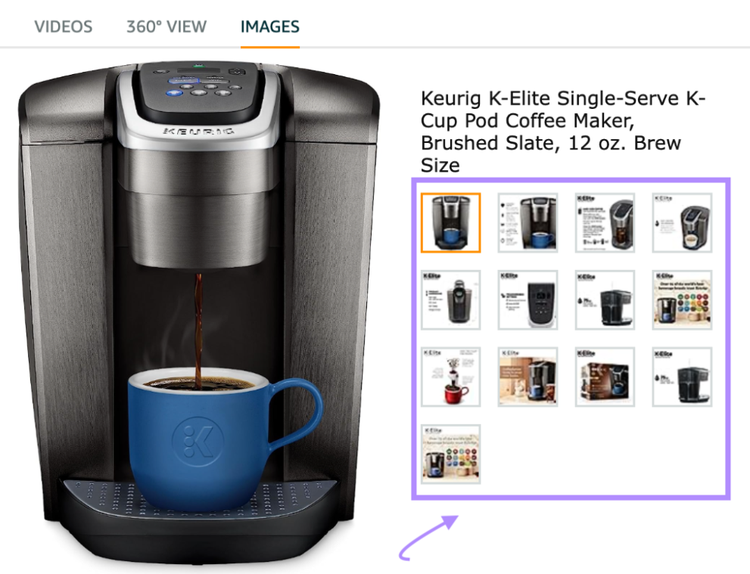
Adding high-quality product images to your Amazon product listing is essential. Images help increase click-through rates from search results and entice shoppers to make a purchase.
Amazon allows you to add up to nine images to your product listing (but only seven will be visible on your listing). You should take advantage of this and use up all the slots to highlight your product’s features.
The minimum size is 500 x 500 pixels—images should ideally be 1,600 pixels or larger on the longest side and not exceed 10,000 pixels
Resolution should be at least 72 dpi
Supported file formats include JPEG, PNG, TIFF, and GIF (non-animated)
Need to match the product in color and size
The product needs to fill at least 85% of the image
Images can’t be pixelated, blurry, contain nudity, or be sexually suggestive
There are additional requirements for your listing’s main image:
The image needs to have a pure white background
You’re only allowed to feature accessories or props that are included in the purchase
The image can’t include text, borders, logos, or watermarks
The entire product must be in the image
You need to show the product outside of its packaging
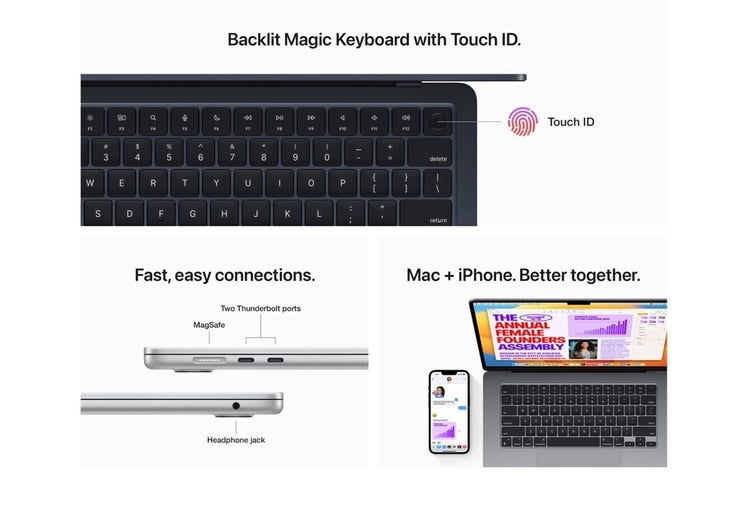
Apart from using high-quality images, you can also grab shoppers’ attention by using A+ content.
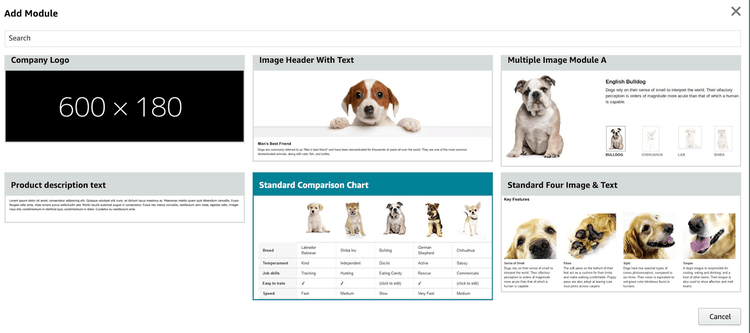
A+ content is a feature provided by Amazon that allows sellers to enrich their product listings by replacing the default product description section with an enhanced version that can contain:
Unique text and image layouts
Custom headers
HD videos
Infographics
Charts
Comparison tables
According to Amazon, using A+ content in your product listings helps to generate more attention from shoppers and results in higher conversion rates.
To enroll, you need to have an active registered trademark in the country where you’d like to enroll, as well as the ability to display your logo or brand name on all the products and packaging you sell through Amazon.
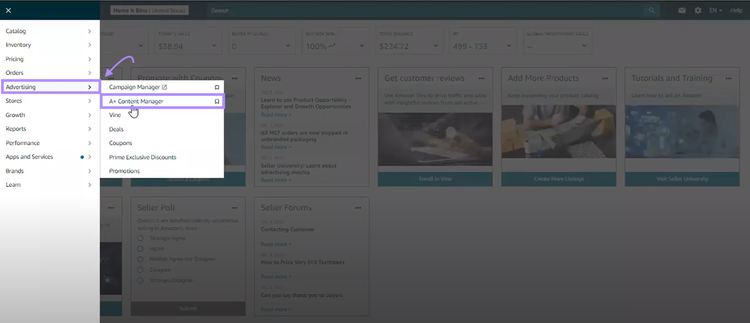
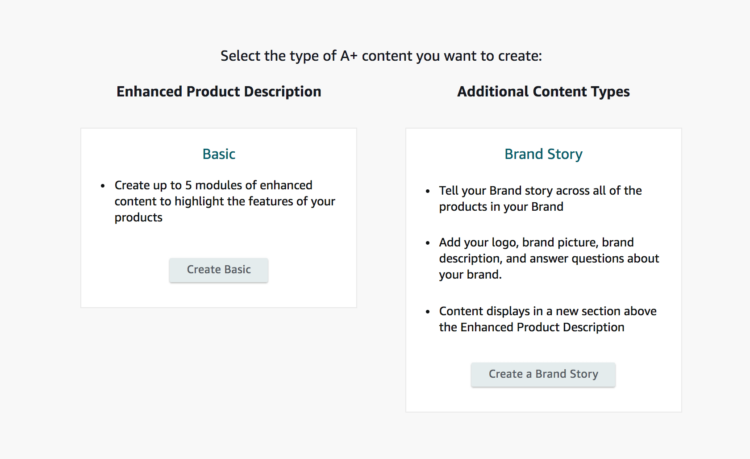
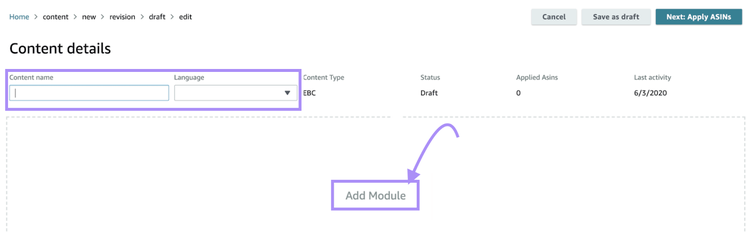
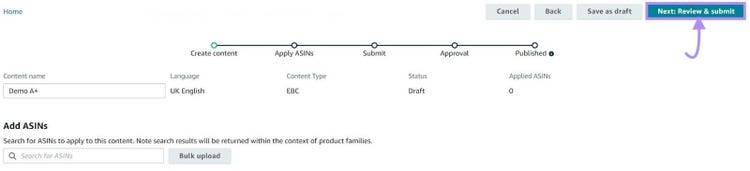
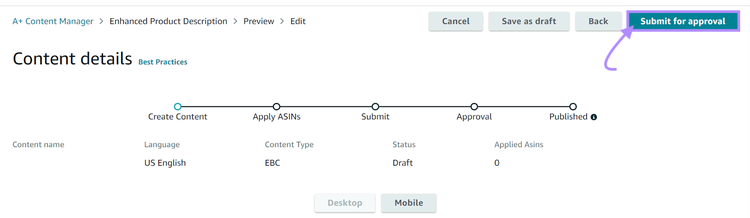
Here’s how to add A+ content to your Amazon product listings:
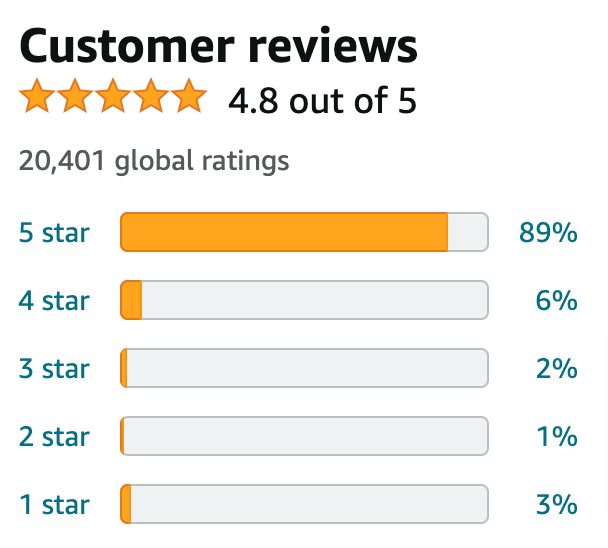
It’s crucial that your products have positive reviews and high ratings. Think about it—why would Amazon show shoppers low-rated products with bad reviews on the first page of search results?
Apart from showing Amazon that your products are high quality, positive reviews and high ratings also help increase your click-through and conversion rates. They provide social proof and help shoppers decide to make a purchase.
So, how do you generate more positive reviews and get high ratings? Here are a few tactics you can use:
Use the “Request a Review” button. Amazon offers sellers an easy way to gather reviews from customers. All you need to do is click the “Request a Review” button next to an order, and Amazon will automatically send the customer a review request email.
Describe your product accurately. A lot of bad reviews stem from misleading product descriptions. Describe your product accurately to ensure customers know exactly what they’re getting.
Use packing inserts. Create and print packing inserts that ask customers to leave a review. Add these inserts to each package you send.
Provide excellent customer service. One of the best ways to ensure positive product reviews and high ratings is to make sure your customer service is on point. Answer customers’ questions and respond to issues and negative reviews promptly.
Avoid using shady tactics to generate positive product reviews. For example, having friends and family review your products. Or buying reviews from websites that offer this service.
Amazon is getting better at spotting fake reviews and will catch on to shady tactics eventually.
Pricing and Promotional Strategies to Improve Rankings
A lot of your potential customers will be price-conscious. Because of this, the price of your products will impact the overall conversion rate.
For example, if your product is priced much higher than competing products, it’s likely to convert at a lower rate.
Think about it—why would shoppers buy the same or similar product from you if they can get it much cheaper from a competing seller?
Then, if your product doesn’t convert very well, Amazon might display it less frequently in search results. Which further damages your sales.
This makes it crucial to find the optimal pricing and promotional strategy for your products.
Here are a few tactics you can use:
Start with a Lower Price if You Have No Reviews
Also known as penetrative pricing, this strategy aims to jumpstart sales for a new product by keeping the pricing fairly low compared to the competition.
The idea here is to build brand awareness and generate reviews and ratings quickly by maximizing the number of sales.
Keep in mind that you should only use this strategy in the short term.
Why?
Because it doesn’t result in an optimal profit margin and can lead to pricing wars with your competitors. Once you gain a decent number of reviews and boost your product rating, you can improve your pricing to optimize profits.
Offer a Discount
Amazon gives you the option to offer discounts to customers via coupons.
It displays the coupon offer under the product’s price in the search results. It can help boost both click-throughs and conversion rates.
Set Up Automated Pricing Rules
You can set up rules to have Amazon automatically update product pricing based on specific events (e.g., a competitor modifies the price for their product).
This will ensure your pricing stays optimal at all times and eliminates the need for manual pricing changes.
Drive More Sales with Amazon SEO
Ready to boost your Amazon SEO performance?
Follow these Amazon SEO best practices to improve your Amazon product SEO, boost products’ rankings in Amazon search results, and drive more traffic and sales.
Boris Mustapic is a content marketing consultant with over a decade of experience in the digital marketing industry. He specializes in helping B2B SaaS companies drive growth through strategic, product-led content marketing.
Subscribe to learn more about Ecommerce
Subscribe
By clicking “Subscribe” you agree to Semrush Privacy Policy and consent to Semrush using your contact data for newsletter purposes
Share
Tells Google to show you more from Semrush in AI, Search, and Discover.
Our Amazon pricing study reveals answers to some of the hottest questions about the top pricing strategies in the marketplace—based on the pricing patterns of the most in-demand products and product categories.
If you weren’t planning on investing in your ecommerce strategy this year, you should. Here, we’ll talk about the different elements of a smart ecommerce strategy. You’ll get familiar with:
Win on Amazon with actionable insights into the Amazon customer funnel. Learn how your customers browse, make purchase decisions, and when they‘re most likely to convert. Read the study to learn more.