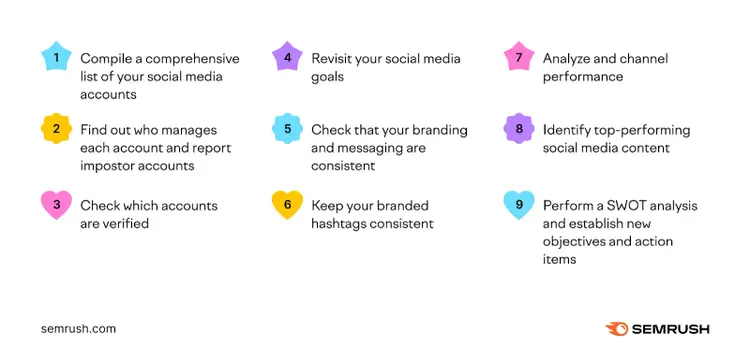
A social media audit is a structured review of your social media activities to understand what works, what needs improvement, and how to strengthen your online presence.
Social media audits are important because many organizations have multiple social accounts on different platforms.
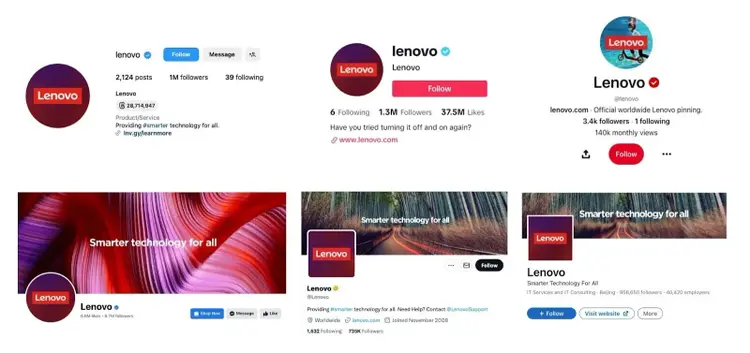
For example, most brands have accounts on Instagram, Facebook, X, TikTok, Pinterest, and LinkedIn with consistent branding and levels of activity.
However, with that many accounts, letting one slip through the cracks can be easy.
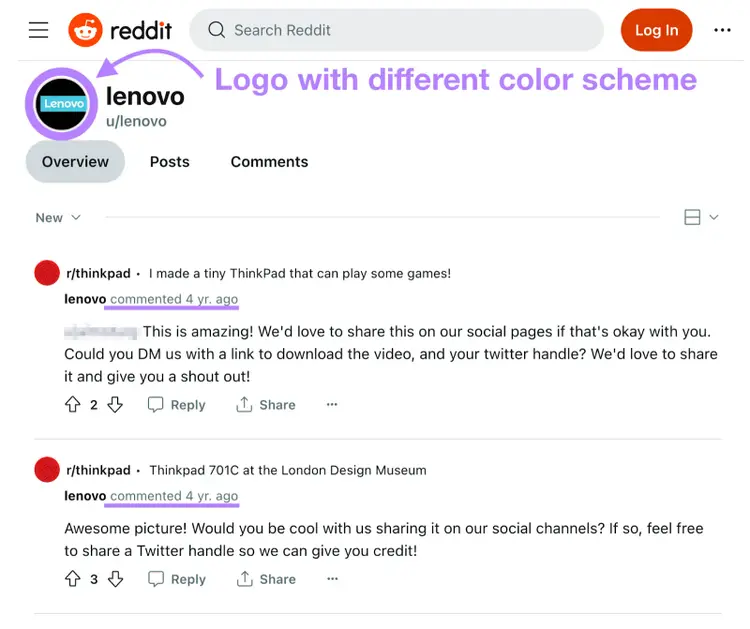
The same brand on Reddit, for instance, might have a logo with a different color or little to no social media activity.
Regular audits help maintain awareness of the following:
Which platforms have accounts that need updates
Which platforms the target audience engages with the most
Which content types the audience prefers
Which accounts contribute the most to overall success
Conduct an audit at least once per quarter. This matters even more if you have profiles on major platforms.
1. Make a Comprehensive List of Your Social Media Accounts
List all current social media accounts. This identifies which ones are active and which ones might need removal.
If you’re unsure about an account’s existence, search for your brand or product name on each platform.
Here are the platforms we recommend checking:
Facebook
Instagram
X (formerly Twitter)
TikTok
Snapchat
Pinterest
LinkedIn
Reddit
Quora
Tumblr
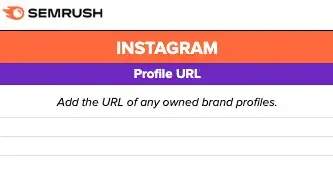
Action: Add each account to the “Profile URL” column on the audit template’s “Summary” page.
If you find unknown or forgotten accounts, include them in the list.
2. Find Out Who Manages Each Account and Report Impostor Accounts
Determine which accounts are official, which are duplicates, and which might be impostors.
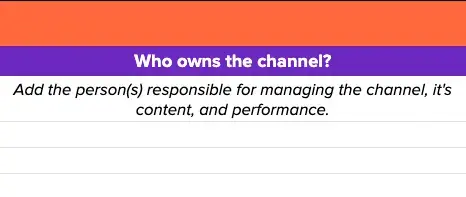
A sole operator manages all accounts
A larger team should note who handles each account
Action: Ask the social media team about who manages each account. Record these names on the “Summary” page of the audit.
Delete duplicate accounts to avoid confusion. Report malicious accounts to the corresponding platform so they don’t harm your brand reputation.
Pro tip
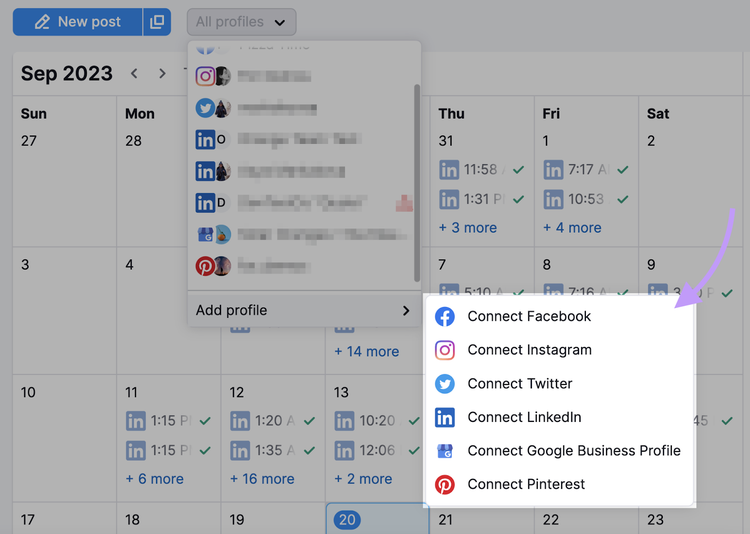
Connect your owned accounts to Semrush Social. It provides a single dashboard for scheduling, cross-platform publishing, analytics, and competitor insights.
3. Check Which Accounts Are Verified
Verification on social media means the platform confirms an account’s authenticity.
This helps prevent fraudulent or imposter pages, preserving the legitimacy of official profiles.
Verification often appears as a check mark on the profile.
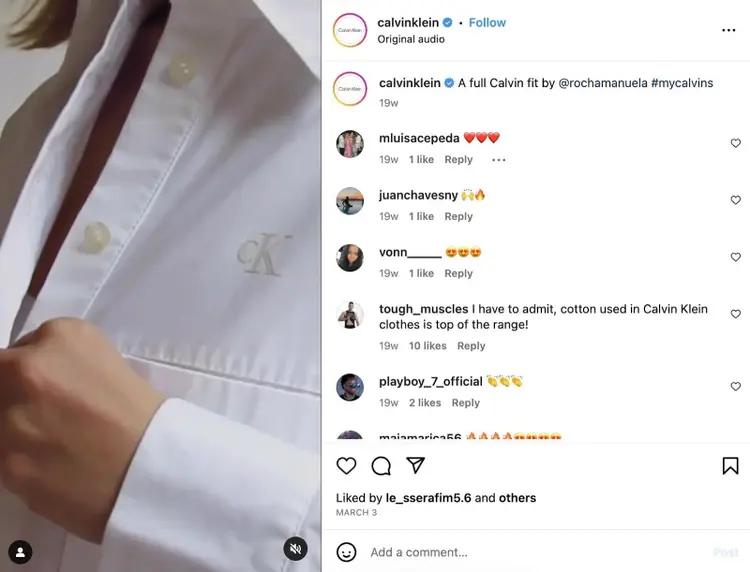
For example, this is what the verified icon (blue check mark) looks like on Instagram:
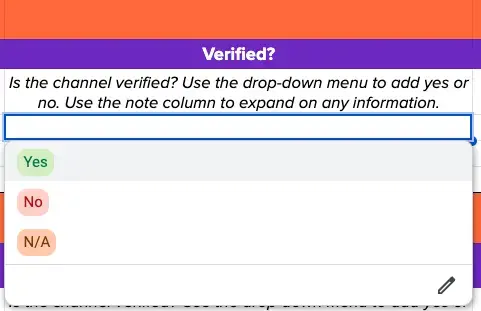
Action: Review each social account and note which ones are verified. Add these details to the audit sheet.
If you have unverified accounts, plan to verify them once the audit is complete.
4. Revisit Your Social Media Goals
Social media goals should align with wider objectives and marketing strategy.
This alignment ensures all marketing channels contribute to organizational aims.
For example, if the objective is to “increase sales by a factor of ten this quarter,” a matching social media goal could be to “get 100 link-in-bio clicks weekly.”
Action: Add each goal to the “Goal” column on the audit’s “Summary” page.
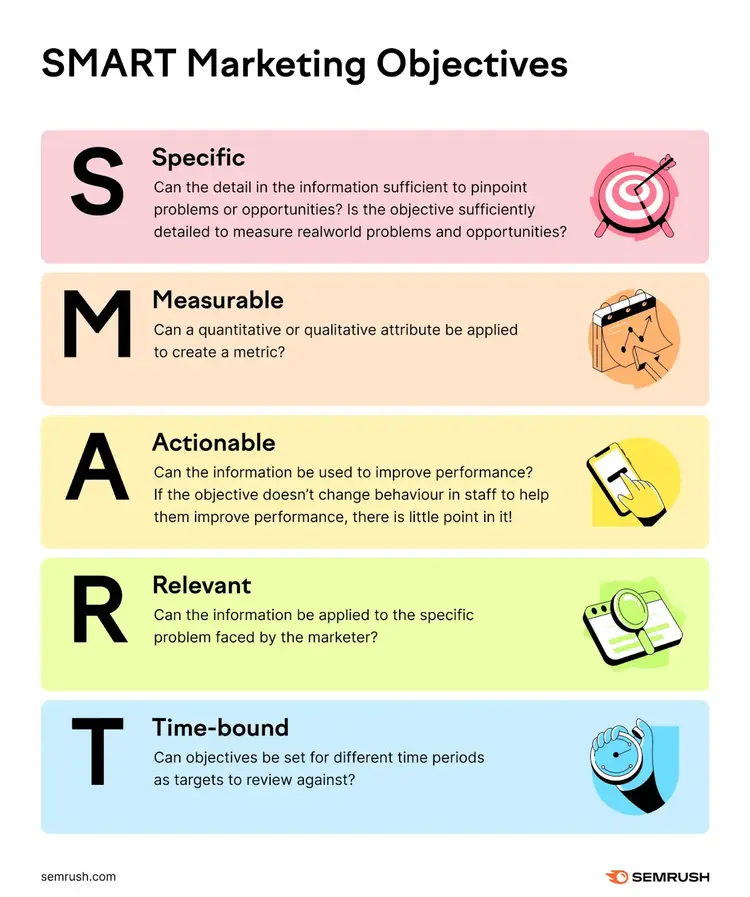
If you need guidance creating goals, apply the SMART framework (Specific, Measurable, Actionable, Relevant, Time-bound).
Action: After setting goals, record them in the social media audit sheet.
5. Check that Your Branding and Messaging Are Consistent
Consistent branding shapes a clear identity linked to business culture and mission.
This encourages familiarity, builds emotional connections, and fosters long-term customer relationships.
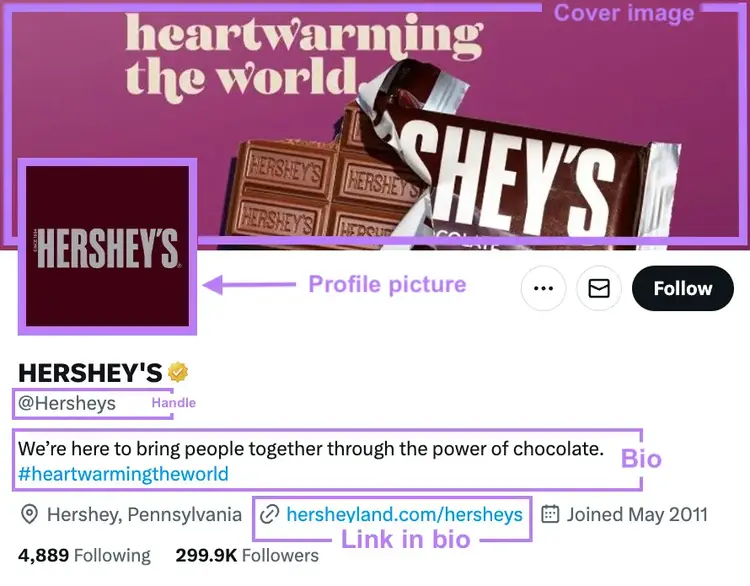
Here are the key elements of your profile that you should check for consistency:
Profile picture: This should visually represent the business or individual. Many organizations use logos; personal brands often use personal photos.
Cover or banner Image: Offers another space to highlight brand identity, usually cohesive with the profile picture
Bio or description: Conveys essential information in the brand’s voice. Explains who you are, what you do, and how you help.
Username or handle: Includes the brand name for easy recognition and searchability
Link in bio: A clickable URL that appears on certain social media accounts within the “bio,” as the name suggests
Action: Confirm each element matches across every social account. Record these details in the audit sheet.
If a profile picture or link differs on any account, note that discrepancy and update it later.
6. Keep Your Branded Hashtags Consistent
Branded hashtags organize content and build a recognizable identity. They also make finding user-generated content (UGC) easier.
For example, major retailers sometimes create hashtags using their brand names.
This unique but recognizable tag can encourage users to share social posts featuring the brand’s products.
The brand can then search for that hashtag on social media to find UGC and repurpose that content on their own accounts:
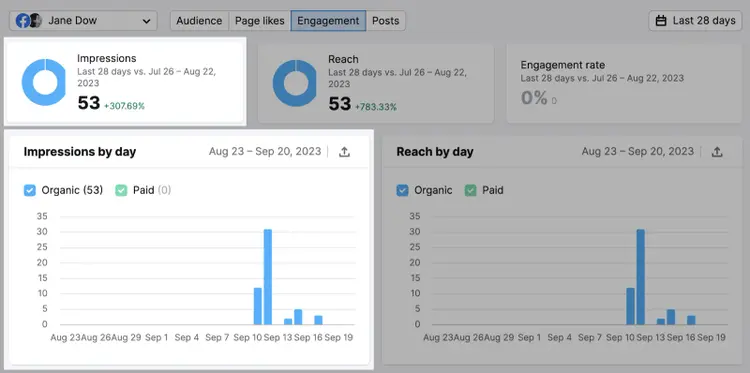
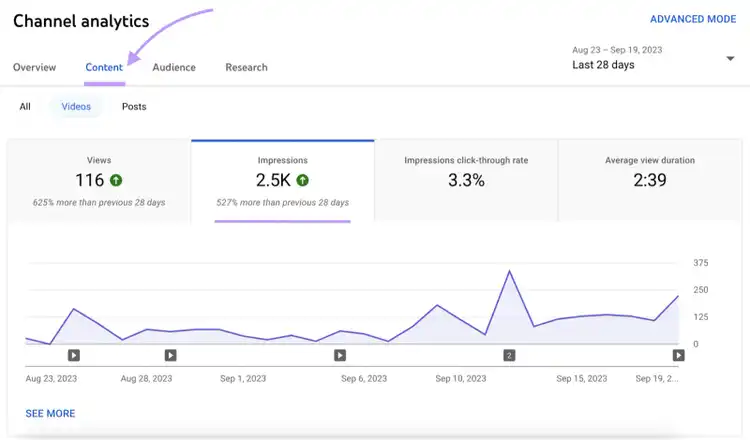
You can also find social media impressions on a social media platform’s analytics page.
For example, YouTube Studio’s Analytics tab contains impressions data:
Action: Add impression counts across all owned platforms to the “Profile Performance” section.
If You Have Few Impressions:
Use relevant hashtags
Develop engaging, repeatable content
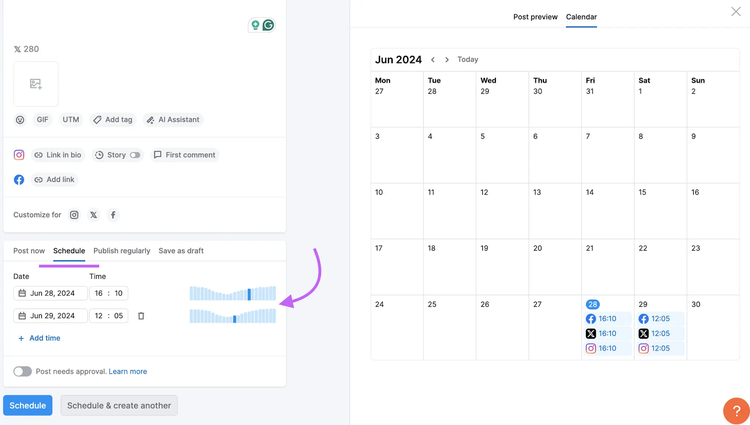
Schedule posts to go live at peak times
Pro tip
Add your social accounts to Semrush’s Social Poster to pre-schedule up to 2,000 posts for Instagram, Facebook, X (formerly Twitter), LinkedIn, Pinterest, and Google Business Profile.
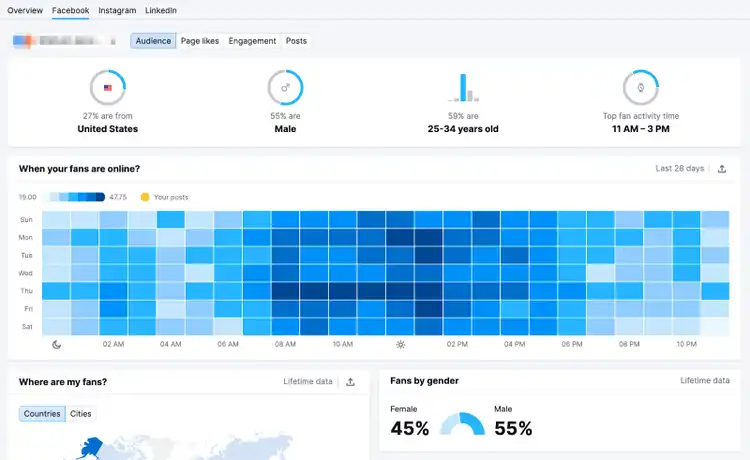
The tool also tells you when your target audience is most active.
Reach
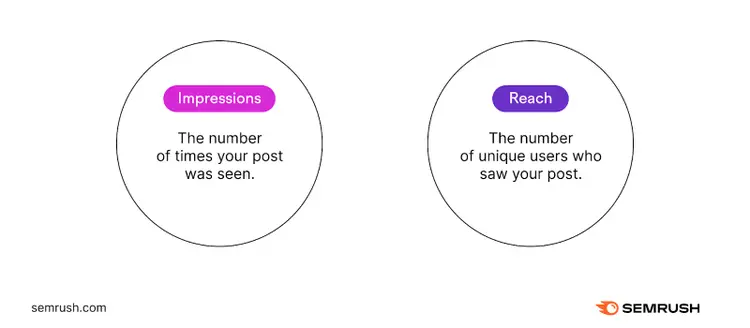
Social media reach measures unique views.
For example, a post seen by 33,000 unique users means a reach of 33,000.
Reach differs from impressions—one user can view a post multiple times, raising impressions but not reach.
Action: Add reach metrics to the “Profile Performance” section of your template.
If Your Reach Is Low:
Share high-quality visuals
Confirm the platform fits the audience
Create and publish evergreen content
Engagement Rate
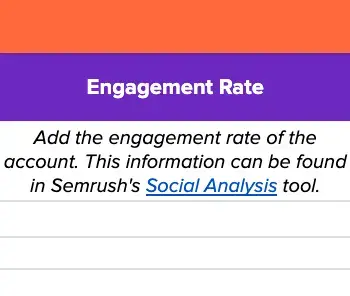
Engagement rate gauges likes, comments, shares, or saves. It reveals if audiences connect with the content.
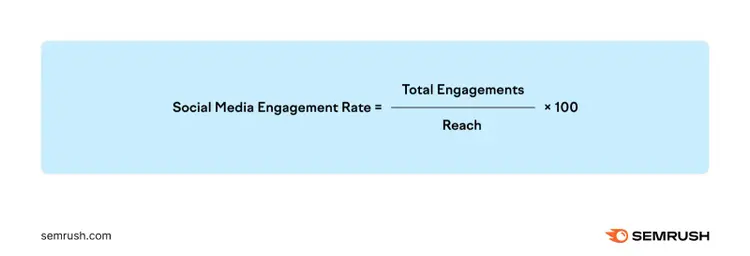
The formula for calculating engagement rate is (Total Engagements / Reach) x 100.
For example, if a post gets 600 engagements and reaches 15,000 people, the engagement rate is 4%.
Find your total engagements and reach for all social accounts in Semrush’s Social Analytics.
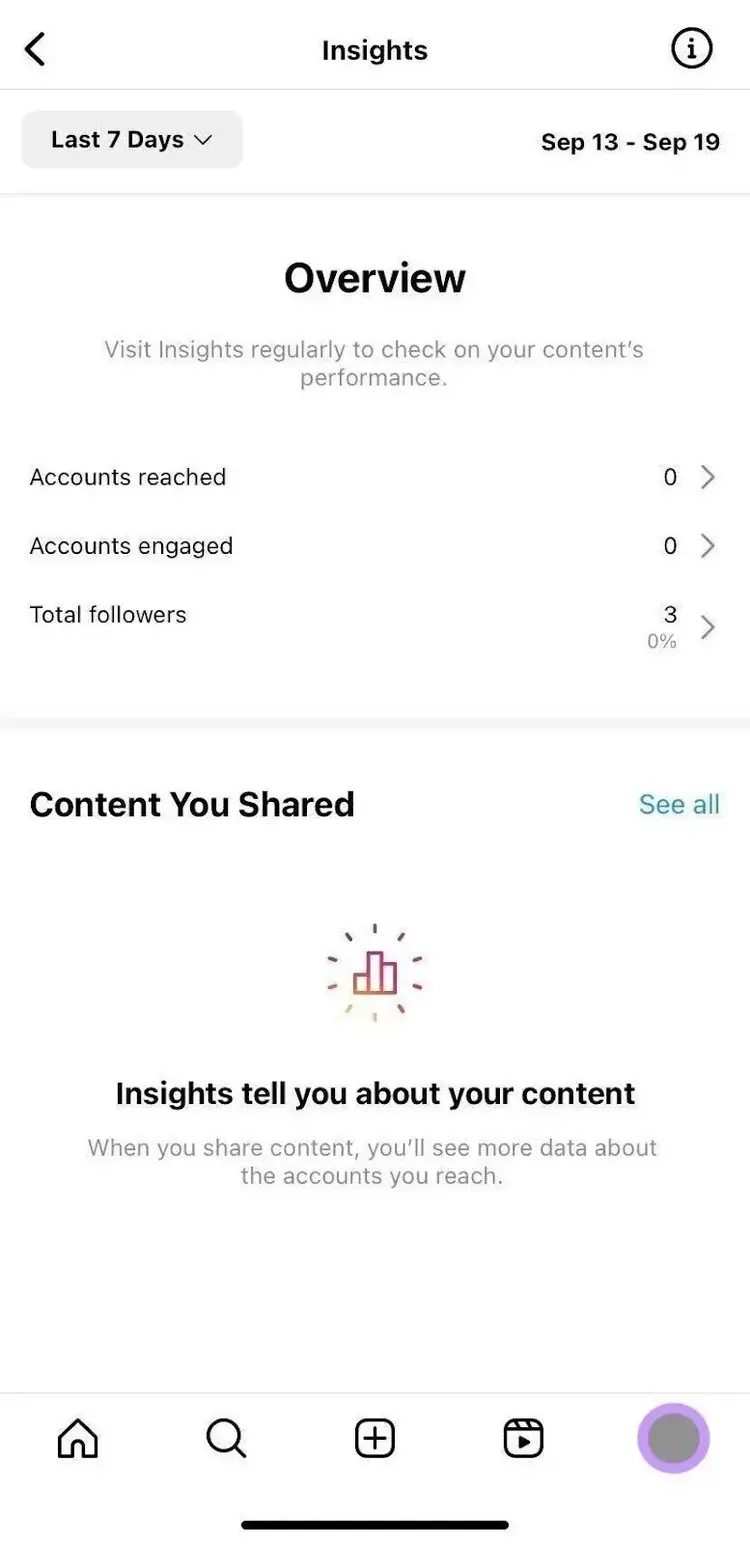
You can also find engagement rates on a social media platform’s analytics dashboard.
For example, the analytics dashboard looks like this on Instagram:
Action: Add your engagement rate to the social audit sheet.
Take note that engagement rates can vary by audience size and industry norms.
A larger social media following typically means a lower engagement rate. Additionally, average engagement rates vary across industries and platforms.
For example, a B2B audience on TikTok is less likely to engage than a B2B audience on LinkedIn.
If Your Engagement Rate Is Low:
Align messaging with audience needs
Explore audience preferences and pain points
Respond to comments and ask questions
Followers
Follower count shows potential audience size and growth trends.
However, quality matters more than quantity. Irrelevant or fake followers reduce engagement.
Additionally, fake or bot followers are easy to obtain, further troubling the relevancy of this metric.
Action: Add your social media follower count across all owned platforms to the “Profile Performance” section.
If Your Follower Count Is Low:
Post compelling or entertaining content
Maintain a clear brand identity
Collaborate with suitable influencers
Referral Traffic
Referral traffic indicates the number of website visits from social media. It reveals which platforms attract visitors and which campaigns perform well when tracked with URL parameters.
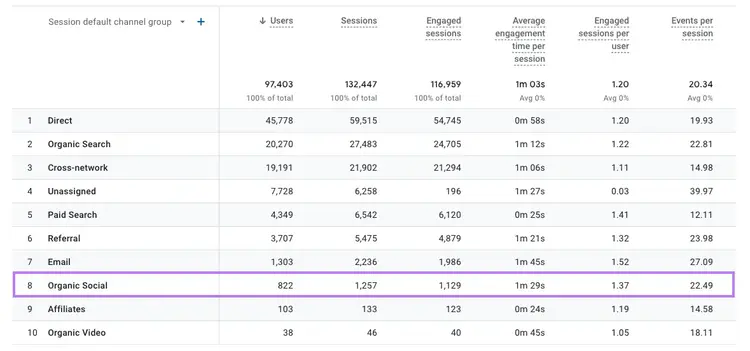
To find referral traffic data, go to Google Analytics.
Then, click on “Reports” > “Acquisition” > “Traffic Acquisition” to analyze your social referral traffic.
Action: Add referral traffic data from all your owned accounts to the “Profile Performance” section.
If Your Referral Traffic Is Low:
Include clear links and CTAs in your posts and profile
Encourage social sharing
Improve impressions and reach
8. Identify Top-Performing Social Media Content
Top-performing social media content are posts that meet social media goals.
For example, if your goal is to drive website traffic, then the post with the most clicks performs best—even if it has fewer likes.
Use the Semrush Social toolkit to view post metrics across multiple networks:
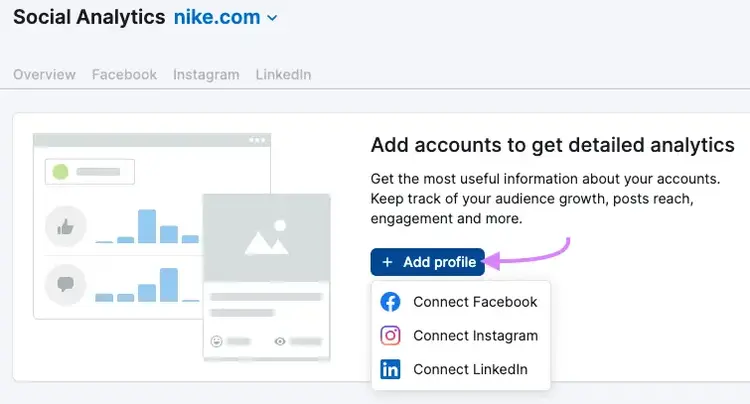
Hover over to the “Social” toolkit and click “Social Analytics” in the left-hand navigation bar.
Select “+ Add profile” and follow the prompts to connect your accounts.
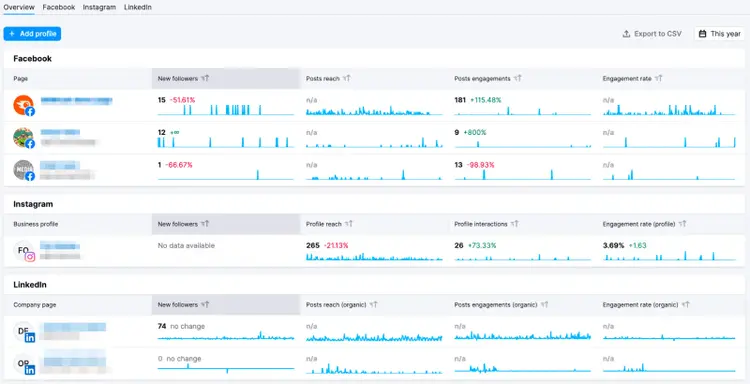
Open the “Overview” tab to see metrics across your social channels.
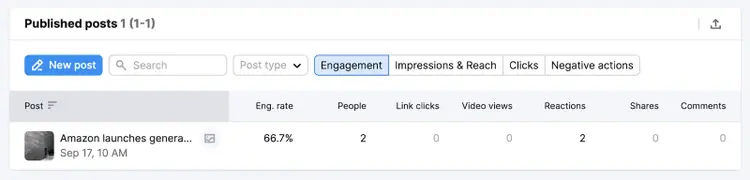
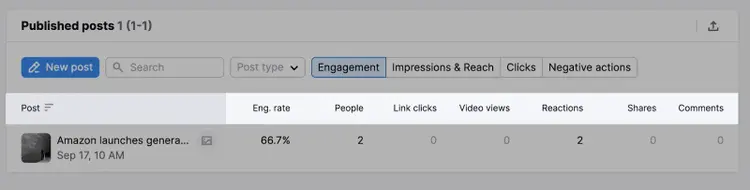
Go to the relevant platform tab to see specific post performance.
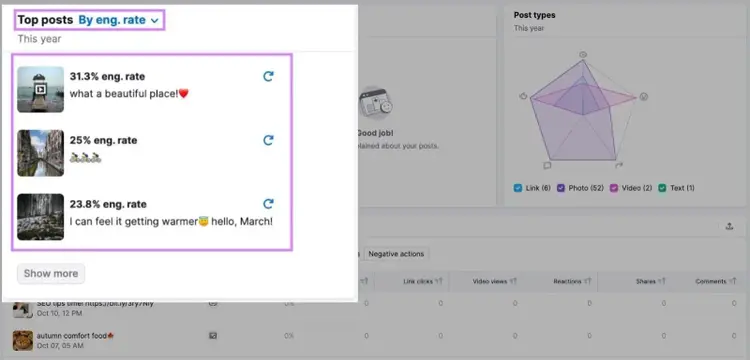
Sort posts by engagement rate (or another metric) by clicking on the column label.
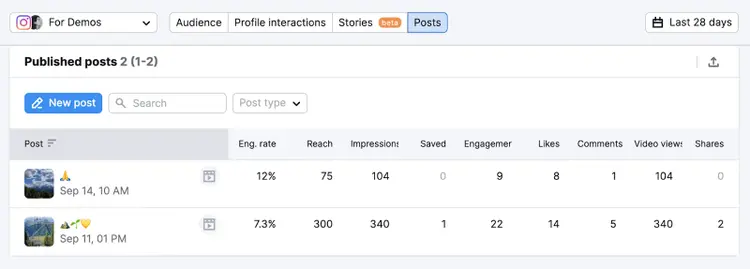
The example below shows which posts had the best engagement.
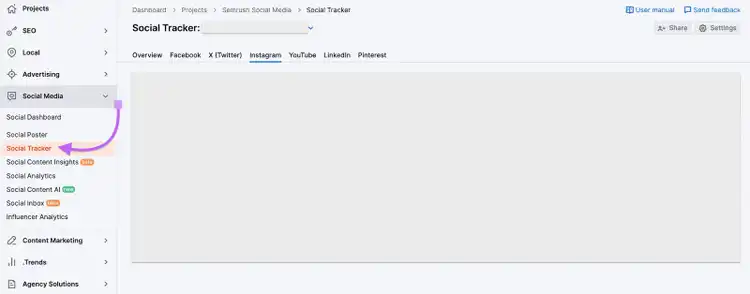
To see your performance on X (formerly Twitter) and YouTube, click on “Social Tracker.”
Then, click on “Twitter” or “YouTube” to see individual post performance.
Use this information to determine which campaign strategies led to high performance, then replicate them for future campaigns.
Action: Add links to your top five best-performing posts under “Top Performing Posts” in your social audit sheet.
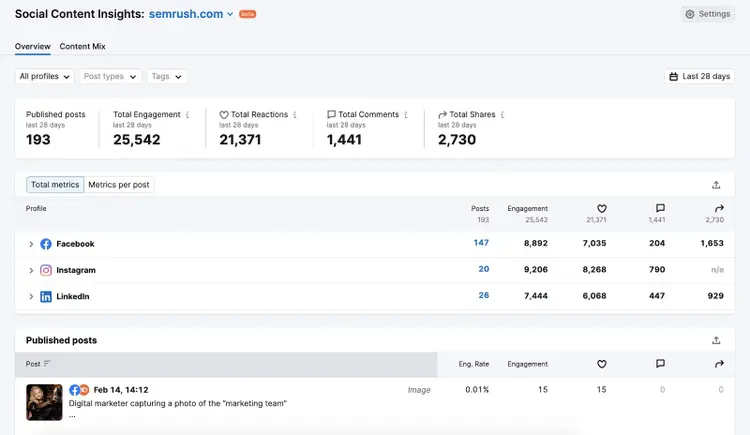
Finally, open “Social Content Insights” in Semrush Social to get an overview of your social media posts’ engagement metrics and post statistics.
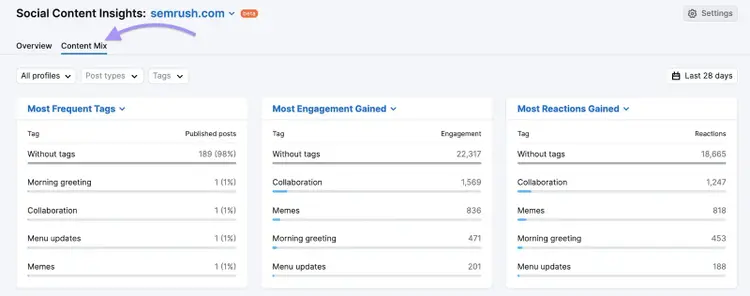
The “Content Mix” report shows the most popular content types.
This helps you identify what resonates with audiences and reveals strategies that truly engage followers.
Identify Your Top-Performing Social Media Content Easily
9. Perform a SWOT Analysis and Establish New Objectives and Action Items
A SWOT analysis uncovers missed opportunities, points of improvement, and competitive insights.
This approach helps refine the social media strategy
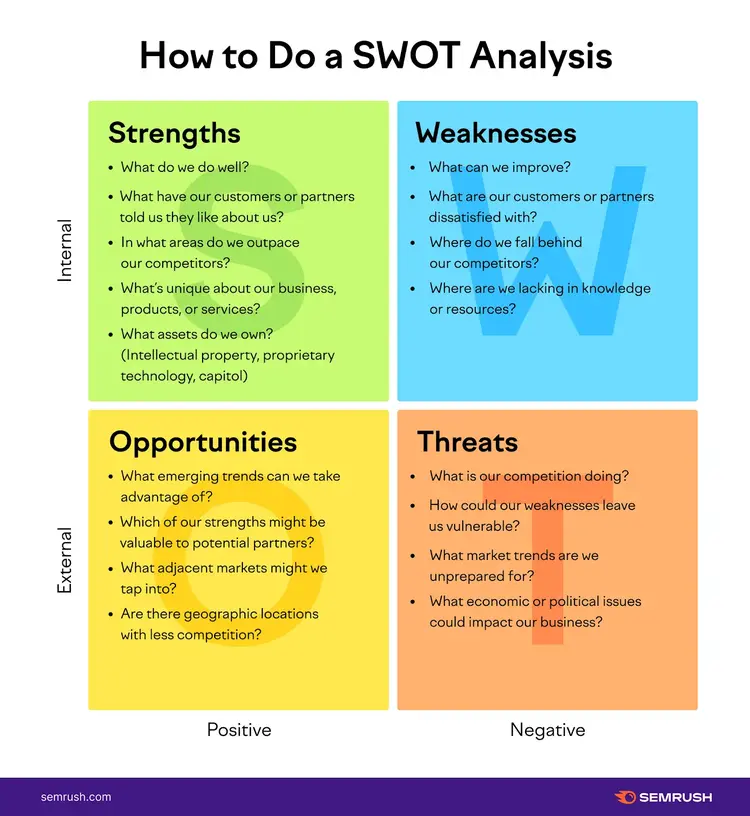
SWOT stands for strengths, weaknesses, opportunities, and threats:
And here’s how you perform a SWOT analysis:
Strengths: Identify high-performing areas. Examples include video content that boosts CTR or a campaign that increases signups by a measurable amount.
Weaknesses: Pinpoint aspects needing improvement, such as delayed comment responses or an outdated social calendar
Opportunities: Consider external factors that could spark new growth, like a newly launched social media platform. Explore competitor strategies with Social Tracker from Semrush Social to find techniques and channels worth adopting.
Threats: Watch for external issues that could hinder progress. A new algorithm update or privacy regulation could disrupt your current plans. Competitors might also release an innovative product.
Action: Use the SWOT analysis tab to list out your findings. Then, make a list of action items. Add these to your social media audit.
Claire Beveridge is a content writer, strategist, and consultant for software and technology companies. She uses her 13+ years of experience in marketing to create engaging editorial that performs against the KPIs businesses care about most.
Subscribe to learn more about Social Media
Subscribe
By clicking “Subscribe” you agree to Semrush Privacy Policy and consent to Semrush using your contact data for newsletter purposes
Share
Tells Google to show you more from Semrush in AI, Search, and Discover.