
The 9 Best AI Image Generators of 2026 (Tested Firsthand)
I’ve been testing AI image generators since the first version of DALL-E was released in 2021.
Since then, I’ve logged dozens of hours inside tons of platforms.
In this guide, I’m sharing my nine favorite AI image generators for different needs. Based on the actual results I got for real prompts.
The Best AI Image Generators
How I Picked the Best AI Image Generators
This list is the result of months of testing these tools in real projects.
I ran the same prompt (with minor tweaks when needed) through each tool to keep things fair.
Here’s what I looked at when picking the winners:
- Image quality: How sharp, realistic, and prompt-accurate were the results?
- Creative control: Could I add details, tweak, edit, or upscale without losing my mind?
- Originality: Did the tool offer anything new or innovative?
- Value for money: Did the results justify the price? Were the free tiers actually usable?
- Workflow fit: Was the UX smooth enough for beginners and fast enough for pros?
- Audience focus: Did it solve real problems for marketers, designers, and/or content teams?
1. Midjourney: Best for Hyper-Realistic Images & Professional Use
Midjourney leads the pack for creating incredibly detailed, hyper-realistic visuals.
It nails facial features, lighting, reflections, and texture.
And works great for professional design teams who need high-quality concept images or visual inspiration.
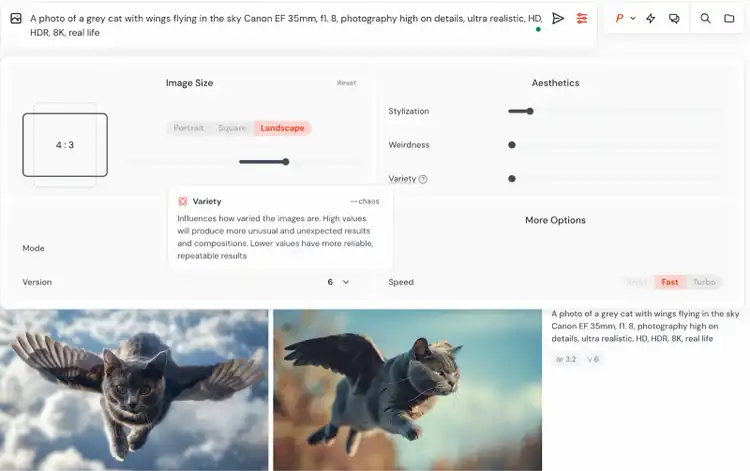
You create images in Midjourney by typing out detailed prompts in the chat within Discord.
Alongside the prompt, you can use the interactive interface to adjust visual settings such as the aspect ratio:
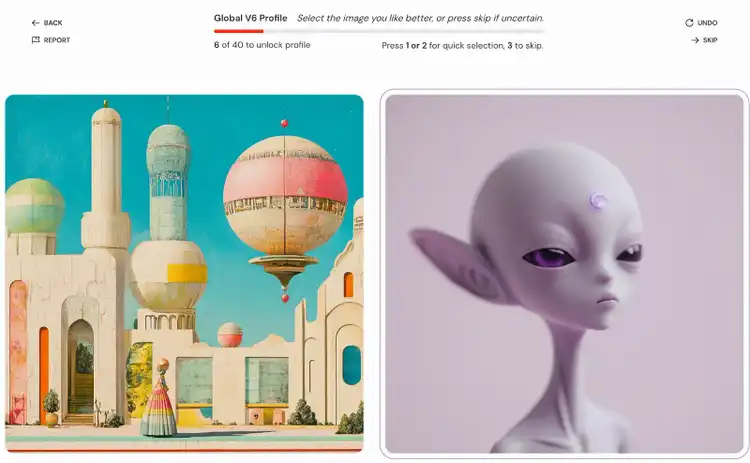
Midjourney also learns what you like by showing you different image options and asking which one you prefer.
It then uses your choice to fine-tune future results to match your taste.
How Midjourney Did in the Test
Prompt:
“Generate a hyper-realistic image of a woman wearing a black cyberpunk costume. Canon EF 35mm, f1.8, photography high on details, ultra realistic, HD, HDR, 8K, real life.”
Result:
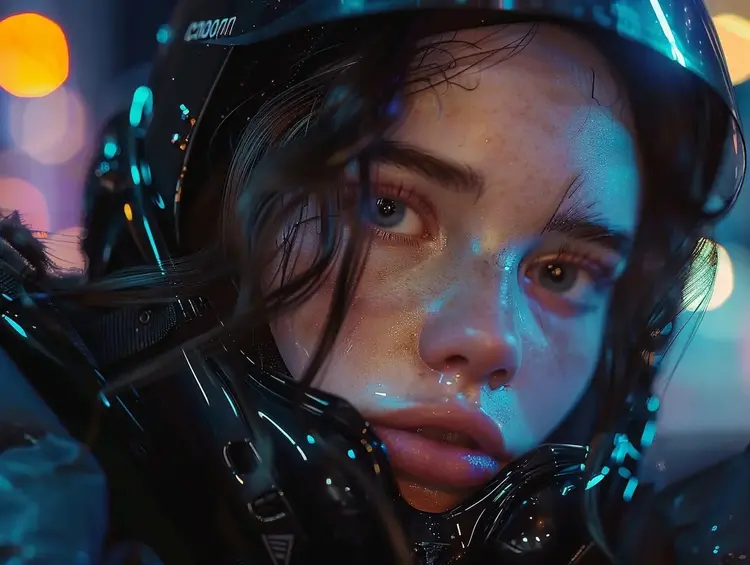
The quality and realism of the image are exceptional. For instance, you can see freckles, individual eyebrow hairs, and even beads of sweat.
Licensing and Usage Rights
All images generated with Midjourney are public by default. They may appear in the community feed and be remixed by others.
If you're on a Pro or Mega plan, you can enable stealth mode to generate images privately.
All paid plans also include full commercial usage rights, meaning you can legally use the images for client projects, ad creatives, or other commercial work.
For sensitive use cases, we recommend reviewingMidjourney’s Terms of Service to ensure compliance with their licensing and privacy policies. And always steer clear of depicting trademarks, copyrighted work, and real people.
What Works Well vs. What Could Be Improved
Pricing
- Basic Plan: $10/month
- Standard Plan: $30/month
- Pro Plan: $60/month
- Mega Plan: $120/month
2.ChatGPT: Best for Fast Image Generation & Editing
ChatGPT is my second favorite option after Midjourney. The image quality is surprisingly good, and you can use the tool for free.
Image generation in ChatGPT is powered by GPT-4o by default.
Just type in what you want to create, and get a high-quality image.
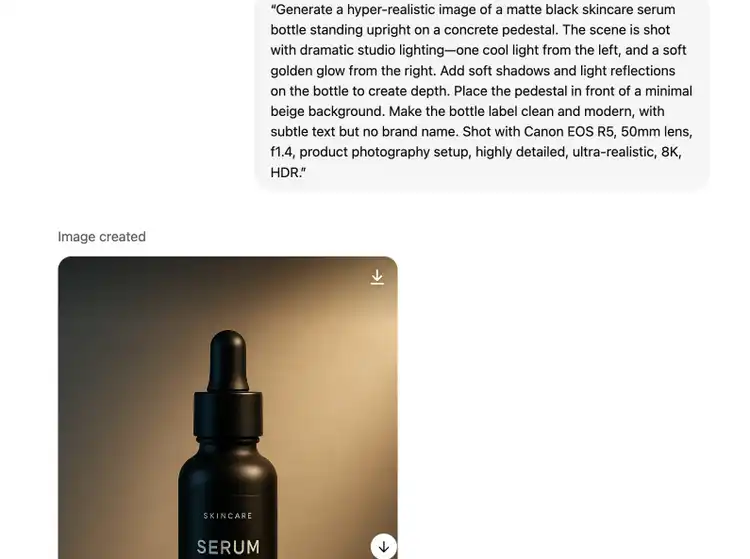
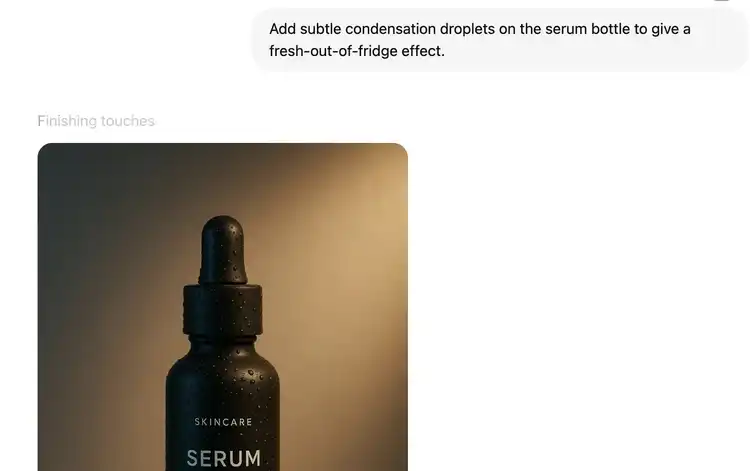
You can tweak the image by simply clicking the image and entering a follow-up prompt.
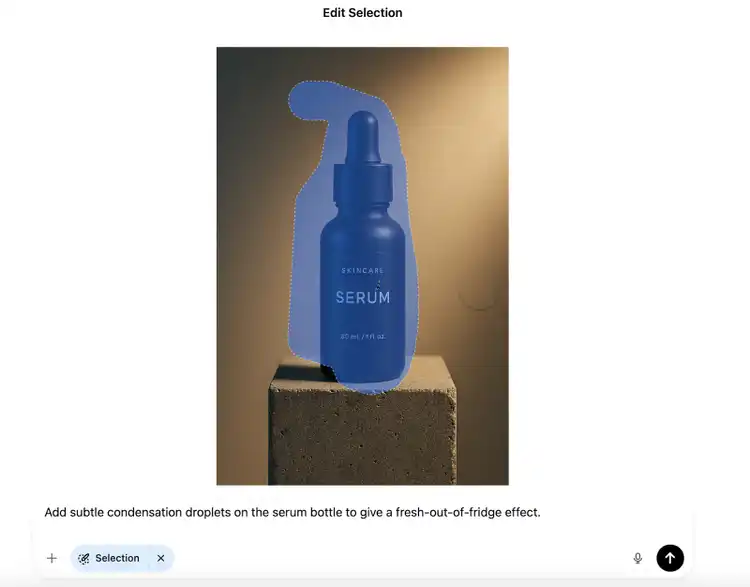
You can also use the “Select” tool to select specific areas to edit and create a new version of your image without leaving ChatGPT.
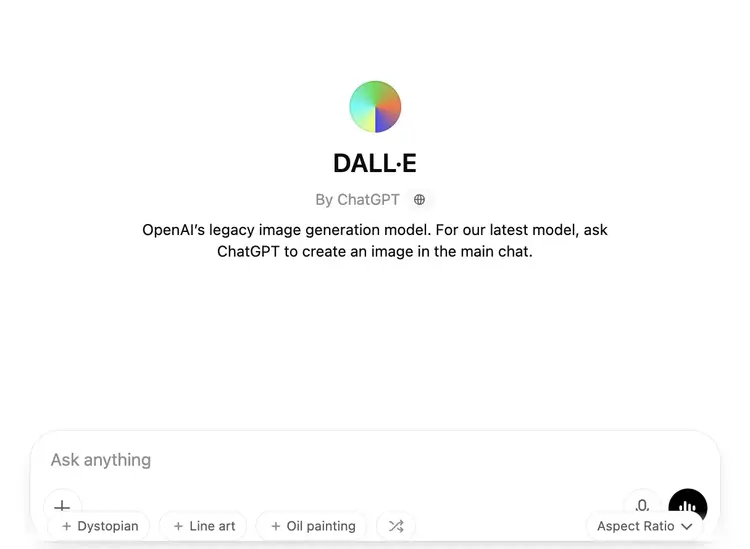
There’s also access to DALL·E 3, OpenAI’s dedicated image model that was previously the main tool for generating visuals in ChatGPT.
You can access it by searching for the DALL·E GPT in the Explore GPTs tab. And then open a new chat.
How ChatGPT Did in the Test
Prompt:
“Generate a hyper-realistic image of a woman wearing a black cyberpunk costume. Canon EF 35mm, f1.8, photography high on details, ultra realistic, HD, HDR, 8K, real life.”
Result:
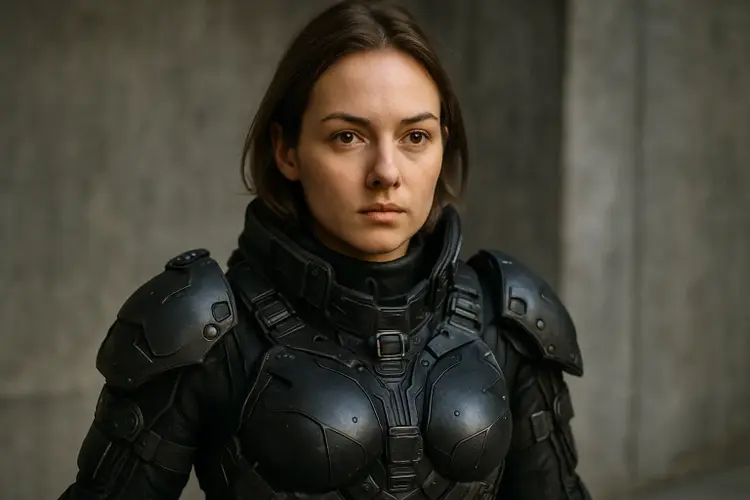
The lighting, shadows, and depth look realistic. But it’s not as artistic or as Midjourney’s version.
Licensing and Usage Rights
You get full commercial rights. That means you can use the images for blog posts, ads, client projects—anything.
Just steer clear of prompts that involve real people or anything trademarked or copyrighted.
What Works Well vs. What Could Be Improved
Pricing
- Free: AI image generation is available to free ChatGPT users—with limits
- Paid: Plans start at $20/month and are ideal if you create images regularly or in higher volume
3. Leonardo AI: Best for Custom Styles & Built-In Prompt Help
Leonardo AI lets you start with a half-baked prompt, and it’ll rewrite it into something more detailed.
For instance, I gave it the prompt:
“Generate a hyper-realistic image of a woman wearing a black cyberpunk costume.”
And Leonardo instantly upgraded it with lighting details, texture suggestions, etc.
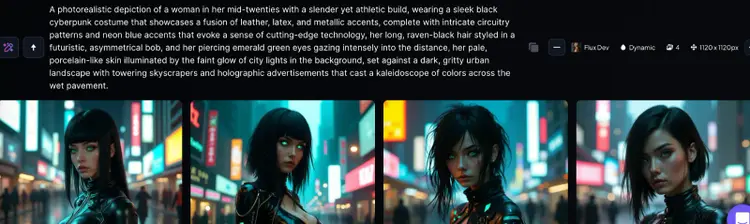
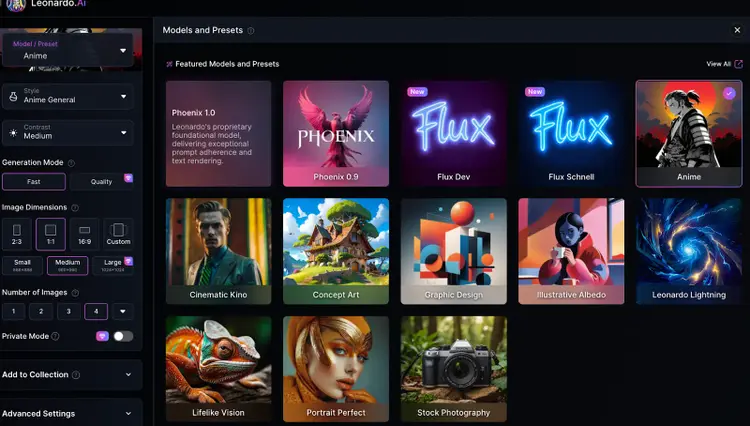
It also lets you pick from dozens of models—such as “Anime,” “Leonardo Lightning,” and “Concept Art”—with each offering a different look and tone.
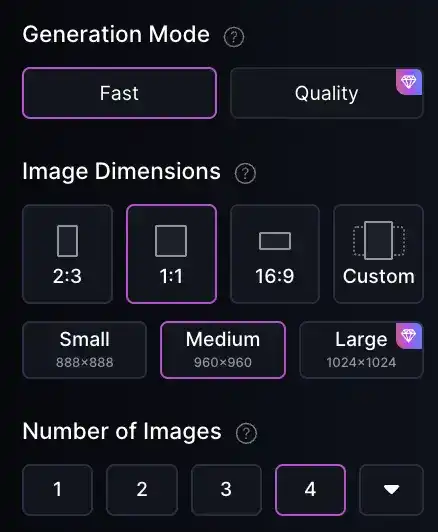
You get options for specifying image dimensions, the number of images to generate, and the generation mode (“Fast” or “Quality”).
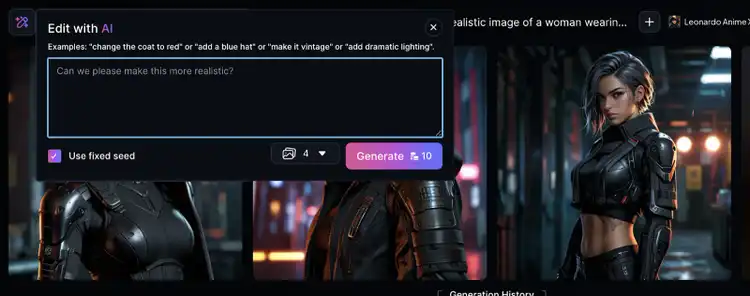
Once the image has been generated, you can edit it using a prompt, which is great for making tweaks rather than starting over.
How Leonardo Did in the Test
Preset: Lifelike vision
Prompt:
“Generate a hyper-realistic image of a woman wearing a black cyberpunk costume. Canon EF 35mm, f1.8, photography high on details, ultra realistic, HD, HDR, 8K, real life.”
Result:
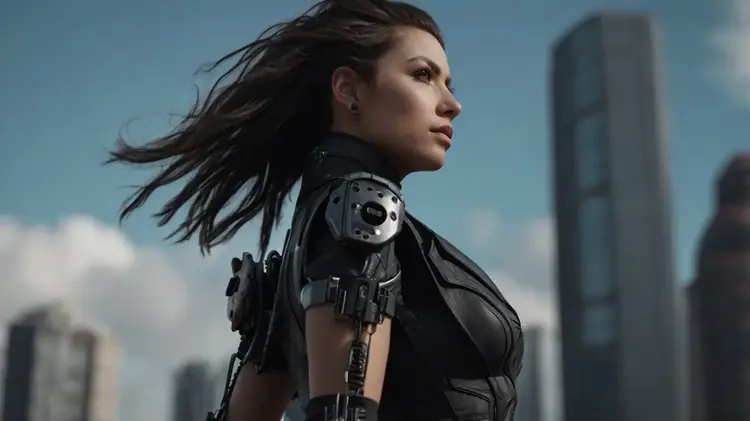
The generated image has a cinematic look with the character in focus. And the wind-blown hair feels realistic. But there isn’t as much detail as what I got from some of the other tools.
Licensing and Usage Rights
You can use Leonardo’s images commercially, even on the free plan.
Just avoid real people, trademarks, and copyrighted material. You can learn more in Leonardo AI’s terms of service.
What Works Well vs. What Could Be Improved
Pricing
- Free plan includes 150 tokens refreshed every 15 hours
- Paid plans start at $12/month
4. Imagen 3 (via Gemini): Best for Free & Basic Image Generation
Gemini (formerly Bard) is Google’s AI chatbot that can use Imagen 3 for image generation right inside the Gemini chat interface.
You type a prompt to get an image. And no sign-up is required.
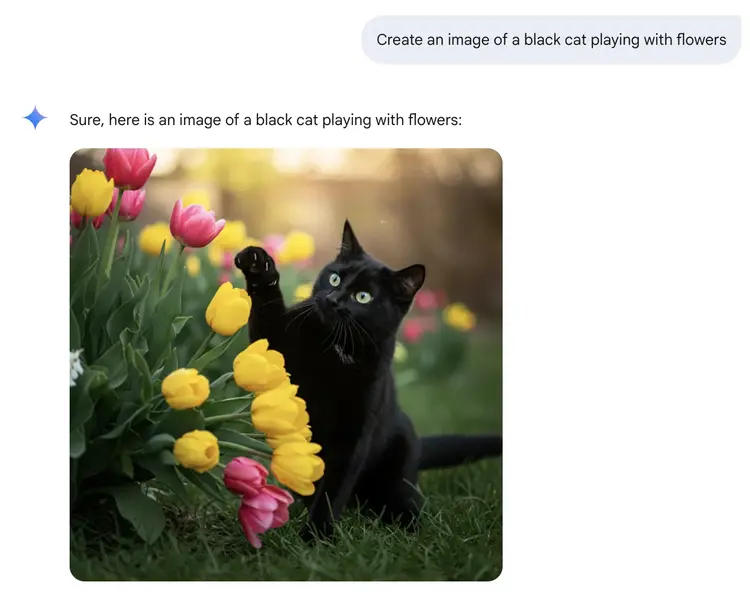
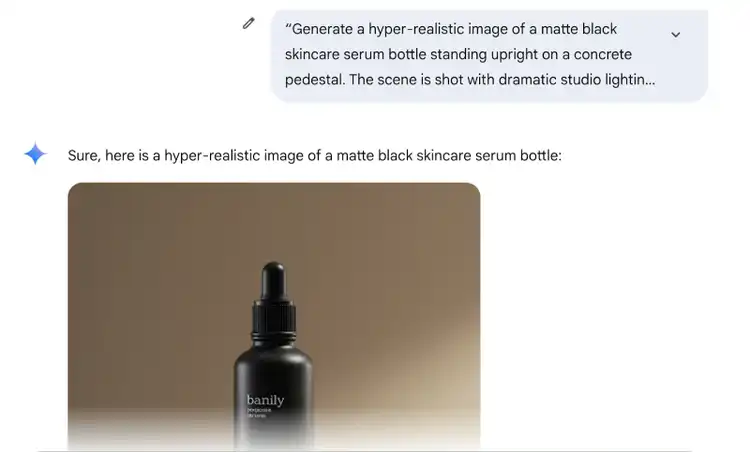
It’s good for product visuals, too.
It handles lighting and surface textures well. This makes it useful for creating polished landing pages or ad mockups.
That said, Gemini doesn’t offer click-to-edit features like ChatGPT.
And it’s not playing in the same league as Midjourney or GPT-4o, especially when it comes to realistic lighting and textures
But for a free, built-in tool, it does a good job with things like blog headers, social posts, and internal mockups.
How Imagen 3 Did in the Test
Prompt:
“Generate a 16:9 horizontal hyper-realistic image of a woman wearing a black cyberpunk costume. Canon EF 35mm, f1.8, photography high on details, ultra realistic, HD, HDR, 8K, real life.”
Result:
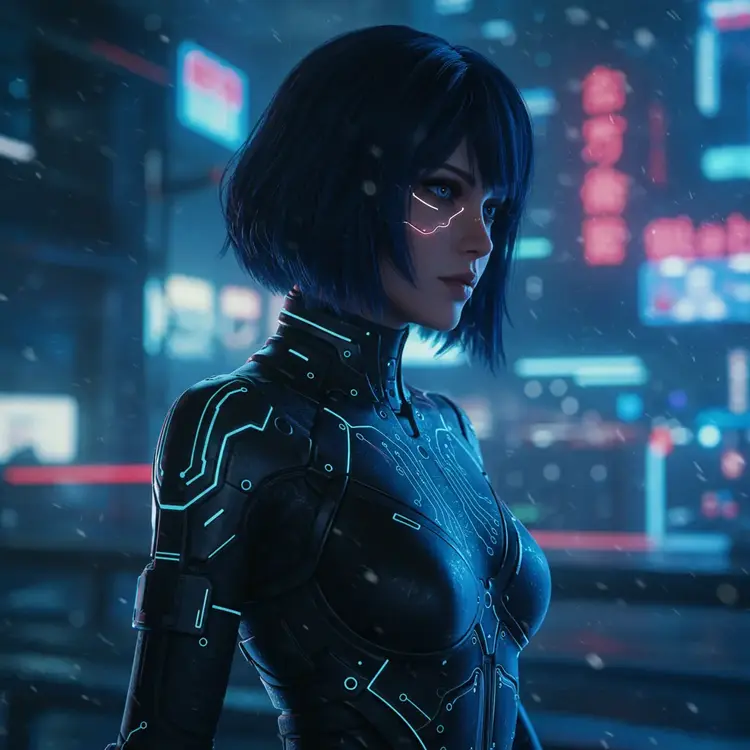
The quality is good if you want an illustration. But it ignored my request for making the image horizontal.
Licensing and Usage Rights
This part’s still murky.
Google says you can use Gemini-generated images freely, but the fine print around commercial use isn’t super clear.
If you're using images generated with Gemini for personal use or for internal company work, that’s fine.
For anything client-facing or commercial, it's best to reviewGoogle’s Generative AI Use Policy to make sure your use case isn’t restricted. And avoid depicting real people, trademarks, and copyrighted work.
What Works Well vs. What Could Be Improved
Pricing
- Gemini offers a limited free plan suited for basic use
- The Gemini Advanced plan ($19.99/month) unlocks higher-quality images, faster generation, and access to premium features
5. Adobe Firefly: Best for Those Who Use the Adobe Ecosystem
If you already use Adobe Photoshop or Illustrator, Firefly is basically your new sidekick that’s integrated into Creative Cloud.
You can generate images in the Firefly web app and save them straight to your Creative Cloud Library.
The tool also lets you modify your AI art. For example, you can generate a video, add shapes and graphics, create a social media post, and more.
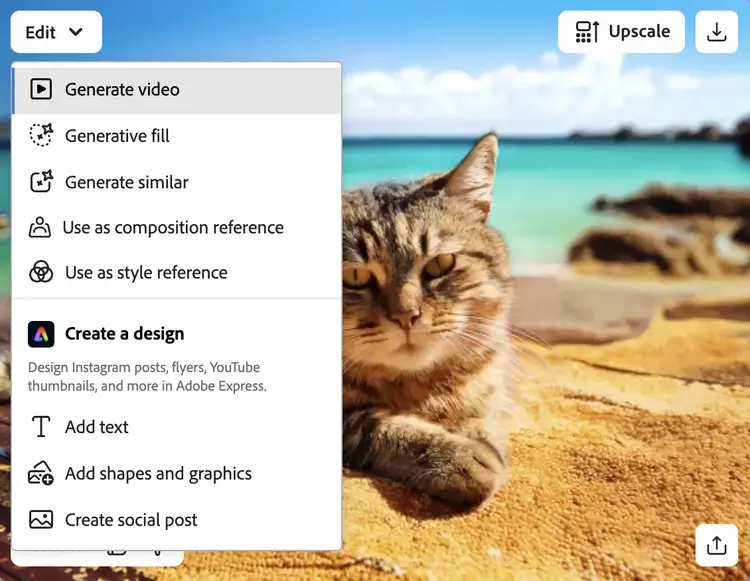
If your workflow already uses Adobe, Firefly fits in like it was always meant to be there.
How Firefly Did in the Test
Prompt:
“Generate a hyper-realistic image of a woman wearing a black cyberpunk costume. Canon EF 35mm, f1. 8, photography high on details, ultra realistic, HD, HDR, 8K, real life.”
Result:
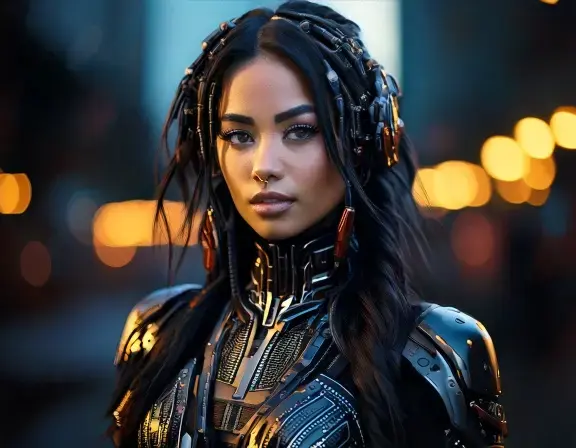
The image is less detailed and realistic compared to what Midjourney generated, but it’s a polished-looking result.
Licensing and Usage Rights
This is where Firefly really shines.
You can use most AI-generated images commercially, including in client work, ad creatives, and product materials.
However, commercial use isn’t allowed if the image was created using a beta version of a Firefly feature.
So if you’re working on anything commercial or regulated, double-check whether the tool or feature you're using is still in beta.
As with all tools on the list, steer clear of generating images that include real people, trademarks, or copyrighted material.
What Works Well vs. What Could Be Improved
Pricing
- Free: 25 credits per month
- Paid: Starts at $9.99/month for 2,000 generative credits per month
6. Stable Diffusion (via DreamStudio): Best for Open-Source Flexibility
DreamStudio lets you tap into Stable Diffusion, a powerful open-source AI image generation model known for being highly customizable.
You can download Stable Diffusion and run it locally, modify it, and even train it on your own custom images. You can also use it through the DreamStudio web app.
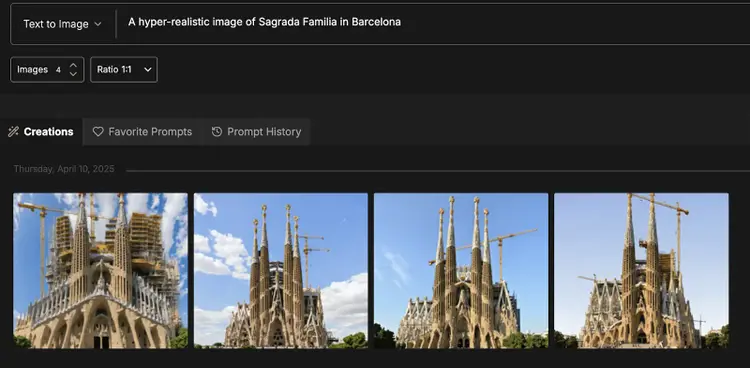
Within DreamStudio, you can:
- Add negative prompts (stuff you don’t want in the image)
- Upload reference images
- Set aspect ratios and the number of outputs, and choose a style
- Generate a random prompt
How Stable Diffusion Did in the Test
Prompt:
“Generate a hyper-realistic image of a woman wearing a black cyberpunk costume. Canon EF 35mm, f1. 8, photography high on details, ultra realistic, HD, HDR, 8K, real life.”
Result:
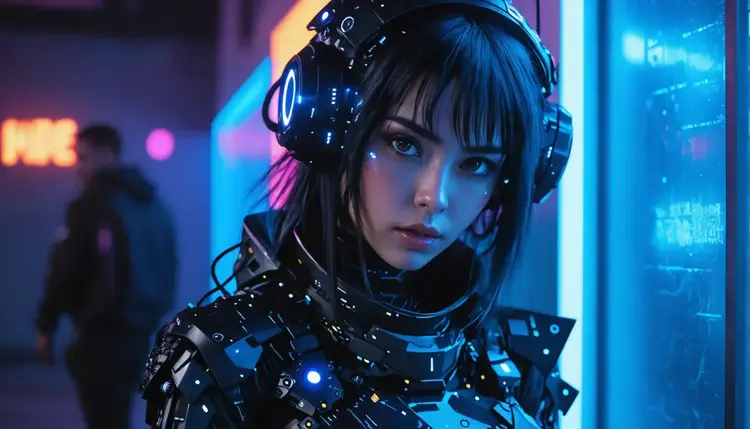
The image is highly detailed and high in quality, but it looks a lot like an illustration.
Licensing and Usage Rights
Commercial use is allowed—even on the free tier.
Just don’t include real people, trademarks, or copyrighted work in your prompt.
What Works Well vs. What Could Be Improved
Pricing
- DreamStudio: $10 for 1,000 credits (pay as you go)
- Stable Assistant: $9/month
- New users also get 100 credits for free
7. Poe: Best for Testing Multiple Models
Poe is a multi-model playground where you can test different image generation models (DALL·E 3, Stable Diffusion XL, Ideogram, FLUX-pro, and more) all from one interface.
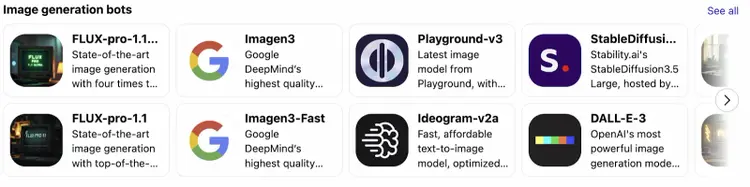
If you’re new to AI image generation and want to see how each model behaves (without opening 10 tabs), Poe is a no-brainer.
Simply pick the model, enter a prompt, and make additional requests via the chat interface.
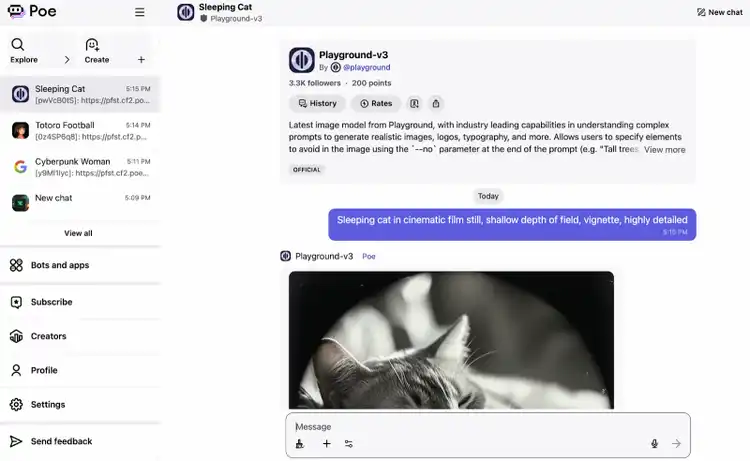
How Poe Did in the Test
Model/app: Imagen 3
Prompt:
“Generate a hyper-realistic image of a woman wearing a black cyberpunk costume. Canon EF 35mm, f1.8, photography high on details, ultra realistic, HD, HDR, 8K, real life.”
Result:
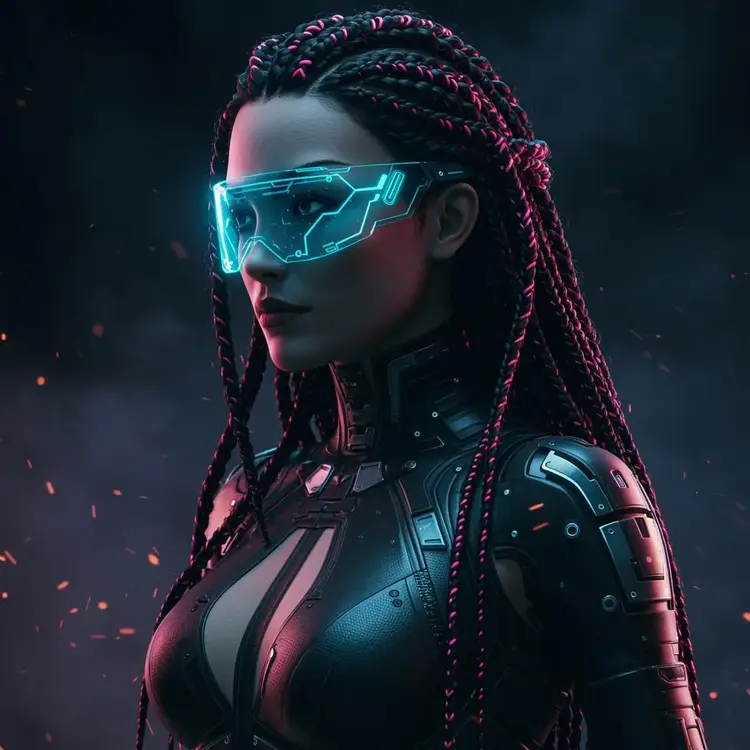
The quality is similar to what we got using Gemini.
Licensing and Usage Rights
Each model has its own licensing rules, so you’ll need to check each model’s terms before using images in paid ads or client work.
A safe bet? Use outputs from Stable Diffusion or FLUX for commercial use. But be cautious with the rest.
And avoid copyrighted work, trademarks, and real people.
What Works Well vs. What Could Be Improved
Pricing
- $4.99/month, which gives you access to top models and flexible daily or monthly compute points to spend across any model
- You can use some of the models for free, often with certain limitations
8. Semrush Content Toolkit: Best for Generating Blog Post Visuals
If you need to quickly create ready-to-use visuals for your blog content, Semrush’s Content Toolkitis a solid fit.
It lets you create AI images using prompts directly within the editor.
Just describe the image you need, and add it straight into your content draft.
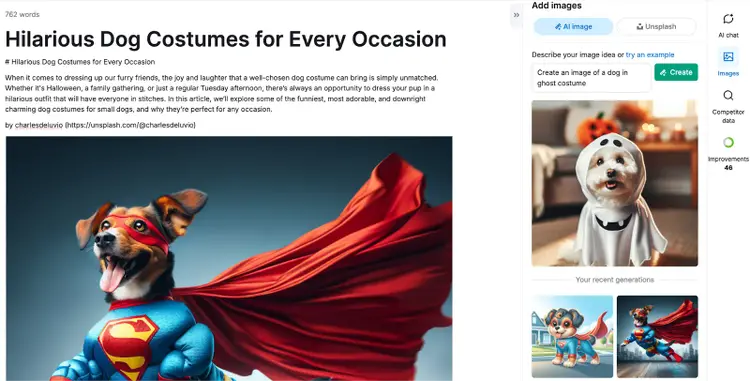
How Semrush Content Toolkit Did in the Test
Prompt:
“Generate a hyper-realistic image of a woman wearing a black cyberpunk costume. Canon EF 35mm, f1. 8, photography high on details, ultra realistic, HD, HDR, 8K, real life.”
Result:
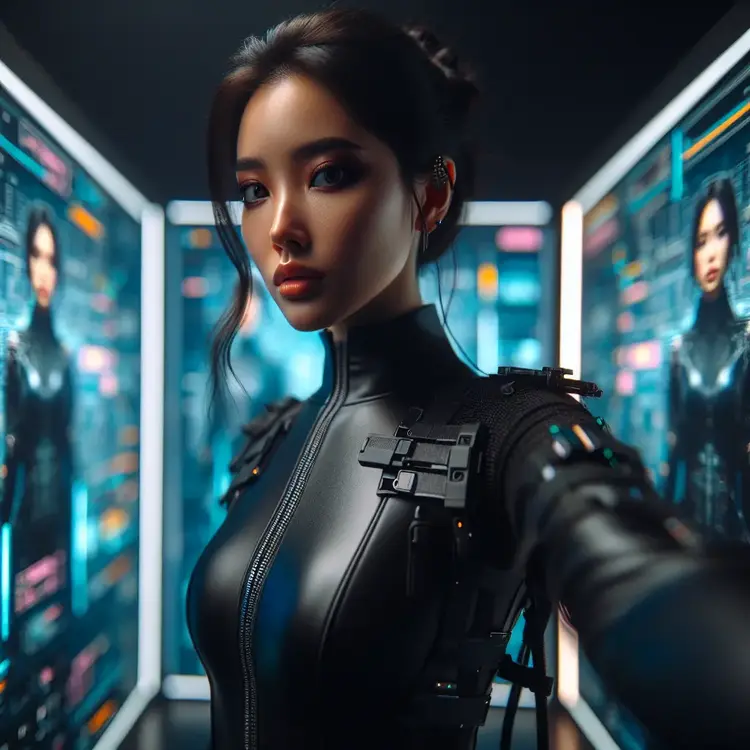
The image looks a bit less realistic than what tools like Midjourney can generate. But it offers solid quality good enough for any illustration you might need when writing blog posts.
Licensing and Usage Rights
Everything you create with the Semrush Content Toolkit is fair game for blogs, social, and WordPress exports. Just avoid prompts with trademarks, copyrighted work, or real people.
What Works Well vs. What Could Be Improved
Pricing
- Free trial: Seven days
- Paid plan: $60/month (writing + image generation included)
9. Canva: Best for Creating Marketing Design Assets
Canva is a go-to tool for quickly creating professional designs, and it now has AI image generation built in.
Using Canva Dream Lab, you can generate an image with a prompt and edit it with Canva’s standard tools—all within the same flow.
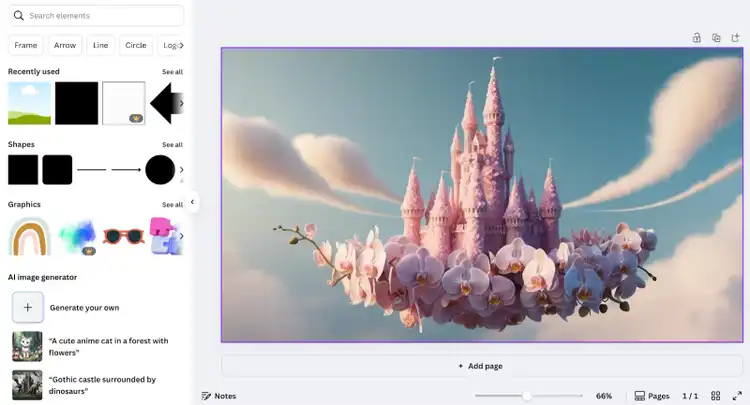
It’s a great option for marketers and business owners creating design assets.
I use it to quickly put together social media carousels, presentations, banners, and flyers.
And you can download assets in your desired formats.
How Canva Did in the Test
Prompt:
I tested several versions of the prompt. But I wasn’t getting the results I wanted, so I reduced it to this:
“Generate a hyper-realistic horizontal image of a woman wearing a black cyberpunk costume.”
Result:
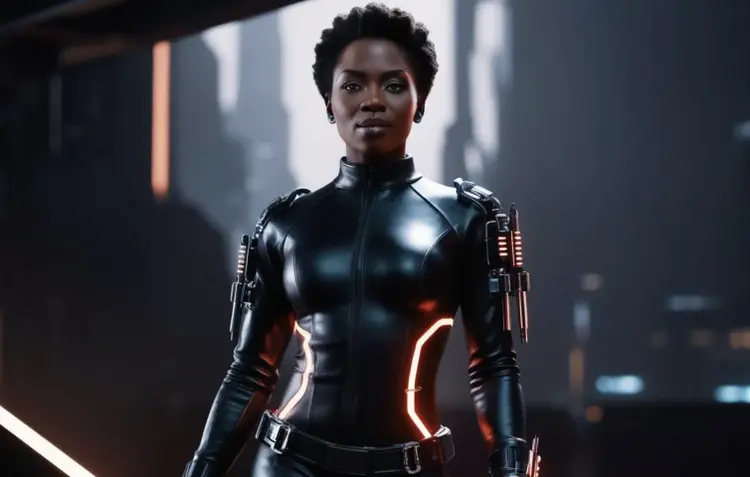
Nothing stands out to me quality-wise, but this image would work great for a simple banner or a presentation.
Licensing and Usage Rights
Images you generate in Canva fall under their standard content license. That means you can use them in commercial projects—ads, client decks, product pages, and more.
Just avoid prompts with brand trademarks, real people, and copyrighted work.
What Works Well vs. What Could Be Better
Pricing
- Free:Basic image generation with limits
- Pro: $15/month
- Teams:$10/month per person
- Enterprise: Custom pricing
How to Choose the Best AI Image Generator
To decide which of these AI image generators is right for you, consider your goals and your budget.
And then make your selection based on that.
Here’s a quick summary of some of the top tools we’ve reviewed:
- Midjourney: For hyper-realistic, artistic visuals and professional design work
- ChatGPT: For fast, editable images directly in ChatGPT
- Leonardo AI: For custom styles, prompt rewriting, and creative control
- Adobe Firefly: For users already working inside the Adobe ecosystem
- Semrush Content Toolkit: For generating blog visuals
Create engaging visuals for your blog
with the Semrush Content Toolkit
Margarita is a passionate Content Marketer with over 6 years of experience in various tech industries and 3 countries. She also holds two MBA degrees in Marketing.

Tells Google to show you more from Semrush in AI, Search, and Discover.
Table of contents
-
1. Midjourney: Best for Hyper-Realistic Images & Professional Use
-
3. Leonardo AI: Best for Custom Styles & Built-In Prompt Help
-
4. Imagen 3 (via Gemini): Best for Free & Basic Image Generation
-
5. Adobe Firefly: Best for Those Who Use the Adobe Ecosystem
-
6. Stable Diffusion (via DreamStudio): Best for Open-Source Flexibility
-
8. Semrush Content Toolkit: Best for Generating Blog Post Visuals