
What Is SEO Plagiarism?
Plagiarism in SEO involves copying content without attribution or permission in an attempt to rank in organic search results.
It can be intentional or unintentional.
Some common types of plagiarism in SEO include:
- Stealing contentfrom competitors without citing or linking back to the original creator’s work
- Using exact wording from other search results without rephrasing or citing
- Changing only a few words to make content appear original (i.e., content spinning)
- Using AI-generated writing that’s highly similar to what other sites have published
- Publishing the same content on multiple sites you own instead of creating unique content for each
How Can Plagiarism Affect SEO?
Plagiarism intended to manipulate search results is against Google’s spam policies and can lead to ranking lower or getting removed from Google’s index.
Plagiarized content can also hurt users’ trustbecausemost people value original insights and expertise.So, users may stop visiting a site or interacting with it if they find out it engaged in plagiarism.
SEO Plagiarism Checker Tools
SEO Plagiarism checker tools help you identify unintentional duplication on your own site and/or instances of your content being copied on other sites.
Here are some tools to try:
SEO Writing Assistant
Semrush’s SEO Writing Assistant checks your content’s originality (among other things) and recommends changes that may improve your content and increase its ranking potential.
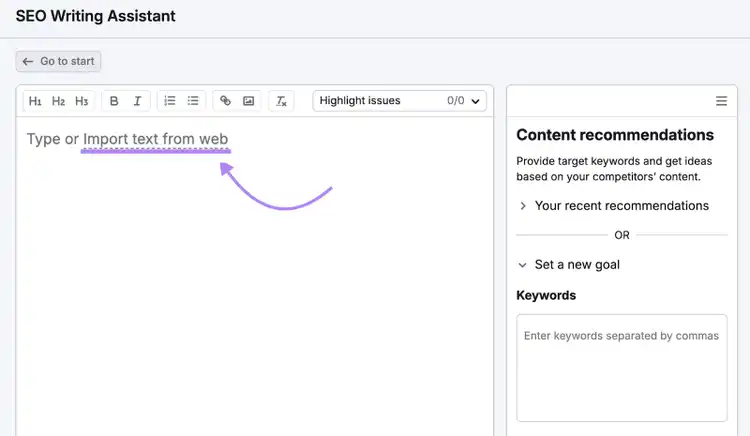
Enter your content into the tool by either copying and pasting or clicking “Import text from web.”
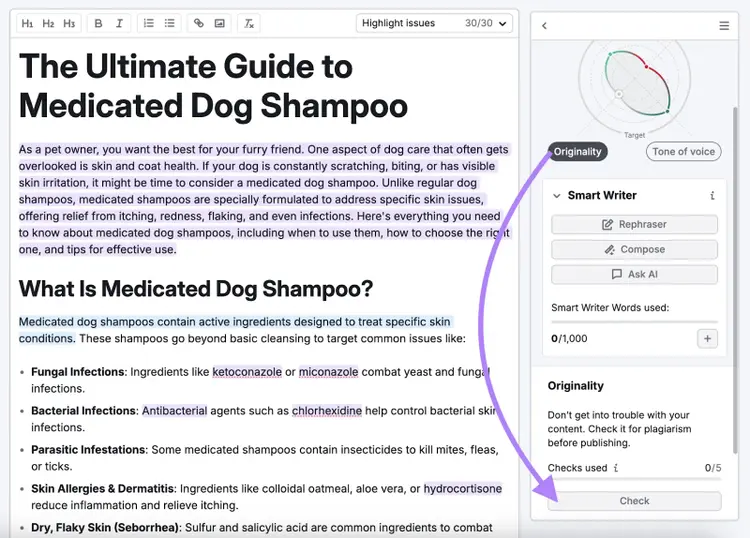
Then, click on “Originality” in the sidebar. And select “Check.”
You should have a score that’s “100% original.”
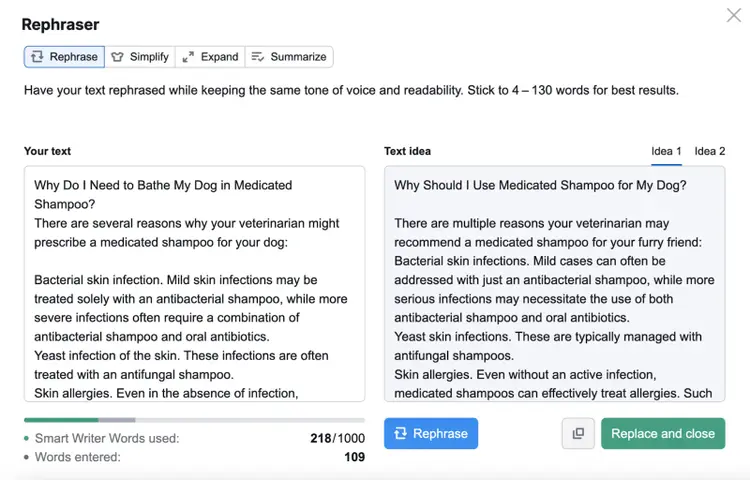
If any of your text appears unoriginal, edit the content yourself or highlight the text and click “Rephrase” to get AI help in reworking the phrasing.
Look through and implement the other suggestions to optimize your content and potentially increase your content’s chance of ranking well.
Pricing: Semrush’s free account lets you generate up to two documents. To check your content for originality, you need a Pro account that starts at $117.33 per month (billed annually).
Review Your Drafts in Real Time
with the SEO Writing Assistant
Copyscape
Copyscape checks for potential plagiarism within your content and detects if your content appears anywhere else online.
For example, the tool will generate a list of URLs with content that appears similar to yours.
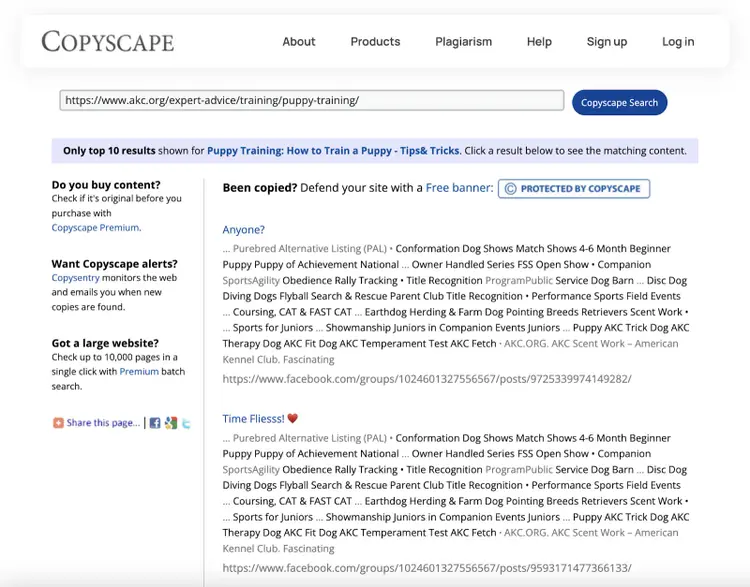
You can check up to 10,000 URLs at a time if you have a premium account. And access other features like automatic plagiarism checks using their API.
Pricing: Look-ups cost $.03 for the first 200 words. Then $.01 for each additional 100 words.
Grammarly
Grammarly is an editing and proofreading tool that also has a Plagiarism Checker feature.
The tool will tell you if instances of plagiarism appear in your text. And identify other potential writing issues.
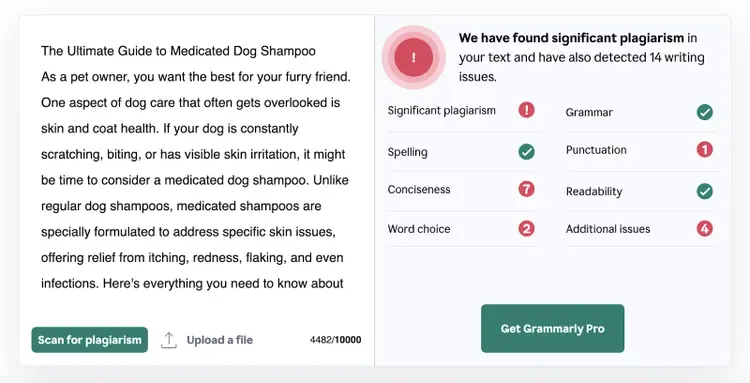
You need a Grammarly Pro account to see the specific instances of potential plagiarism.
Pricing: Grammarly offers a limited free account. The basic plan is $12 per month (billed annually).
AI Writing Assistant
AI Writing Assistant lets you automatically generate content components and check them for plagiarism.
Click “All Tools” and select “Paragraph Generator.”
Fill out the prompts. This will help the tool generate original text using your brand’s tone.
After the tool provides an output, click “Check Plagiarism.”
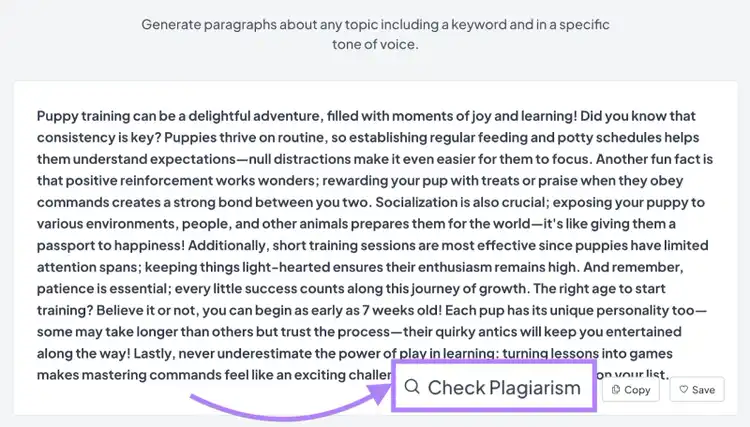
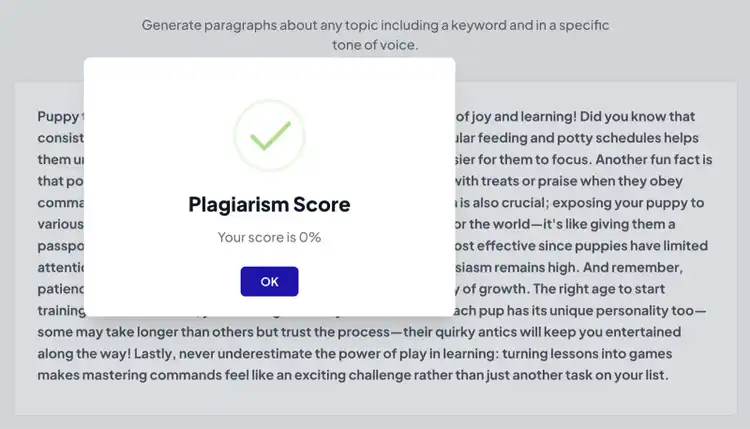
You’ll get a score from 0%-100%. If you receive anything other than 0%, make some modifications to ensure originality.
Pricing: AI Writing Assistant has a free trial. After that, it costs $25 per month.
Originality.ai
Originality.ai uses machine learning to identify copied or highly similar content.
You can scan a piece of content by pasting your text into the editor or importing it from a URL (if you’re a paid user).
The tool will tell you how much of your content appears to be copied. And give you a list of URLs with similar text.
Originality.ai also has an AI detector you can use in tandem with the plagiarism checker if you have a paid plan.
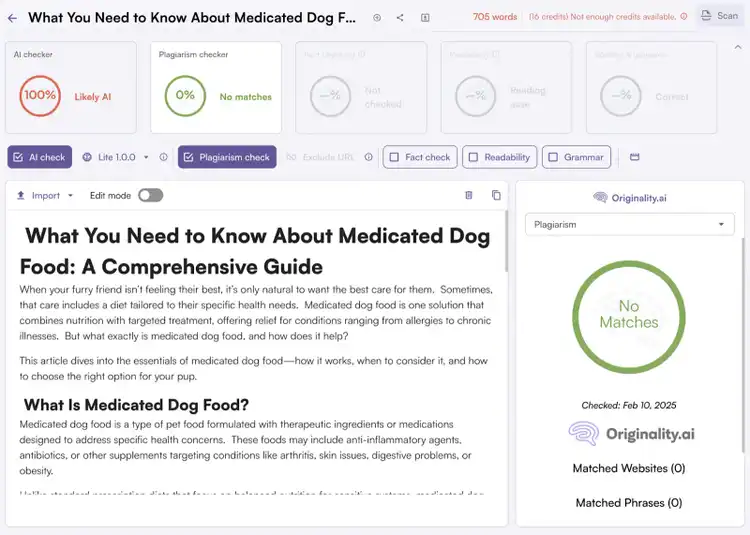
Pricing: Originality.ai offers a free plan. Access to the AI checker costs $12.95 per month (billed annually).
Copyleaks
Copyleaks checks for plagiarism, paraphrasing, unauthorized image use, and improper use of your content by large language models (LLMs).
After you add your text, the tool will check it against its database of online sources. If your content appears anywhere else in their database, it’ll show you in the sidebar.
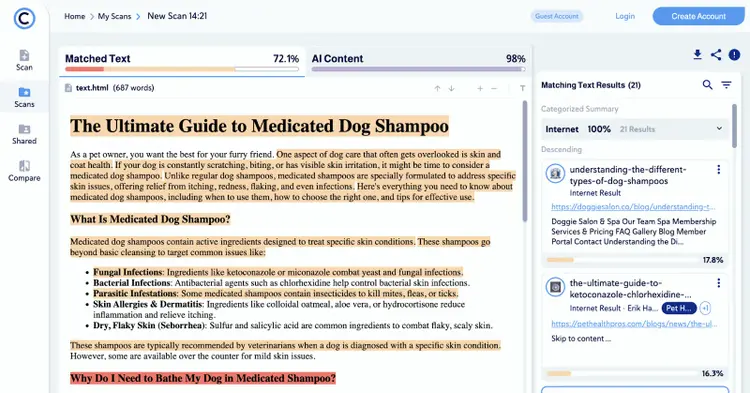
Pricing: Costs vary depending on what features you need. The AI + Plagiarism Detection combination costs $13.99 per month (billed annually).
Quetext
Quetext checks your content for unintentional plagiarism and poor paraphrasing and generates citations, so you can easily attribute your sources.
After checking your text, the tool color codes any plagiarized passages by a similarity percentage. To show how much rephrasing you’ll need to do during the editing process.
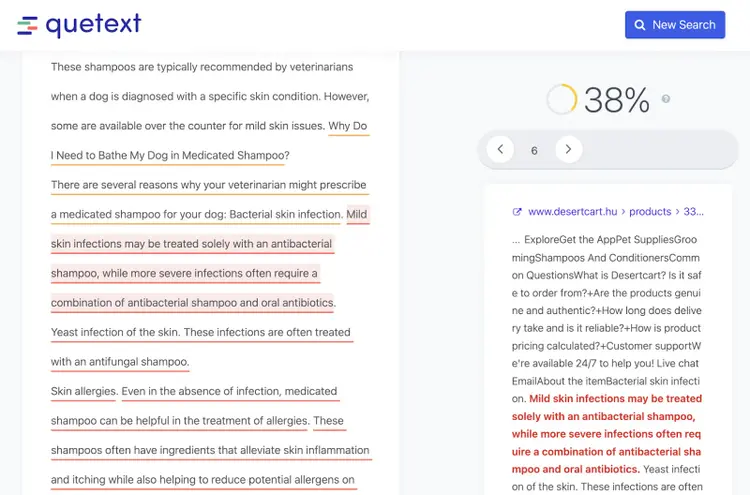
Pricing: Quetext offers a free account. The Essential plan is $13.99 per month (billed annually).
How to Proactively Prevent Plagiarism in Your Own Content
Prevent plagiarism in your content by citing your sources, checking for plagiarism while editing, vetting your writers, and using AI tools carefully.
Here are some details on each:
Cite Your Sources
The best way to avoid plagiarism is to cite your sources, particularly when you paraphrase someone’s ideas.
How you cite will depend on the style guide you follow (e.g., APA, MLA, or your in-house style guide).
Here are some citation tips:
- Use quotation marks when using someone else’s content word-for-word
- Include a reference to the source when paraphrasing (e.g., “according to the New York Times”)
- Include an external link to the exact source you’re paraphrasing from
Check for Plagiarism During the Editing Stage
Check your content for plagiarism during the editing stage so you can find and fix instances of plagiarism before you publish your content.
Here are some examples of steps you can add to your editorial process:
- Create editorial guidelines that outline your plagiarism policies and share them with your writers and reviewers
- Define editing stages (e.g., first-round review, second-round review, etc.) and include an originality check in a specific stage
- Get multiple people involved in the editing process to increase your chances of identifying missing citations or poor paraphrasing
Have open communication with your creators, so you can address plagiarism issues directly. And resolve those issues quickly.
Vet Your Writers
If you outsource your content, thoroughly vet your content creators to increase the chances of receiving work that’s both original and high in quality.
Vet your creators by:
- Asking for writing samples and reviewing them
- Requesting references to confirm expertise in the topics the writers are covering
- Creating a writing test and requiring a passing grade to be a contributor
Use AI Tools Carefully
AI is great for speeding up content production, but you need to be aware of the risk that unedited AI content can lead to publishing the same content as another site.
Some best practices for using AI tools while ensuring originality include:
- Informing the AI tool on your brand voice, business, and product information to improve your text outputs
- Personalizing your content with stories, personal experiences, and strategic insights
- Treating the initial draft as more of an outline that needs to be built out
What to Do If Someone Plagiarizes Your Content
While you can’t control what other people publish, you can try to get plagiarized content removed by following these steps:
- Reach out to the webmaster and request that the copied content be removed
- If they don’t respond, contact the copycat’s host provider to request removal
- If the content remains live, report the stolen content to Google
Create and Publish Original Content
Building originality into your content process can reduce the chances of SEO plagiarism issues.
For example, you can have editors add a human touch to AI-generated content and complete an originality check using a tool like SEO Writing Assistant.
Start a free Semrush trial to test this tool and many others that can streamline your content efforts.
Create Original Content
with a Semrush Subscription

Carlos Silva leads the editorial pipeline for the English blog—coordinating writers, editors, strategy, and building AI workflows that boost content quality and AI visibility. With 10+ years of experience writing and editing across in-house and agency roles, Carlos blends content strategy, SEO, and AI to help marketers stay ahead of an evolving search landscape.
Carlos Silva
Carlos Silva leads the editorial pipeline for the English blog and builds AI workflows that boost content quality and AI visibility. 10+ years writing and editing across in-house and agency roles.

Tells Google to show you more from Semrush in AI, Search, and Discover.