
Shopify vs. WordPress: Which Is Better for Ecommerce?
Shopify and WordPress are both excellent platforms for ecommerce. Choosing the right one depends on your goals, budget, and skill set.
This article provides a side-by-side comparison to help you decide which platform fits your needs.
Reasons to Use Shopify vs. WordPress
Shopify is an out-of-the-box ecommerce platform for people who want to launch an online shop quickly. It’s ideal for those who have big ideas but lack the coding skills or desire to build a site from scratch.
Why choose Shopify?
- Shopify manages web hosting for you.
- Its setup guide walks you through launching your store fast.
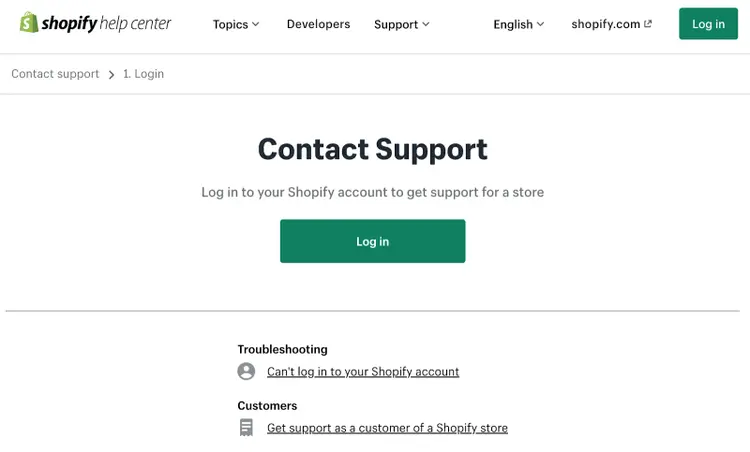
- Dedicated support is available via chat or message (you can request a callback in your message).
- No coding is required to build a mobile-friendly shop.
- You can buy a domain through Shopify—no third-party domain management is needed.
- Shopify makes it easy to sell on social channels like TikTok and marketplaces like Amazon.
Reasons to Use WordPress vs. Shopify
WordPress is a website creation platform that many businesses use for ecommerce. People choose WordPress because it’s flexible, robust, and capable of handling complex sites. It can also scale if your business grows.
Why choose WordPress?
- You have access to thousands of WordPress plugins to customize your site.
- You can control costs by choosing your hosting provider and plugins.
- You have more control over SEO capabilities.
- WordPress lets you translate sites into unlimited languages, each with its own currency.
- You can set up multiple sites under one account with the Multisite feature.
Note: WordPress comes in two versions: WordPress.com and WordPress.org. This article refers to WordPress.org.
Comparing Shopify vs. WordPress Side by Side
Web Hosting
A reliable web hosting service keeps your site online and running smoothly. Shopify is fully hosted—it stores all your files and data. This is convenient but limits your ability to access server logs and debug issues.
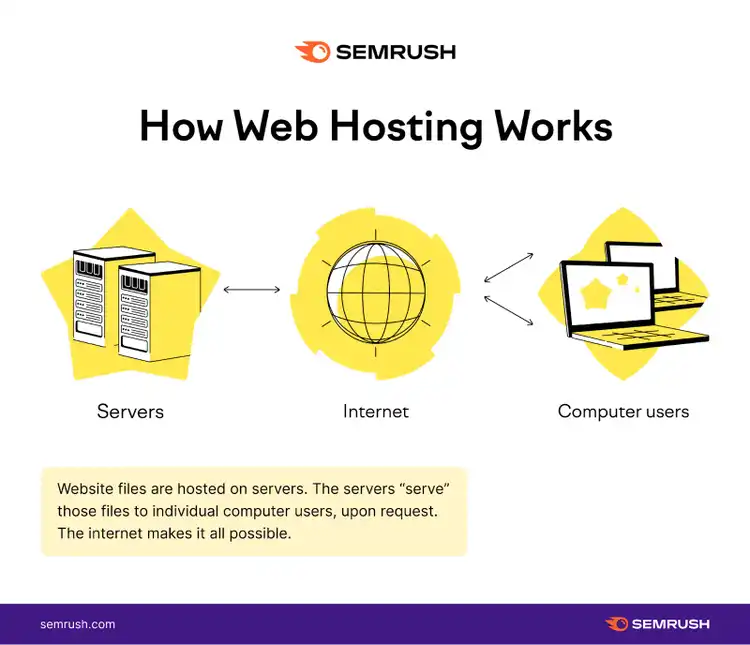
WordPress requires finding and paying for your own hosting, which gives you more control but adds extra steps. Hosting costs vary based on factors like site size and traffic.
Platform Design and UX
Both Shopify and WordPress have intuitive dashboards for managing content.
Shopify Experience
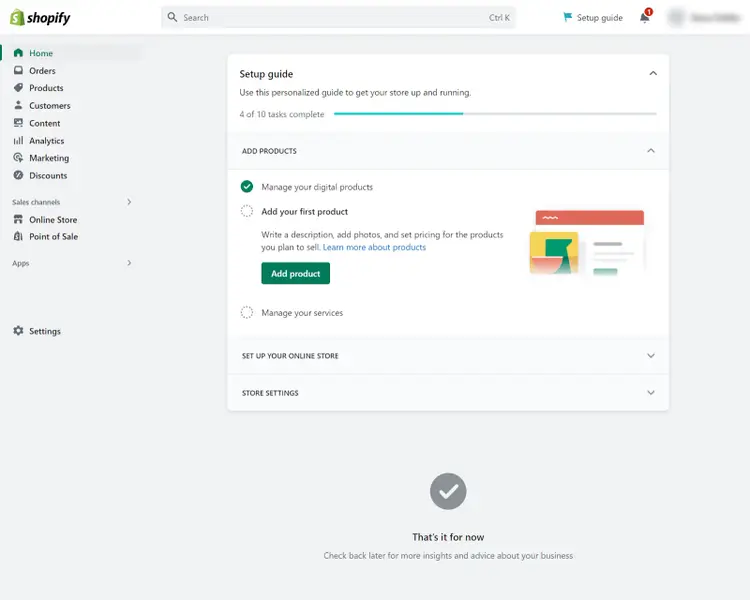
Shopify provides a setup guide to help you choose a theme, add products, and configure shipping and payment settings. You can add products individually or bulk upload them through a CSV file.
WordPress Experience
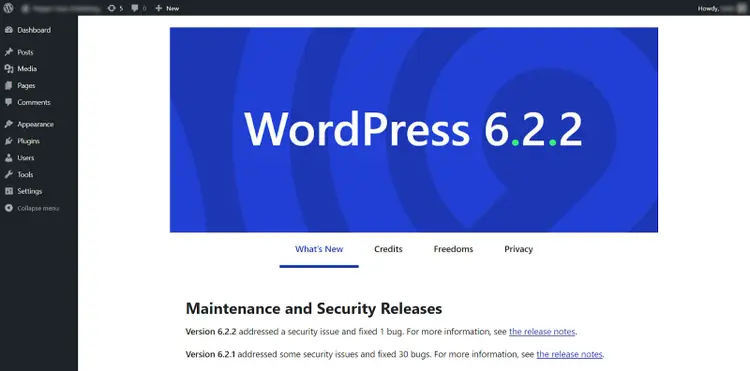
WordPress requires an ecommerce plugin (e.g., WooCommerce) to sell products. WooCommerce has its own setup wizard, but it’s less guided than Shopify’s process. If you’re experienced with websites, you may not need step-by-step instructions.
Bottom Line: Shopify is more beginner-friendly thanks to its comprehensive setup guide. If you have web development experience, WordPress’s learning curve won’t be an issue.
Storefront Design
Shopify and WordPress both provide theme libraries to style your store.
Shopify Themes
Shopify offers more than 140 themes.
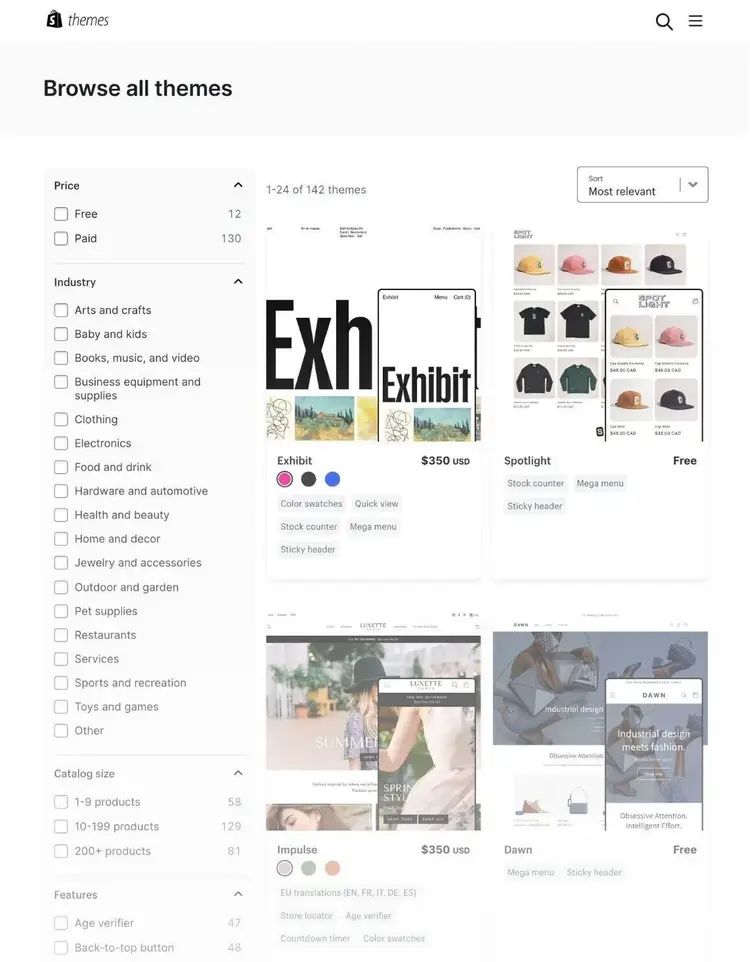
Most are “ready to go” with minimal design tweaks. You can often launch a storefront in a few hours by editing text and branding.
WordPress Themes
WordPress has thousands of free themes. You can filter by “E-Commerce” to find store-specific themes.
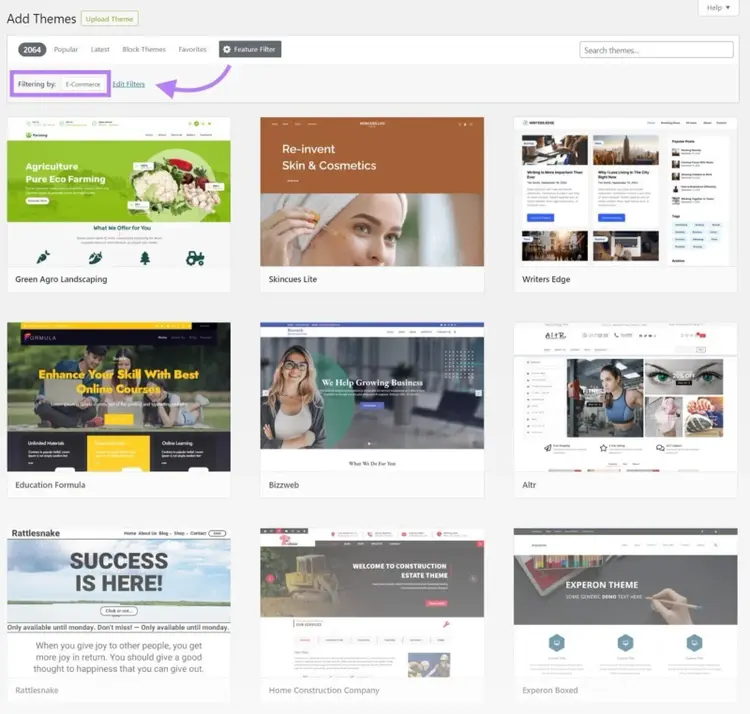
WordPress is highly flexible, but it usually takes more time to configure themes and design elements. Many users speed up design with page builders like Divi.
Ecommerce Functionality
Both platforms let you:
- Sell physical and digital products
- Customize shipping rates
- Offer variations of products
- Run discounts and promotions
- Set up secure payment processing
- Connect to POS systems
- Integrate with dropshipping and print-on-demand apps
Shopify
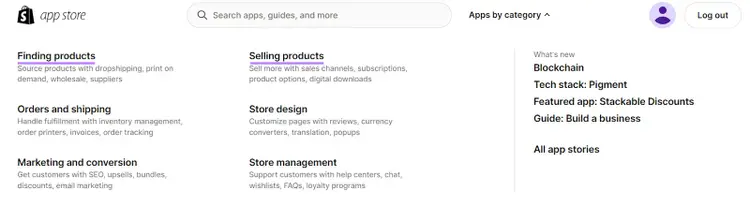
Shopify focuses on ecommerce. You’ll find many free and paid apps in its App Store for expanding your store’s functionality.
WordPress
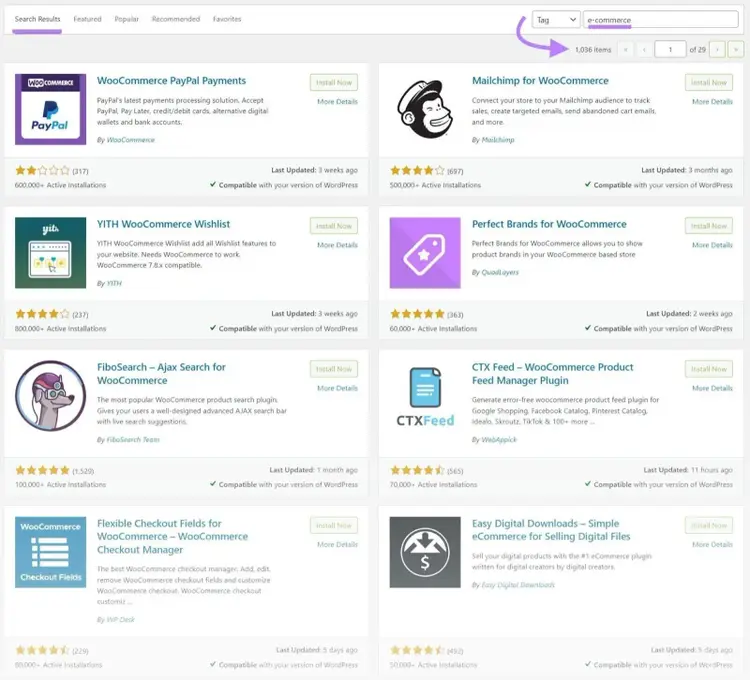
WordPress offers free and paid plugins, including over 1,000 ecommerce-related options. However, discovering the right plugins may require more research than Shopify’s categories.
Multi-Channel Commerce
Both Shopify and WordPress support multi-channel commerce (selling products beyond your own site), but it’s simpler with Shopify.
Shopify Multi-Channel
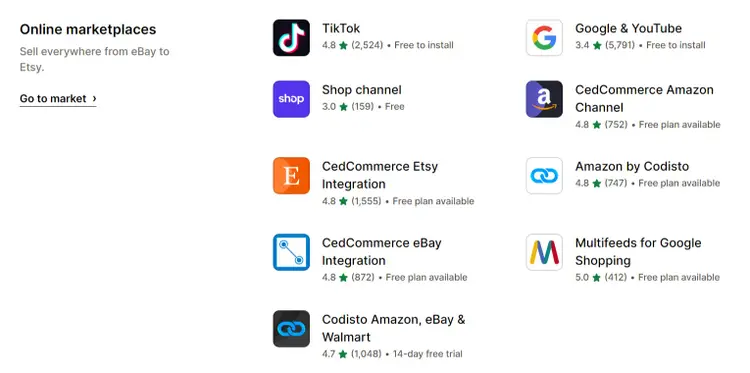
Shopify’s core platform supports Facebook, Instagram, and Handshake (a wholesale marketplace). For other channels like Etsy, Amazon, and eBay, you can install additional apps.
Shopify also integrates with POS systems for brick-and-mortar and pop-up sales.
WordPress Multi-Channel
WordPress can support various sales channels through plugins. For instance, WooCommerce requires extra plugins to connect to platforms like Facebook or to set up a POS system.
Search Engine Optimization (SEO) Capabilities
WordPress offers more control over technical SEO, while Shopify also provides useful SEO features. Both support on-page SEO.
Technical SEO
WordPress users choose their own hosting, which can improve site speed. They can also edit configuration files like .htaccess for custom caching rules. Shopify handles hosting internally, so advanced server-side optimizations are limited.
On-Page SEO
Both platforms allow you to:
- Write custom title tags and meta descriptions
- Optimize pages with targeted keywords
- Manage internal linking
- Add alt text to images
- Customize URL slugs

Tools like Yoast and Ecommerce Booster can streamline on-page SEO tasks on either platform.
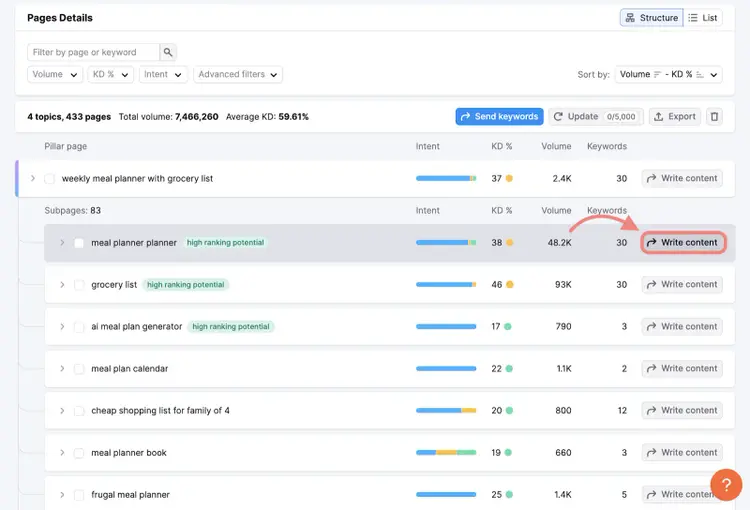
To conduct keyword research, try the Keyword Strategy Builder tool:
- Enter seed keywords
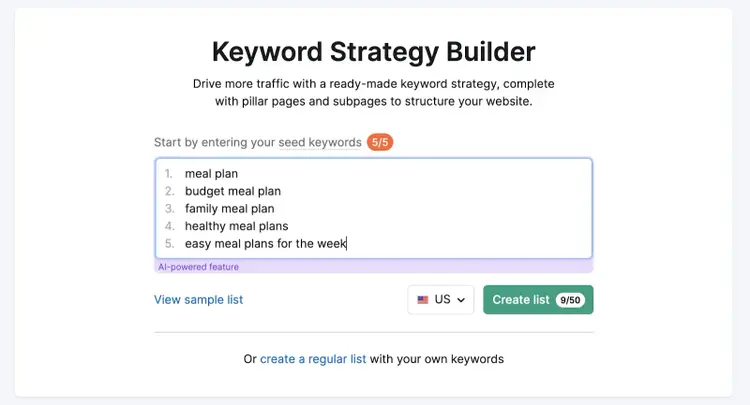
- Generate relevant keyword lists
- Select your keyword clusters
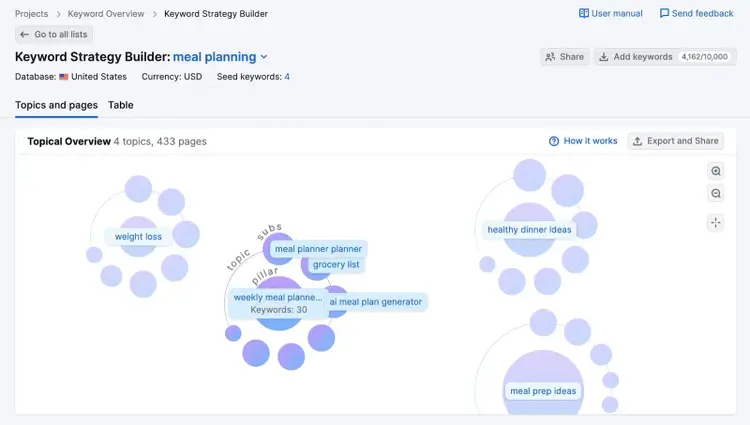
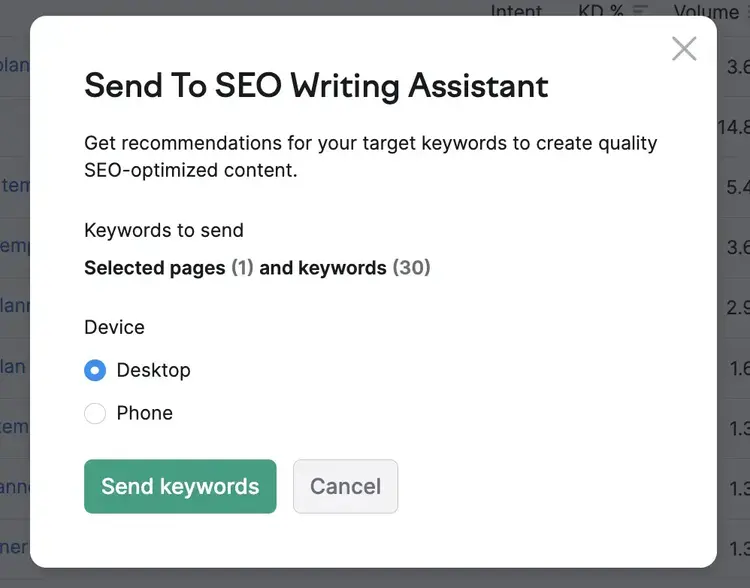
- Use the SEO Writing Assistant to optimize content directly in WordPress or Shopify.
GDPR Compliance
Shopify and WordPress both offer tools to help with General Data Protection Regulation(GDPR) requirements. These laws protect the privacy and data of EU residents.
Shopify GDPR Compliance
- Install the Privacy & Compliance app app to display cookie consent banners and give visitors data-collection options.
WordPress GDPR Compliance
- Use plugins like GDPR Cookie Consent or WooCommerce’s own compliance plugins.
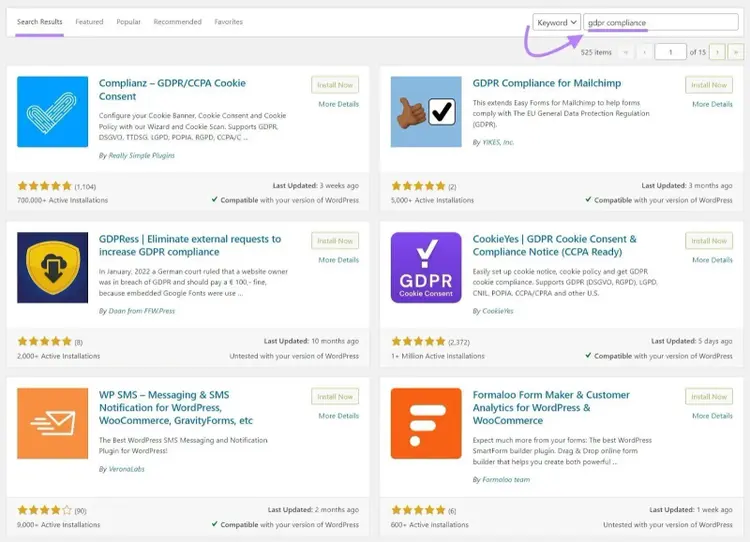
- You control how data is collected and stored through WordPress settings.
Always consult a lawyer to ensure you meet GDPR and other privacy regulations in your country.
Multilingual Sites
WordPress allows unlimited language translations with the right plugins (e.g., WooCommerce Multilingual and Multicurrency with WPML).
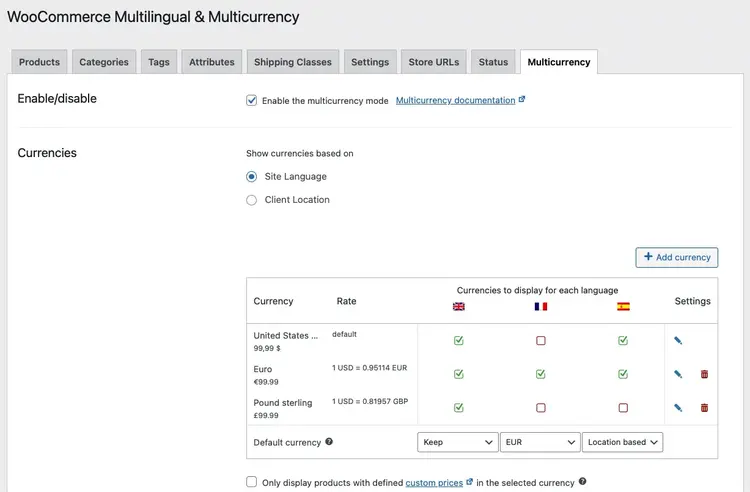
Shopify also supports multiple languages and currencies via apps like Translate & Adapt (up to 20 languages).
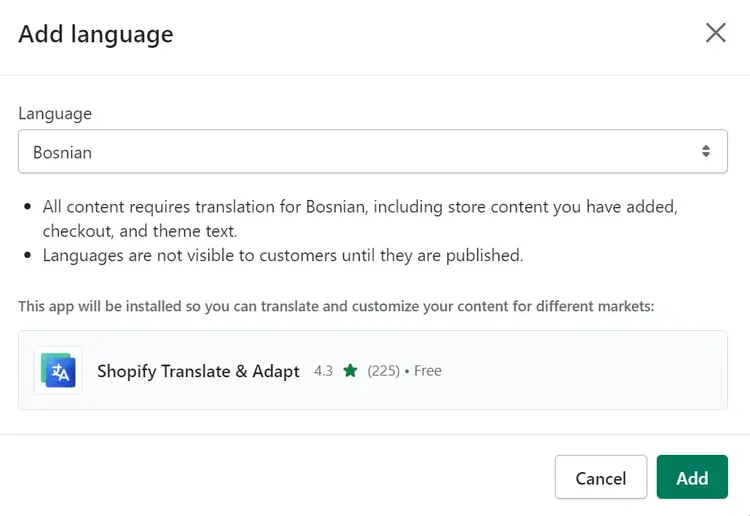
For both, offering localized currency and language can create a better user experience. Keep in mind that maintaining many translations can affect site speed.
Multiple Sites
WordPress supports multiple shops under one account. If you run two unrelated stores, you can manage them from the same WordPress admin with Multisite.
Shopify does not allow multiple shops in one account. You’d need separate Shopify accounts for each store.
Mobile Apps for Shop Owners
Shopify’s free iOS and Android apps let you manage products, orders, marketing, and customer communication.
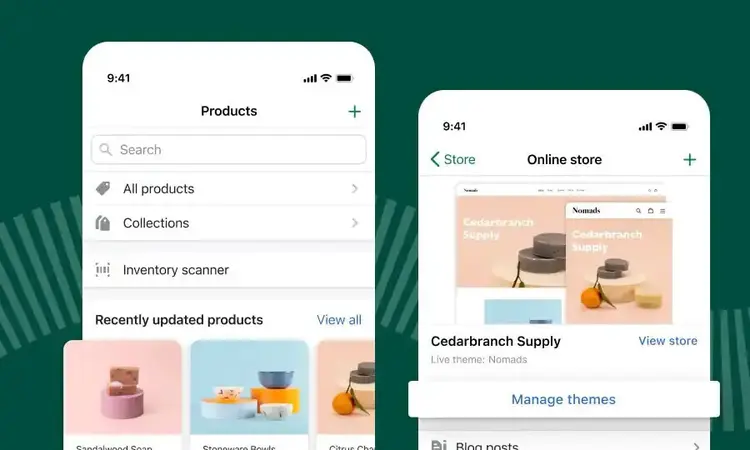
WooCommerce offers a similar mobile app to manage WordPress-based stores on the go.
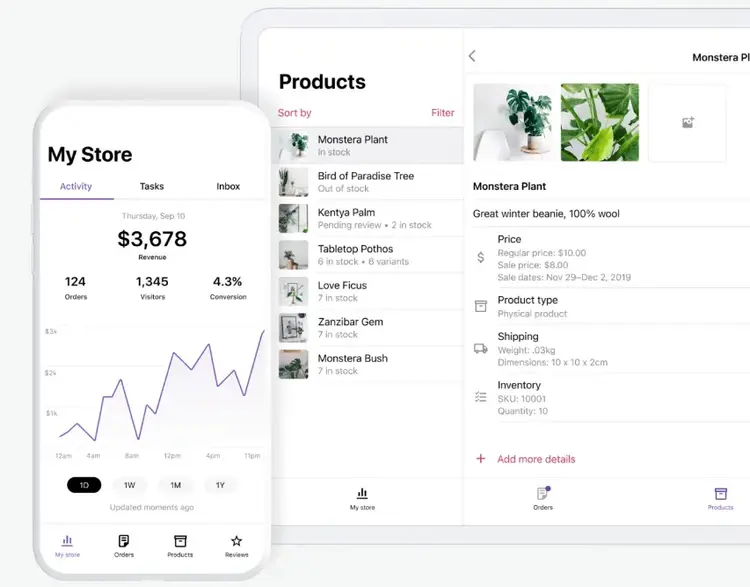
Mobile Shopping Experience for Customers
Mobile commerce is growing. Both Shopify and WordPress can deliver a mobile-friendly experience if you choose a responsive theme and optimize site speed.
Shopify
- All Shopify themes are responsive.
- Shopify Payments gives users immediate access to mobile payment options, like Apple Pay.
WordPress
- Some WordPress themes are responsive, but you must verify each theme’s mobile support.
- Popular plugins like WooCommerce integrate with mobile payment services.
Customer Support
Shopify has dedicated support channels:
- Chat support
- Message support (with the option to request a callback)
- Community forums

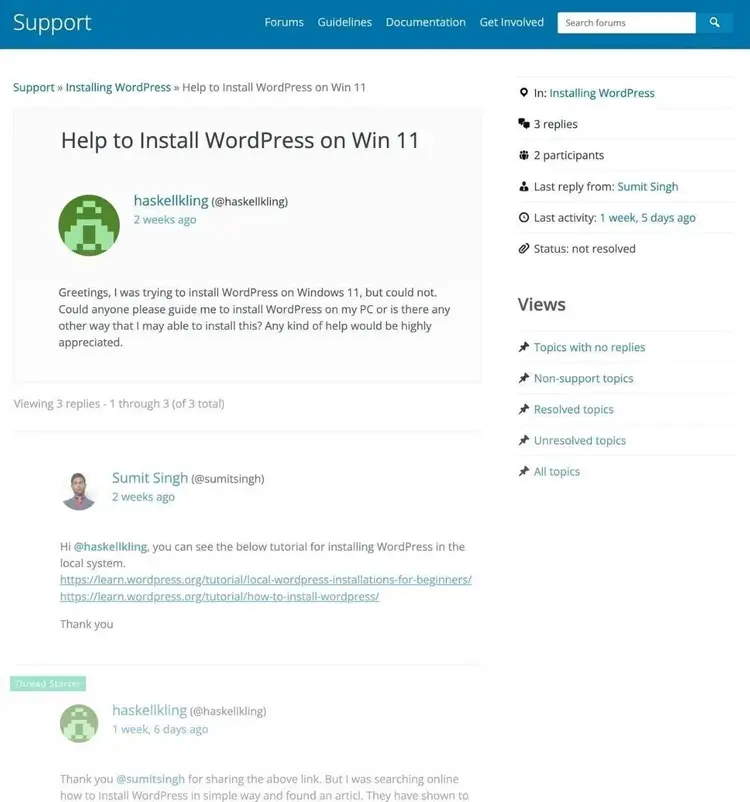
WordPress is open source. It doesn’t have official support channels, but it has large community forums. Each plugin or theme may have its own support or documentation.
Pricing Specifics
Below are the details on pricing for Shopify and WordPress websites.
Shopify Costs
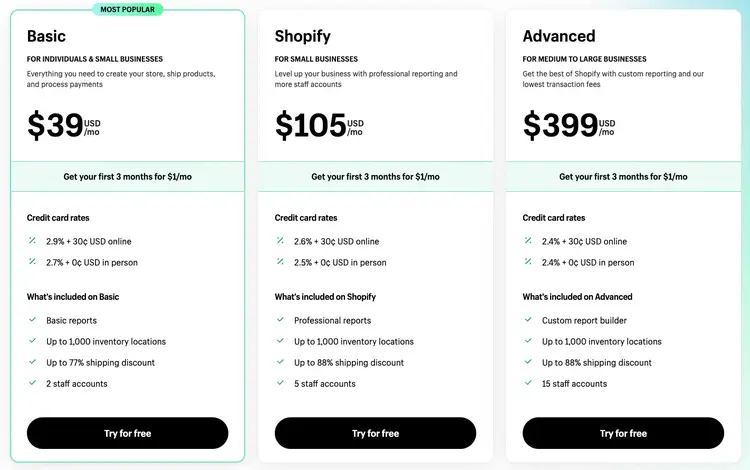
- The Basic plan costs $39 per month.
- Add $14.95 per year for a domain (if you buy through Shopify).
- Unlimited products and international selling are included in the Basic plan.
WordPress Costs
- Free to use, but you must pay for hosting and a domain.
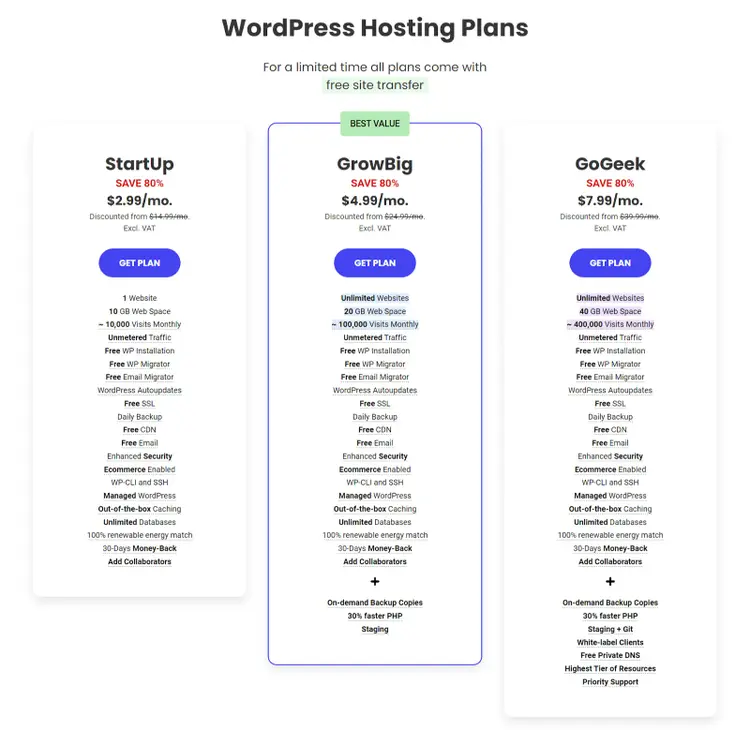
- Hosting can start at $2.99 per month for the first year (e.g., with SiteGround).
- A domain typically costs $10–$20 per year.
Final Verdict: Shopify or WordPress?
Choosing between WordPress and Shopify depends on your unique needs, technical experience, and appetite for customization.
Use WordPress if you want:
- A highly customizable site
- More control over hosting and SEO
- The flexibility to add unlimited languages or manage multiple sites under one account
- Options to code or hire a developer for advanced tasks
Use Shopify if you want:
- A user-friendly platform with minimal setup
- Integrated hosting and support
- An intuitive setup guide for fast store launches
- A quick way to sell on multiple channels, such as TikTok and Amazon
Next Steps: Site Audit and Optimization
After launching your store, start with a quick assessment using our free SEO checker.
For a full site audit with project-level reporting, use Semrush Site Audit.
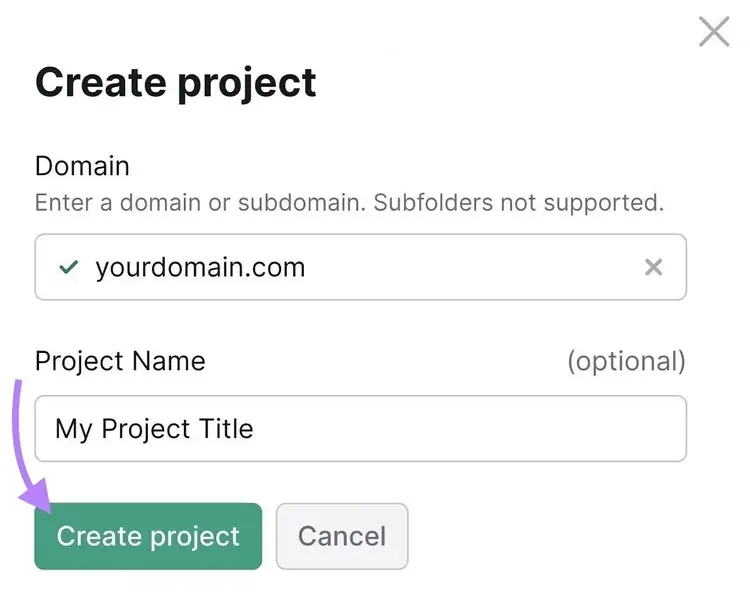
- Create a new project and enter your domain.
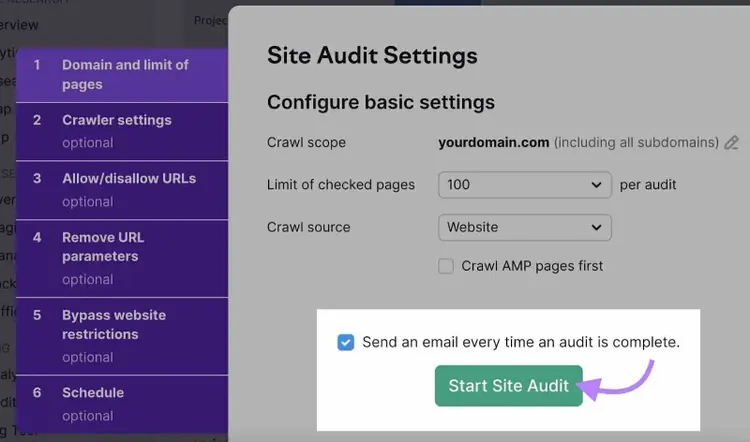
- Configure your basic settings.
- Click “Start Site Audit” to generate a report on issues affecting your site’s performance.
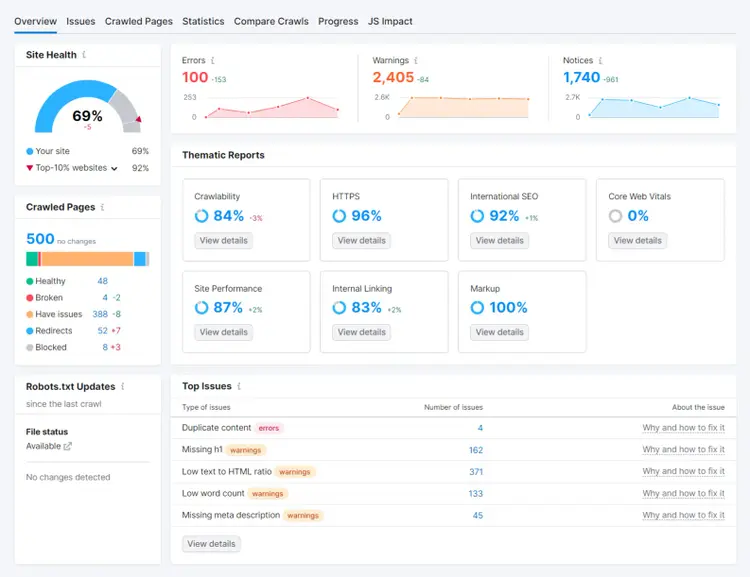
If you’re on Shopify, consider installing the Ecommerce Booster app to audit your store, optimize pages, and generate product descriptions with AI. This app also helps with page speed, accessibility, and overall user experience.
By following these steps—on either WordPress or Shopify—you can improve your ecommerce site’s performance and boost sales.

Dana holds a Bachelor of Business Administration with a major in Marketing and specializes in content writing, copywriting, and SEO strategy. She has over 10+ years of experience helping established organizations within their marketing departments and currently partners with B2B providers to develop content strategies and craft persuasive copy that delights and converts.

Tells Google to show you more from Semrush in AI, Search, and Discover.