
Local SEO Checklist for 2025 [+ Free Interactive Template]
Follow our ultimate local SEO checklist to increase your local business’s search visibility and get more customers in 2025.
To track your progress with these local SEO tasks, use our free interactive checklist in Google Docs.
1. Set Up Your Google Business Profile
Set up your Google Business Profile (GBP) so your business is eligible and more likely to appear in Google’s map-based search results.
This is probably the most important task on this local SEO checklist because many users discover businesses through Google’s local results.
For example, a user searching for a pizza parlor would see results like this:
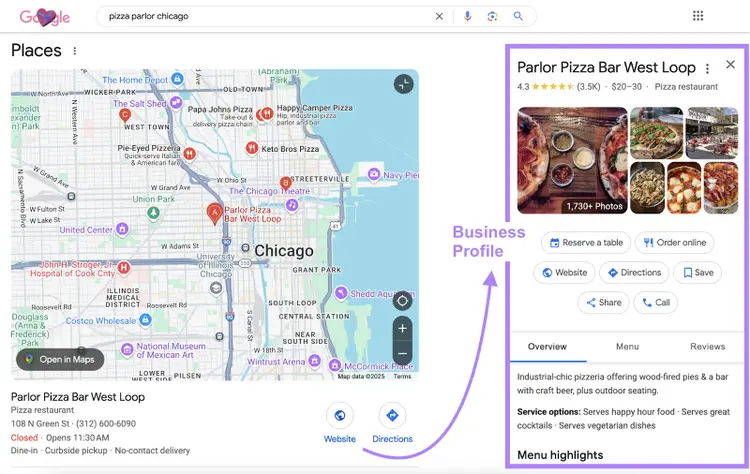
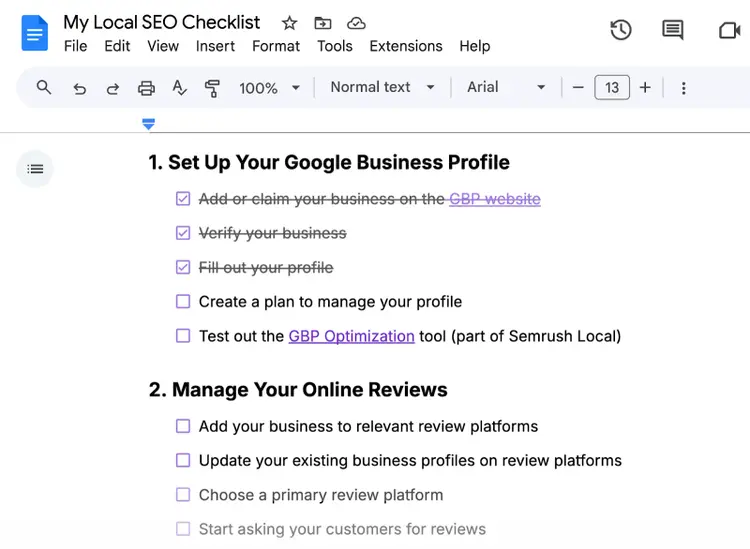
Here’s a checklist for setting up your GBP:

First, if you haven’t already, add or claim your business on the GBP website. And go through the business verification process.
Then, fill out and optimize your GBP by providing complete and accurate information about your business. So users can get all the details they need before visiting or contacting you.
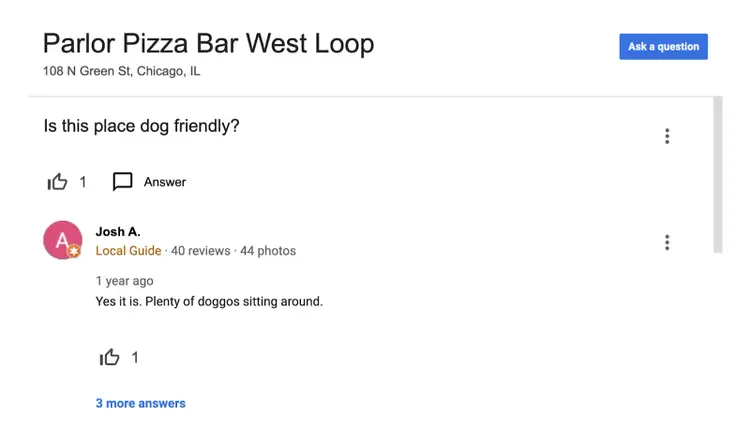
If users have submitted any questions, answer them directly:
Finally, outline a plan to manage your GBP.
Ask yourself the following questions:
- Do you want to post on GBP? If so, what’s your strategy?
- How will you respond to future questions quickly and strategically?
- Who’s responsible for keeping your GBP up to date?
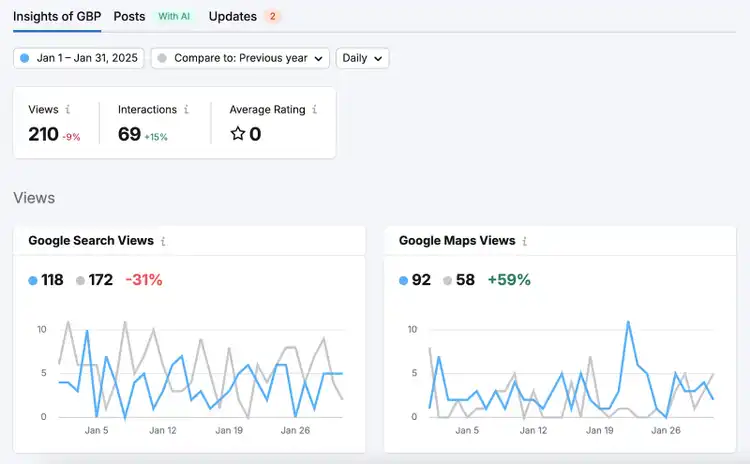
Get help managing your GBP when you subscribe to Semrush Local:
2. Manage Your Online Reviews
Manage your online reviews to maximize the value they bring to your business.
Here’s a checklist to help you manage your reviews efficiently:
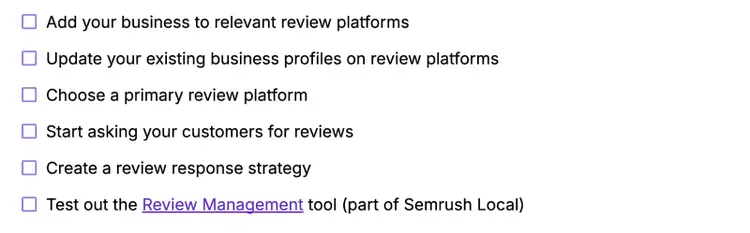
Start by adding your business to relevant review platforms and updating your existing business profiles, where necessary.
This allows you to expand your visibility and maintain control over your online presence.
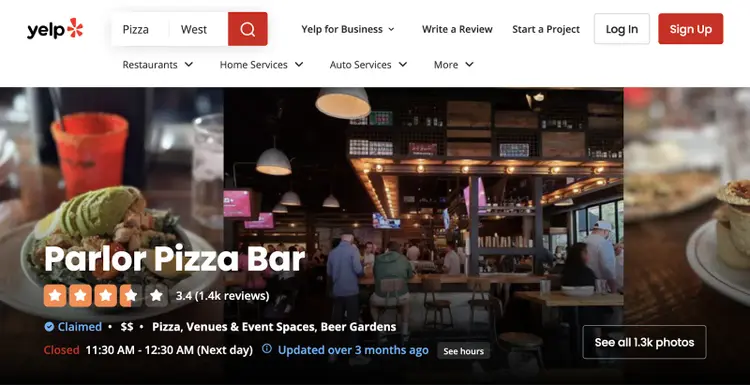
Next, identify the review platform that’s most likely to drive results for your business. This is the platform you should direct customers to and focus your strategy around.
Google is usually the most important review platform because Google reviews can boost your GBP’s visibility in search results. But the best platform depends on your specific needs.
For example, businesses targeting tourists may benefit more from Tripadvisor reviews.
After identifying a review platform, start asking your customers for reviews.
The best way to get reviews on your preferred platform depends on the nature of your business. Here are some options to inspire you:
- Send customers review request emails featuring a link to your reviews page
- Add a reviews widget to your site so visitors can easily see and submit reviews
- Tell customers that you appreciate reviews when speaking to them face-to-face
- Convert your reviews page link into a scannable QR code to include on business cards, posters, and other printed materials
When you receive reviews, respond to them as quickly and tactfully as possible. To show you care about customer service.
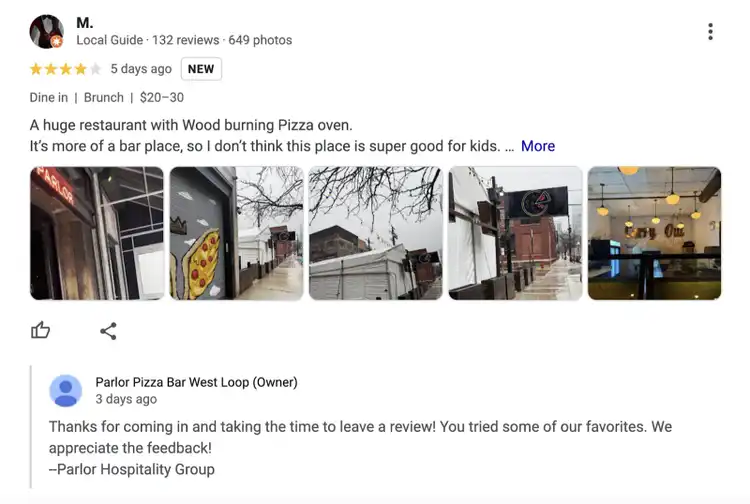
If you subscribe to Semrush Local, you can use AI to draft or automatically respond to Google reviews. And track your ratings across multiple platforms.
3. Build Local Citations
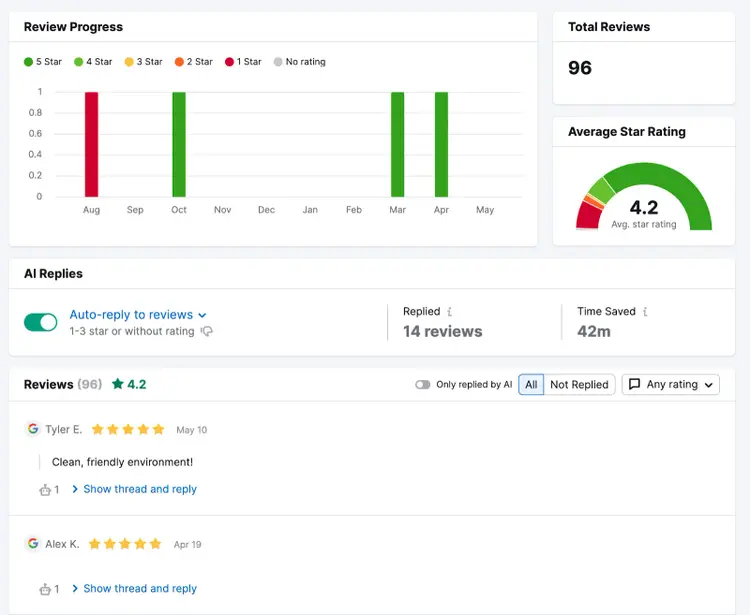
Build local citations (online mentions of your business’s name, address, and phone number—or NAP) on relevant, high-quality websites.
This is one of the most important local SEO tasks because it helps you reach more potential customers. And citations can boost your GBP’s rankings in Google search results.
Use this checklist to start building local citations:
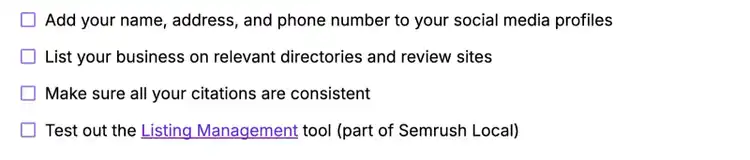
You can build your citations in numerous places, including:
- Business directories: List your business on directories like Yelp, Bing, and Apple Maps
- Social media platforms: Add details to your existing social media profiles
- Review platforms: Add your business to review websites like Trustpilot or Tripadvisor
- Local websites: Ask community bloggers or local news outlets to cite your business
- Industry-specific sites: Get mentioned on websites related to your business's industry
Use the exact same name, address, and phone number across every site. So Google can link all your citations together and trust your information.
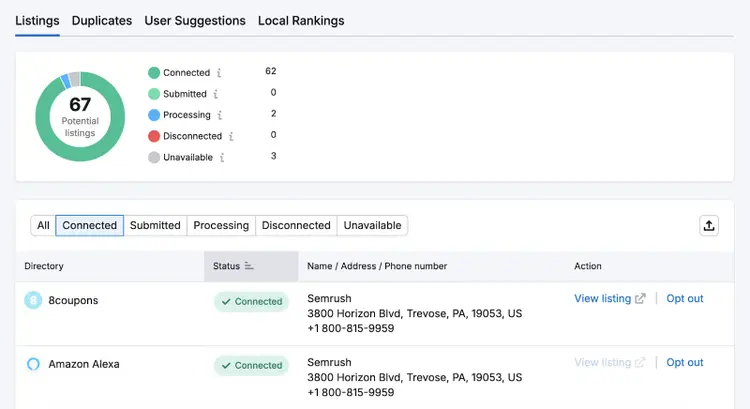
If you subscribe to Semrush Local, you can create or update up to 79 citations simultaneously:
4. Acquire Local Backlinks
Local backlinks are links to your site from other local websites. They can drive valuable traffic and help you rank higher in web search results.Use this local backlink checklist to get started:
Use this local backlink checklist to get started:
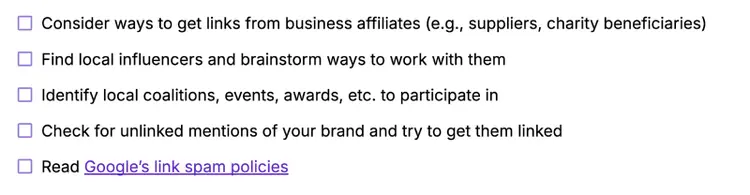
Here are some quick ideas on how to build local backlinks:
- Host community events and list them on local event directories
- Provide testimonials for your local suppliers to display on their websites
- Invite local bloggers or reporters to review your establishment
- Sponsor local events, sports teams, or charities and ask them to link to your website
- Enter local business awards and competitions
- Post job opportunities on local job boards
- Write press releases about any newsworthy business updates (e.g., product launches or hiring drives) and distribute these stories to local media outlets
- Check for unlinked mentions of your brand name and ask creators to add a link
Before you begin, familiarize yourself with Google’s link spam policies. Violating these policies can lead to a Google penalty that harms your visibility in search results.
5. Improve Your On-Page SEO
On-page SEO is the process of optimizing specific webpages to rank more prominently for relevant search engine terms, and it can be one of the most effective ways to increase local website traffic.
Use this checklist to improve your on-page SEO:

To start, perform local keyword research. This process tells you what search terms people use to find local businesses like yours.
For example, “restaurants near me” or “restaurants in Chicago.”
Here are a few ways to find relevant local keywords:
- Use Google Search Console to see what terms you already rank for
- Start typing relevant terms into Google’s search bar and look at the suggestions
- Search for relevant terms using Google and look at the related searches
- Search a keyword database with a tool like our keyword generator
- See what keywords competitors rank for with a tool like Keyword Gap
Adding keywords to relevant pages (in a natural way) can help you rank higher for those keywords.
Choose a primary keyword for each page and add it to the following locations:
- Title tag: The page title that can appear in search results
- Meta description: The page summary that can appear in search results
- H1 tag: The main on-page heading
- URL slug: The unique part of the webpage address
- The first paragraph of body content
You can repeat your keyword—and any other relevant keywords—throughout the body content and other heading tags, where appropriate.
6. Add NAP Information to Your Website
Add your business’s name, address, and phone number (NAP) to your website so potential customers and search engines can easily find that information.
This is the checklist we recommend you follow:
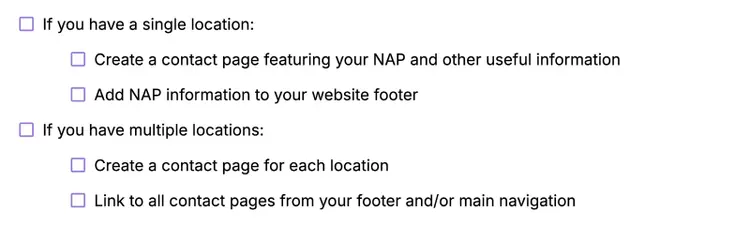
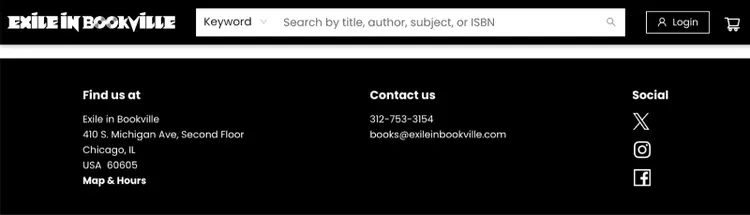
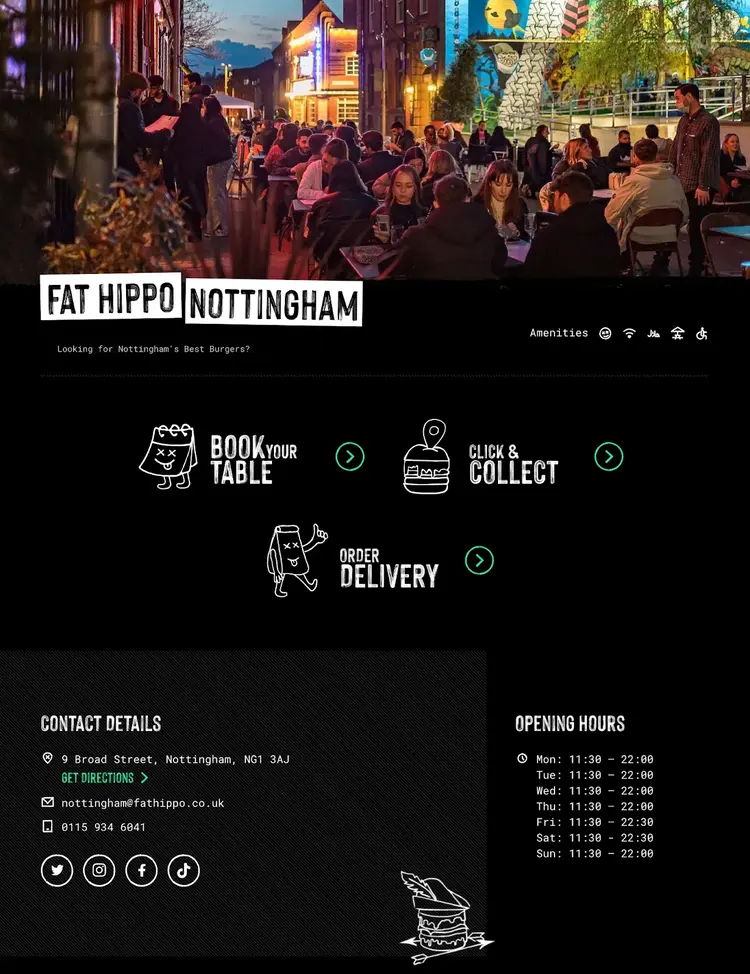
If you have one location, add NAP information to your footer so it’s visible on every page. Like this:
Also create a “Visit Us” page or something similar that includes:
- Contact details (address, phone number, email address, etc.)
- Opening hours
- High-quality photos of your premises
- An embedded Google map showing your location
- Any other useful information (You can get inspiration from your GBP.)
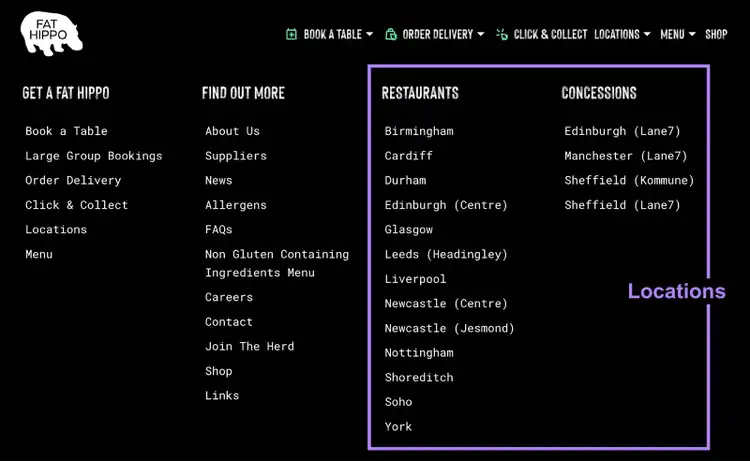
If you have multiple locations, create a page for each location.
Then link to these pages in your main navigation menu and/or footer, like this:
7. Add Local Business Structured Data to Your Website
Local Business structured data is code that labels different types of local business information on your website so search engines can properly use and display this information in search results.
Use this checklist to guide your Local Business structured data implementation:

For help implementing structured data, enter your local business’s URL into Google’s Structured Data Markup Helper.
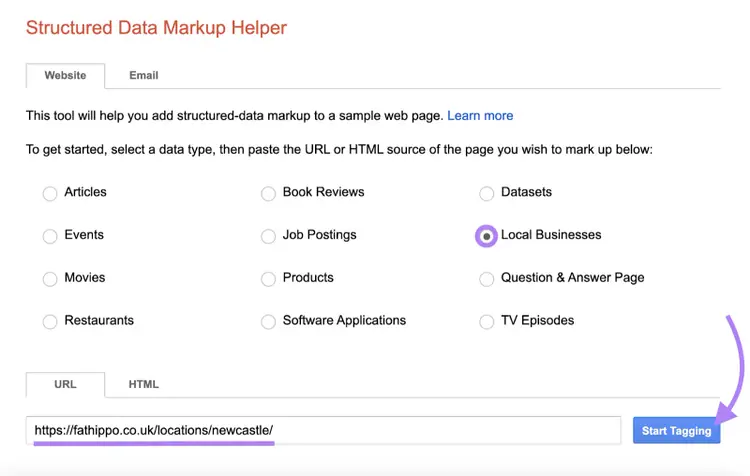
Highlight a piece of data you’d like to tag. And select the correct property type.
Google requires you to include your business’s name and address in Local Business structured data. But you should also add optional properties like opening hours, where relevant.
Once you’ve tagged all your data, click “Create HTML.”
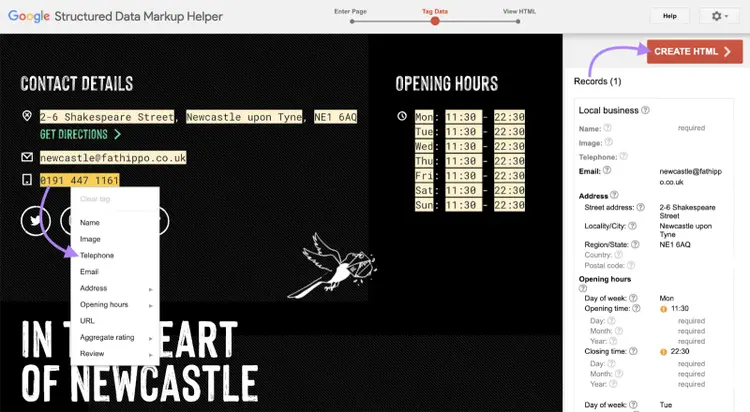
Google will provide the structured data for you to add to your site. And you can choose JSON-LD or microdata formats.
If you’re not sure what format is best or where to insert this code, speak to a web developer.
8. Run a Technical SEO Audit
A technical SEO audit highlights technical issues that could harm your website’s search visibility.
Use this checklist as a guide for your technical SEO audit:
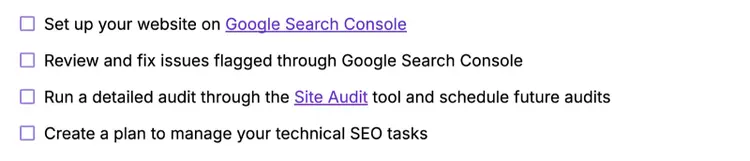
If you haven’t already, set up Google Search Console. This is a free platform that helps you manage your website’s visibility on Google.
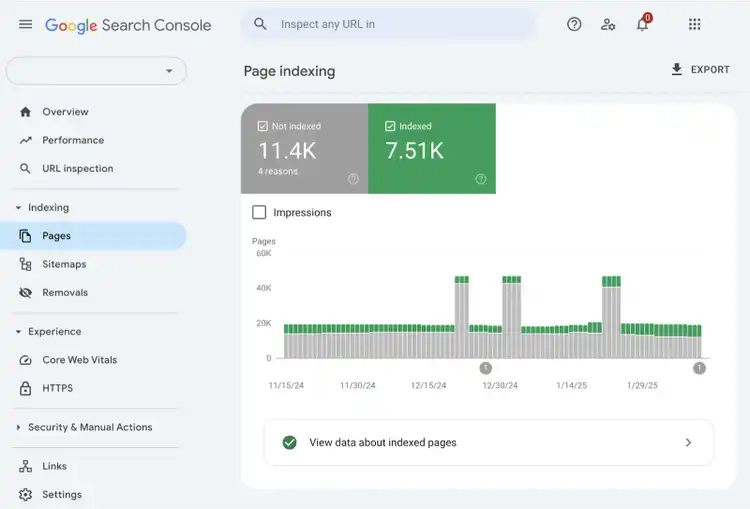
Then, check out these reports:
- Page indexing: Shows which pages on your site are and aren’t indexed (stored in Google’s database of possible search results). This report helps you identify crawling and indexing issues.
- Core Web Vitals: Shows webpage speed and performance metrics called Core Web Vitals. This report flags any URLs classed as “poor” or “need improvement.”
- HTTPS: Flags any non-HTTPS URLs on your website. Google recommends that you use HTTPS (a secure version of the HTTP protocol) across your website.
- Manual actions: Shows whether you’ve received a manual penalty that harms your search visibility. You can receive penalties for violating Google’s link spam policies.
- Security issues: Highlights any issues related to hacked content, malware or unwanted software, and social engineering on your website. You should fix these issues urgently.
- Sitemaps: Shows the latest XML sitemap submitted to Google. Submitting an up-to-date sitemap (that lists all the pages you want to index) reduces the risk of indexing issues.
You can also run our free website SEO checker for a quick technical assessment.
For deeper site-wide coverage, use Semrush Site Audit.
It checks for over 140 issues relating to technical and on-page SEO, provides advice on how and why to fix each issue, and helps you to prioritize and manage your tasks.
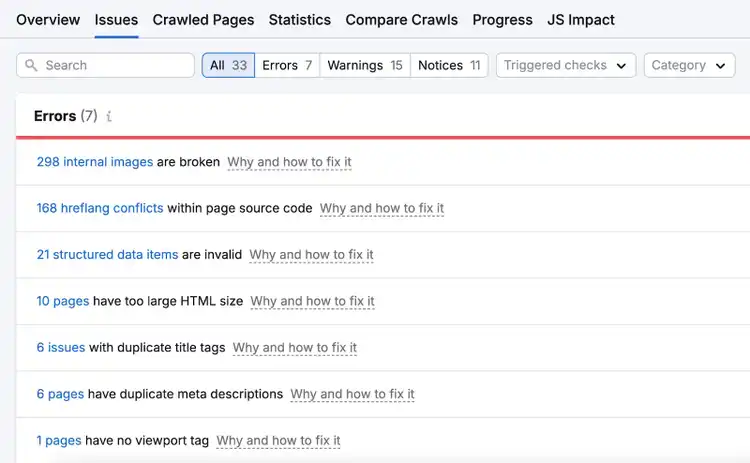
Plus, you can schedule regular audits. To keep on top of any issues that arise.
If you need help dealing with these local SEO tasks, reach out to an SEO specialist or web developer.
9. Monitor your Local SEO Results
Monitor your local SEO results so you can better understand your business performance and make more informed decisions in the future.
Refer to this checklist for some ideas on how to track your results:
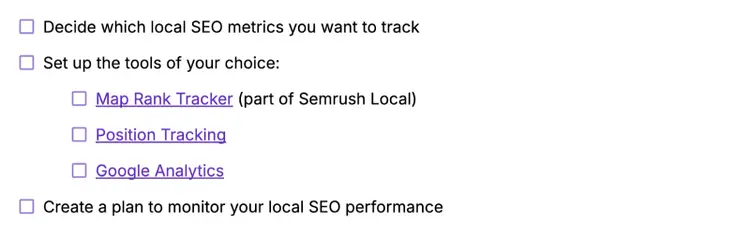
Five tools can track the local SEO metrics most businesses need:
- Track your Google Maps rankings for target keywords in hyper-specific user locations
- Compare your Google Maps visibility to competitors’
- Monitor your website’s rankings for target keywords
- See whether your GBP appears in the local pack (the map section that can appear in Google Search) for target keywords
- See how many users view your GBP
- Monitor profile interactions like call clicks, direction requests, etc.
- Find out where your website visitors come from
- Analyze how search visitors interact with your website
- Monitor your average position for up to 1,000 keywords chosen by Google
- See how many impressions and clicks these rankings generate
Streamline Local SEO
with the Semrush Local Toolkit
Get the Interactive Checklist
Track your progress through this local SEO checklist with our free interactive checklist for Google Docs.
It’s totally free to use—you just need a Google account.

Rachel is a Senior Content Writer with 12+ years‘ experience in content marketing and SEO. In a previous role as Head of Content at a digital marketing agency, Rachel developed and executed search-driven content strategies for a diverse range of clients, including global ecommerce brands and local B2B companies. She later transitioned to an in-house role at an SaaS startup, where she focused on scaling content operations and driving organic growth.
Rachel Handley
Rachel is a Senior Content Writer with 12+ years‘ experience in content marketing and SEO. She has worked agency-side, developing and executing content strategies for a wide range of brands, and in-house, driving organic growth for a SaaS startup.

Tells Google to show you more from Semrush in AI, Search, and Discover.
Table of contents
- 1. Set Up Your Google Business Profile
- 2. Manage Your Online Reviews
- 3. Build Local Citations
- 4. Acquire Local Backlinks
- 5. Improve Your On-Page SEO
- 6. Add NAP Information to Your Website
- 7. Add Local Business Structured Data to Your Website
- 8. Run a Technical SEO Audit
- 9. Monitor your Local SEO Results
- Get the Interactive Checklist