
How to Get on the First Page of Google (Without Paying for Ads)
Expert reviewed
Our subject matter experts have reviewed this article to ensure it meets the highest standard for accurate information and guidance. Learn more about our editorial standards and process.
Tip
Lorem ipsum dolor sit amet, consectetur adipisicing elit. Aperiam deserunt dicta, expedita non pariatur quam. Architecto, id soluta. Nostrum, ut!
When your website appears on the first page of Google’s search results, it’s much more likely to get clicks. Few users click through to the second page.
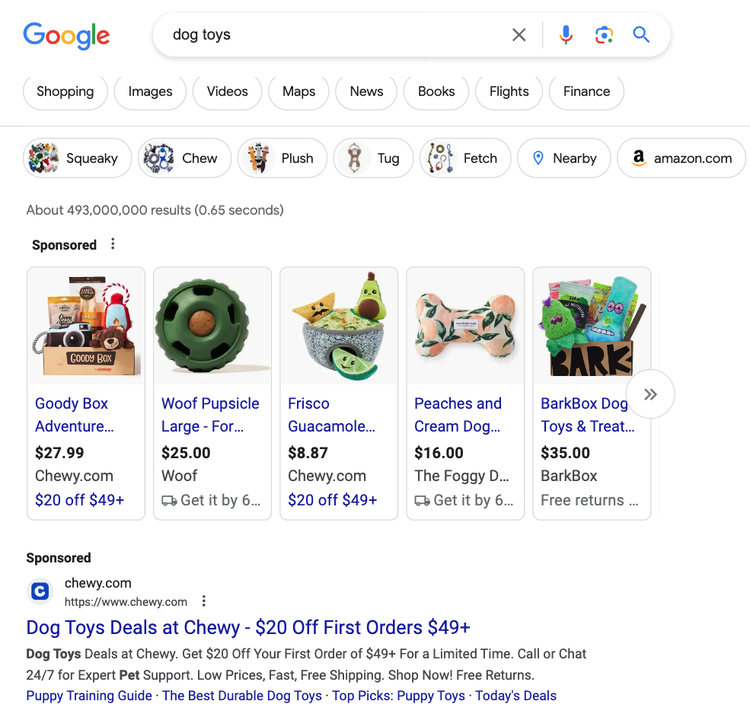
On desktop, the top of the first page might look like this:
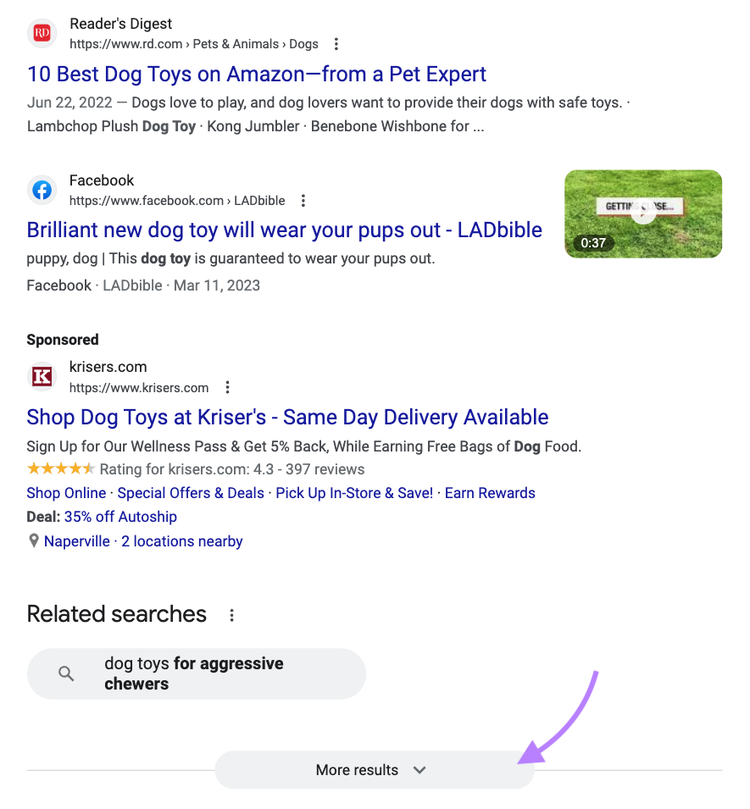
When you scroll to the bottom, you’ll see page numbers or a “More results” button:
On mobile, pages are less obvious because Google uses infinite scrolling. In other words, it automatically loads more results when you reach the bottom.
Google’s first page often includes ads.
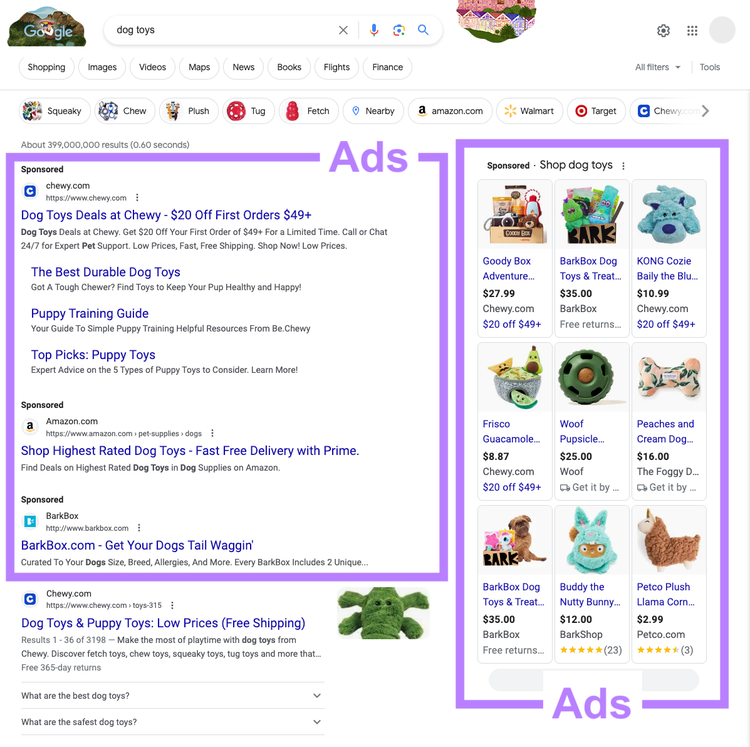
However, there are many chances to rank organically (for free).
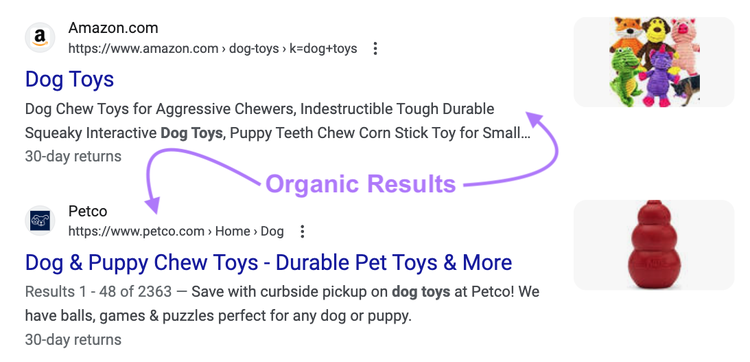
Typically, the first page includes seven to 10 organic search results:
Many search engine results pages (SERPs) have SERP features, which display content in various formats.
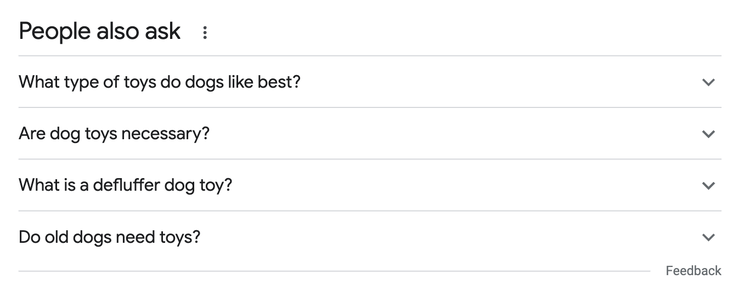
For example, the “People also ask” box:
If you want free exposure, you must earn your spot.
Google ranks organic search results according to five main factors:
- Meaning: The intent behind the user’s search
- Relevance: How well the content satisfies the user’s intent
- Quality: The content’s helpfulness
- Usability: The page’s functionality and accessibility
- Context: The user’s search settings and history
Below, you’ll learn how to get on Google’s first page using beginner-friendly SEO techniques.
1. Choose a Target Keyword
A target keyword is the search term you want to rank for. Once you know your target keyword, you can map out how to get on Google’s first page for that term.
Improving existing rankings first is often a good idea, especially for keywords that rank on the second page. If you’re on page two, Google already views your page positively. You just need to outperform the competitors ranking above you.
Check Existing Rankings in Google Search Console
Check your existing rankings for free using Google Search Console.
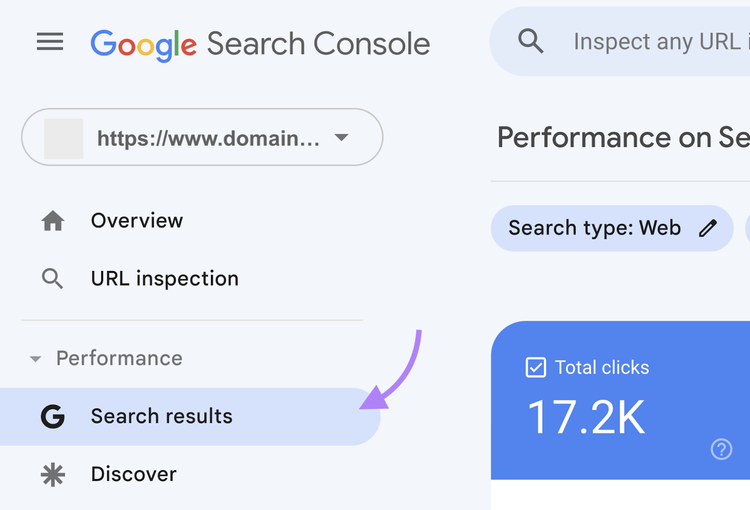
Go to the “Performance” section and click “Search results.”
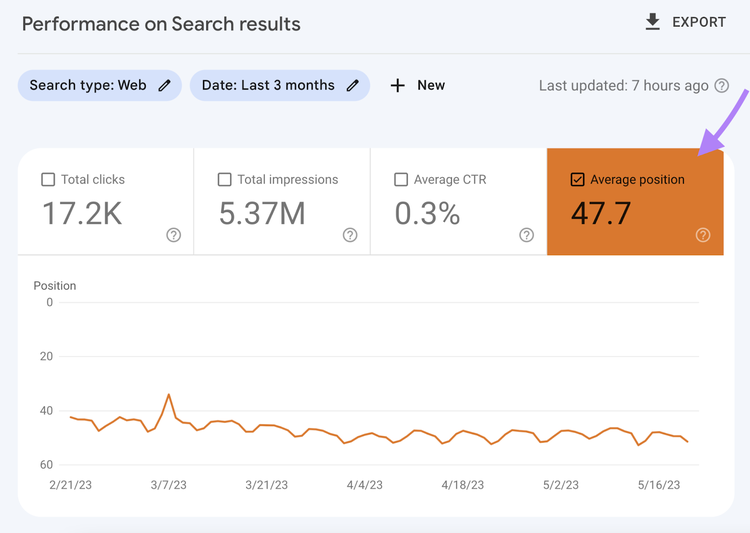
Then, click the “Average position” check box at the top.
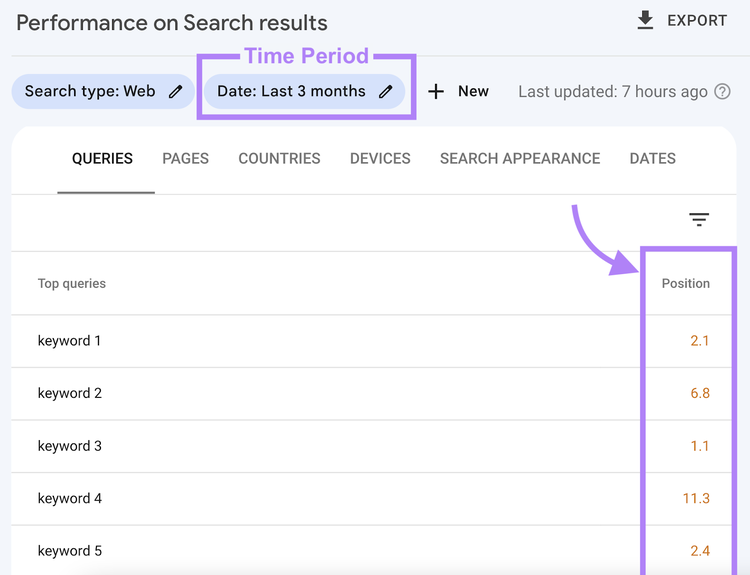
Scroll down to the “Queries” table to see a list of keywords your website ranks for.
The “Position” column shows your average ranking over the selected time period.
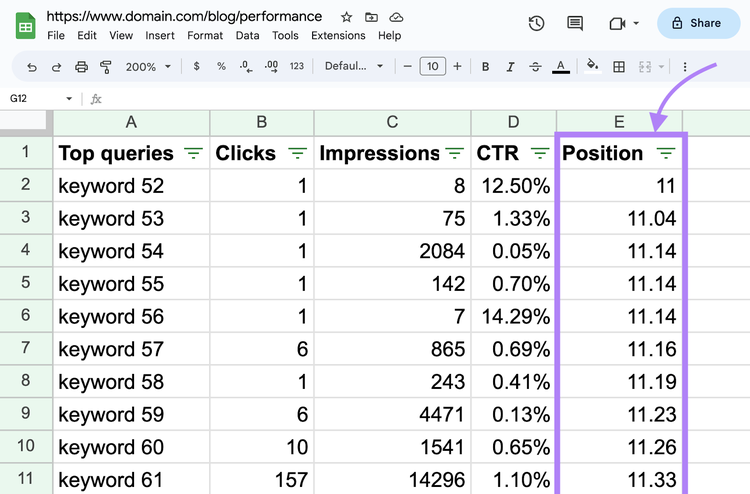
Open your data in a spreadsheet to make it easier to work with.
Click the “Export” button at the top to create a Google Sheets, Excel, or CSV file.
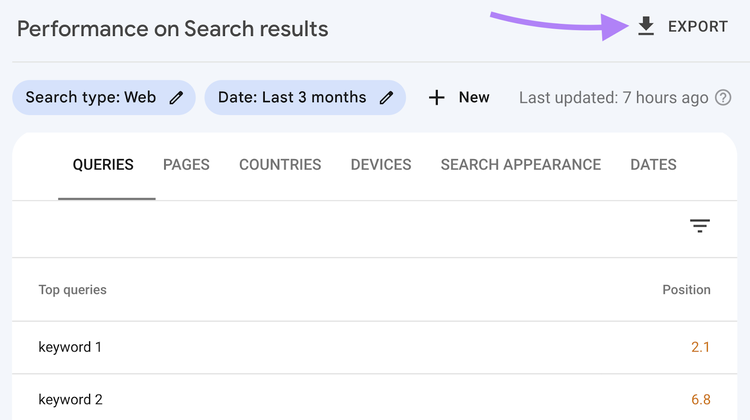
From there, you can filter for keywords ranking in positions 11-20 (which roughly corresponds to the second page of Google).
Check Existing Rankings in Semrush’s Keyword Gap
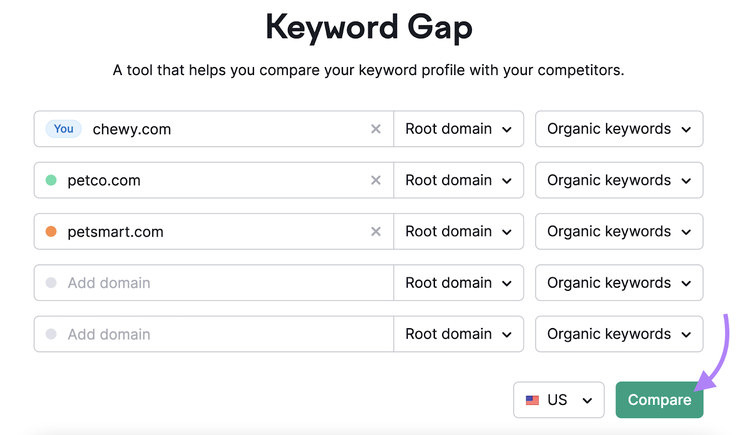
Alternatively, check your existing ranking using Semrush’s Keyword Gap tool. The Keyword Gap tool compares your rankings with up to four competitors, helping you find valuable keywords.
To start, enter your domain and up to four rival domains.
Then, choose your country and click “Compare.”
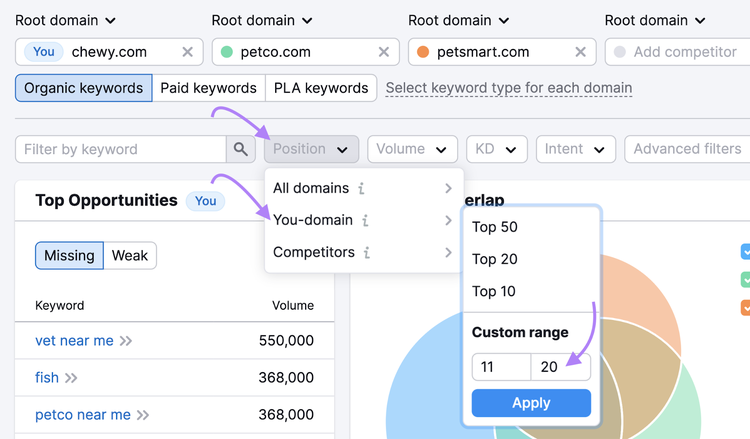
Open the “Position” drop-down and select “You-domain.” Then, set a custom range from 11 to 20.
(This filters out your second-page ranking keywords.)
Scroll down to the keyword list and select the “Weak” tab. This tab shows you which competitors outrank you and their search positions.
For example, you rank in position 20, while your competitors rank in positions 1 and 4.
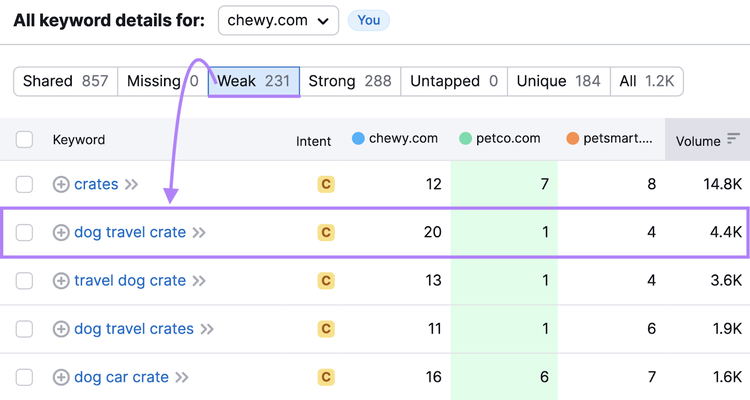
Use the metrics to find keywords with the best potential for your business.
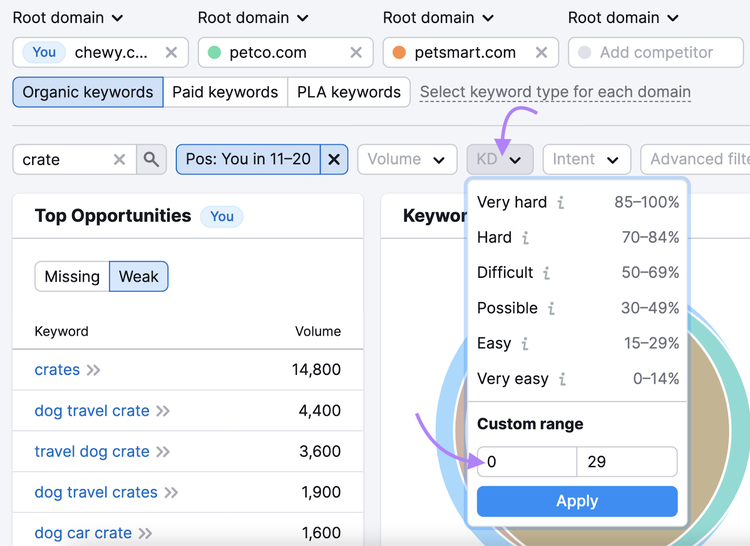
The "KD %" column lists the keyword difficulty score.
Keyword difficulty measures how hard it will be to get on the first page of Google without paying for ads.
Consider starting in the “Very Easy” to “Easy” range (0-29%).
Another valuable metric is “Volume,” which is the average number of monthly searches. Volume indicates your search result’s potential reach.
Traditionally, higher-volume keywords are more competitive.
For example, “dog toys” gets 40,500 monthly searches and has a keyword difficulty of 81%.

Whereas “tug of war dog toy” gets 1,300 monthly searches and has a keyword difficulty of 13%.

Click your target keyword (or a keyword you want to explore in more detail) to open Semrush Keyword Overview tool.
Here, you can get additional data and SERP analysis.
Compare Your Rankings with Competitors’
with the Keyword Gap Tool
Tip
Want fresh keyword ideas? Check out our keyword research guide.
2. Understand Search Intent
Search intent is the purpose behind a query, or the why behind a user’s search.
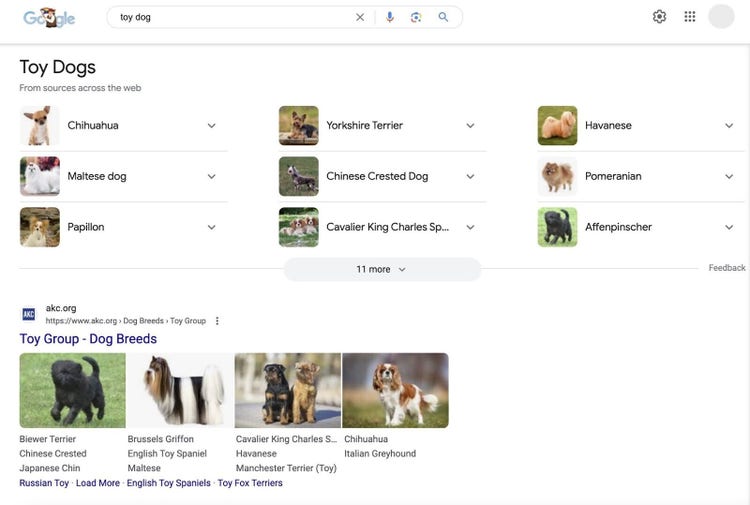
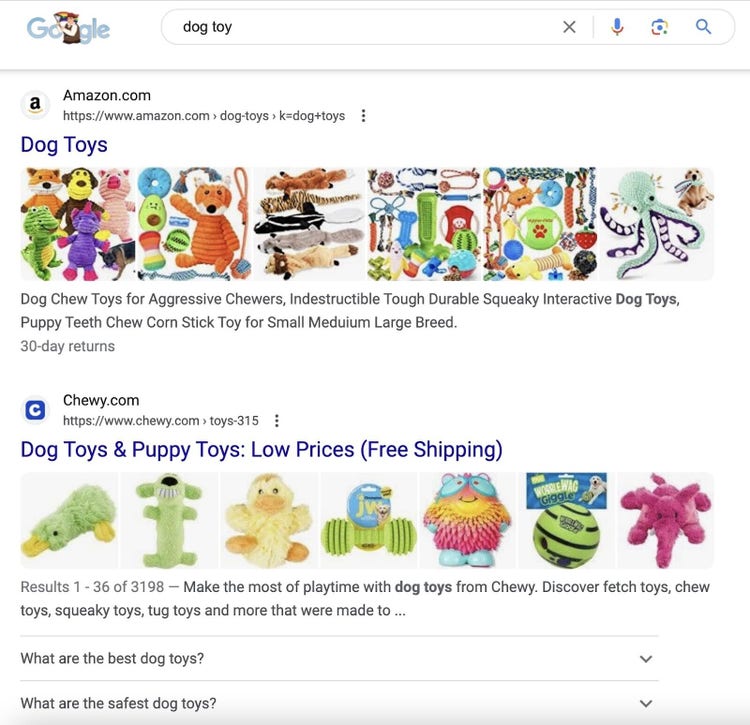
For instance, “toy dog” and “dog toy” sound similar, but Google shows different results because users have different goals.
“Toy dog” yields results about a dog breed:
Whereas “dog toy” results are product-related:
Analyze the SERP with Semrush’s Keyword Overview
Search intent isn’t always obvious. The best way to understand it is to analyze the SERP.
You can search the keyword yourself and review the first page. But Google may personalize results based on your location, search history, and more.
Semrush Keyword Overview provides unbiased data that makes analysis easier.
Enter your keyword, choose the country you want to rank in, then click “Search.”
(If you click a keyword in Organic Rankings or elsewhere, this step is done for you.)
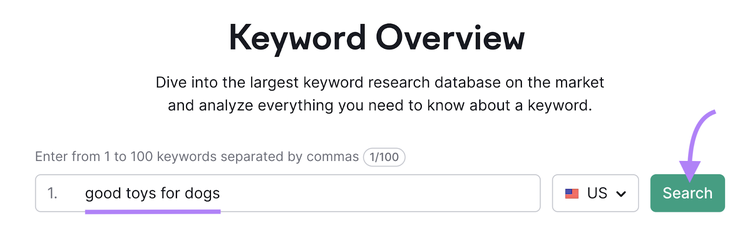
The “Intent” section reveals the type of search intent, which can be one or more of the following:
- Informational: Users want to learn more about something (e.g., “toy breed dogs”)
- Navigational: Users want to find a specific page (e.g., “dog toys amazon”)
- Commercial: Users want to do research before making a purchase decision (e.g., “good toys for dogs”)
- Transactional: Users want to complete a specific action (e.g., “buy dog toys”)
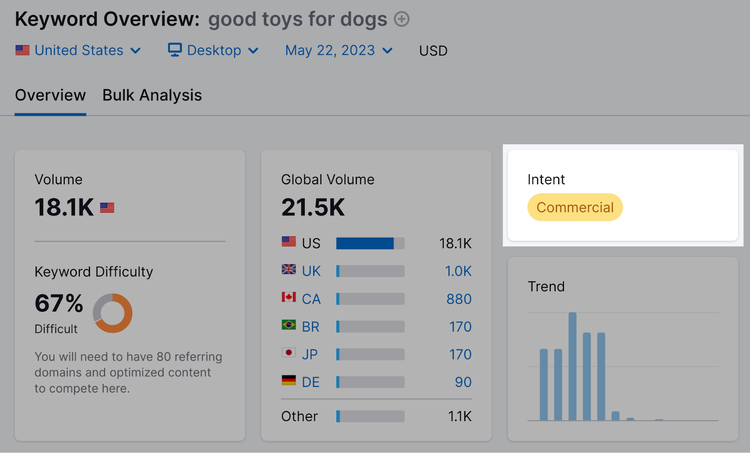
Scroll down to the “SERP Analysis” section to find information about the top 10 organic results (the typical first page of Google.), including SERP features.
The “Search Traffic” column indicates potential website visits if you reach those positions.
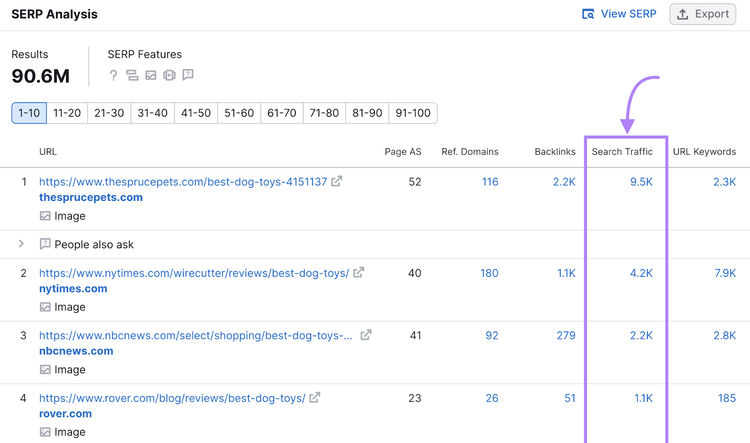
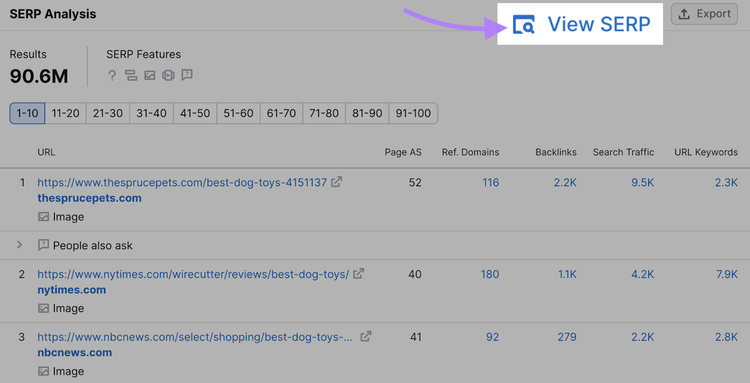
Click “View SERP” to see the SERP snapshot and review the first 10 results.
(In this view, results aren’t separated into pages. Try to focus on the top 10 results.)
If you search “good toys for dogs,” the first page of Google is dominated by product roundups published by media websites such as The Spruce Pets and NBC News:
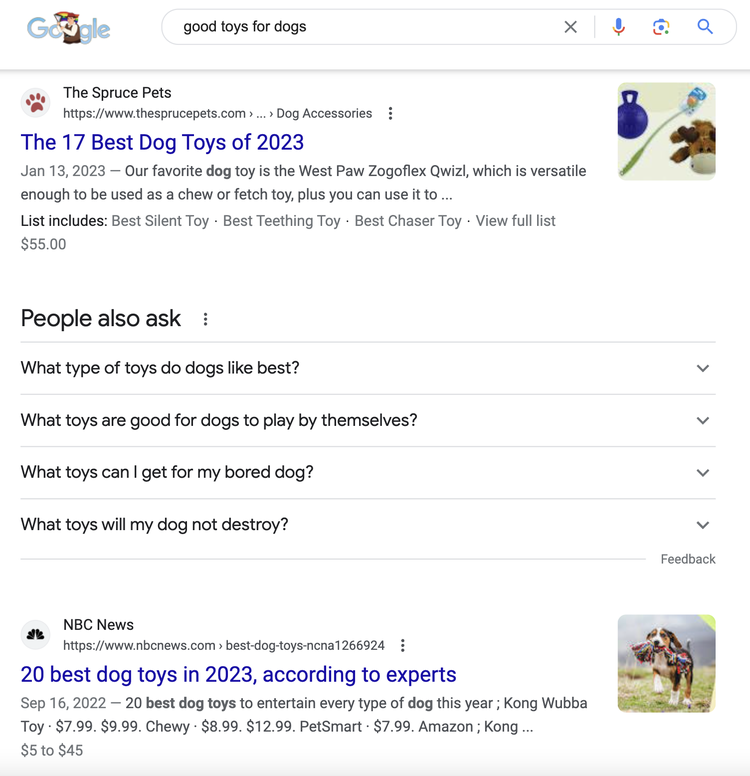
Other websites and content types may struggle to rank highly.
If you want to compete for your target keyword, align your content with what is already ranking—then make it even better.
The next section will show you how.
Run a Full Keyword Analysis
with the Keyword Overview Tool
3. Create Quality Content
If you already have a page that aligns with your target keyword’s search intent, update it. Otherwise, create a new page.
To get on Google’s first page, quality content should be:
- Helpful
- Comprehensive
- Accurate
- Trustworthy
- Original
Look at the high-ranking pages to determine the best content type(s).
Let’s consider the “good toys for dogs” example.
It predominantly features listicles with product details (and images).
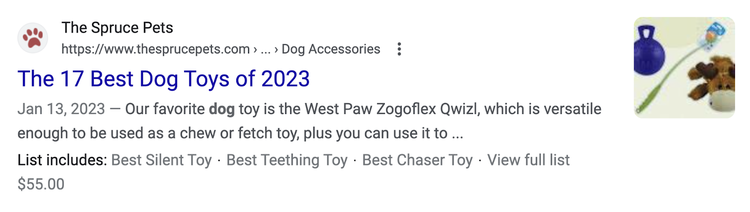
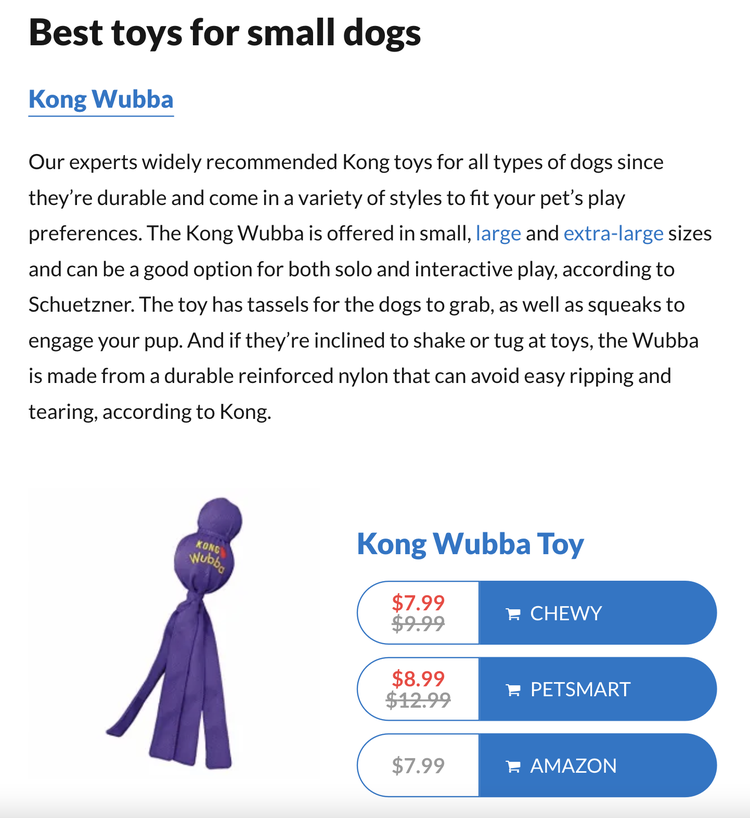
These articles also include product descriptions, prices, and links and cover various subtopics, such as the best toys for small dogs.
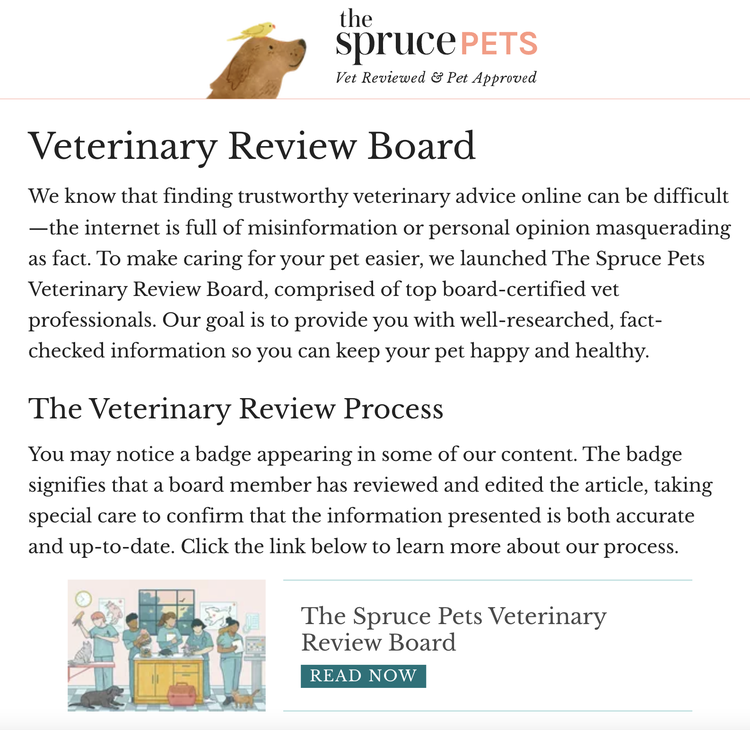
Top-ranking pages also show strong E-E-A-T (Expertise, Experience, Authoritativeness, and Trustworthiness).
For instance, The Spruce Pets website is “Vet Reviewed & Pet Approved.”
And CNET’s dog toy roundup is written by real dog owners.

Check Page Experience Issues in Google Search Console
A good page experience means the page is fast, secure, and mobile-friendly, and users can easily access their desired content.
Google Search Console can help you identify page experience issues.
Simply enter the URL you want to inspect. Then, review the recommendations.
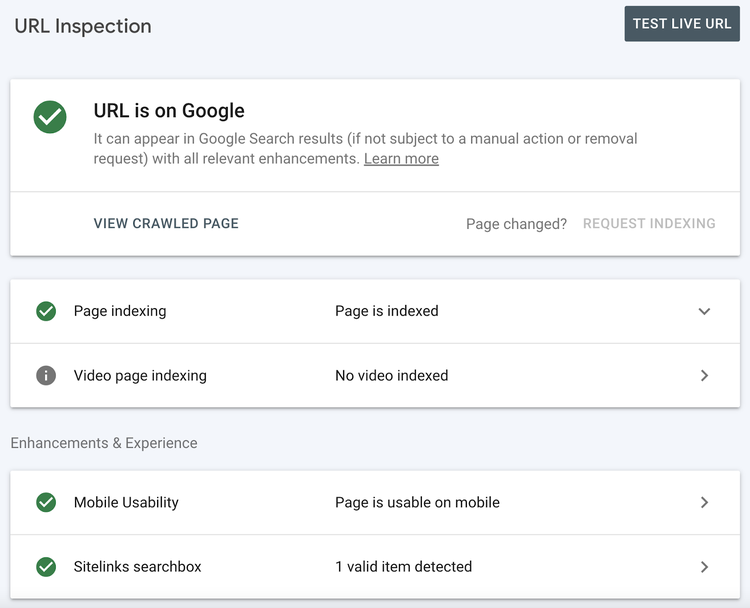
Not signed up yet? Check out our Google Search Console guide.
Tip
Site speed, security, and mobile-friendliness all matter. Run a check for page experience issues with Semrush SEO Audit tool.
Find and Fix Page Experience Issues
with the Site Audit Tool
4. Optimize for Google
Optimizing for Google involves creating content for humans and search engines.
Google says, “SEO can be a helpful activity when it is applied to people-first content …”
In other words:
If you want to rank on the first page of Google, further optimize your people-first content for search engines.
This is on-page SEO.
Add Keywords
Adding keywords to your content is a crucial component of on-page SEO.
Include your target keyword from step one. You can also add related keywords with the same intent (e.g., "best dog toys" and "good toys for dogs").
For example, searching Google with the keywords “best dog toys” and “good toys for dogs” produces similar results.
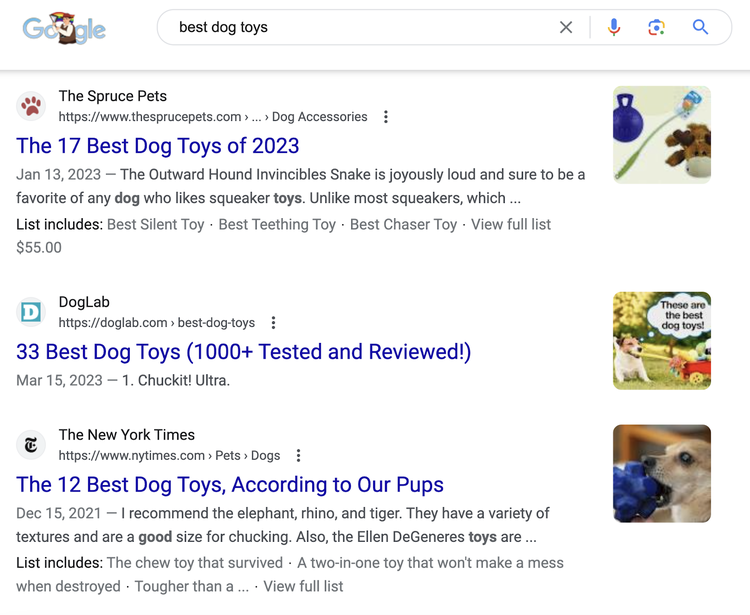
You could target both keywords on the same page and potentially get on Google’s first page for both.
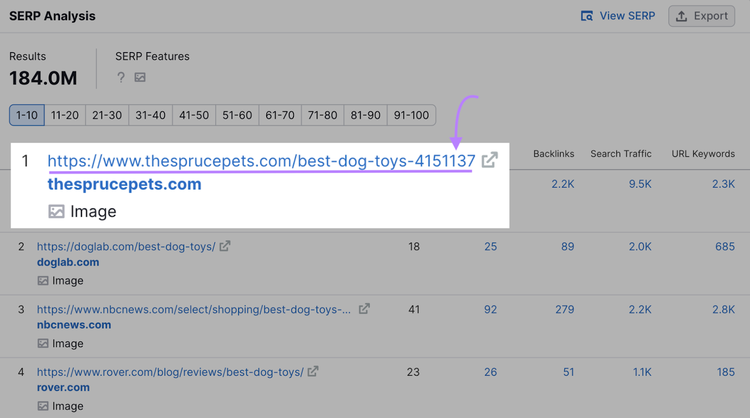
One of the easiest ways to find related keywords is to review your competitor’s top-ranking keywords.
Click their URL in Keyword Overview.
Or manually search the URL in Semrush’s Organic Rankings tool.
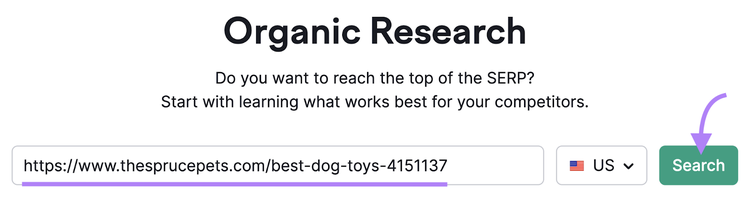
Go to the “Positions” tab to see rankings data.
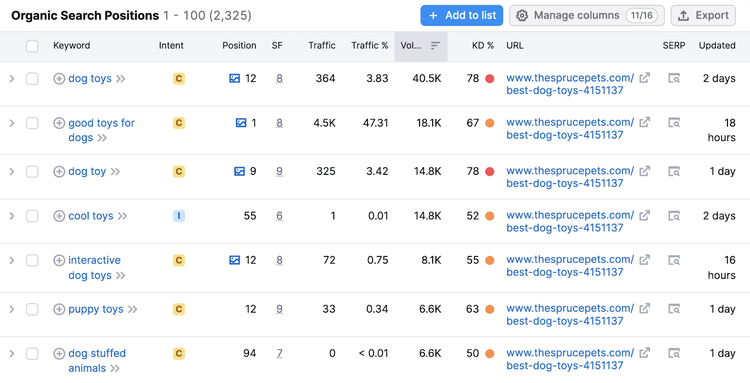
Identify the keywords you want to target. The keywords’ search intent should be the same or very similar.
(Those ranking in the highest positions are usually the best candidates.)
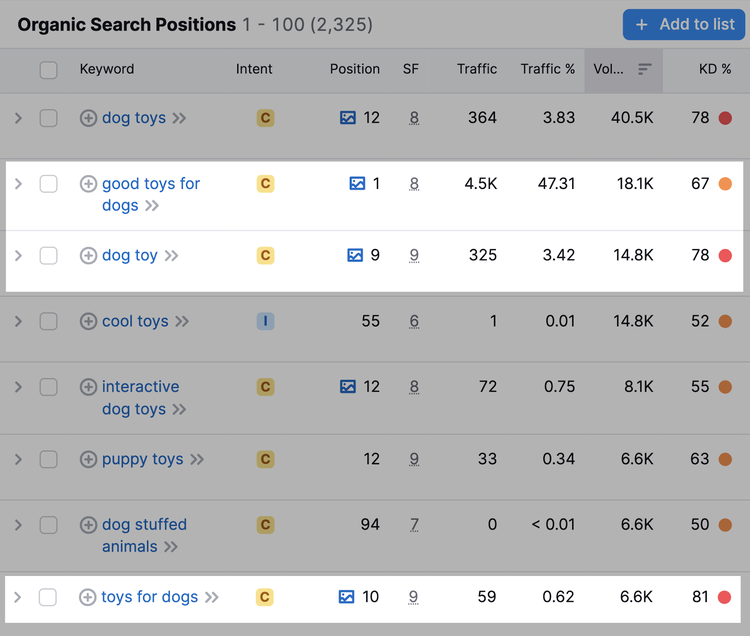
These keywords can form a keyword cluster. Use your keyword cluster to optimize your page.
Choose a primary keyword (a focus keyword for your page) with a manageable KD score (keyword difficulty), and use the others as secondary keywords.
Tip
If you have a Semrush trial or subscription, save and organize your keywords in Keyword Strategy Builder. Keyword organization also makes it easier to track your rankings later.
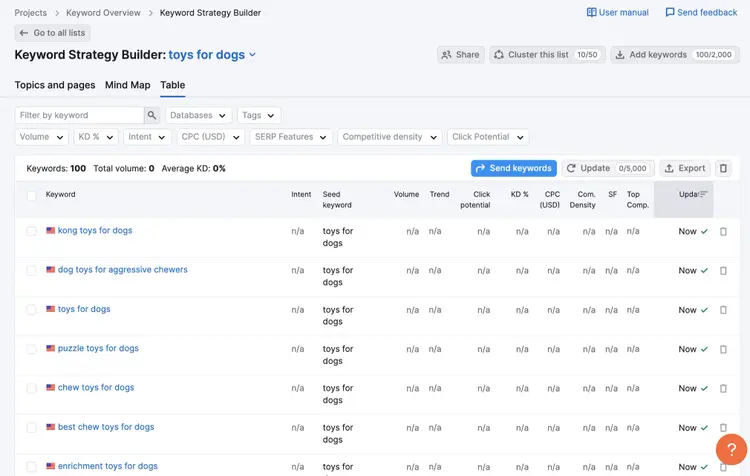
Incorporate these keywords naturally where indicated below:
- Early in the main text
- Subheadings (as appropriate)
- Title tag
- Main heading (H1)
- URL slug
Try to use your primary keyword within the first two sentences.
If appropriate, use secondary keywords (or parts of them) within subheadings.
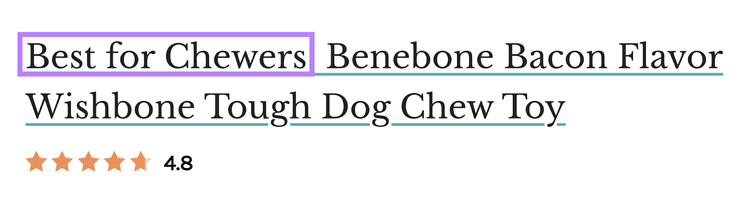
Include the primary keyword in the title tag (the clickable title that appears on the SERP).
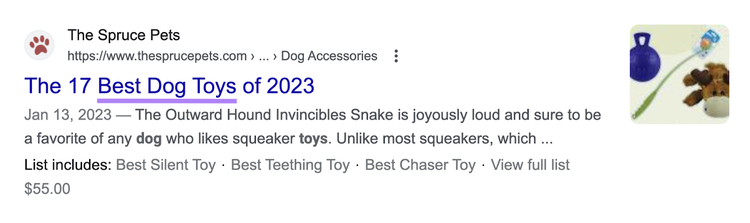
Also, include the primary keyword in the on-page title, which should be marked up in H1 tags, so Google understands it’s your page’s main title.

Include your primary keyword in the URL slug (the part of the URL unique to the page).
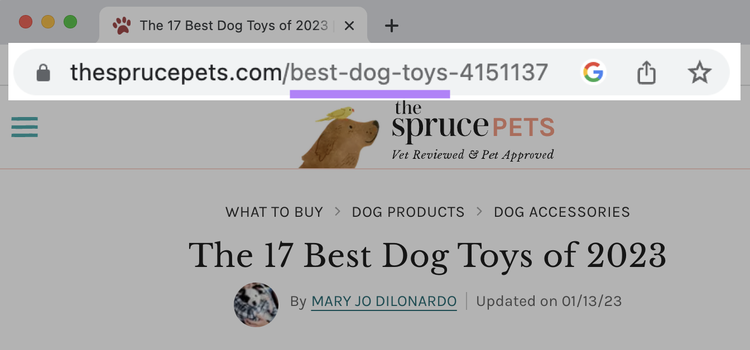
Use Semrush’s SEO Content Template
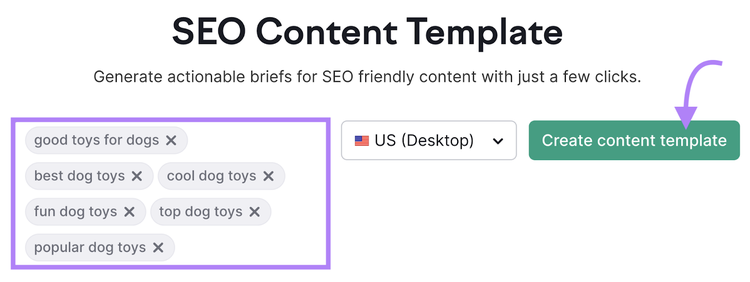
Semrush’s SEO Content Template will give you SEO recommendations based on the top 10 results for your target keywords.
Enter your target keywords, choose your country, and click “Create content template.”
When the template is ready, scroll down to “Key recommendations (based on your Google top 10 rivals).”
You’ll find suggestions for semantic keywords, text length, readability, and backlinks (which you’ll learn more about later).
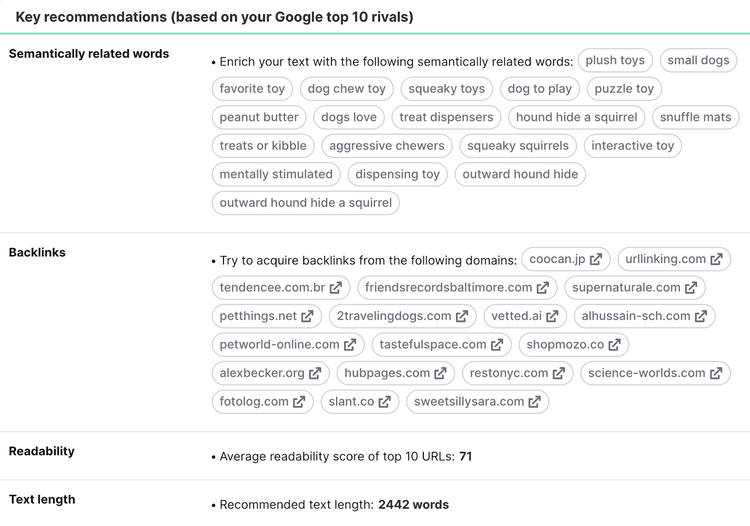
Scroll further for competitor keyword usage, and apply those insights.
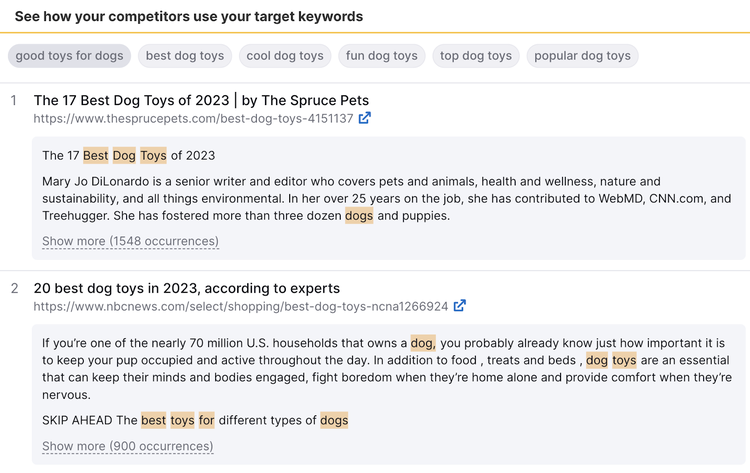
Create Optimized Content
with the SEO Content Template Tool
When you’re ready to write, click “Real-time Content Check,” then “Open in SEO Writing Assistant.”
The SEO Writing Assistant will give you real-time feedback on readability, SEO, originality, and tone.
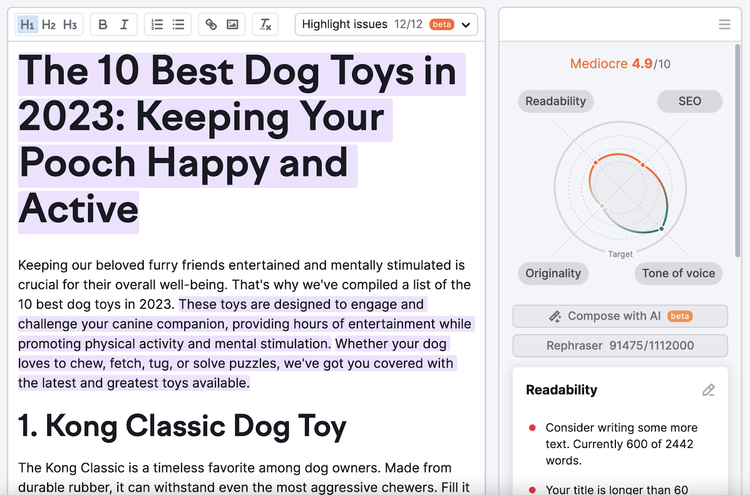
Get Writing Recommendations
with the SEO Writing Assistant
5. Build Backlinks
Building links from other websites can boost your rankings. When Google finds a link to your page on another website, the search engine may treat your link as a recommendation.
These types of links are called backlinks. Along with strong content, backlinks can help you get on the first page of Google.
For example, let’s go back to the SERP for "good toys for dogs."
Our free Keyword Checker shows the top-ranking page has 2,200 backlinks from over 100 websites (referring domains).
Pages with fewer backlinks tend to rank lower.
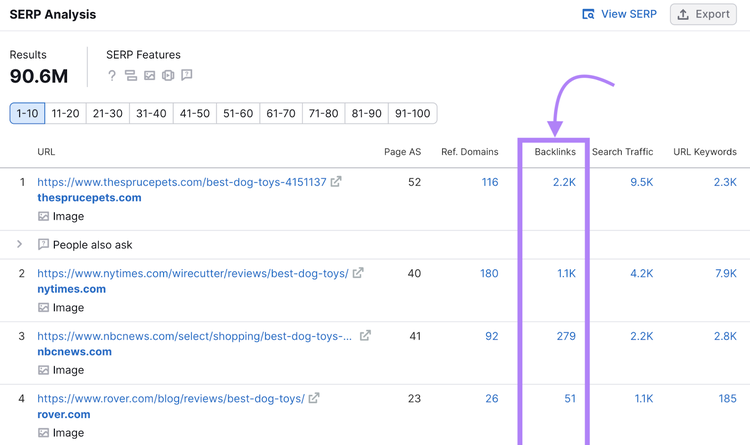
To check your backlinks, use Semrush Backlinks tool.
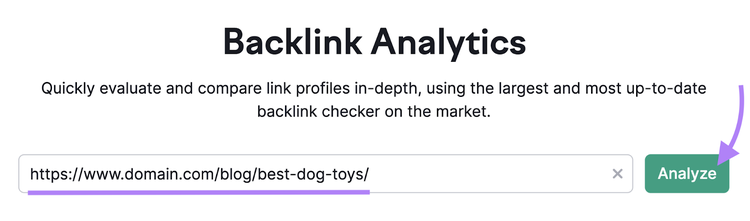
Enter your page URL. Click “Analyze.”
The "Overview" page provides key data.
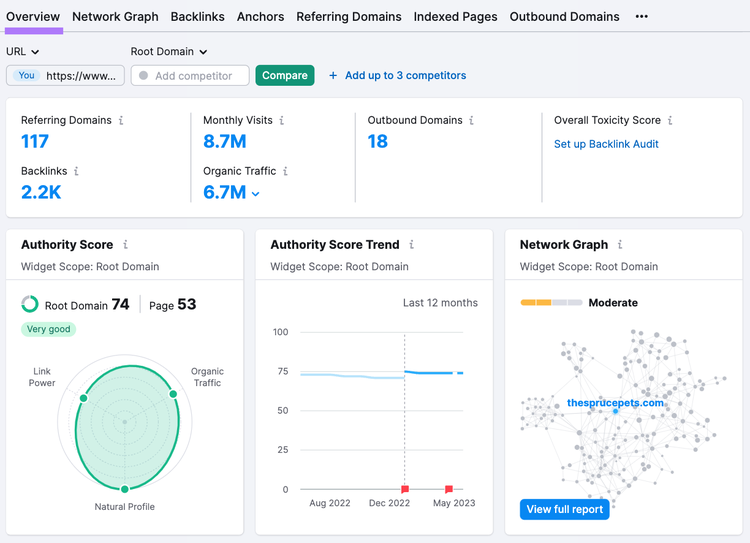
For further insights, view the individual reports:
- The “Backlinks” report provides a detailed breakdown of external page links
- The “Anchors” report lists your backlinks’ anchor text
- The “Referring Domains” report shows the sites linking to your page
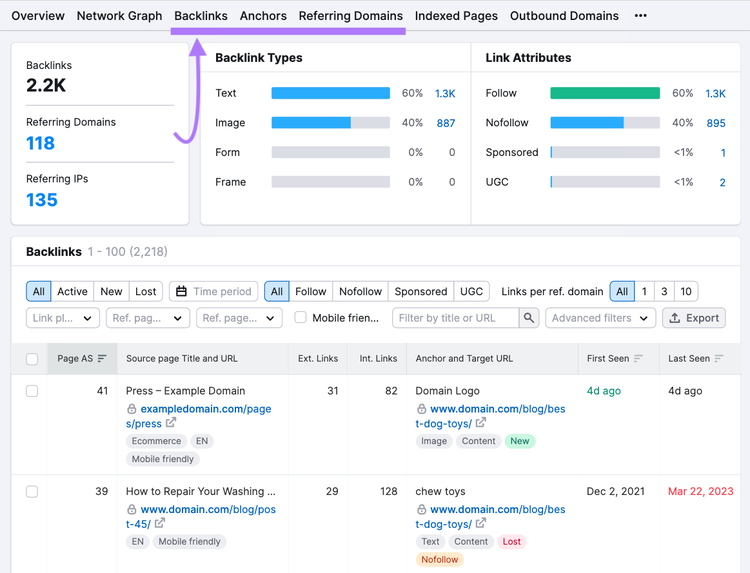
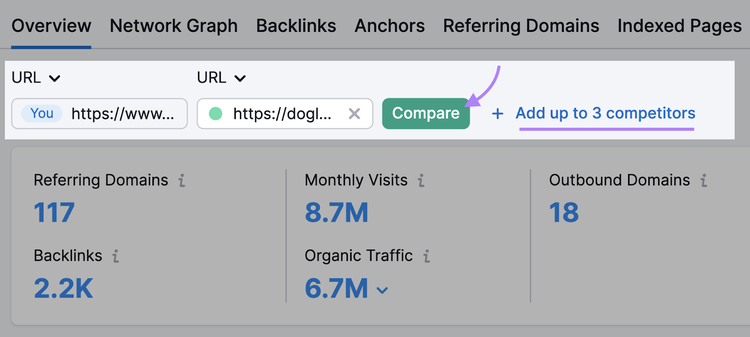
Compare your backlinks with competitor pages using the “Add competitor” feature.
Go back to the “Overview” tab.
In the “Add competitor” field, enter the URL of a competitor page (Ideally, one that ranks on the first page of Google).
Click “+ Add up to 3 competitors” to add more.
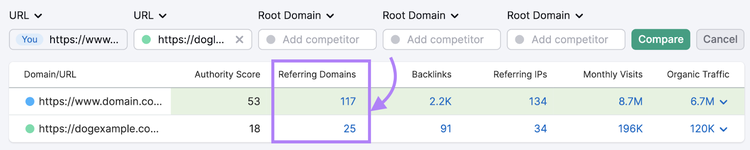
When you’re ready, click “Compare.”
You can now compare key backlink metrics, such as the number of referring domains.
Analyze Your Pages’ Backlinks
with the Backlinks Tool
If you need more backlinks, try link building techniques, such as:
- Outreach: Send your content to potential publishers
- Broken link building: Find broken links and suggest your resource as a fix
- Unlinked mentions: Use a tool like Brand Monitoring to identify where your brand is mentioned but not linked. Then, request a link.
Semrush’s SEO Content Template suggests sites to consider for backlinks based on the top 10 results for your target keywords.
Also, find link prospects and organize outreach using the Link Building Tool. The tool also helps you manage and track the link building process.
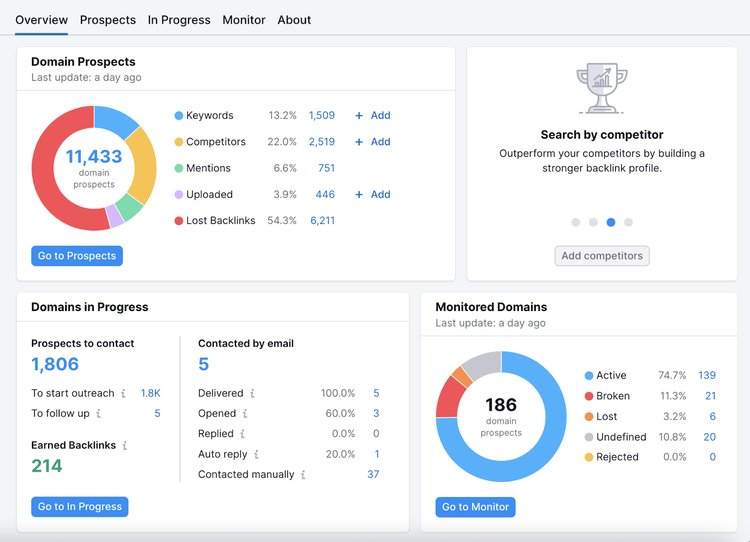
Build Backlinks Easily
with the Link Building Tool
6. Track Your Rankings
Track your rankings to ensure they move in the right direction. With Semrush’s Position Tracking tool, you can:
- Track keywords at any location level (country, city, ZIP code)
- Monitor SERP features
- Set alerts when you enter or leave the top 10 Google results
After configuring the tool, open your project.
Then, click the bell icon in the top right.
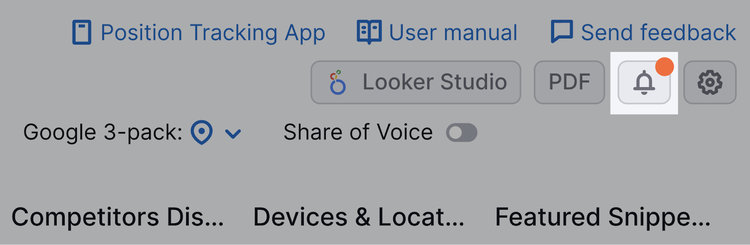
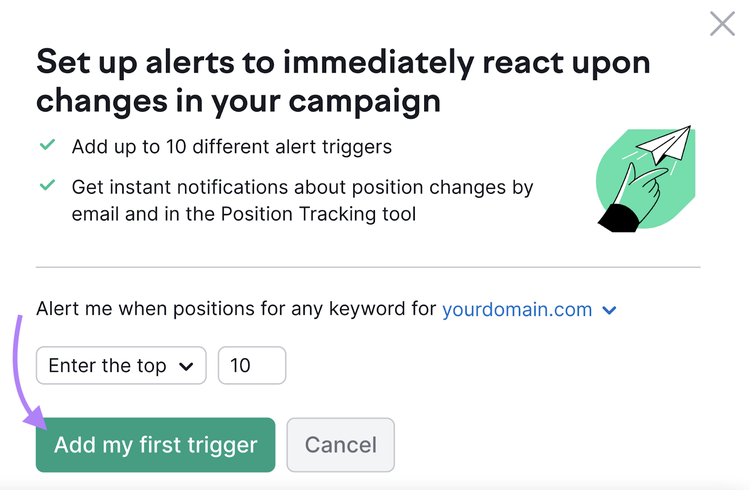
Set up an alert for when you “Enter the top 10” (the typical first page of Google).
Then, click “Add my first trigger.”
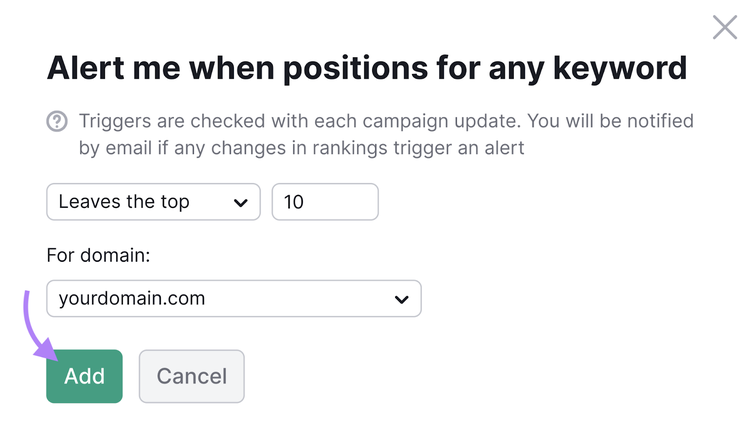
You can also create an alert for when you “Leave the top 10.”
To review your rankings, go to the “Overview” tab.
And choose a date or time range.
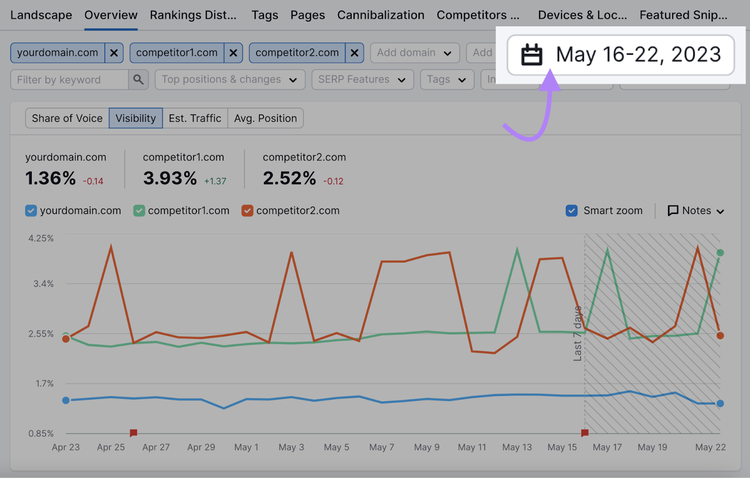
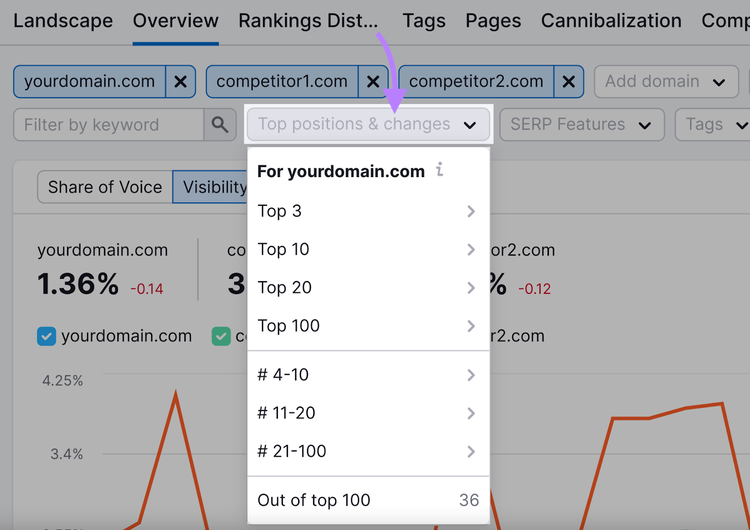
You can then filter keywords by position.
Click “Top positions & changes” then:
- “Top 10” > “All” to look at first-page rankings
- “Top 10” > “Lost” to look at rankings that dropped off the first page
- “# 11-20” > “All” to look at second-page rankings
(This assumes each page contains 10 organic results.)
Click the “SERP Features” filter and select “[domain] doesn’t rank” to find missed opportunities.
Then, craft a strategy to win these SERP features.
![select “[domain] doesn’t rank” from the “SERP Features” filter](./media_1cde489aac183747077587fee43f1123a7ff3e95d.png?width=750&format=png&optimize=medium)
Track Your First-Page Rankings
with the Position Tracking Tool
7. Improve Your Sitewide SEO
Improving your sitewide SEO can help multiple pages rank on Google’s first page. That’s because Google evaluates a site holistically. It takes all of your pages into consideration when ranking your site.
Here are our top site recommendations:
- Improve or remove unhelpful content
- Find and fix technical SEO issues with an SEO check
- Build high-quality backlinks to your domain
- Build internal links between relevant pages on your website
Semrush’s On Page SEO Checker analyzes your pages against the top 10 results for your target keywords.
After configuring the tool, you’ll see content, backlinks, and technical suggestions.
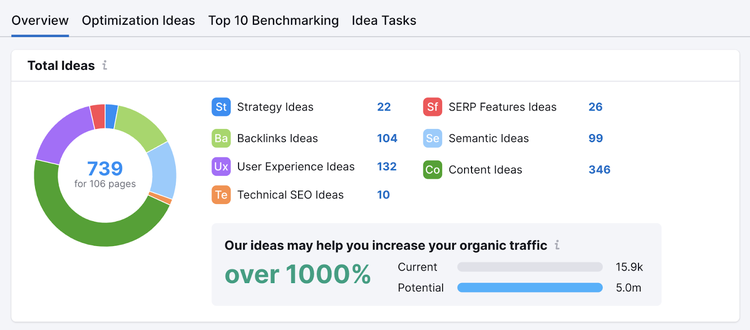
Scroll down to “TOP pages to optimize” to see ideas for each URL.
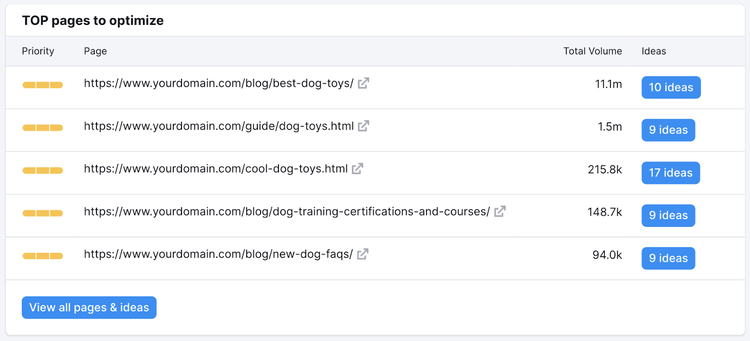
Optimize Your Pages to Rank Better
with the On Page SEO Checker
FAQs
How Long Does It Take to Get on the First Page of Google?
The amount of time it takes a website to rank on the first page of Google varies significantly.
Some pages rank quickly; others take months of improvement.
Rankings change constantly—and Google algorithm updates can shift results. So, focus on creating people-first, long-term SEO content.
Pursue multiple relevant keywords to increase your chances.
See our article on how long it takes to see SEO results.
Should I Advertise on the First Page of Google?
Yes, you can advertise on the first page of Google. Google Ads allows you to pay for first-page spots.
You pay for Pay-per-click (PPC) only when users click your ads.
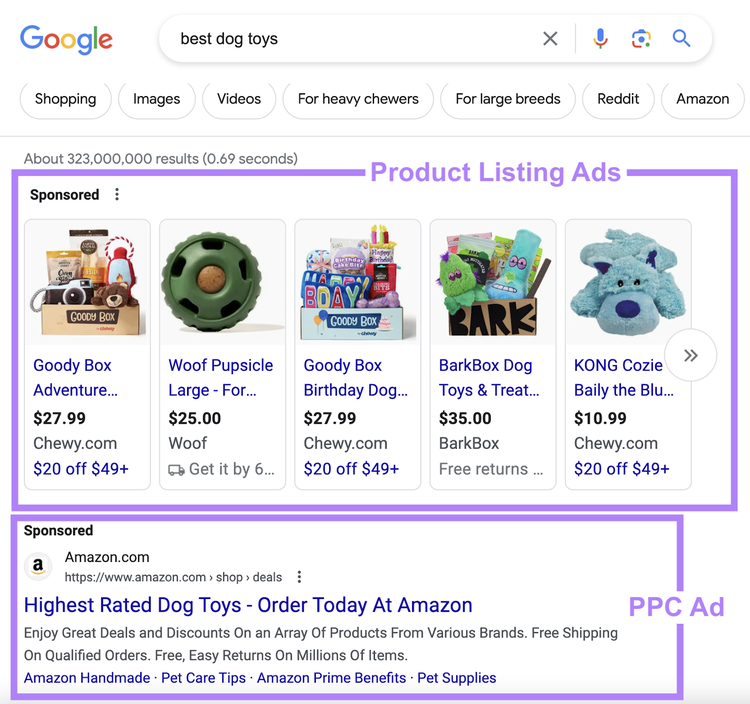
PPC (or paid search) can be an effective strategy if you do not yet rank organically or want faster results.
Google offers varying ad types, each with different requirements. The right approach depends on your resources and goals.
Check out our beginner’s guide to advertising on Google.
What Are the Click-Through Rates on the First Page of Google?
The average click-through rate (CTR) on the first page of Google ranges from 22.2% to 1.6% on desktop. And 22.4% to 2.3% on mobile, according to the Semrush State of Search 2023 report.
This research supports the idea that higher rankings generate more clicks.
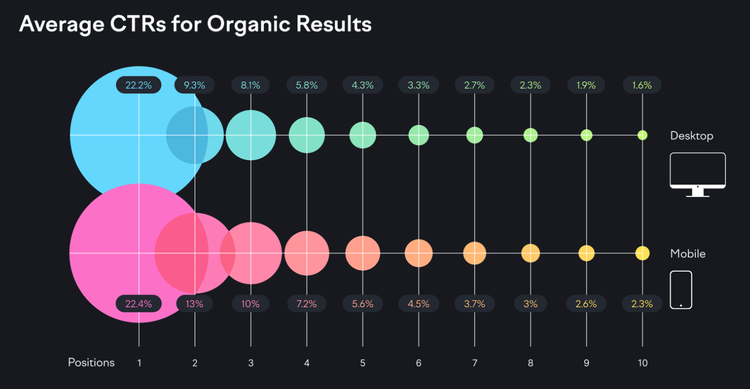
However, CTRs vary significantly depending on the search query and results.
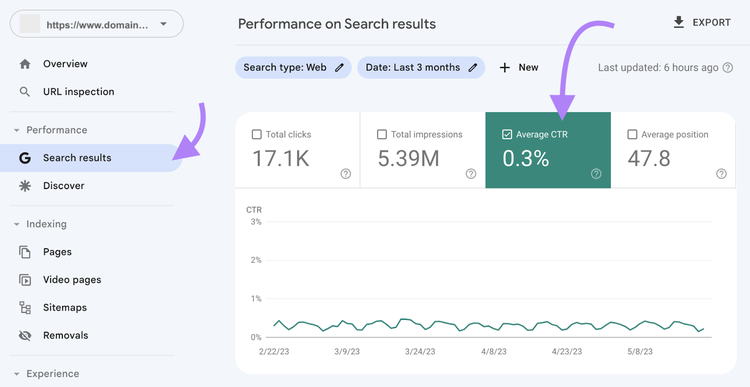
You can track your CTRs through Google Search Console.
Go to “Performance” > “Search results.”
And click the “Average CTR” check box.
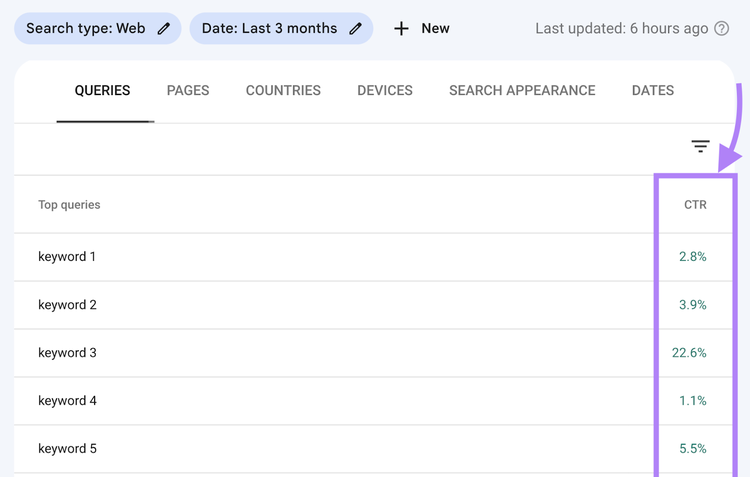
Then, scroll down to see the average CTR by query (keyword).
Tip
For a more comprehensive view of SEO performance, connect your Google Search Console and Google Analytics accounts to Semrush’s Organic Traffic Insights tool. Track key landing page data in one place.
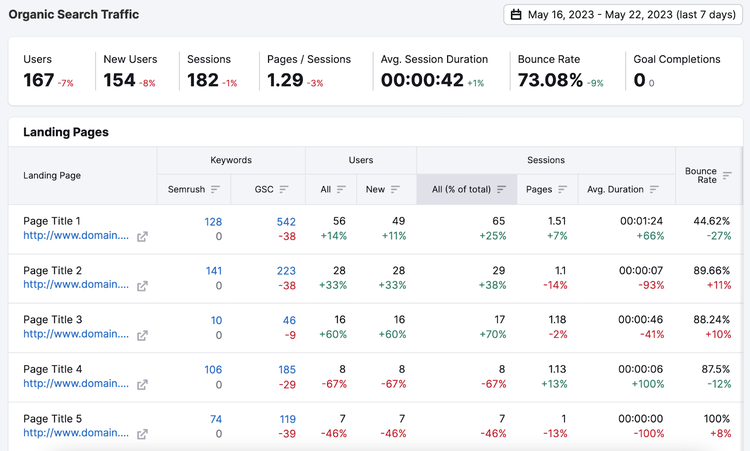
Analyze Your SEO Performance
with the Organic Traffic Insights Tool
Use these steps to aim for Google’s first page. Focus on user intent, optimize with the right keywords, create high-quality content, and earn backlinks. Continually track and refine your SEO strategy to stay ahead of competitors.

Rachel is a Senior Content Writer with 12+ years‘ experience in content marketing and SEO. In a previous role as Head of Content at a digital marketing agency, Rachel developed and executed search-driven content strategies for a diverse range of clients, including global ecommerce brands and local B2B companies. She later transitioned to an in-house role at an SaaS startup, where she focused on scaling content operations and driving organic growth.
Rachel Handley
Rachel is a Senior Content Writer with 12+ years‘ experience in content marketing and SEO. She has worked agency-side, developing and executing content strategies for a wide range of brands, and in-house, driving organic growth for a SaaS startup.

Tells Google to show you more from Semrush in AI, Search, and Discover.