
The Ultimate Guide to Google Ads Bid Strategy (with Examples)
What Is a Google Ads Bid?
A Google Ads bid is the amount you’re willing to pay for a click on your ad.
This bid plays a crucial role in determining where your ad appears on the page (also known as its placement).
Better ad placement can significantly influence how your ad performs. This can mean more clicks, more visitors to your website, and more opportunities for your business to increase its ROI.
How Google Ads Bidding Works
For every ad space Google has available—whether on a search engine results page (SERP) or within the Google Display Network (GDN)—Google Ads runs an auction where marketers can bid on the ad space.
The higher your bid, the better your chances of winning and getting your ad placed in the available space.
But it's not just about the highest bidder.
Google Ads considers several factors when choosing who wins each auction, including:
- Max cost per click (CPC): The maximum amount you’re willing to pay for a click on your ad
- Quality score: This metric evaluates the quality and relevance of your ad based on the expected click-through rate (CTR), ad relevance, and landing page experience
- Ad Rank thresholds: Google Ads sets minimum quality thresholds for ads to ensure users see high-quality advertisements. Your ad must meet these thresholds for it to appear.
- Auction competitiveness: The closer the ad ranks of two competing ads, the more evenly they compete for the same spot. For example, a larger gap in Ad Rank increases the likelihood of the higher-ranked ad winning but at a potentially higher CPC due to the certainty of its placement.
- Search context: Google Ads considers the searcher's context, including factors like their search terms, location, device type, and time of search, to deliver the most relevant ads
- Ad assets and formats impact: Adding ad assets like phone numbers or additional links can enhance your ad's effectiveness. Google Ads predicts how these assets and formats will influence your ad's performance, aiming to improve visibility and engagement.
The above factors, including your industry’s competitiveness, determine your Ad Rank.
A higher Ad Rank can mean a more prominent placement on Google’s SERPs or GDN, even if your bid is lower than others.
That's why it's important to both design quality ads and develop a successful Google Ads bidding strategy. Winning high-quality ad placements can get your ads more clicks and conversions, increasing the ROI on your Google Ads spend.
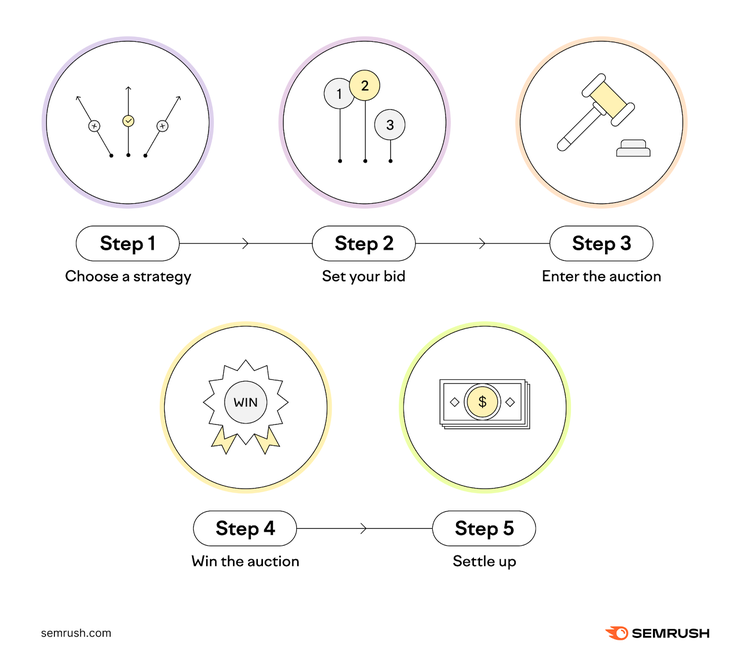
Here’s a summary of how Google Ads bidding works:
- Choose a Google Ads bid strategy: Decide how you want to bid. Google offers several strategies. For instance, you can bid to get more clicks to your website, more visibility for your brand, or more conversions, like sales or signups.
- Set your bid: Let’s say you choose to bid for clicks. You tell Google, “I’m willing to pay up to 50 cents for each person who clicks on my ad.” That’s your bid.
- Enter the auction: Every time someone searches on Google, the auction starts. Google checks if your ad matches what the person is searching for. If it does, you enter the auction with other advertisers bidding for the same keyword(s).
- Win the auction: Google looks at how much you bid and how relevant your ad is to the searcher. It’s like being in a farmers market where you're trying to sell the best apples. If your apples (ad) are exactly what a buyer (searcher) is looking for, and your price (bid) is right, you're more likely to make the sale. Just as the quality of your apples and how much you ask for them determines your success at the market, in Google Ads, the relevance of your ad and your bid amount determine your ad's visibility.
- Pay for the ad: You only pay what’s needed to outbid the next advertiser. If you bid 50 cents, but the next highest bid is 30 cents, you might only pay 31 cents for that click.
Note
You can set a budget to control your daily spending. Once you reach your budget, your ads stop showing for that day.
Types of Google Ads Bid Strategies
Manual Cost-per-Click (CPC) Bidding
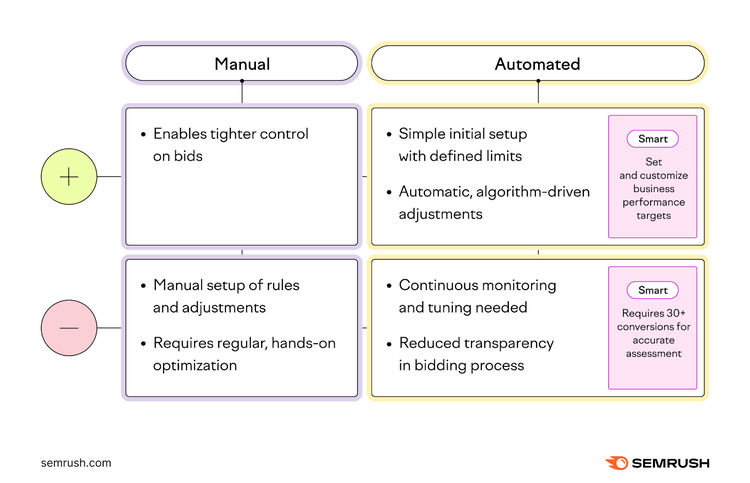
Manual CPC bidding allows you to set and adjust your bids at the keyword or ad group level. Simply specify the highest amount you’re willing to pay for a click on your ad for each keyword.
This hands-on approach is ideal if you prefer direct control and have the time to manage your campaigns actively. However, it requires much attention and consistent oversight to maximize its effectiveness.
Automated Bidding
Automated bidding strategies in Google Ads use algorithms to optimize bids for your ads. These algorithms focus on performance goals to maximize the likelihood of clicks or conversions.
This type of strategy is an excellent example of PPC automation that saves time while optimizing your ad campaigns for better ROI.
Automated bidding is ideal to reduce the time spent on bid management without harming ad performance.
Smart Bidding
Smart bidding is a subset of automated bidding strategies for Google Ads, focusing on optimizing for conversions or conversion value in real time.
This type of bidding strategy uses Google’s AI at each auction—known as “auction-time bidding”—and considers several auction-time signals like device, location, and time of day to increase each bid’s precision.
Smart Bidding is ideal if you want to use AI for enhanced bidding efficiency, especially in cases where conversion optimization is your primary goal.
How to Choose a Bidding Strategy Aligned with Campaign Goals
Match your Google Ads bidding approach with your specific advertising objectives. Whether your focus is on clicks, impressions, views, or conversions, the right strategy can significantly impact your campaign’s success.
For example, a campaign aiming for immediate sales might benefit more from conversion-focused bidding. While one looking to build brand recognition may prioritize impression-based bidding.
Consider these five basic types of goals to choose the bidding strategy that fits best:
- For direct actions and conversions: Smart Bidding can optimize bids for each auction based on the likelihood of conversion if you want to drive direct actions on your site, like purchases or signups
- Generating website traffic: CPC bidding allows you to pay only for the clicks your ads receive, making it a cost-effective approach if increasing site visits is your goal
- Boosting brand awareness: Cost-per-thousand-viewable-impressions (vCPM) bidding is beneficial when you want your message to reach a large target audience, paying for every thousand times your ad is displayed
- Increasing video ad views and interactions: Cost-per-view (CPV) or cost-per-thousand-impressions (CPM) bidding is suitable for video campaigns if you want to boost views or interactions with your ads
- Product or brand consideration through video ads: CPV is effective for campaigns to increase interest in your product or brand through video content
Google Ads Bidding Strategies Explained
Understanding each bidding strategy is vital to achieving your search engine marketing (SEM) objectives, like generating leads and boosting sales.
Let’s explore each Google Ads bidding strategy in detail, with insights into when and why to use them and their advantages and limitations.
Manual Cost-per-Click (CPC) Bidding
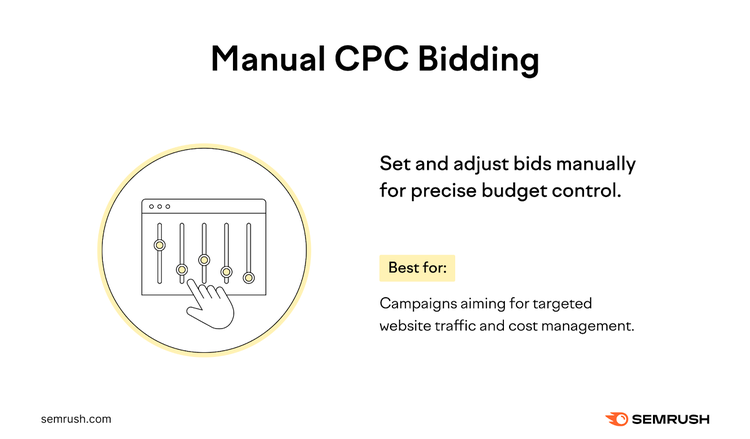
This strategy is ideal for campaigns that generate website traffic because it allows for precise budget control. Its primary goal is to drive traffic while you maintain control over each cost per click. Choose it if you prefer a direct handle on your campaign costs.
How Manual CPC Bidding Works
- Decide the maximum amount you're willing to pay for a click on your ad
- Manually adjust bids to manage spending and meet your advertising budget
- Frequently monitor and change bids to optimize ad performance
For example, a business selling high-value items like electronics might use Manual CPC to control costs while targeting high-intent buyers.
Another example is a local service provider, such as a plumber, who could set bids for specific services to maximize ROI.
Manual CPC bidding is available for both the Search and Display Networks.
Advantages of Manual CPC Bidding
- Respond quickly to market changes or campaign data
- Allows for detailed management of bids at the keyword or ad group level
- Adjust bids for high-performing keywords or placements to allocate budget effectively
Limitations of Manual CPC Bidding
- Consumes a lot of time
- Demands constant oversight and regular adjustments
- Potential risk of over or underbidding due to manual handling
Enhanced CPC (ECPC) Bidding
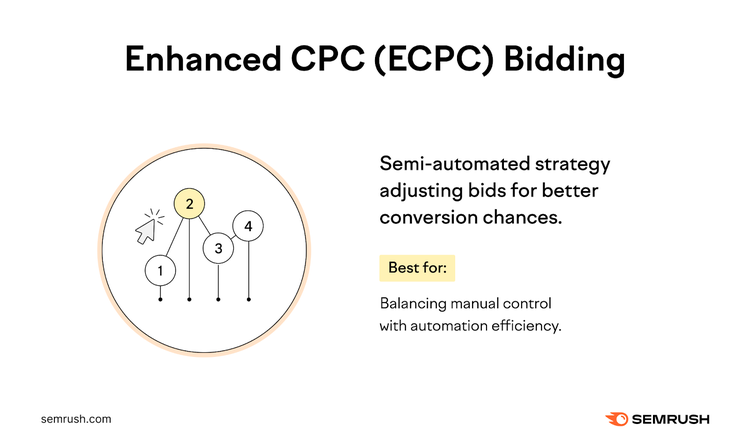
Enhanced CPC (ECPC) bidding is a semi-automated strategy that modifies your manual bids to increase the chances of conversions. It’s ideal if you want to balance manual control and automation efficiency.
How Enhanced CPC Bidding Works
- Adjust your manual bids for each auction based on the likelihood of a click leading to a conversion
- Use auction-time signals like browser, location, and time of day for bid optimization
While ECPC aims to keep the average CPC under your maximum set bid, it can exceed this max CPC temporarily for high-potential opportunities that can lead to conversions.
For example, if you’re selling cakes and set your max CPC to $1, ECPC might increase your bid to $1.70 for an auction likely to lead to a store visit. But reduce it to $0.30 for one more likely to lead to a website visit without a conversion.
ECPC is available on the Search Network and Display Network (except for app install campaigns).
Advantages of Enhanced CPC Bidding
- Balances between manual control and automated efficiency
- Can adapt bids for higher value conversions, prioritizing more profitable clicks
- Offers more manual control compared to fully automated Smart Bidding strategies like target cost per action (tCPA) and target return on ad spend (tROAS)
- Works alongside your campaign settings, adjusting bids within the confines of your max CPC
- Does not require setting explicit targets for CPA or ROAS
Limitations of Enhanced CPC Bidding
- Optimal performance with ECPC depends on implementing conversion tracking to guide bid adjustments
- ECPC can temporarily increase your average CPC to exceed the maximum CPC bid for opportunities deemed likely to result in conversions
Cost-per-Thousand Impressions (CPM) Bidding
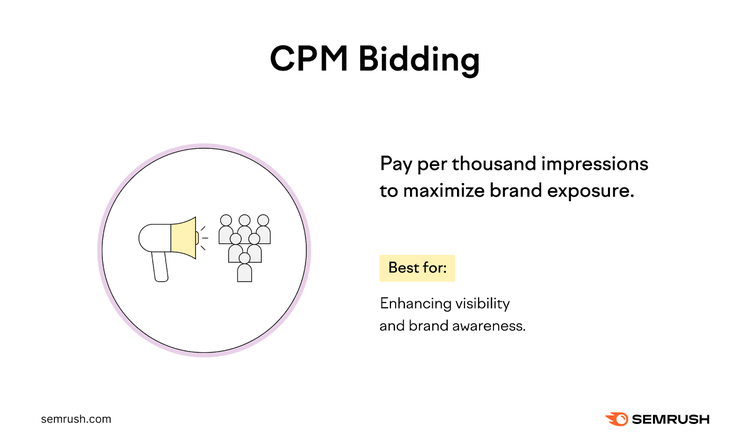
CPM bidding prioritizes visibility and brand awareness over direct clicks or conversions. This strategy allows you to bid and pay for every thousand impressions your ad receives, making it ideal for campaigns where exposure is the main objective.
How CPM Bidding Works
You implement it based on these use cases:
- Brand awareness campaigns: For increasing brand visibility and recall
- Video ad campaigns: For campaigns aiming to boost views or interactions with video content
- Google Display Network: For display ads where the focus is on how many times the ad appears
For example, let’s say a company is launching a new product line.
They can use CPM bidding to increase the likelihood that their promotional ads reach a vast audience across the GDN to promote product visibility and brand recognition.
Another variation of CPM is viewable CPM (vCPM), which enables you only to pay when users can see your ads.
Advantages of CPM Bidding
- Broadens your ad's reach for increased brand exposure
- Provides control over impression costs, effective for managing budgets in awareness campaigns
Limitations of CPM Bidding
- Prioritizes ad exposure over engagement, potentially leading to spending on ads that don’t result in clicks or conversions
Target Cost-per-Action (CPA) Bidding
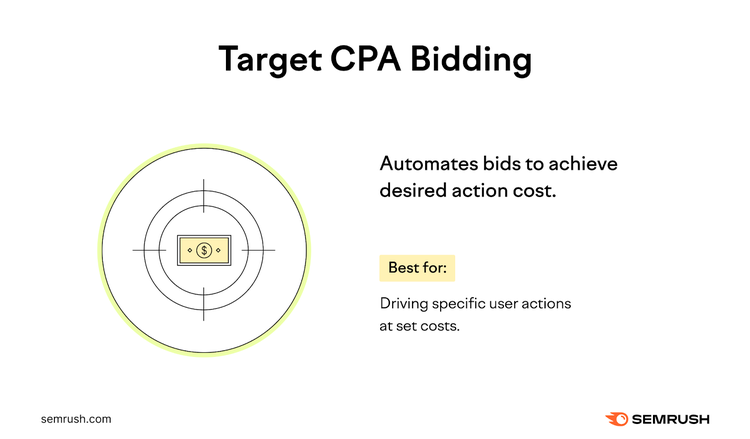
Target CPA bidding helps you optimize for conversions while sticking to an average cost per action. This automated bid strategy is ideal when you have a clear ROI target and want each conversion to bring similar value to your business.
How Target CPA Bidding Works
- Google Ads sets bids to achieve as many conversions as possible at your targeted CPA
- Google Ads uses your campaign’s historical information and real-time contextual signals at auction time
- While some conversions may cost more than your target, others may cost less. Google aims to balance these to align with your set target CPA.
Let’s say you set a target CPA of $5. Google Ads will then aim to secure as many conversions as possible at this average rate, employing auction-time adjustments based on various signals to enhance the bid’s effectiveness.
Some conversions may be above $5, but some may be below $5. However, the average will equal approximately $5.
Advantages of Target CPA Bidding
- Adjusts bids using real-time signals such as device, location, and time of day
- Helps in achieving a specific return on investment by maintaining a consistent cost per action
Limitations of Target CPA Bidding
- Despite targeting a consistent CPA, actual CPA may fluctuate due to external influences such as changes to the website or shifts in market competition
- Target CPA bidding requires historical conversion data which may be unavailable for new campaigns or those with low conversion volumes
- To maintain CPA targets, Google Ads might limit ad exposure in more competitive or expensive auctions, potentially reducing overall visibility
Target Return on Ad Spend (tROAS) Bidding
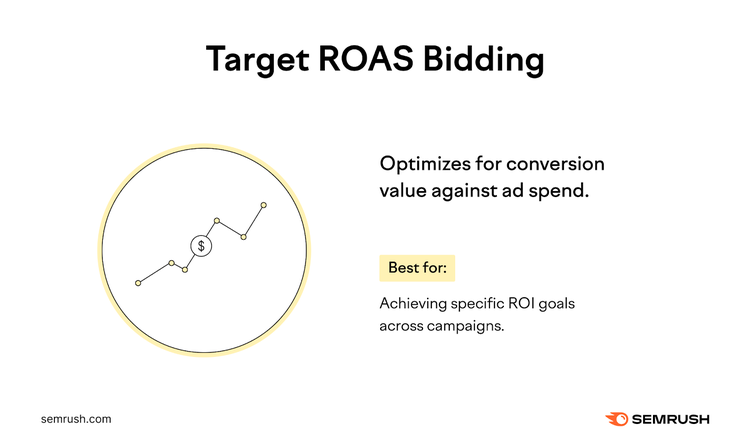
Target ROAS bidding is a Smart Bidding strategy that allows you to optimize your campaigns for conversion value relative to your ad spend. This strategy is ideal when you have specific ROI targets and different conversions have varying values.
How Target ROAS Bidding Works
- Uses Google’s AI to predict the value of a potential conversion at the time of a user’s search
- Adjusts bids in real time to maximize conversion value while aiming to achieve your specified ROAS
For instance, let’s say you run an online mug store.
You aim to make $13 in sales for every $10 spent on advertising, setting your target ROAS at 130%. Google Ads will adjust your bids to increase the value of conversions while trying to maintain your ROAS at 130%.
Assigning accurate values to the conversions you’re tracking will help you better understand your campaign’s ROAS and optimize your marketing efforts for maximum effectiveness.
Advantages of Target ROAS Bidding
- It’s available for use in both standard and portfolio strategies (strategies that use Google AI to set bids to help you reach your performance goals) across multiple campaigns, including Search and Shopping ads
- It factors in real-time signals like device and location for bid adjustments
Limitations of Target ROAS Bidding
- Most campaign types need at least 15 conversions in the last 30 days to use this strategy effectively. This data provides a reliable foundation for the algorithm to predict future performance.
- Google AI needs a substantial history of conversions to make more accurate predictions and adjustments, ensuring that your target ROAS is based on solid, real-world data
Maximize Conversions Bidding
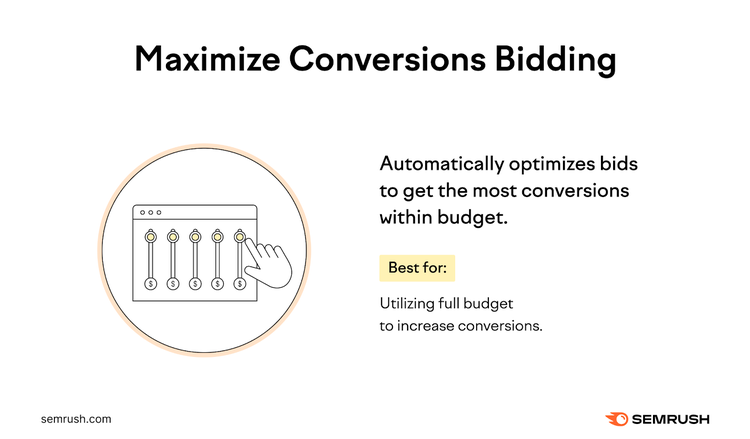
Maximize conversions bidding uses your entire budget to secure the most conversions. This Google ads bid strategy is ideal if your primary goal is to use up the budget without targeting a specific ROI or CPA.
How Maximize Conversions Bidding Works
- Analyzes your campaign’s past performance and considers real-time contextual signals during each auction
- Adjusts bids dynamically to secure the most cost-effective conversions within your budget
- Tailors bids for each auction to increase the chances of winning valuable ad placements
For example, a retailer looking to clear seasonal inventory could use a maximize conversions bid strategy to ensure Google Ads uses their entire advertising budget. This approach maximizes exposure and potential sales without targeting a specific cost per sale.
Advantages of Maximize Conversions Bidding
- Aims to fully use your daily budget to get as many conversions as possible
- Adjust bids for each auction in real time to maximize conversions within your budget
- Quickly adapts to search behavior and competition changes for more competitive bids
Limitations of Maximize Conversions Bidding
- It aims to spend your entire budget, which might lead to increased spending if your current expenditure is below your set budget
- It’s not ideal for campaigns with specific ROI goals like target CPA or ROAS
- It requires monitoring after implementation to ensure it aligns with your campaign goals and doesn’t overshoot your budget
Maximize Conversion Value Bidding
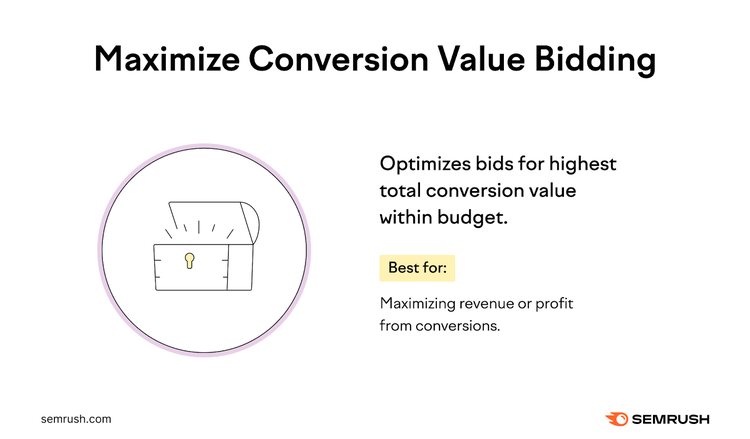
Maximize conversion value bidding is designed for campaigns that aim to optimize for the highest possible conversion value within a given budget. This strategy is ideal when conversions hold varying degrees of value for your business and you’re not targeting a specific ROAS.
How Maximize Conversions Value Bidding Works
- Utilizes AI to set bids at auction time and aims to maximize the total value of conversions, like sales revenue or profit margins
- Tends to use your specified budget to optimize for the highest conversion value
- Considers real-time signals and historical data to determine optimal bids for each auction
Use maximize conversion value bidding if specific conversions (like selling a high-end product) are more valuable than others. Or, for campaigns with varied conversion goals. Such as different product categories or services with varying profit margins.
Advantages of Maximize Conversions Value Bidding
- Focuses on maximizing the total conversion value within your budget, which is ideal for ROI-driven campaigns
- Adapts to real-time market changes and search behavior, potentially increasing conversion value under varying conditions
Limitations of Maximize Conversions Value Bidding
- Performance is heavily influenced by the set advertising budget, which can limit its effectiveness if the budget is too low
- Depends on accurate conversion tracking and value assignment to gauge performance effectively
- Offers less control over targeting specific types of conversions, focusing instead on overall value
- While aiming to maximize value, it may also lead to higher costs per conversion in competitive markets.
Target Impression Share Bidding
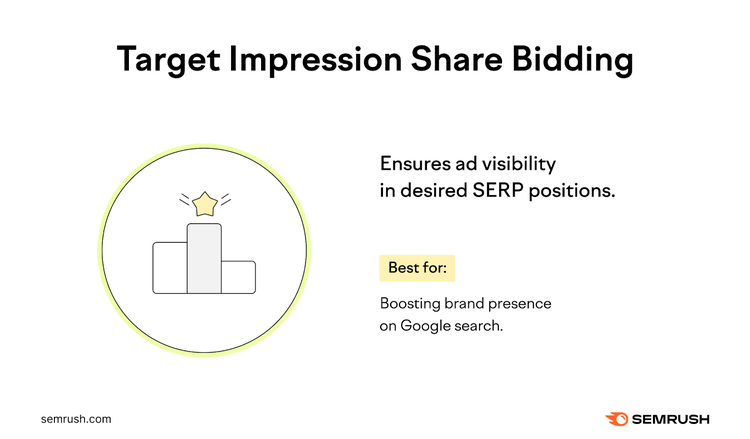
Target impression share bidding helps you to maximize your ad’s visibility in Google’s SERPs. This strategy focuses on placing your ad at the top of the page—either at the very top, among the top positions, or anywhere else on the search results page, depending on your settings.
How Target Impression Share Bidding Works
- You set the desired percentage of ad impressions your campaign receives. It’s effective for campaigns prioritizing brand visibility, especially when targeting specific brand terms.
For example, let’s say you run a local grocery store competing with bigger stores.
A target impression share strategy can help ensure your brand remains visible in crucial searches. If you want your ad to appear 100% of the time for searches related to your brand, setting the target impression share to 100% aims to achieve this visibility.
Advantages of Target Impression Share Bidding
- It aims to increase the likelihood of your ad appearing in the desired position, thereby boosting brand presence
- It allows you to implement precise targeting based on where you want your ads to show up in the search results
Limitations of Target Impression Share Bidding
- This strategy may not align with every campaign’s goals, especially those not focused on brand visibility
- May lead to higher costs in competitive markets to maintain desired impression share, impacting budget efficiency
Maximize Clicks Bidding
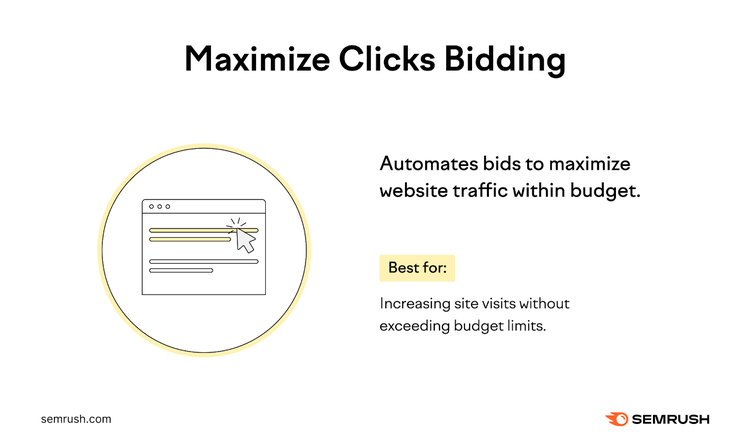
Maximize clicks is an automated Google Ads bid strategy that tries to get as many clicks as possible within a specified budget. This strategy is ideal if your primary goal is driving traffic to a website.
How Maximize Clicks Bidding Works
When you select maximize click bidding, Google Ads automatically sets your bids to attract the highest possible clicks within your average daily budget.
For example, if you have a seasonal promotion, using maximize clicks can help drive substantial traffic to your offer page without exceeding your budget.
Advantages of Maximize Clicks Bidding
- Efficiently uses your budget to increase the total number of visits to your website
- Offers the option to set a maximum CPC bid limit to prevent overspending on a per-click basis
- Ideal for campaigns with the primary goal of driving traffic, requiring less hands-on adjustment and oversight
Limitations of Maximize Clicks Bidding
- Prioritizes increasing click volume potentially at the expense of click quality, which may not align with specific conversion value or goals
- May attract clicks from less relevant audiences, leading to lower conversion rates
- Without setting a maximum CPC bid limit, you might pay more per click than intended, affecting cost efficiency
Cost-per-View (CPV) Bidding
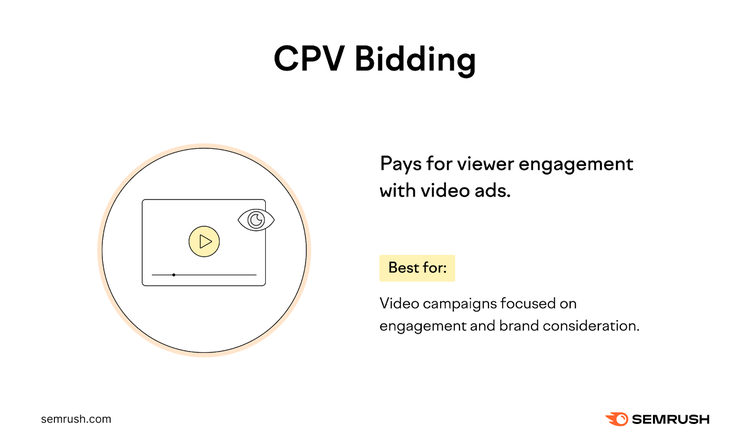
CPV bidding is ideal for video ad campaigns where engagement, such as views or interactions, is the primary goal. It’s especially effective for campaigns that increase product or brand consideration through video content.
In CPV bidding, you pay for video views and interactions, like clicks on call-to-action (CTA) overlays, cards, and companion banners.
For this bid strategy, Google Ads counts a view when someone watches 30 seconds of your video ad (or its entire duration if it’s shorter than 30 seconds) or interacts with the ad. This method allows you to set the maximum price you’re willing to pay for a view when setting up your video campaign.
How CPV Bidding Works
- You decide to advertise on a platform like YouTube, where CPV bidding is commonly used
- You target your ad to local viewers who have shown interest in your product or service. Let’s say it’s baking, cooking shows, or cake decoration.
- You set a CPV bid, which means you’ll pay each time someone watches a significant portion of your video
- Since your video is engaging and showcases the quality and artistry of your cakes, viewers who watch it are more likely to be interested in visiting your bakery
- You only pay when someone watches your video for 30 seconds or interacts with the video, making it a cost-effective way to ensure potential customers see your ad
Advantages of CPV Bidding
- Ideal for campaigns where video interaction is more valuable than clicks to a website
- Helps you manage your budget effectively as you set the maximum amount you’re willing to pay per view or interaction
- Provides video ad reporting with data on how viewers engage with your content
Limitations of CPV Bidding
- Less suited for campaigns where the main objective is to drive traffic to a website rather than engage with video content
Tips for Google Ads Bidding
Adjust your bids and test automated strategies to improve your Google Ads. Here are some practical methods and tools for better campaign targeting and efficiency.
Use Bid Adjustments
A bid adjustment is a percentage change applied to your bids, giving you the flexibility to bid more or less in certain situations.
Bid adjustments enable you to modify your bidding strategy based on specific factors like device type, location, and time of day. This customization enables you to allocate your budget more effectively by increasing bids in scenarios where your ads perform best.
For example, let’s say you’re running a campaign for a coffee shop.
You notice that your ads get more clicks during early morning hours. You could set a bid adjustment to increase your bids by 30% from 6-10 a.m., enhancing your ad’s chances of appearing during this prime time.
The types of bid adjustments include:
- Device: Adjust bids for different devices like computers, tablets, or mobile devices
- Location: Modify bids for ads served in specific geographic areas
- Ad scheduling: Change bids for campaigns during certain days or hours
- Targeting methods: Apply adjustments for topics, placements, and other targeting methods on the Display and Search Networks
- Remarketing lists for Search Ads: Adjust bids for users on specific lists to optimize remarketing campaigns
- Interactions (call adjustments): Increase bids for mobile devices to enhance the frequency of call interaction ads
- Demographics: Modify bids based on gender, age, and household income demographics
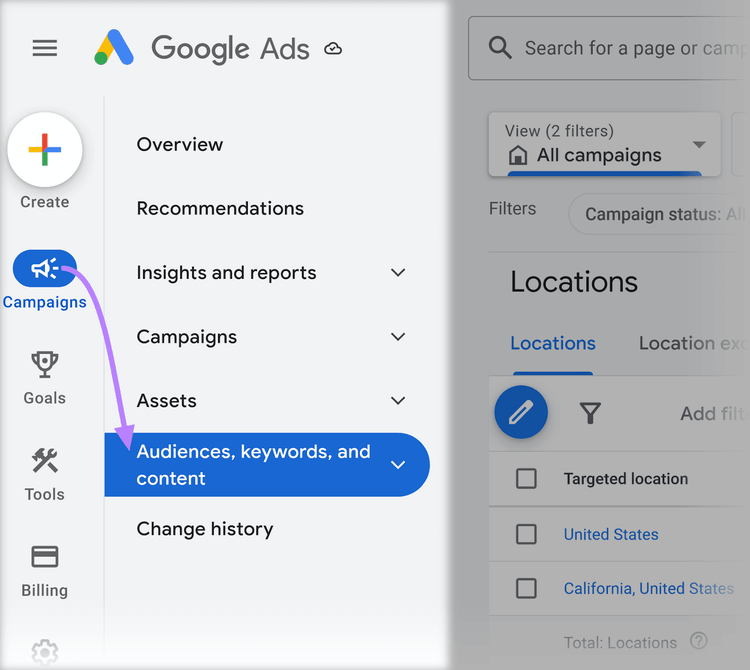
To add a bid adjustment, click “Campaigns” > “Audiences, keywords and content” in your Google Ads account.
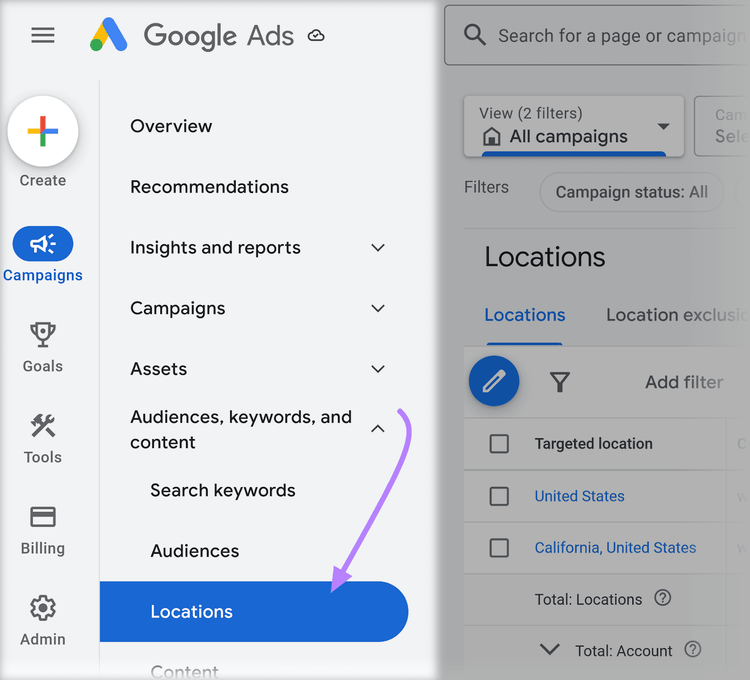
Select the element you want to modify from the drop-down menu. Here, we chose “Locations.”
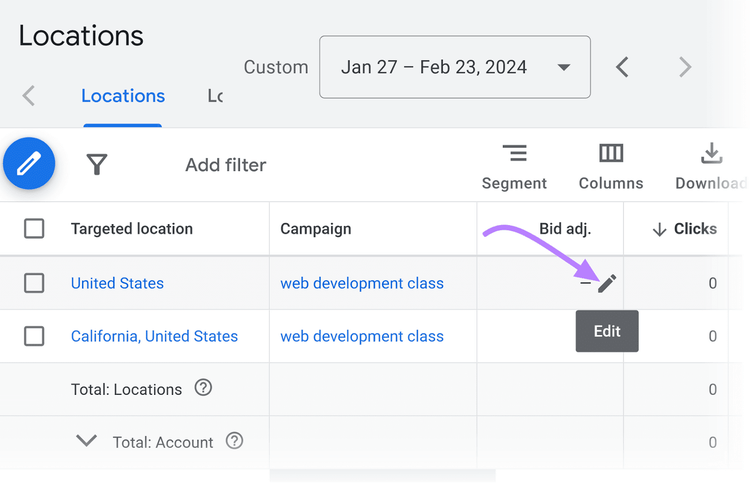
Click the pencil icon under the “Bid adj.” column to edit the bid adjustment.
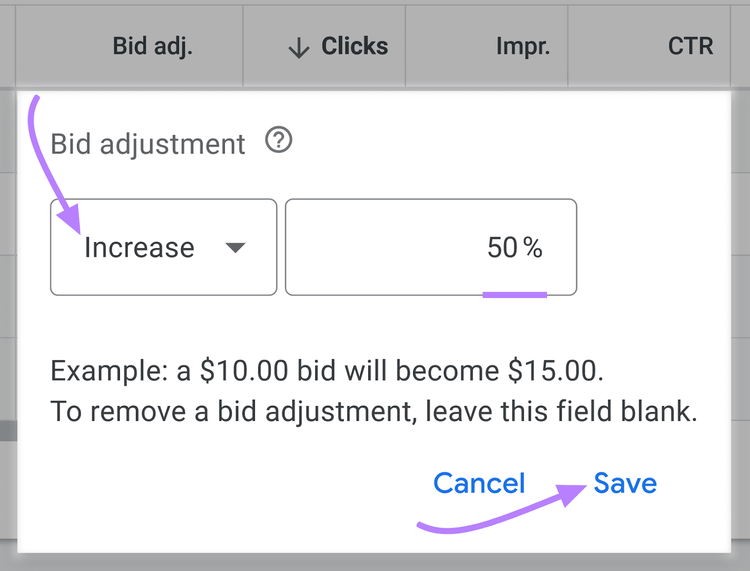
Set a percentage increase or decrease and click “Save.”
Experiment with Automated Bidding
Testing automated bidding helps you focus on maximizing conversions or conversion value. This method saves you time and spots opportunities (like optimal bid amounts and valuable audience segments) that you might overlook with manual bidding.
Semrush’s Advertising Toolkit includes a suite of interconnected set of tools designed to improve your automated bidding in Google Ads:
- Start with the Advertising Research tool to find keywords where your competitors are shifting positions. You can also analyze their ad copy to uncover strategy patterns.
- Use Ads History to explore how specific keywords have performed over time in paid search. This helps you spot seasonal trends and adjust your bidding strategy accordingly.
- Tap into the PLA (Product Listing Ads) Research tool to see how products perform in display campaigns. These insights can guide smarter bidding in similar contexts.
- Add low-competition keywords to your campaigns for a more cost-effective way to reach potential customers. These terms can improve efficiency without driving up CPC.
- Don’t forget to bid on branded keywords to stay visible for searches that include your business name. This improves CTR and helps you control your brand presence in search results.
You can also explore tools in the Semrush App Center to automate and simplify Google Ads even further.
For example, the AI Narratives for Google Ads appturns your campaign data into easy-to-read reports with performance insights and alerts for unusual changes. Making campaign monitoring a lot easier.
Run More Effective Ad Campaigns
with the Semrush Advertising Toolkit
Set Up Negative Keywords
Negative keywords are words or phrases you exclude so your ads don’t appear for those search queries.
They help prevent your ads from appearing for non-relevant search queries. Which can improve the efficiency of your ad spend.
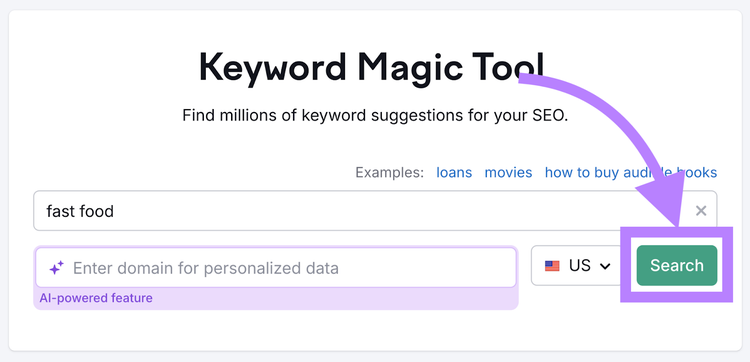
Manage your negative keywords with our keyword research tool.
Simply enter your keyword in the search bar. And press “Search.”
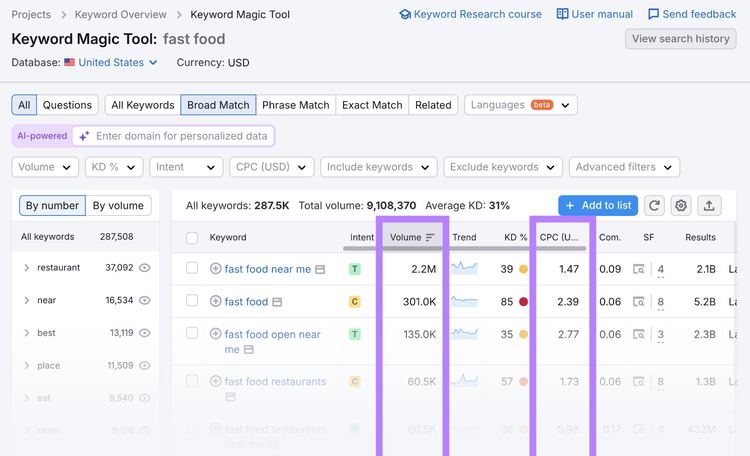
The tool will display a list of related keywords, including important data like search intent, search volume and CPC.
Using specific negative keywords narrows your ad’s reach, aligning it with targeted searches. Broad negative keywords expand the filter, preventing your ads from appearing in a larger array of searches.
For example, suppose you’re advertising for an Italian restaurant.
You might use “fast food” as a broad negative keyword to avoid irrelevant searches. A specific negative keyword could be “pizza delivery” if your restaurant doesn’t offer this service.
Use campaign-level negative keywords for broad exclusions across your entire campaign. For more precise control within certain ad groups, apply group-level negatives.
This approach is particularly effective when different ad groups cater to varied aspects of your offerings and need distinct keyword strategies.
After organizing your keywords, upload the negative keyword list to your Google Ads to implement them in your campaign.
Use Google Ads Scripts
Google Ads scripts are an advanced yet highly effective tool for automating and optimizing your bidding strategy.
These scripts are snippets of JavaScript that you can set up within Google Ads to automate various aspects of your campaigns based on specific criteria. Such as time intervals or performance metrics.
Google Ads scripts enable you to:
- Handle repetitive tasks, like bid adjustments, freeing up your time for more strategic activities
- Deploy sophisticated bidding strategies that would be too complex or time-consuming to manage manually
- Adjust bids in response to real-time market conditions, ensuring your campaigns remain competitive and efficient
Scripts require some technical expertise in JavaScript, so you might need a developer to assist you. Implementing Google Ads scripts involves:
- Determining what aspects of your campaigns you want to automate or optimize using scripts
- Developing a custom script or finding pre-written scripts that suit your needs
- Testing the script in a controlled environment to ensure it works as expected, then implementing it in your live campaigns
Check Google’s developers page to get started with your first Google Ads script.
Mastering Google Ads Bidding for Success
Understanding and applying bid strategies can help you align your campaigns with your specific goals, manage budgets more efficiently, and significantly boost your ad performance.
As you implement a Google Ads bid strategy, monitor results continuously to learn from feedback about how it impacts your campaign goals and adapt accordingly. This approach enables you to improve campaign performance and ROI.
Semrush’s Advertising Toolkit brings together a suite of interconnected tools like Ads History and Advertising Research to strengthen your bidding strategy and simplify campaign management. You get the insights you need to optimize performance and make smarter ad decisions—all in one place.
Sign up for a free trial today.
Claim Your Free 7-Day Trial
and Explore Our Digital Marketing Tools
FAQs
What Is Bid Strategy in Google Ads?
A bid strategy in Google Ads refers to the method you use to determine how much you’re willing to pay for each click on your ads. It’s a crucial aspect of your ad campaign as it influences your ad’s visibility and the likelihood of achieving your advertising goals.
How Are Bid Strategies Used in Google Ads?
Bid strategies can be classified into manual and automated types.
Manual bidding gives you control over bid amounts for different ad groups or keywords. Automated strategies use Google’s algorithms to optimize bids in real time for the best results.
For example, maximizing clicks aims to get the most clicks within your budget. In contrast, targeting CPA focuses on getting as many conversions as possible at or below your target CPA.
How Do I Change Bidding Strategy in Google Ads?
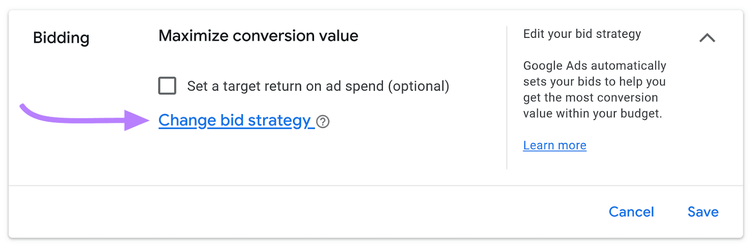
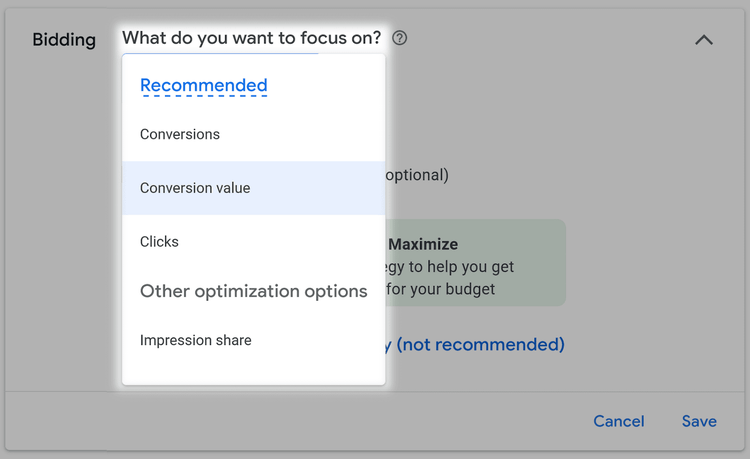
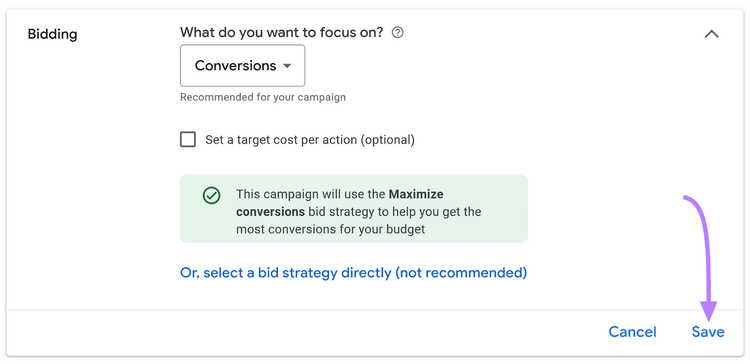
Here’s how to change bidding strategy in Google Ads:
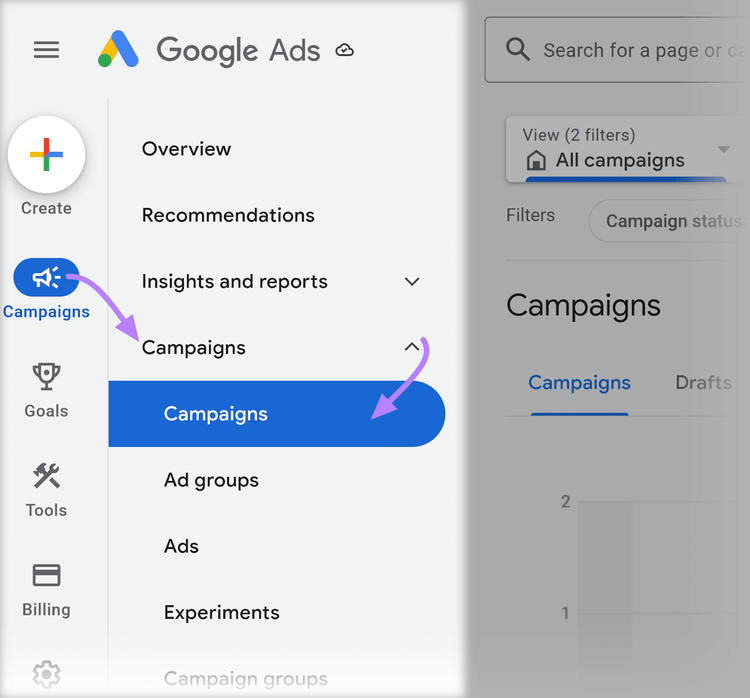
Navigate to “Campaigns” in your Google Ads account.
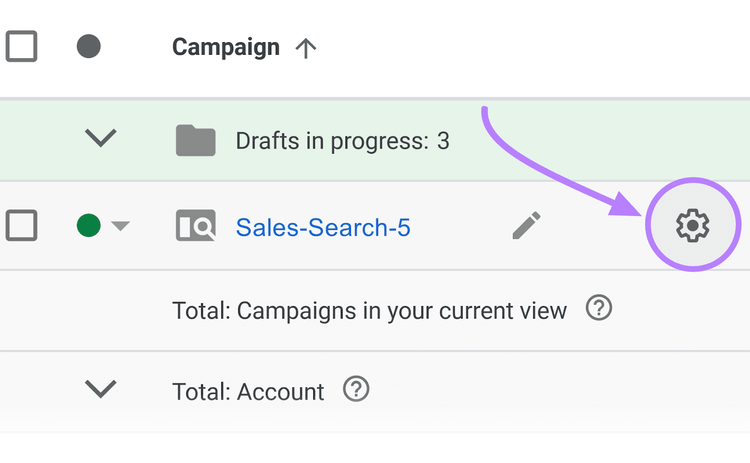
Click the “Settings” icon next to the campaign you’d like to change.
Click “Bidding” from the settings menu.
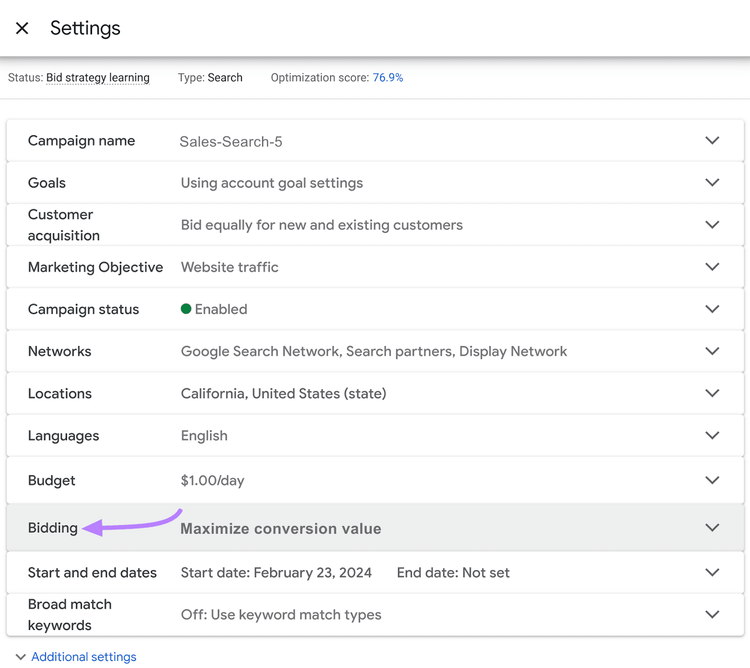
Click “Change bid strategy.”
Select your desired strategy.
Click “Save” to apply your changes.

Sydney has been creating content for over 10 years. She has been a writer, content manager and coordinator, editor, and strategist. At Semrush, she’s a blog editor who makes sure each article is as accurate, optimized, and helpful as possible.

Tells Google to show you more from Semrush in AI, Search, and Discover.
Table of contents
-
How to Choose a Bidding Strategy Aligned with Campaign Goals
-
Google Ads Bidding Strategies Explained
- Manual Cost-per-Click (CPC) Bidding
- Enhanced CPC (ECPC) Bidding
- Cost-per-Thousand Impressions (CPM) Bidding
- Target Cost-per-Action (CPA) Bidding
- Target Return on Ad Spend (tROAS) Bidding
- Maximize Conversions Bidding
- Maximize Conversion Value Bidding
- Target Impression Share Bidding
- Maximize Clicks Bidding
- Cost-per-View (CPV) Bidding