
Optimizing your Google Business Profile (GBP) is a good way to increase your visibility in search results, including within AI answers.
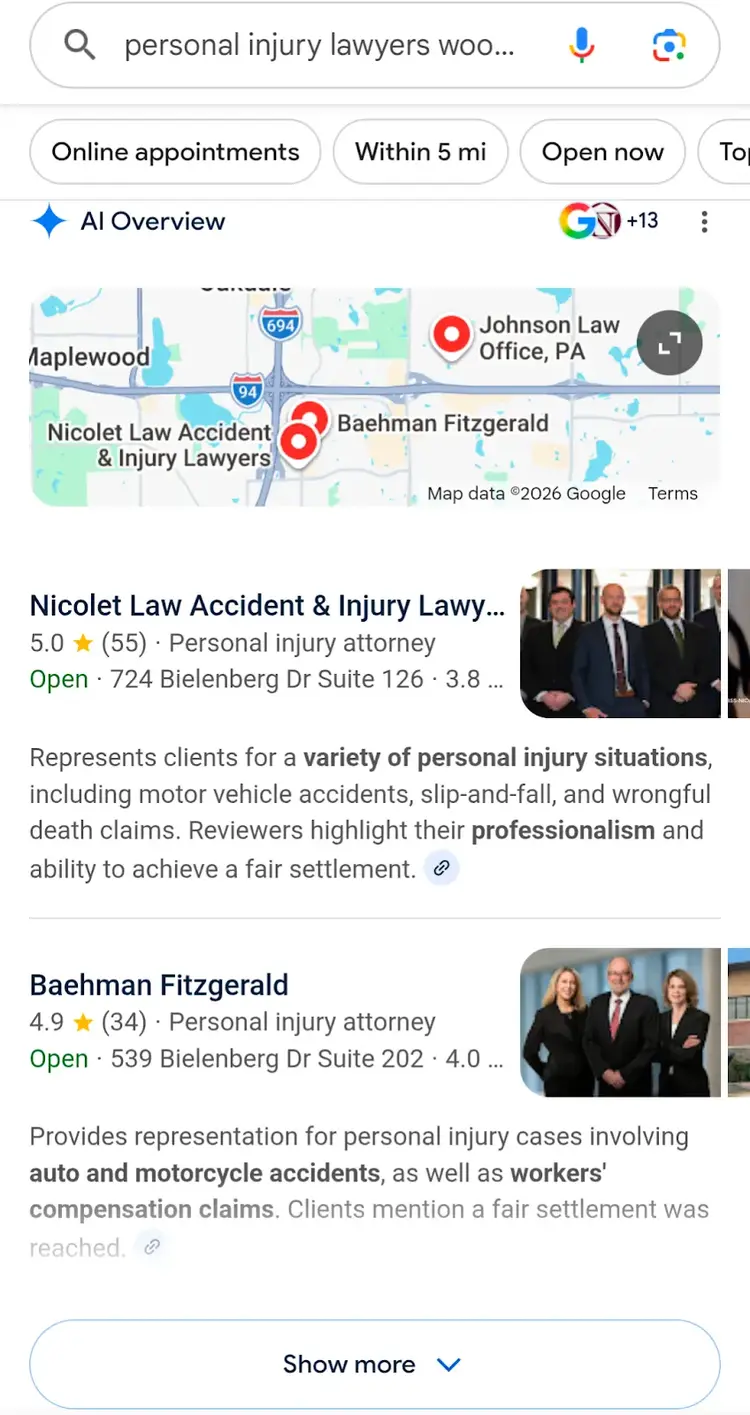
In fact, Google sometimes shows an AI-powered version of a special result called a local pack that lists a few local businesses alongside a map.
In this article, we'll cover the ranking factors that determine a Google Business Profile’s visibility, the specific optimizations you can make, and how to measure your results.
What Are the Google Business Profile Ranking Factors?
Google Business Profile ranking factors impact how visible you are in Google’s local pack and Google Maps results, and they fall under three main categories:
- Relevance: How well your business matches what users are looking for. Your choice of categories and the terms you use to describe your business convey relevance.
- Distance: How physically close the user’s likely location is to your business. Google generally prioritizes businesses that are close to the searcher.
- Prominence: How well-known and authoritative your business appears to be. Google determines prominence through things like how many total reviews you have and how many positive reviews you have.
How to Optimize Your Google Business Profile
You can optimize your Google Business Profile by using the below techniques:
1. Choose Accurate Categories
Your primary category is one of the strongest signals your Google Business Profile sends about what searches you’re relevant for.
So, selecting the most specific and accurate category. Meaning a bakery should select "Bakery" rather than the broader "Restaurant" category.
You can add up to nine secondary categories to your Google Business Profile—like "Wedding bakery"—to appear for more specific searches.
You need to edit your GBP account to change categories. Just search your business name while logged in to your business account, click "Edit profile," select the pencil icon next to "Business category," and choose the appropriate primary and secondary categories.
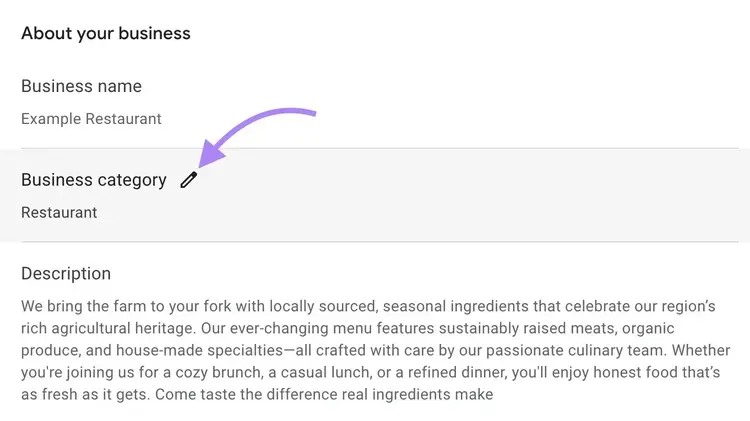
Google may require you to reverify after changing your business categories.
2. Write a Keyword-Optimized Business Description
Writing a Business Profile description that includes relevant keywords helps Google understand what your business offers, so it can match you to relevant searches.
The keywords you include in your GBP should be terms related to your services, products, and location that potential customers might search.
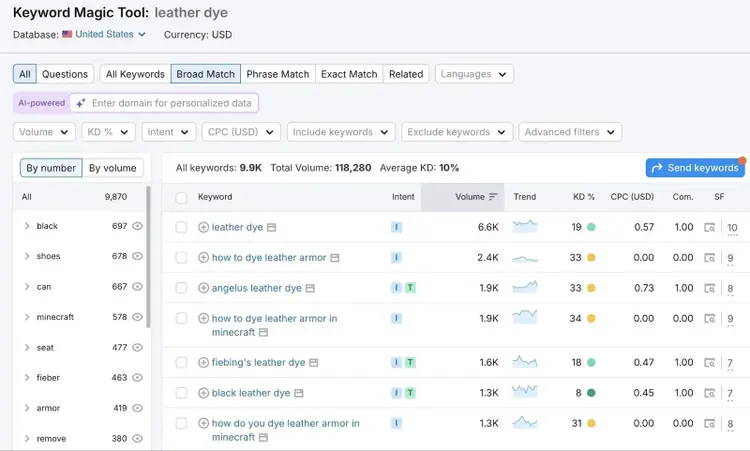
To perform local keyword research, enter a seed keyword (a broad term related to your business) into our keyword generator to discover variations. Prioritize terms that are most aligned with your business and that have decent search volumes.
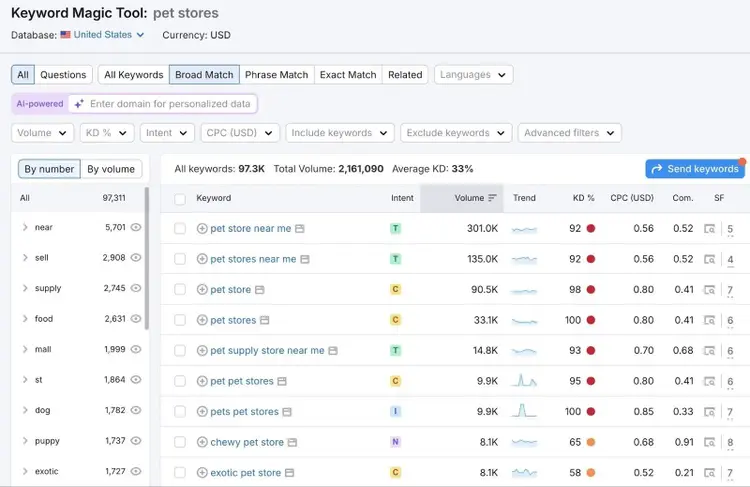
When writing your Google Business Profile description, consider a few variants to include. And avoid overusing keywords in ways that sound unnatural. That’s called keyword stuffing, and it can harm the user experience as well as your chances of gaining visibility in search.
Instead, write a concise Google Business Profile description clearly stating what your business is that naturally includes terms your keyword research uncovered. Your description can be up to 750 characters long, but it will be truncated in search results if it’s more than a few hundred characters.
Here's a GBP description example from Aritzia:
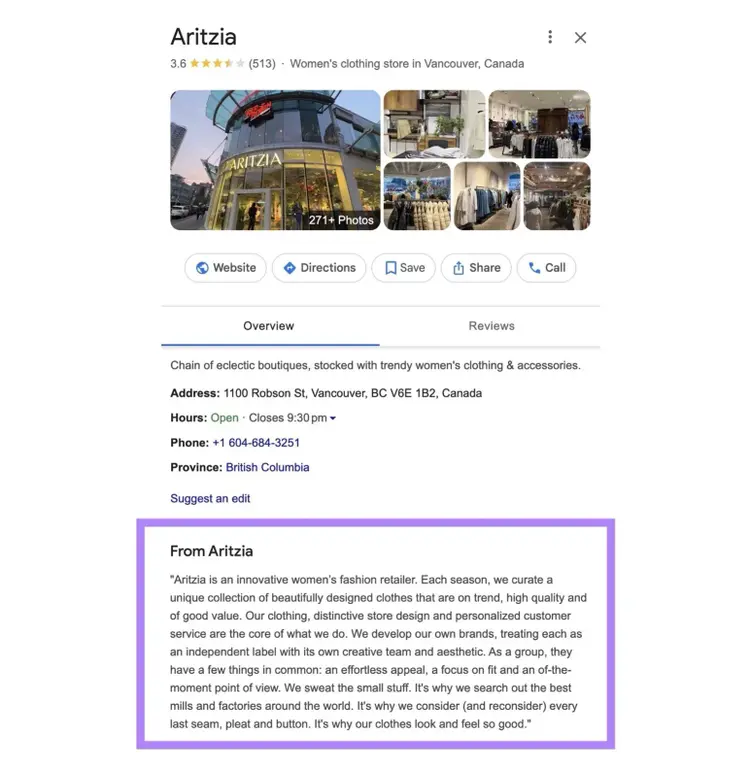
In their Google Business Profile description, Aritzia:
- Establishes their target audience
- Clarifies what products they sell
- Highlights their differentiators on being detail-oriented and offering high quality for good value
Find Local Keywords
with the Keyword Generator
3. Add High-Quality Photos and Videos
Uploading high-quality photos and videos ensures you have a complete Google Business Profile, something Google notes as being important for showing up in local search results.
Plus, adding quality visuals to your Business Profile is a good way to showcase your brand and increase engagement.
Here are some best practices for adding photos and videos to your GBP:
- Ensure your pictures and videos adhere to Google’s guidelines: Following Google’s standards for file sizes and formatting makes sure images and videos are clear and upload correctly
- Post different types of photos and videos: Include a variety, including shots of staff, customer interactions, your business’s exterior, etc.
- Add new photos and videos periodically: Regularly adding new images and videos makes your profile seem more active and reassures users that what they see is still relevant
- Showcase unique features: Showcase signature features that make your business stand out, such as a unique dish or a vivid mural
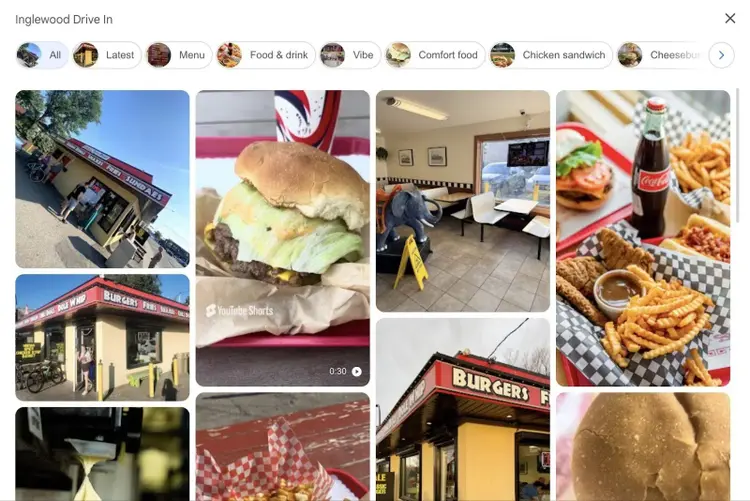
Your Google Business Profile will also show user-generated content from customers in the form of photos and videos they’ve taken while at or outside of your business.
This fast food restaurant profile has hundreds of pictures from the restaurant itself and its customers.
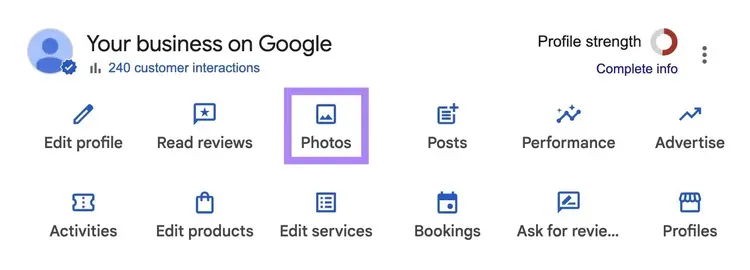
To upload images to your Google Business Profile, select "Photos" from your GBP dashboard.
A “Photos and videos” pop-up will appear. Simply click “Add photos” and upload your files.
4. Upload Products and Services
Adding GBP products and services helps your profile appear in more relevant searches and makes it easier for customers to assess whether your business is the right fit for them.
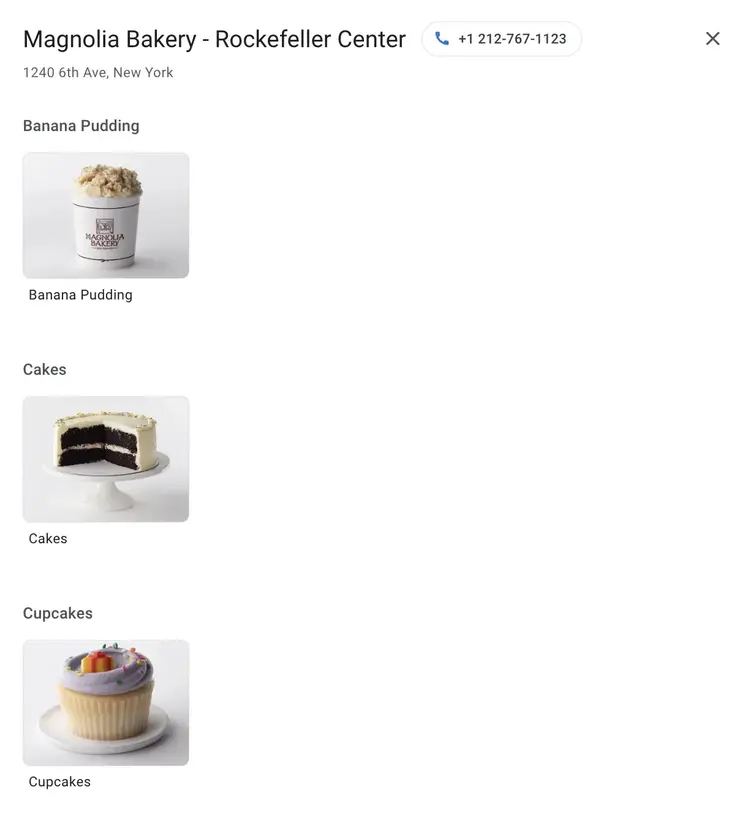
For example Magnolia Bakery’s Rockefeller Center location uses the product editor to add information about some of the most popular items:
To add services to your Google Business Profile:
- Click “Edit services” from your GBP dashboard
- Select one of your categories
- You can either choose options Google provides or create your own, depending on what services you provide
- Click “Save”
To add products to your Google Business Profile:
- Click "Edit products" from your GBP dashboard
- Select "Get started"
- Add all product details in the appropriate fields (name, price, description, etc.)
- Click “Publish”
Our keyword generator can help you find suitable keywords for your product descriptions.
5. Get Reviews
The total number of reviews you have and the number of positive reviews you have directly impact your Google Business Profile’s visibility, so aim to consistently gain more reviews.
Research from Joy Hawkins, Owner of Sterling Sky, also shows that review velocity (the rate at which you get new reviews) matters for maintaining search visibility. So, a business that gets about five new reviews each month could outperform a competitor who received 50 reviews two years ago but only two in the past six months.
While you shouldn’t pressure customers to leave you a positive review, asking for reviews is a great idea. And you’ll naturally gain more positive reviews by doing that.
Here are some tips for getting more Google reviews:
- Request reviews at natural moments: Ask for Google reviews after transactions or positive interactions while the experience is fresh
- Keep requests simple: Make your request easy to understand and accomplish. For example, a post-purchase email could include a quick request to leave a review that links to your sharable review URL (which you can get from your GBP dashboard).
- Follow Google's policies: Never offer incentives, pay for reviews, post fake reviews, or do anything else that violate Google’s review guidelines
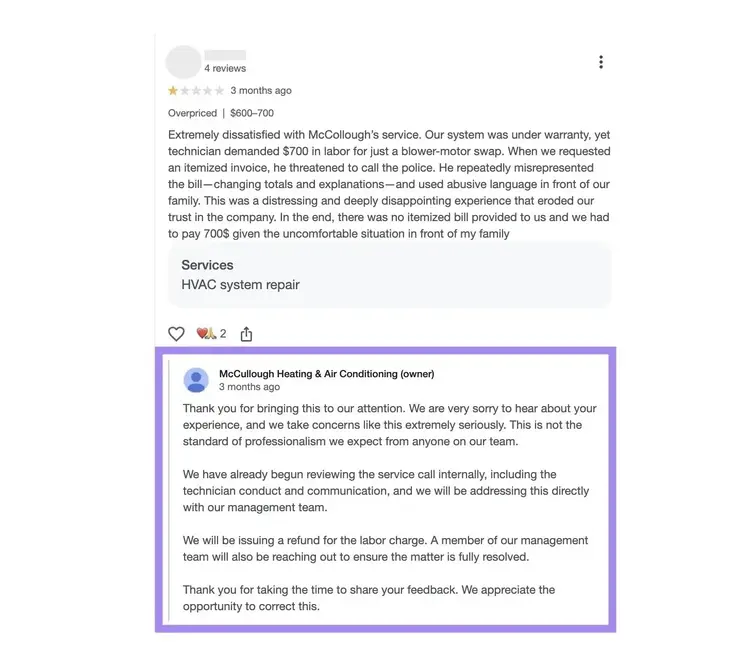
It’s also a good idea to respond to your Google reviews—even negative ones—because it shows that you value genuine feedback.
Here's an example of how to respond to a negative review by showing appreciation and offering to rectify the issue:
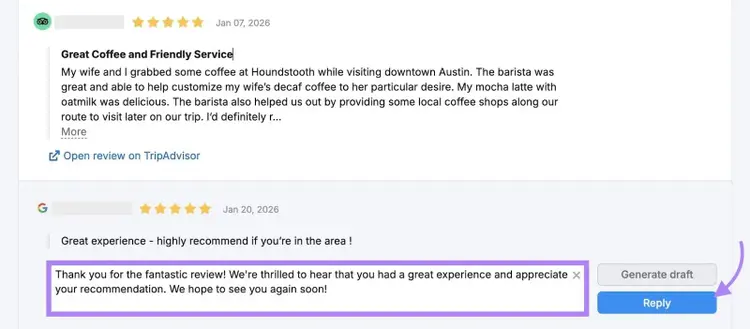
Use Semrush’s Review Management tool to manage your reviews across platforms and respond directly to your Google reviews. You can draft messages yourself or get help from AI.
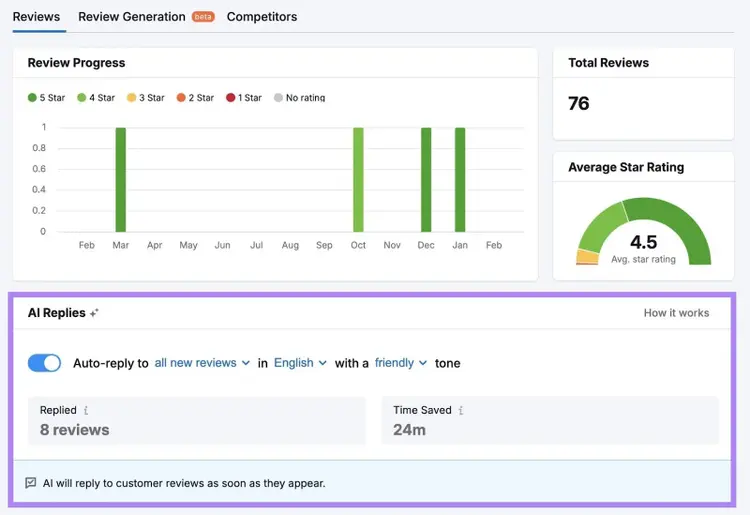
Or, use Review Management’s AI Replies features to automatically reply to Google reviews in your chosen tone and language.
6. Post Regularly
Regular Google Business Profile posts show that your business is active and gives searchers more reasons to click, call, or visit.
GBP offers three post types:
- Updates: Share news, tips, or general announcements
- Offers: Promote specials, discounts, or limited-time deals
- Events: Announce upcoming events with dates and details
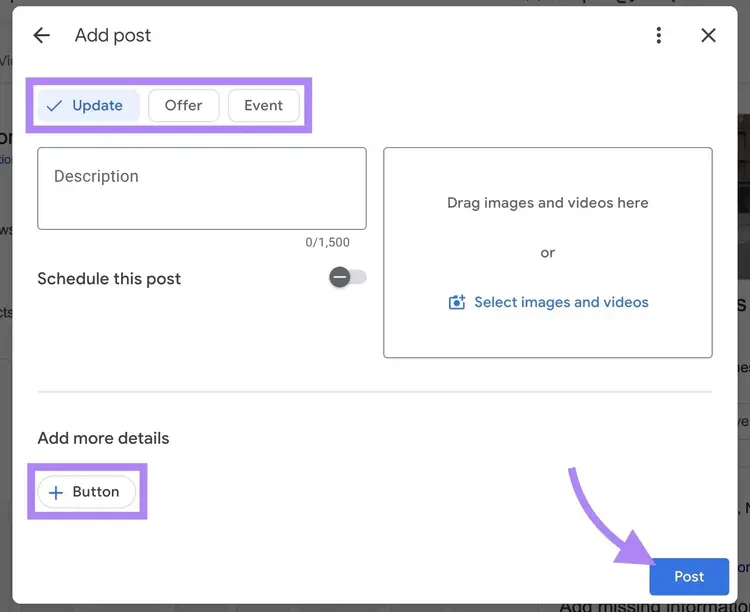
To create a post, log into your GBP dashboard, click "Posts" > “+ Add post,” and select “Update,” “Offer,” or “Event.” Then, write a description and add photos or videos.
Always include a call to action (CTA) button to your Google Business Profile posts that encourage users to take action. You can choose from preset button options.
When you’re ready to share your GBP post, click “Post.”
Semrush’s GBP AI Agent can automate your posting process by generating and publishing relevant posts at your predetermined interval using your business keywords and uploaded photos.
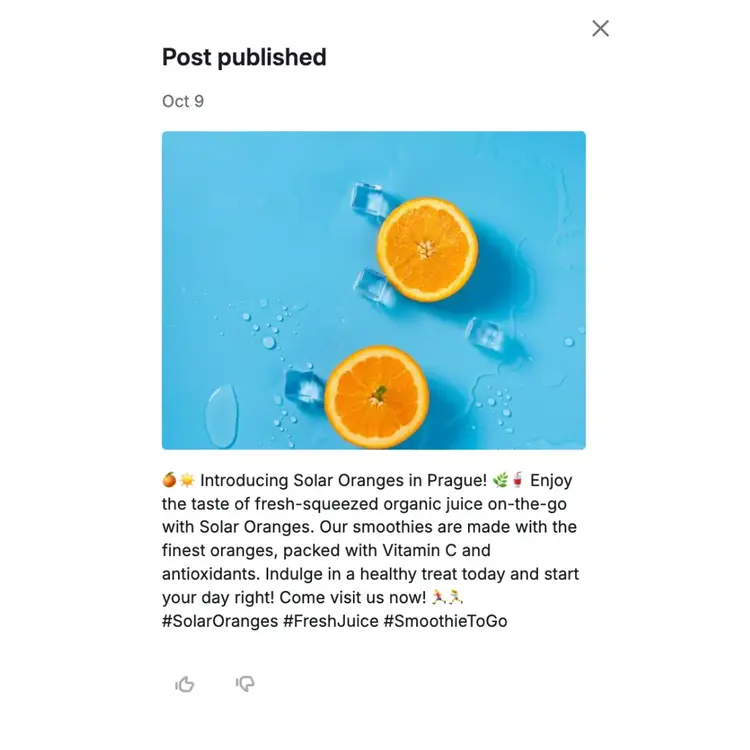
If you’ve already built out a social media strategy, treat Google Business Profile posts as an extension of that by repurposing the content you're already creating.
7. Ensure Accurate Information
Business Profiles with accurate information are more likely to appear in search results.
Periodically review your GBP to verify that everything is still correct. And make sure that information is consistent with your other local citations as well. Google cross-references your business information across the web to verify legitimacy.
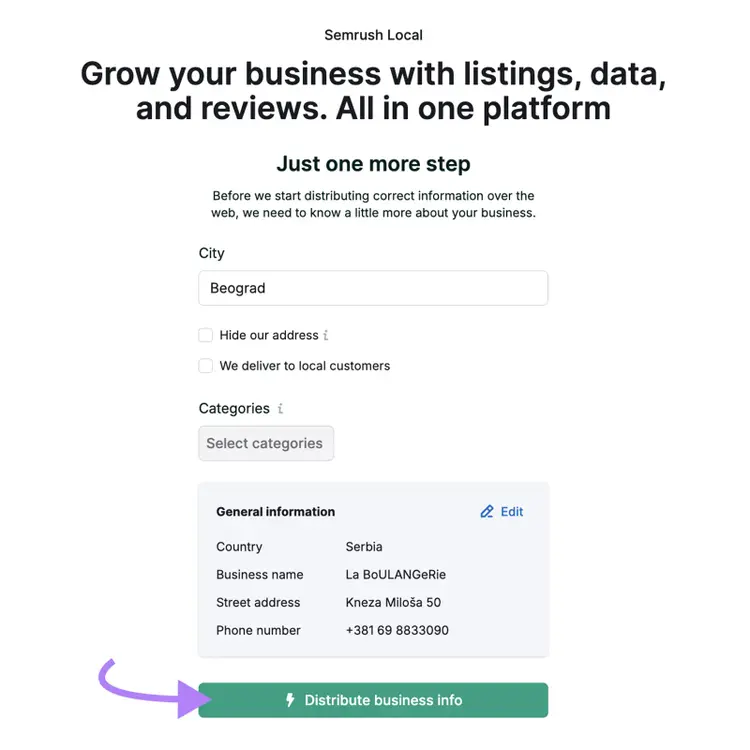
Use Semrush’s Listing Management tool to see whether you have any missing or inaccurate listings. Sign up for a plan to automatically distribute your business information across directories.
Avoid Common Google Business Profile Mistakes
Avoiding these common Google Business Profile mistakes to maintain your search visibility.
- Keyword stuffing: This practice violates Google’s guidelines and can lead to poor or even no search visibility. Use your actual business name and accurate descriptions that convey what you do.
- Creating duplicate listings: For multi-location businesses, create separate profiles for each distinct address. For service-area businesses without a public storefront, accurately define your service areas.
- Buying or incentivizing reviews: Trying to manipulate reviews violates Google’s policies and can result in penalties. Ask for genuine reviews at natural moments.
- Misrepresenting service areas: This can put your Google Business Profile at risk of penalties. Service-area should convey the actual service areas where they regularly work.
Measure Your GBP Performance
Track your Google Business Profile’s performance at least monthly to see whether your optimizations are working.
Google Business Profile’s built-in analytics dashboard shows how often your profile appears in search results, what terms you appear for, and more.
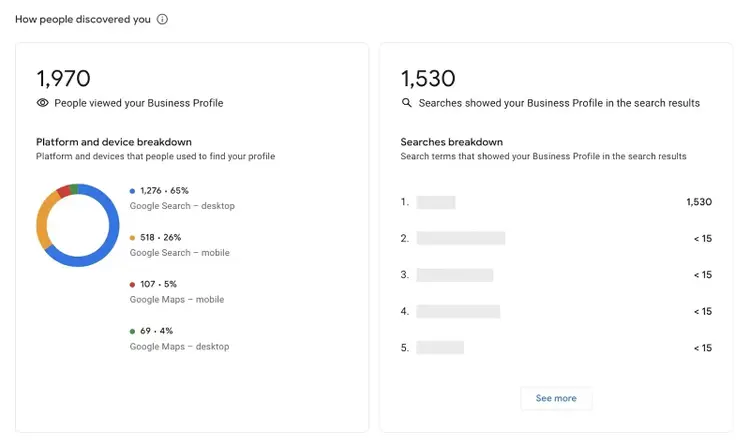
The exact metrics you see will vary depending on your business but can include:
- Views: How many users saw your profile in Google Search or Maps
- Website clicks: The number of times people clicked the website link in your Business Profile
- Directions: How many users clicked the option to get directions to your business
- Interactions: A summary of your profile’s total number of interactions
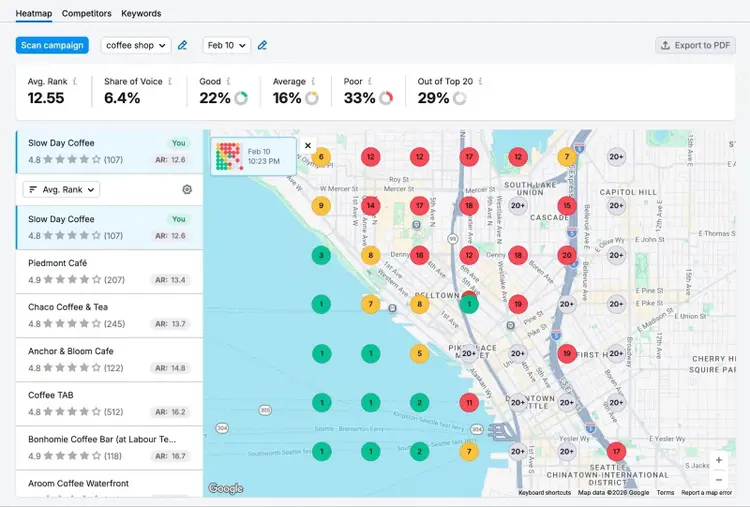
To see exactly where you appear in Google Maps results for your target keywords, use Semrush’s Map Rank Tracker. It shows how visible you are across a range of geographic points.
Improve Your Local Rankings
Google Business Profile optimization isn’t something you do once.
It requires ongoing work through consistently asking for and responding to reviews, regularly sharing posts, and periodically verifying that your information is accurate. Semrush’s Local Toolkit can help.
Improve Your Local Visbility
with the Semrush Local Toolkit

Alex is a managing editor with 10+ years of experience leading content and SEO teams across SaaS, tech, ecommerce, and digital publishing. He specializes in building editorial systems that balance human judgment with AI-assisted workflows, helping teams produce original, high-impact content as search and discovery evolve. His work spans SEO strategy, content quality frameworks, and adapting content operations for AI-driven search.
Alex Lindley
Alex is a managing editor with 10+ years of experience leading content and SEO teams. He focuses on building AI-aware editorial systems that help teams produce original, high-impact content as search evolves.

Tells Google to show you more from Semrush in AI, Search, and Discover.