
Google Maps Marketing: How to Grow Your Local Business
Expert reviewed
Our subject matter experts have reviewed this article to ensure it meets the highest standard for accurate information and guidance. Learn more about our editorial standards and process.
What Is Google Maps Marketing?
Google Maps marketing is the process of improving your business’s visibility in Google Maps. You do this primarily by optimizing your Google Business Profile (formerly Google My Business) to make it more likely that your business will appear for relevant local searches.
When your business shows up in local searches, you can:
- Build trust with potential customers
- Gain a competitive edge
- Drive more sales
Your Google Business Profile (GBP) is a free listing that lets you manage how your business appears in Google Search and Google Maps.
Here’s an example of an optimized GBP listing, with photos, opening hours, contact information, and more:
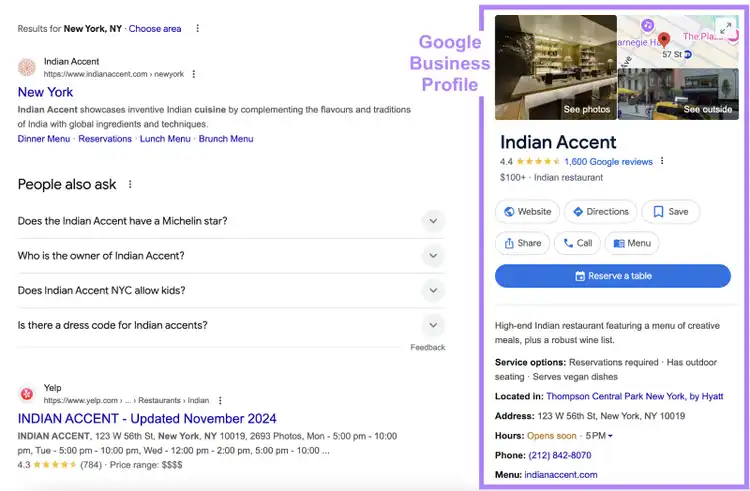
Your GBP listing can show up in three locations:
- Google Maps (web and app versions)
- Local pack/map pack
- Local Finder
In Google Maps, your business can appear when users search for specific businesses, products, or services.
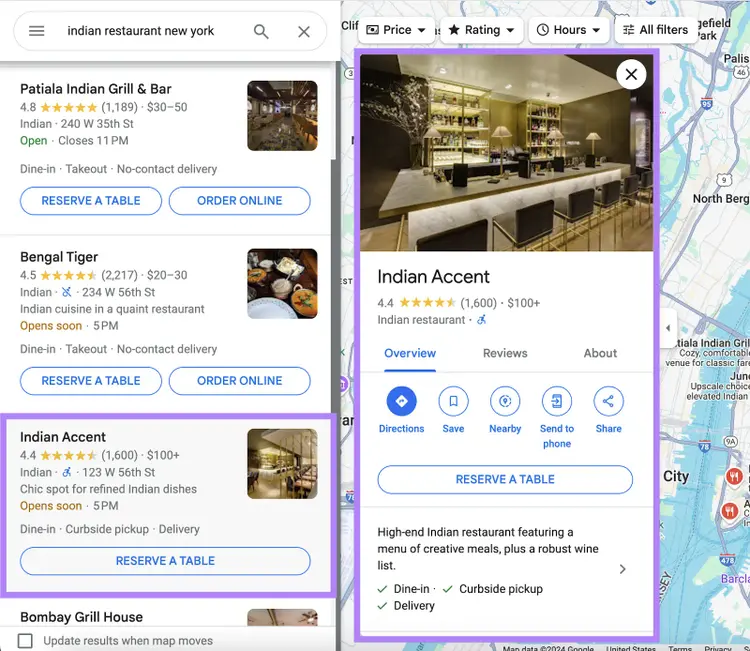
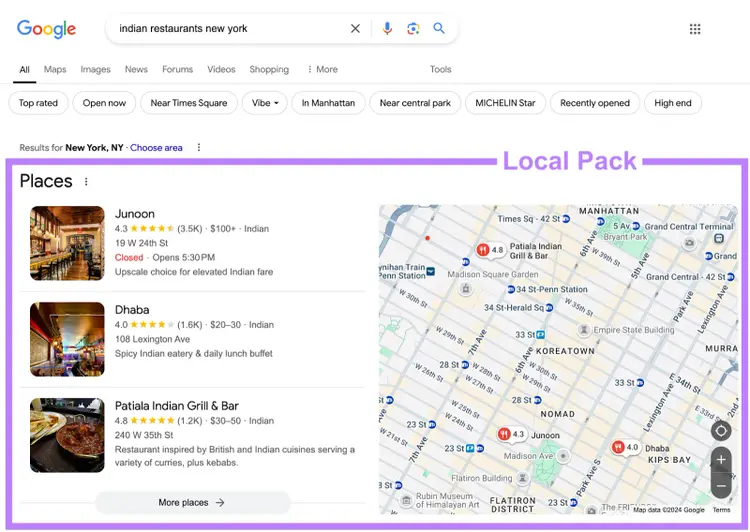
The local pack (sometimes called the map pack) appears in search results for relevant terms. It shows similar details to those on Google Maps.
Like this:
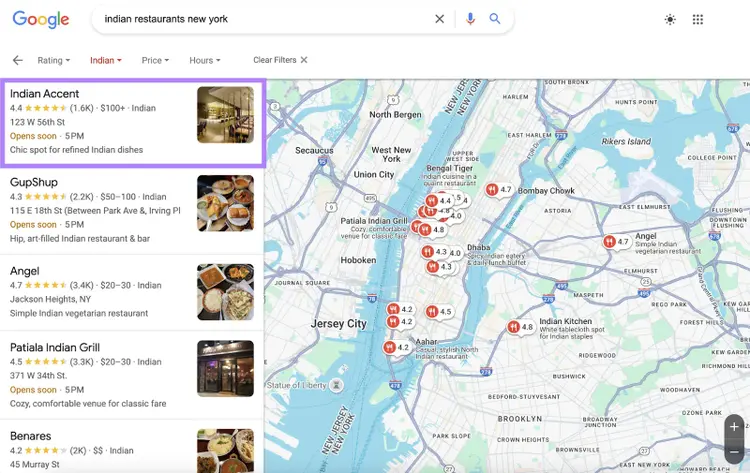
And when users expand the local pack, they can find more listings in the Local Finder (while similar to Google Maps, the interface is slightly different).
Why Is Marketing with Google Maps Beneficial?
Google Maps marketing can help you:
- Build trust and credibility: When your GBP listing appears in local searches (especially at the top), potential customers may see your business as credible and trustworthy
- Tell your customers more about your business: A well-optimized listing shows that your business is active and reputable, and it provides customers with key information like your location, opening hours, and contact details
- Increase local visibility: Google Maps marketing makes it easier for nearby customers to find your business
- Gain a competitive edge: Appearing higher on Google Maps and in search results makes it more likely that customers will choose your business over your competitors
- Make it easy for customers to reach you: Google Maps marketing allows customers to quickly call, get directions, or visit your website
- Appear in voice searches: Many people search for local businesses on their phones through voice assistants, which often pull results from Google Maps
How Does Google Rank Local Search and Map Results?
It’s clear that appearing in Google Maps and local search results can positively impact your business.
But why do you need marketing to make that happen?
Because Google uses a wide range of ranking factors to decide where to rank websites. And knowing what these factors are can help you pinpoint your Google Maps marketing efforts for better results.
Google ranks local business listings by considering three key factors:
- Relevance: Google looks at how closely your business matches the searcher’s intent. The more relevant your business is to what the person is searching for, the better your chances of ranking higher.
- Distance: Google factors in how close your business is to the searcher’s location or the area specified in the search. The closer you are, the more likely you are to appear in top results for local searches.
- Prominence: Prominence measures how well-known your business is, and it's influenced by factors like online reviews, ratings, and SEO backlinks. The more established and popular your business appears, the better it can rank.
Next, we’ll walk you through the steps to optimize your business’s online presence for these three factors.
How to Start Marketing with Google Maps
1. Optimize Your GBP Listing
The more optimized your GBP listing is, the higher it can rank for relevant local queries.
How?
Because it helps Google better understand your business. Meaning its algorithms will be better able to match you up with relevant local search results.
Note
If you haven’t created your GBP yet, check out our guide to learn how to add your business to Google.
Optimizing your Business Profile involves filling out important details like your business name, category, location, service areas, hours of operation, website, and contact details.
Beyond these essentials, you can also:
- Add photos or videos: Post high-quality photos or videos of your space, products, or services. This makes your listing more inviting and gives potential customers a better feel for your business before deciding to shop with you.
- Write an engaging, keyword-optimized business description: Create a compelling business description that clearly explains what your business offers. Include relevant keywords so Google can better connect your business to local searches (but don’t keyword stuff).
- Post regularly: Keep your profile active by sharing updates, offers, and news. This can show customers you’re still in business, of course, but offers can further encourage them to shop with you.
- Submit questions and answers: Your GBP listing includes a “Questions & Answers” section, where users (and you) can ask and answer questions about your business. Use this space to provide additional information and assist potential customers with specific needs.
- Keep your GBP listing up to date: Regularly update your opening hours, contact details, and services so customers always have accurate information.
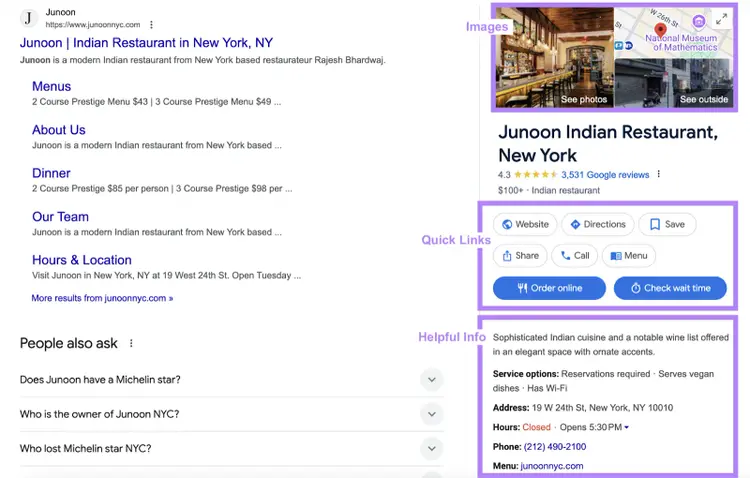
For example, Junoon has provided all the key information a hungry patron might need:
Use Semrush’s GBP Optimization tool to manage and optimize your Google Business Profile.
You can also track how often your profile appears in local searches and on Google Maps.
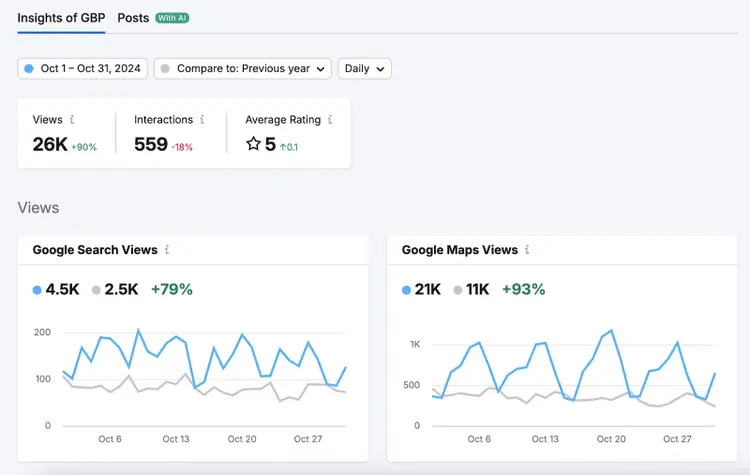
Access the GBP Optimization tool with a Semrush Local subscription.
2. Get More Reviews
The more positive reviews your GBP listing has, the higher it can appear for relevant local queries.
Why?
Because it affects the “prominence” factor we mentioned earlier.
According to Google:
Google review count and review score factor into local search ranking. More reviews and positive ratings can improve your business’ local ranking.
Aim to increase your review count by encouraging happy customers to leave feedback. Beyond improving your rankings, this can also build trust with potential customers. Which can lead to more sales.
Keep these two key principles in mind when encouraging customers to leave reviews:
- Ask at the right time. Request reviews when a customer has had a positive experience, like after a purchase or successful service.
- Make it easy. Share a direct link to your Google Business Profile in follow-up emails, on receipts, or through SMS, so customers can leave a review with just a few clicks.
Get a link to send to customers through the “Ask for reviews” section of your Business Profile:
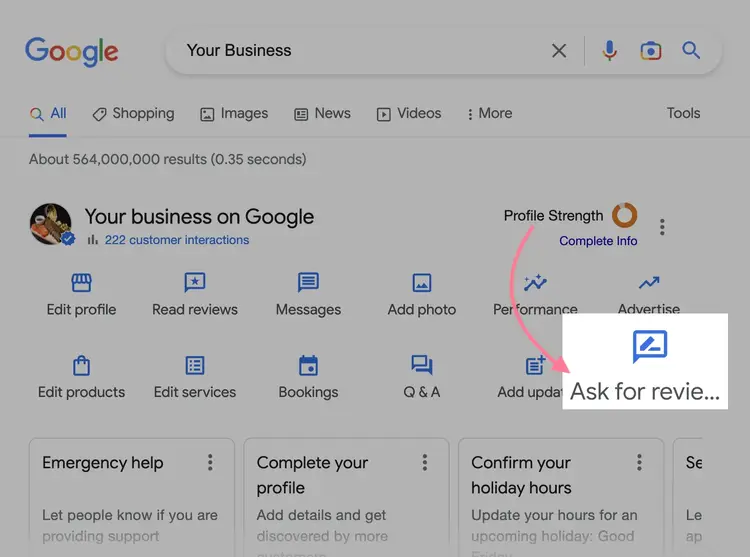
This will give you a link you can share with your customers.
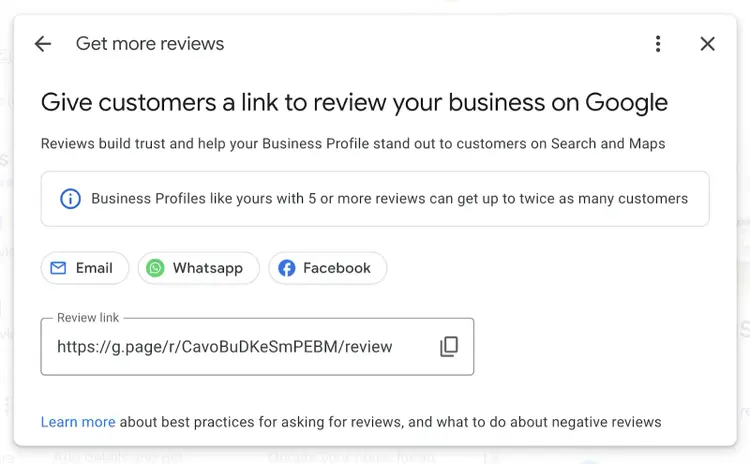
You should also respond to customer reviews, both positive and negative. This shows your customers that their feedback matters to you.
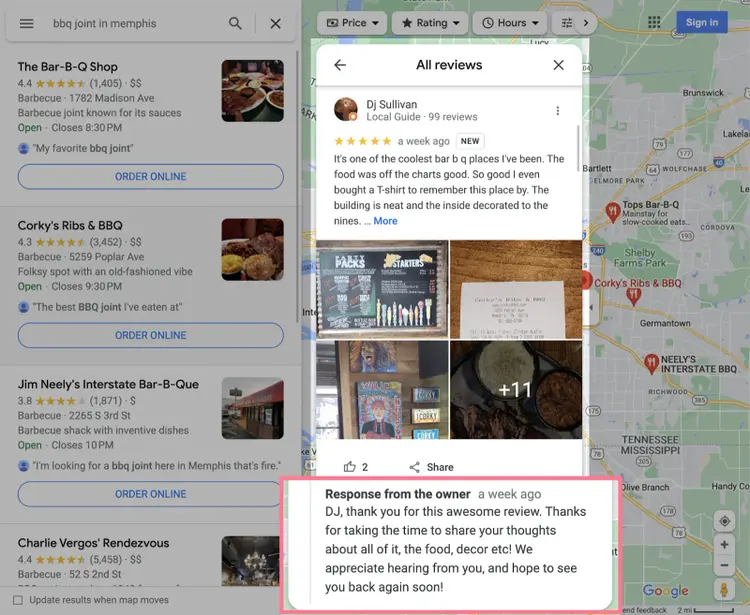
Follow these best practices:
- Use the reviewer’s name in your reply to make it feel personal
- Keep responses respectful and professional, even if the review is harsh
- Respond within a week if possible
- Provide a practical solution, such as a discount or refund, when possible (At a minimum, assure the reviewer that you’re addressing the root cause of the problem.)
Use Semrush’s Review Management tool to manage and respond to customer reviews from multiple sites—including Google.
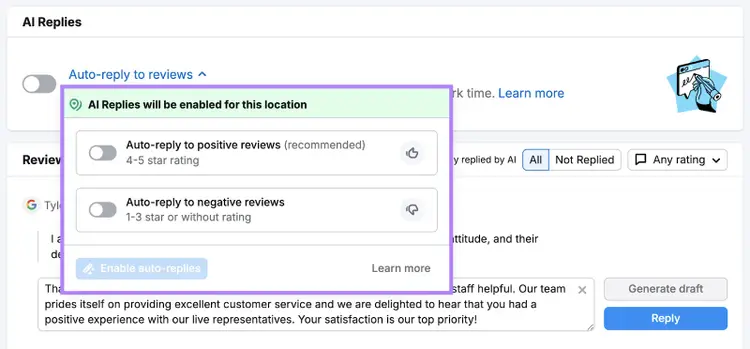
With filtering and sorting options, you can easily prioritize reviews.
For example, by focusing on reviews you haven’t replied to yet.
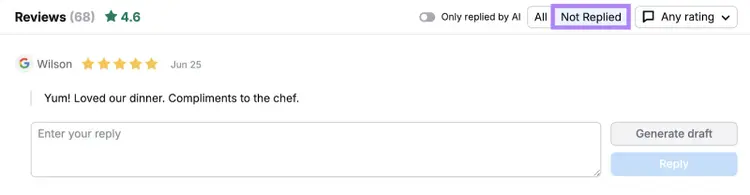
This way, you can stay on top of all your reviews with ease, all in one place.
Monitor Your Online Reviews
with the Review Management Tool
3. Clean Up Your Local Listings
Local listings (or citations) are references to your business’s name, address, and phone number (NAP). Typically featured in online directories like Yelp.
Google looks at local listings across the web to check if its own business listings are accurate. If it’s not confident in your profile, it may be less likely to display it to users.
(Plus, it could confuse your potential customers if they don’t know how to reach you.)
So, it’s important that your local listings are consistent. Especially when it comes to your name, address, and phone number—key information for local customers.
To verify your listings, use Semrush’s Listing Management tool.
Simply enter your business name as it appears on your GBP and select the right one from suggestions.
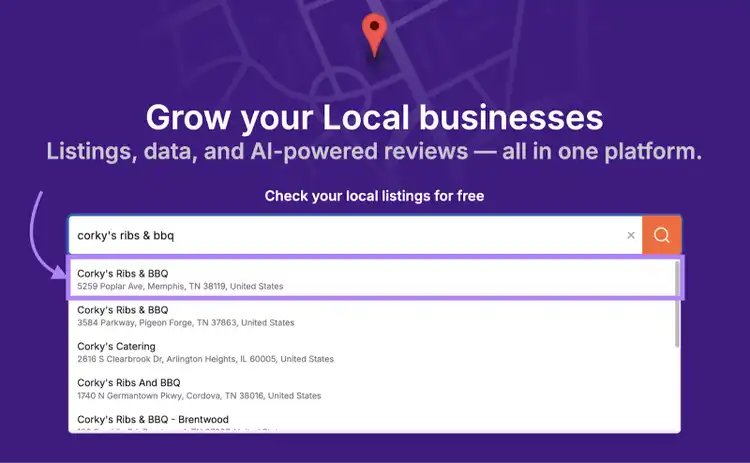
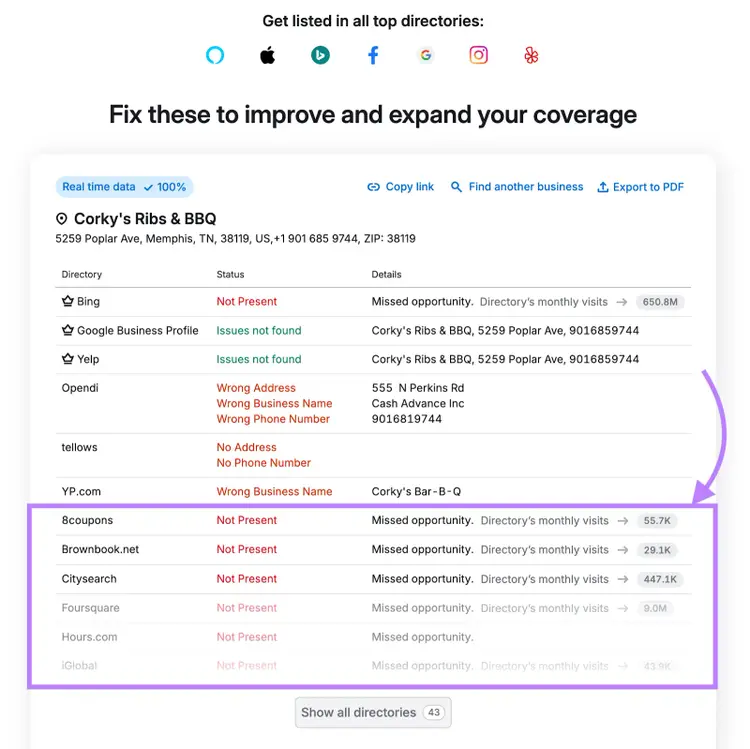
Then, scroll down to see if your business is listed in top directories and whether your details are correct.
These results show that Corky’s Ribs & BBQ is missing out on valuable exposure:
And that the restaurant has NAP issues in some of its listings:
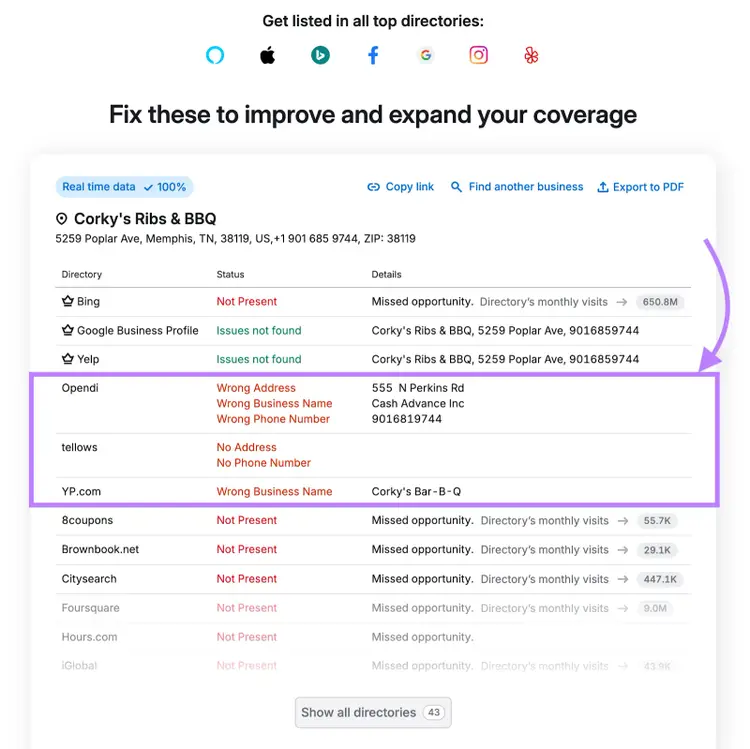
If your business has similar issues, reach out to each directory to get your information added or corrected.
Or use the Listing Management tool to fix everything in one step.
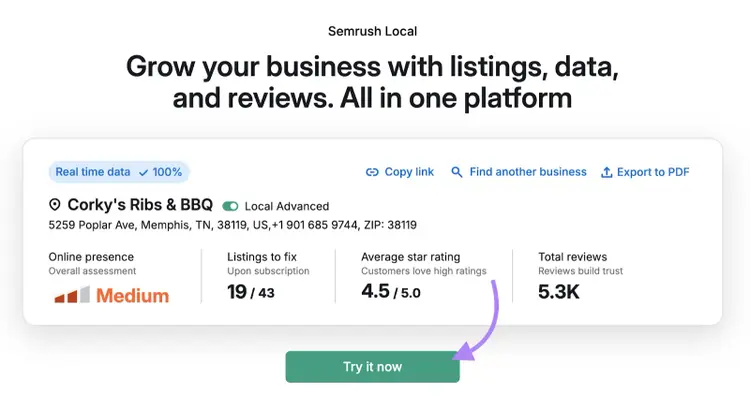
Click the “Try it now” button and follow the instructions to purchase your subscription.
Then connect your GBP to get more specific insights into your local listing’s performance.
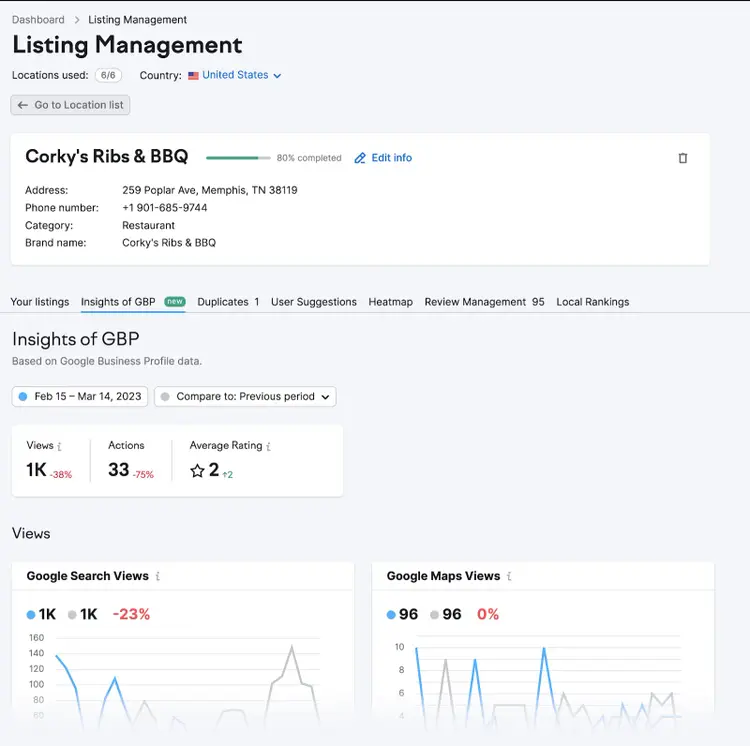
The tool will also automatically submit your business’s details to the top directories in your country. Which can help improve your Google Maps rankings.
Clean Up Your Local Listings
with the Listing Management Tool
4. Make Your Website SEO-Friendly
Having a more SEO-friendly website can lead to better rankings in map results. If Google believes your website is relevant to searchers, it may believe your Business Profile is, too.
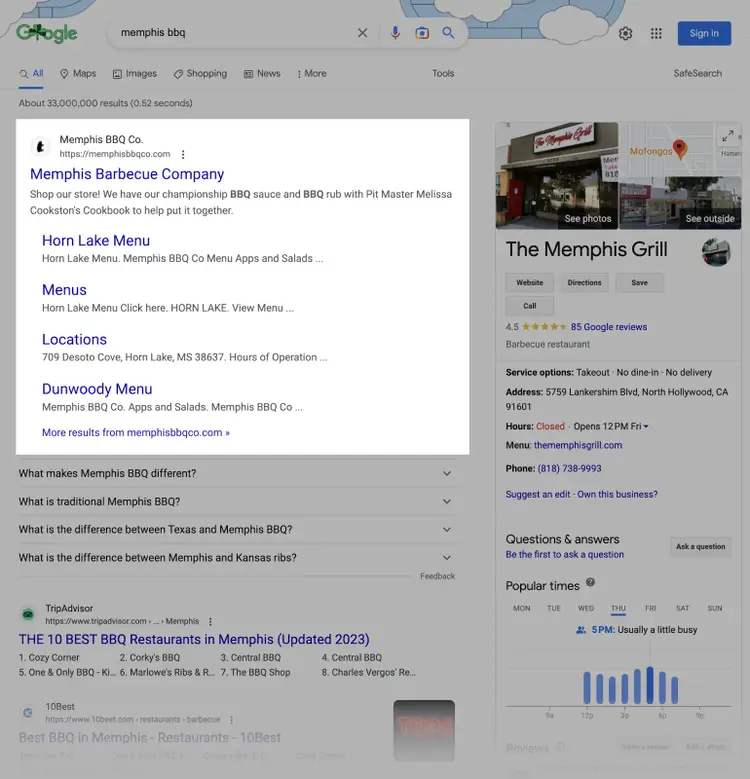
For example, look at the SERP for “memphis bbq.” Memphis Barbecue Company’s website ranks top.
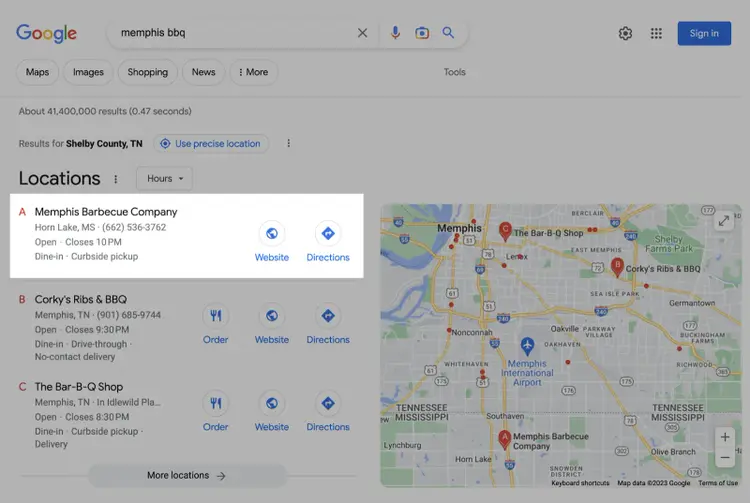
This business also ranks highly in the local pack (and, therefore, the Local Finder).
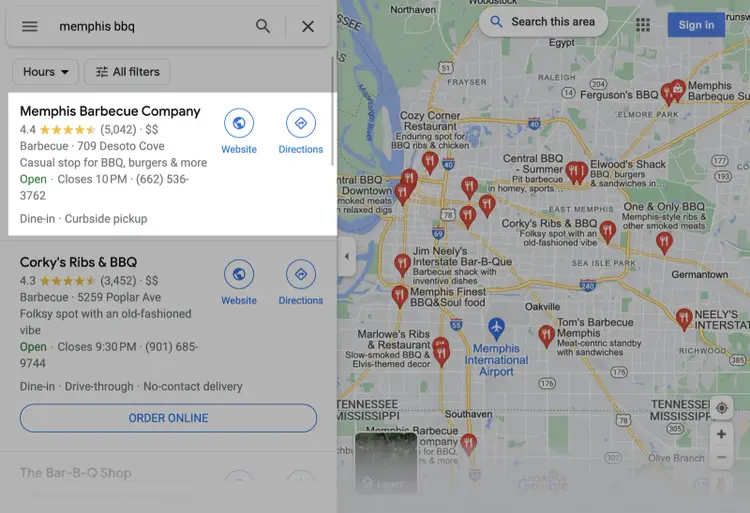
Memphis Barbecue Company ranks highly for this search query in Google Maps, too.
You can use all kinds of local SEO techniques to improve your website’s rankings. And therefore boost your Google Maps marketing efforts in the process.
Here are some of the best ways to improve your website’s SEO:
- Build backlinks. Links from respected local sources signal to Google that your business is trusted, which can help improve your website’s search rankings. Connect with local directories, news sites, and blogs to build quality backlinks to your site.
- Optimize for local keywords. Research local keywords that are relevant to your business and incorporate them naturally into your site’s content, headers, title tags, meta descriptions, and image alt text.
- Publish localized content. Write relevant content tailored to local interests, such as community events, neighborhood guides, or topics specific to your area. This can help you strengthen your site’s relevance in local searches.
- Fix technical issues. Address any technical SEO issues on your site, like slow loading times, broken links, or poor mobile usability. Beyond improving your SEO, a well-optimized, user-friendly site also enhances the user experience.
- Add location pages. If you serve multiple areas, create separate pages for each location with specific details. Including your address, contact info, and services you offer in that specific area.
5. Run Google Maps Ads
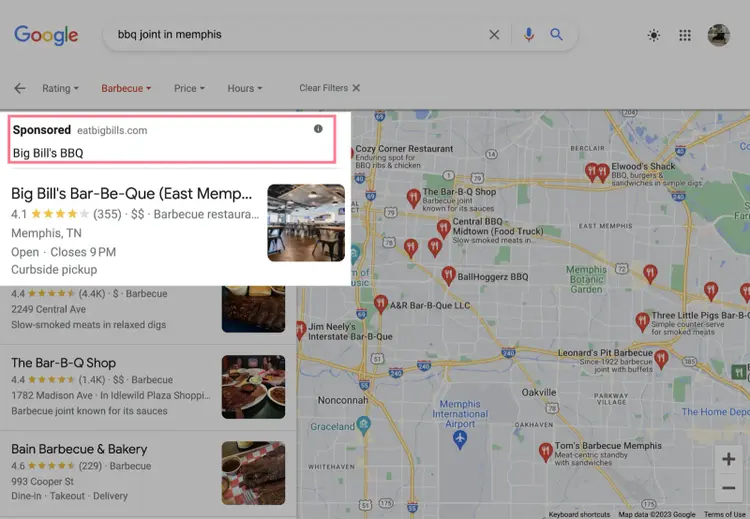
Google Maps ads are local search ads that display when users look for businesses or services within a specific area. They rank at the top of the local pack, Local Finder, or Google Maps results. Which can improve your business’s visibility for relevant searches—at a cost.
By running these ads, your business can appear at the top of relevant local searches with a “Sponsored" label. Like this:
Google Maps advertising works on a cost-per-click (CPC) basis. You pay every time someone does one of the following:
- Clicks to get location details
- Clicks to get directions
- Clicks to call (on mobile)
- Clicks through to your website
The CPC depends on various factors. Including how much you (and any competitors) “bid” for specific search terms. (You can set an average daily budget to prevent overspending.)
To get started, create a Google Ads account using the same email address you use for your GBP.
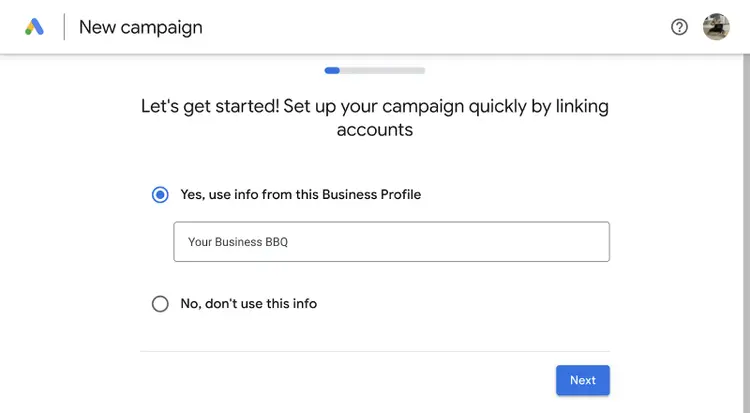
Next, link your GBP to Google Ads. Then you’re ready to create campaigns. To be eligible for Google Maps ads, you must do the following:
- Target local keywords
- Target a specific location
- Set bids by location
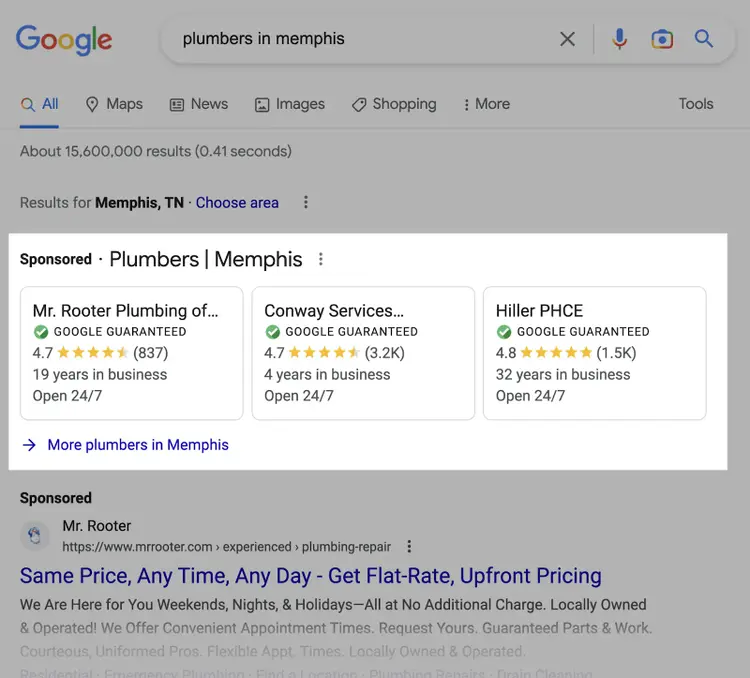
Google also offers Local Services Ads, which appear at the top of the SERP when someone enters a relevant local keyword. These can work alongside your Google Maps ads.
Track Your Google Maps Ranking
Make it a habit to track your Google Maps marketing performance to understand how well your strategy is working and identify areas for improvement.
An easy way to do this is with Semrush’s Map Rank Tracker.
The tool shows exactly where your business ranks on Google Maps by keyword and location across your service area. And how that compares to your competitors.
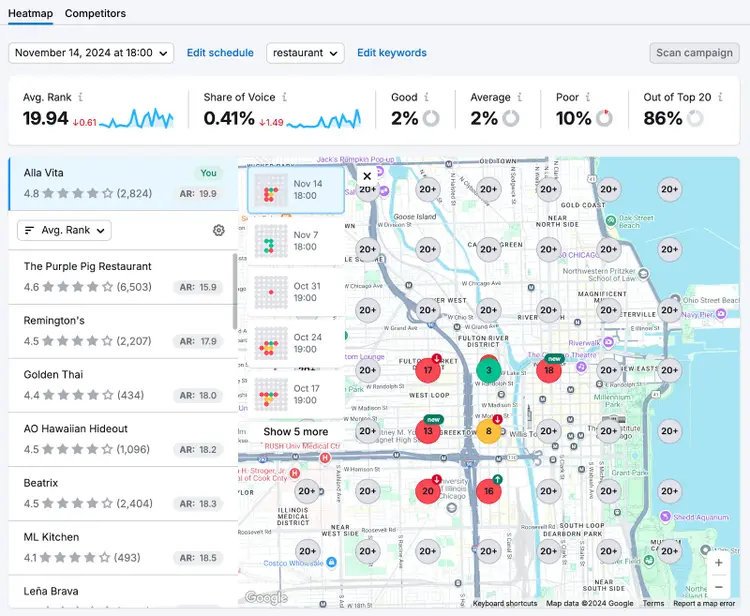
Start monitoring your Google Maps rankings with the Map Rank Tracker.
Track Your Google Maps Rankings
with Semrush's Map Rank Tracker

Ankit is a B2B SaaS writer (WordPress, HubSpot, Buffer, Zapier & more) with over seven years of SEO and content marketing experience. He’s a gamer during the day and a writer at night (because opposite time zones are a thing.)

Tells Google to show you more from Semrush in AI, Search, and Discover.