
How to Create a Social Media Marketing Strategy [+ Free Template]
We've put together a comprehensive guide for creating a successful social media strategy.
We even included a free social media strategy template to help you kick things off.
But before we get into the details of creating a strategy, let’s cover some basics.
What Is a Social Media Strategy?
A social media strategy is a roadmap that outlines how to make the most of the social media platforms you opt to use to achieve specific goals (e.g., helping your business grow by a certain percentage in a certain amount of time).
And it should:
- Identify your target audience
- Specify what types of content you’ll create
- Focus on specific platforms rather than all of them
- Detail how often you’ll post
- Include guidance about engaging with your community
Why Is It Important to Have a Social Media Strategy?
Having a solid social media strategy helps you build a strong online presence and ensures your social media efforts align with your main business goals.
Here are some specific benefits you can gain from a well-crafted social media strategy:
- Better audience engagement: Knowing what your followers like, what interests them, and what challenges they face can help you create content that leads to more likes, comments, and shares. Which translates to a more loyal following.
- Improved brand awareness: Consistently sharing valuable content and actively participating in industry discussions helps you gain brand recognition. And position yourself as a thought leader in your field.
- Increased lead generation: Promoting valuable gated content like ebooks, webinars, or whitepapers motivates users to provide you with their information. Social media platforms also offer great targeting options for paid ads to help you reach specific audience segments.
How to Create a Social Media Strategy
Feel free to download the social media strategy plan template we’ve created for you and start implementing the steps right away.
1. Set Your Objectives
To create effective social media objectives, start by examining your overall business goals.
The specific, measurable, attainable, relevant, and time-bound (SMART) framework helps with this.
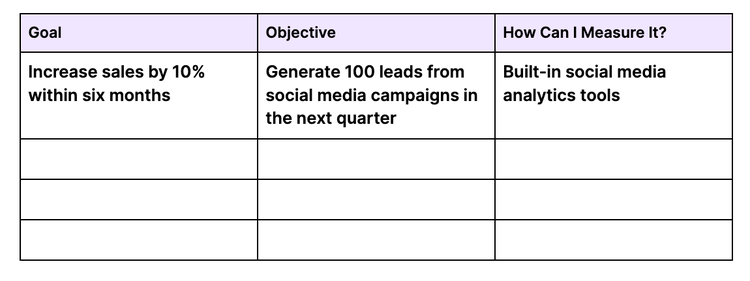
For example, let’s say that an overarching business goal is to increase sales by 10% in the next six months.
So, you decide to support that with a social media objective to generate 100 leads from social media campaigns over the next quarter.
Document all this within your template:
And remember that goals don’t have to be set in stone. They can be adjusted if necessary.
2. Define and Understand Your Target Audience
Knowing your audience deeply will inform everything from which formats you leverage to which platforms you prioritize.
To get a grasp on your audience, focus on two important actions:
- Conduct market research to gather data about your audience
- Create detailed buyer personas (profiles representing segments of your target audience)
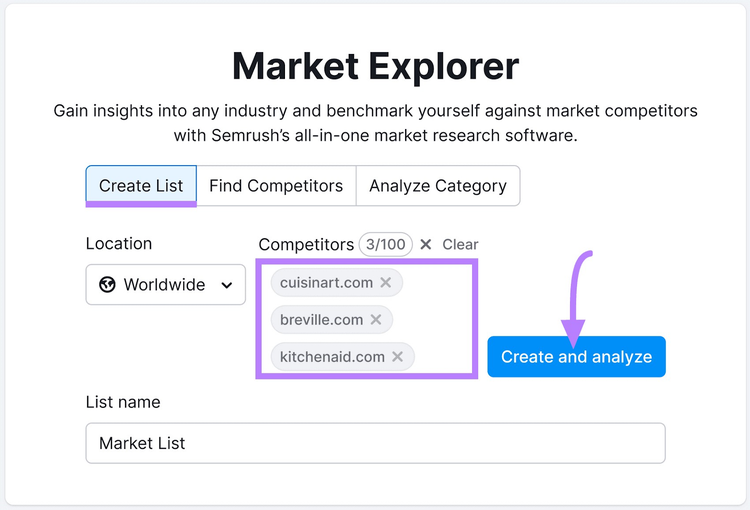
While you can use built-in social media analytics tools to learn more about your current followers, a competitive analysis can yield more insights about the audiences you want to reach.
Do this with Market Explorer. Just enter at least three competitors’ domains and click “Create and analyze.”
Then, go to the “Audience” tab. Where you can see information about the collective audience’s age, education level, interests, and even their social media preferences.
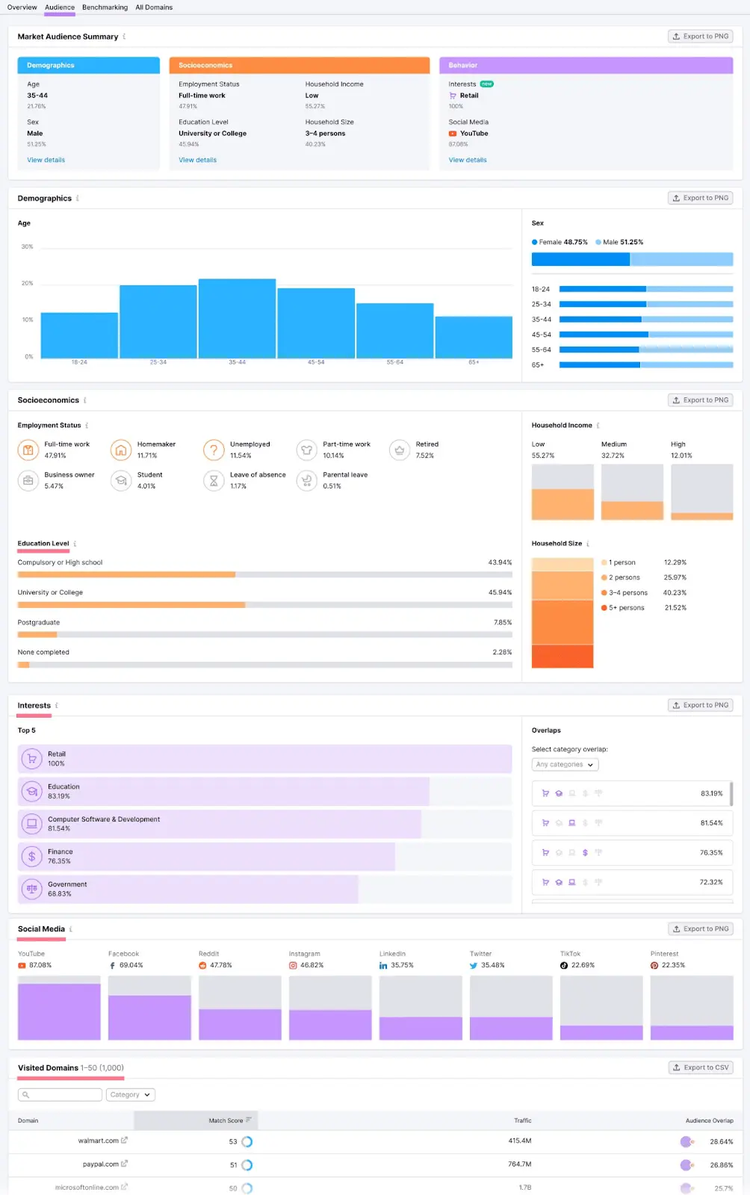
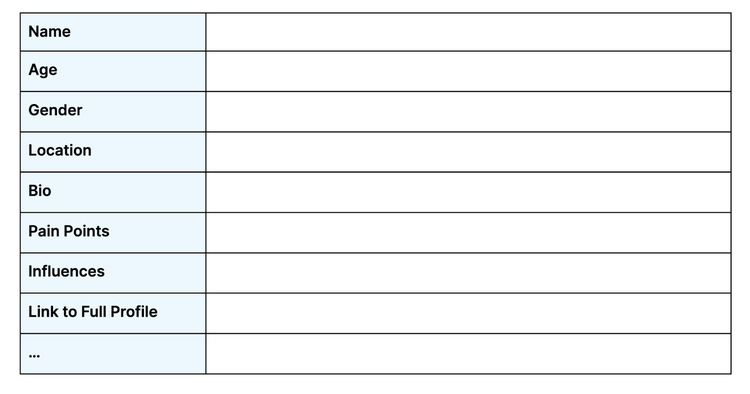
With this information, you can create detailed buyer personals that outline each segment’s specific wants and needs.
- Demographics (e.g., age, gender, and location)
- Psychographics (e.g., values, beliefs, and lifestyle)
- Professional status (e.g., job title, industry, and income)
- Purchasing process (e.g., frequency of purchase)
- Pain points and challenges (e.g., frustrations and potential objections)
- Influences (e.g., important friends and family members)
Start by adding all this to your template:
Then, use Semrush's (free) Buyer Persona tool to create your buyer personas from scratch.
3. Conduct a Social Media Audit
Next, take a moment to assess how you're currently using social media and whether it’s supporting the objectives you’ve outlined.
First, make a list of all your social media profiles. Including the ones you haven't used in a while.
And take a close look at each by reviewing your:
- Profile information: Check if all your profiles are fully filled out with accurate and up-to-date information. This includes your website URL, bio, profile pictures, and cover images.
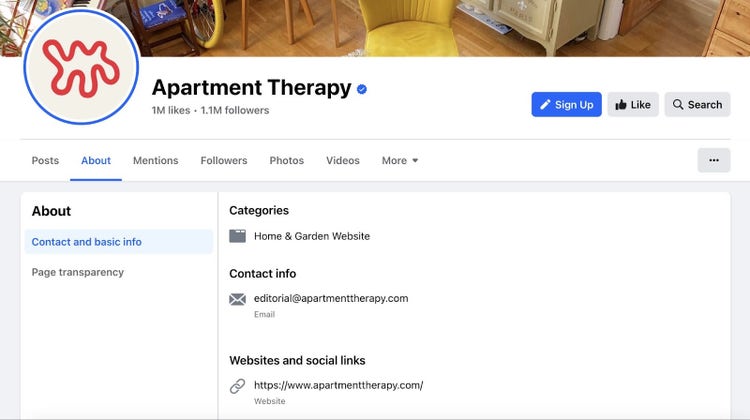
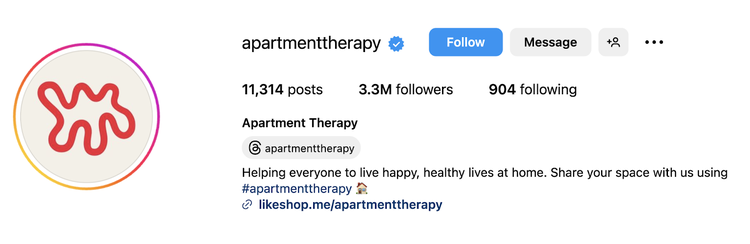
- Follower count: See how many followers you have on each platform. To understand the scale of your audience across platforms.
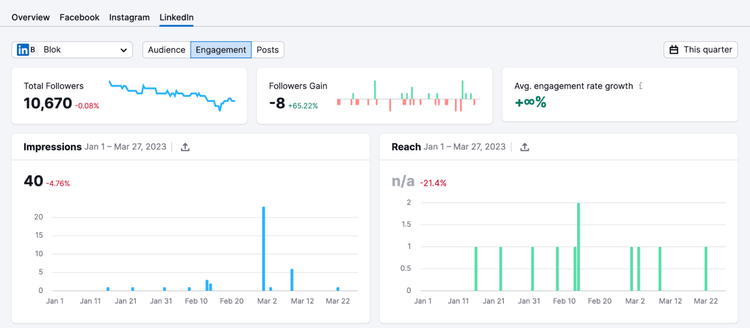
- Engagement levels: Use a tool like Social Analytics (part of the Semrush Social app) to compare your engagement across platforms. And pay attention to likes, shares, comments, and other reactions to your posts.
- Post frequency: Determine whether you’re posting regularly on each platform. If not, that’s an indication you may be wasting your efforts on platforms that aren’t helping you reach your goals.
And be sure to study individual posts. To learn what works and what doesn’t.
4. Evaluate Your Competition’s Social Content
Studying what your competitors do on social media can alert you to trends and give you inspiration for your own posts.
For example, let’s say you’re in an online business niche. So, you take a look at entrepreneur Justin Welsh’s social media presence:
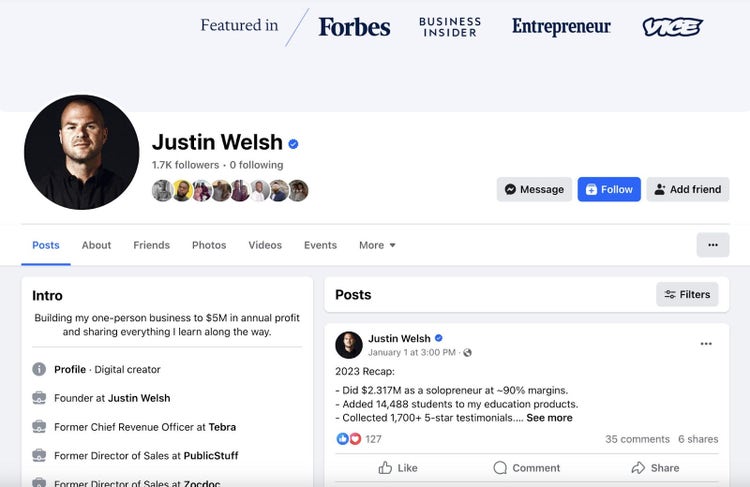
From here, look for patterns in the content they share.
Take note of the themes, storytelling techniques, hooks, and calls to action (CTAs). And study how they engage with their audience.
One of the simplest ways to do this at scale is to use Social Tracker by Semrush Social to keep tabs on your competitors’ social media activities.
Just follow the Social Tracker configuration guide.
Then, you can see a post-by-post breakdown on each platform.
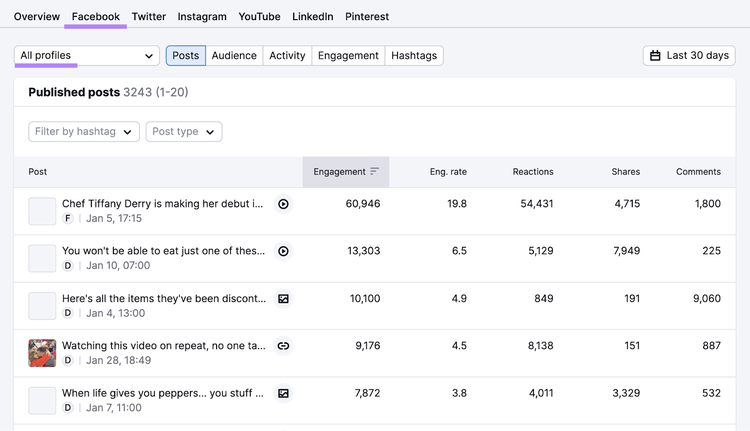
Note your observations in your social media strategy template.
Track Competitors' Social Media
Get Inspired with Semrush Social
5. Choose the Right Platforms and Formats
It's crucial to pick the right social media channels and content formats for your business. Because not everything will work for every company.
Here's a quick overview of some popular social media platforms:
- X (formerly known as Twitter)
- TikTok
- YouTube
- Snapchat
How do you know which ones to focus on?
Draw on what you observed during your audience research and when evaluating your competitors.
Let’s say you discovered that the most popular platforms among your target audience are LinkedIn, YouTube, and Facebook. And that those are also where your competitors devote most of their attention.
That’s a good indication you should focus on those platforms as well.
As for determining which formats to focus on, revisit your audit to see what’s worked best for you in the past. And consider what’s working well for your competitors.
To make your final decisions, weigh the pros and cons in your template:
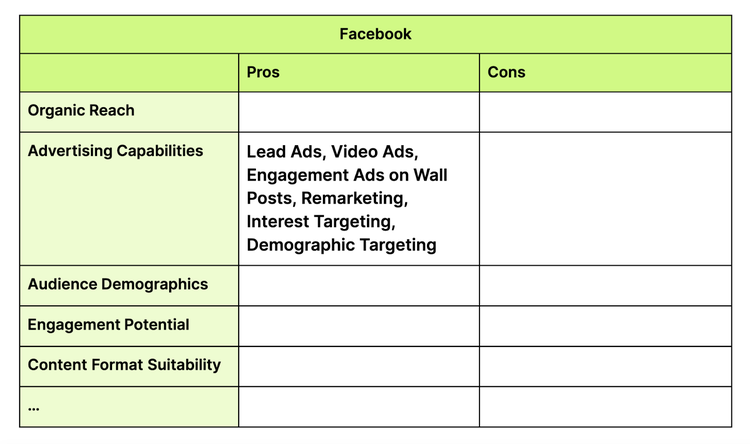
Lastly,don't forget to consider your team's expertise, bandwidth, and budget before deciding.
Further reading: 28 Top Social Media Platforms Worldwide
6. Develop Messaging and Tone of Voice Guidelines
Messaging and tone of voice guidelines are essential for building your brand identity and maintaining consistency across social media.
Here are some tips that can help:
- Gain a deep understanding of your brand's values, mission, personality, and target audience
- Identify the key messages you want to convey through your social media channels
- Choose a tone and language style that reflect your brand's personality
- Provide recommendations for how to embody this voice across all social media content
- Share your company-wide style guide (if you have one) to provide more tips on grammar, punctuation, and formatting.
Then, share your guidelines with your social media team or any other content creators you work with.
7. Build a Content Calendar
Now that you know what platforms, content types, and messaging you want to focus on, create a content calendar to keep everything organized. And ensure a consistent posting cadence.
As you start planning, identify:
- Industry-specific occasions
- Holidays
- Trending topics
These can serve as inspiration for specific themes or campaigns.
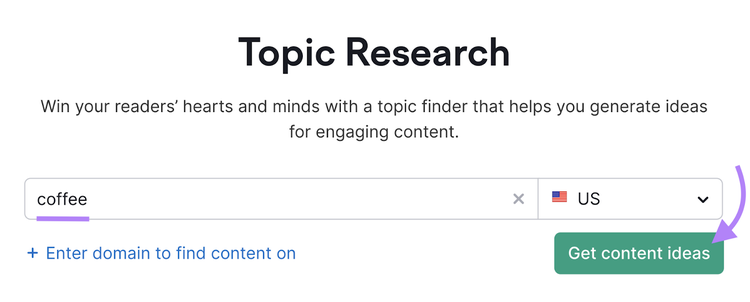
To find relevant trends you can capitalize on, use Topic Research.
Input a topic related to your industry. And click “Get content ideas” to proceed.
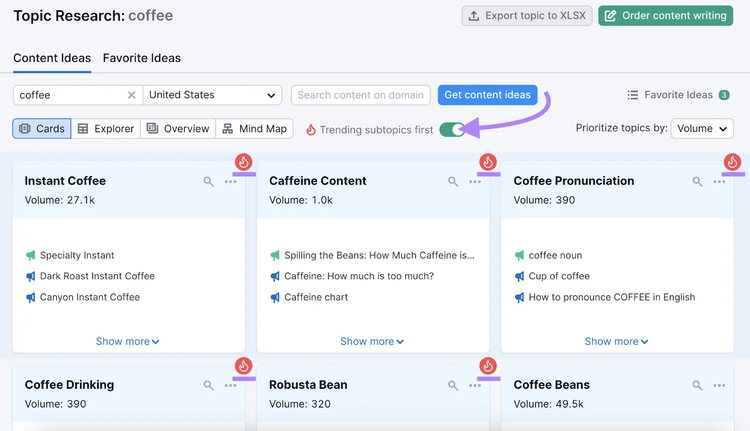
The tool will present you with tons of subtopics related to your main topic and its respective popularity based on search.
Make sure to toggle on “Trending subtopics first” to easily identify topics that have been trending over the last 60 days.
Keep your audience's interests and your business goals in mind when choosing topics. And consider establishing weekly or monthly themes.
Next, assign responsibilities to any team members involved in content creation. Such as writers, designers, and social media managers.
And create a dedicated social media content calendar that fits your needs.
Here's an example of what it could look like:
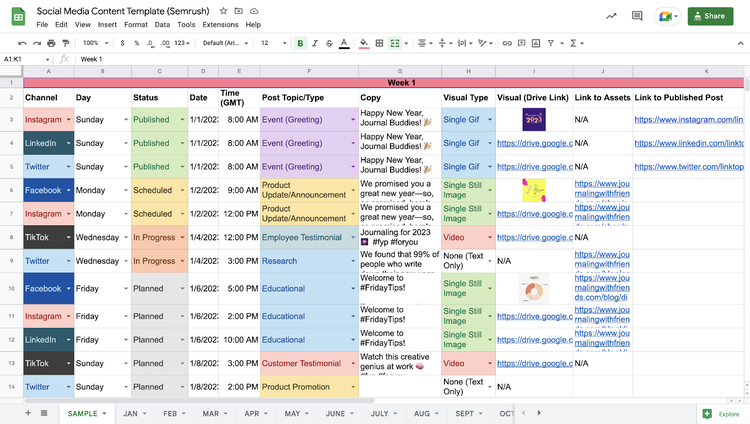
Identify Relevant Topics and Trends
with the Topic Research Tool
8. Create Engagement Guidelines
Engaging with others on social media helps build relationships with your audience and creates a loyal following.
Here are a few things to consider focusing on when drafting your guidelines:
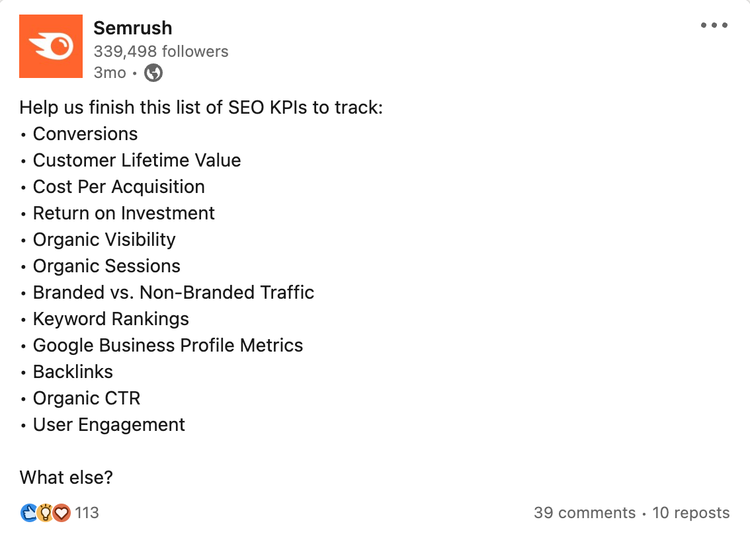
- Ask for input: Use polls, surveys, and question-based posts to ask your audience about their opinions. To connect with them and gain valuable feedback at the same time. Like this:
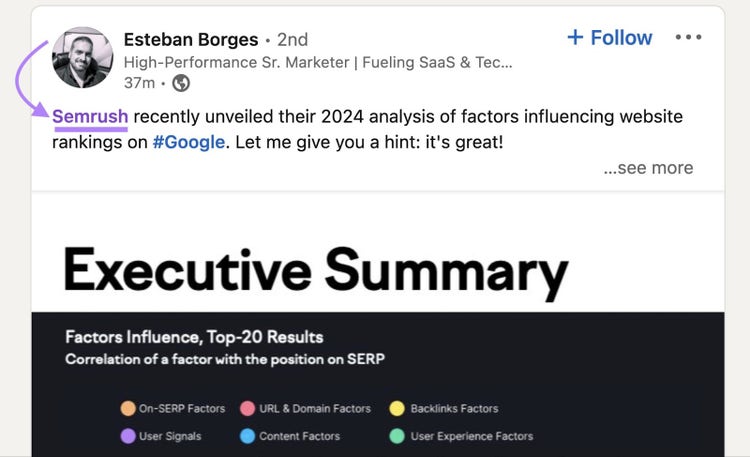
- Monitor mentions: Watch for any mentions of your brand or product. So you can react quickly if needed.
Respond to comments and questions: Promptly responding to direct messages and other posts shows your audience that you care. Justin Welsh does a great job of this:
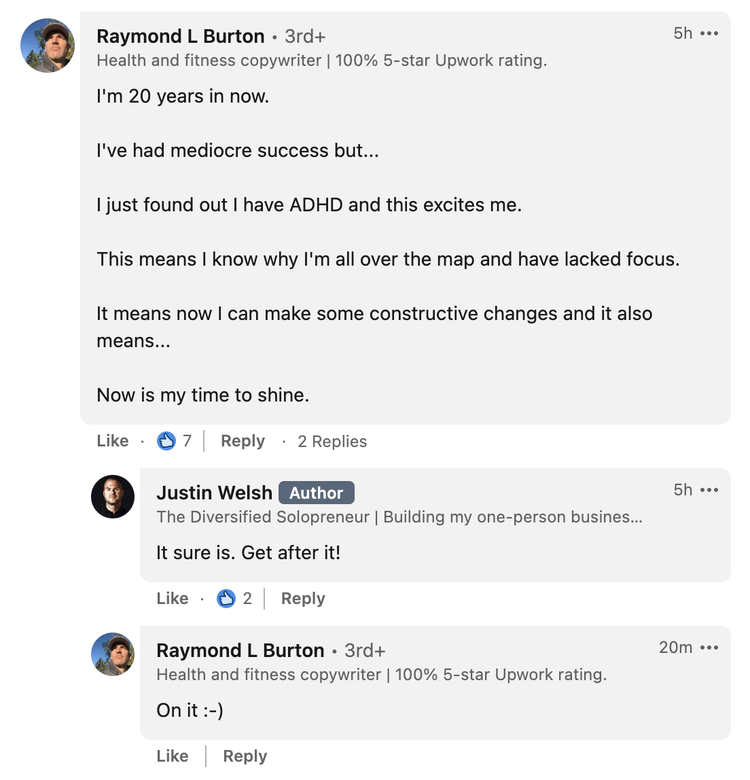
And be sure to detail all the specifics like how promptly you should respond to users. And when crisis intervention may be needed.
9. Measure Your Success
Measuring your success lets you see whether you’re on track to reach your objectives and goals.
And it should be fairly straightforward to do this. Because your key performance indicators (KPIs) will align directly with the objectives you set earlier.
Depending on what your objectives are, those metrics might include:
- Engagement rates
- Brand mentions
- Referral traffic
- Leads generated
- Follower growth
- Click-through rates (CTRs)
You’ll also need the right tools to measure performance, such as platform-specific analytics, Social Analytics and Social Content Insights tools from Semrush Social, and Google Analytics 4 (GA4).
Social Analytics lets you see your internal analytic metrics for your Facebook, LinkedIn, and Instagram channels.

Social Content Insights overviews how your social media content performs across multiple platforms.
It displays the number of posts published and the total engagement, which includes reactions, comments, and shares.
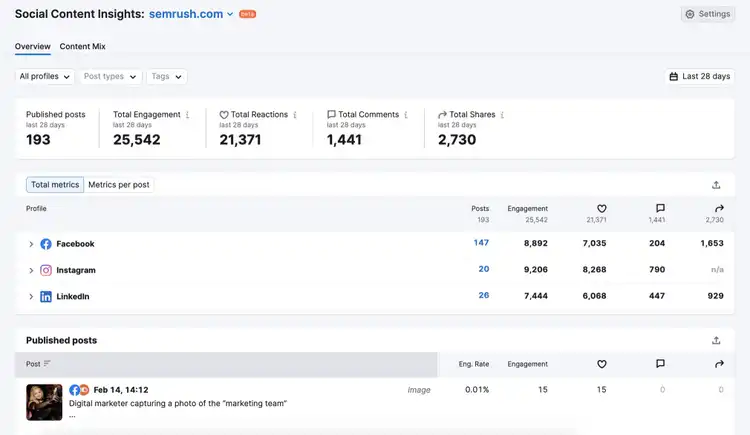
Keeping track of your performance like this can also reveal whether it’s worth adjusting your strategy.
Maybe you need to be more aggressive to meet your goals. Or leverage a different tactic that’s proven more effective.
Step up Your Social Media Strategy
Now that you know the basics of creating an effective social media strategy, it's time to implement one for your brand.
Download our social media strategy template (it’s free!) and start crafting your social media marketing strategy.
Then, use Semrush’s suite of tools to execute and optimize your efforts.
Try 55+ Products Free
in One Platform with Semrush

Zhenya is a content strategist and writer with five years of experience. Throughout his career, he has guided numerous start-ups and mentored entrepreneurs and companies globally in the realm of content strategy. Additionally, he is working on his own content-based online business.

Tells Google to show you more from Semrush in AI, Search, and Discover.
Table of contents
- What Is a Social Media Strategy?
- Why Is It Important to Have a Social Media Strategy?
- How to Create a Social Media Strategy
- 1. Set Your Objectives
- 2. Define and Understand Your Target Audience
- 3. Conduct a Social Media Audit
- 4. Evaluate Your Competition’s Social Content
- 5. Choose the Right Platforms and Formats
- 6. Develop Messaging and Tone of Voice Guidelines
- 7. Build a Content Calendar
- 8. Create Engagement Guidelines
- 9. Measure Your Success
- Step up Your Social Media Strategy