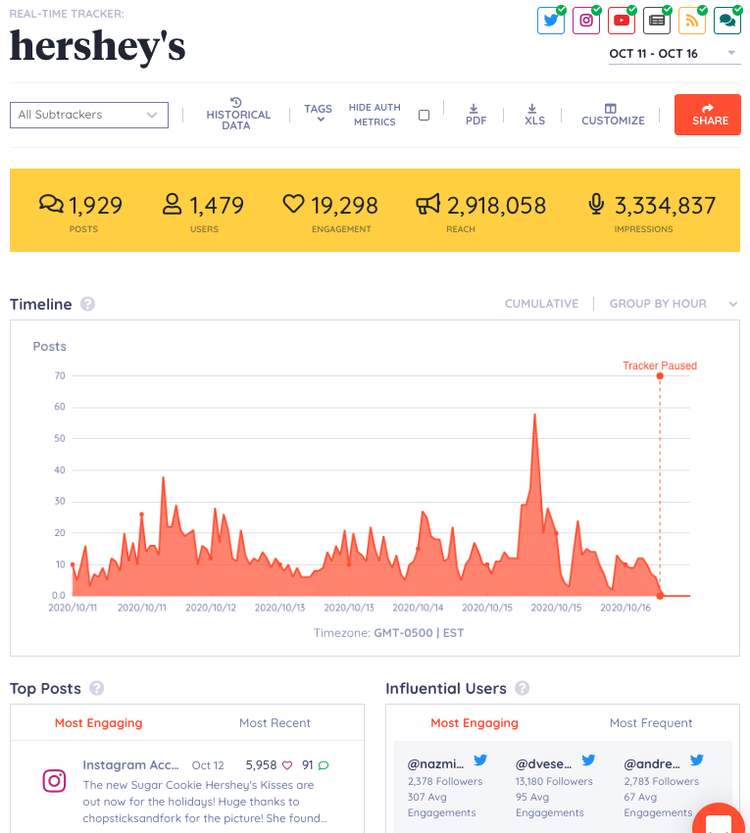
Social media analytics tools are software applications that extract actionable insights from social media data.
Including:
How many people engage with your posts
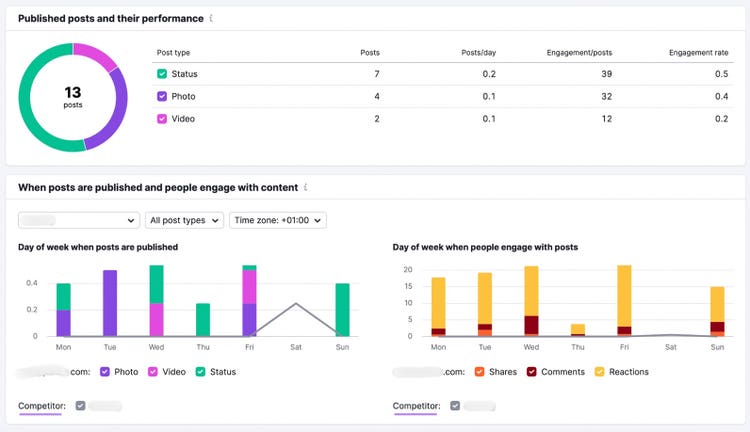
Which posting times are the most effective
Most popular post types
Over time, this data helps you understand which factors impact performance on various social media channels. Including audience behavior and preferences.
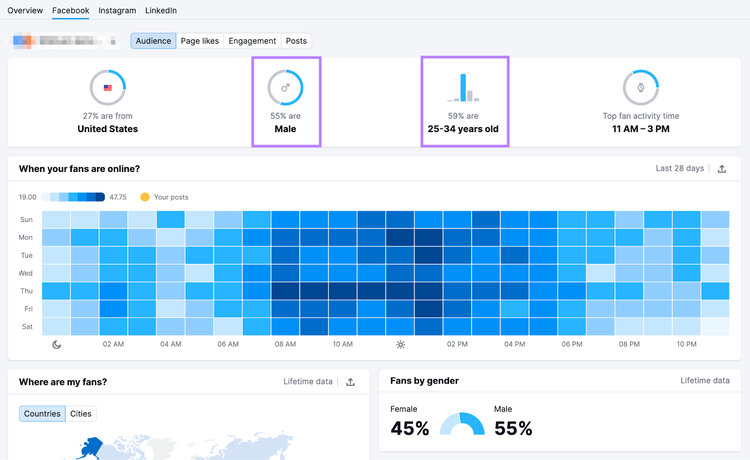
For example, Semrush’s Social Analytics tool tells you when your audience is likely to be online. Helping you drive more engagement.
It also provides demographic insights. Like audience age and gender.
Pro tip
Learn social media fundamentals in our free Social Media Marketing Crash Course. Including how to track competitor insights, develop audience insights, and more.
Why Use Social Media Analytics Tools?
Track Performance Metrics
Tracking performance metrics can help you understand which content and campaigns resonate with your audience. And why.
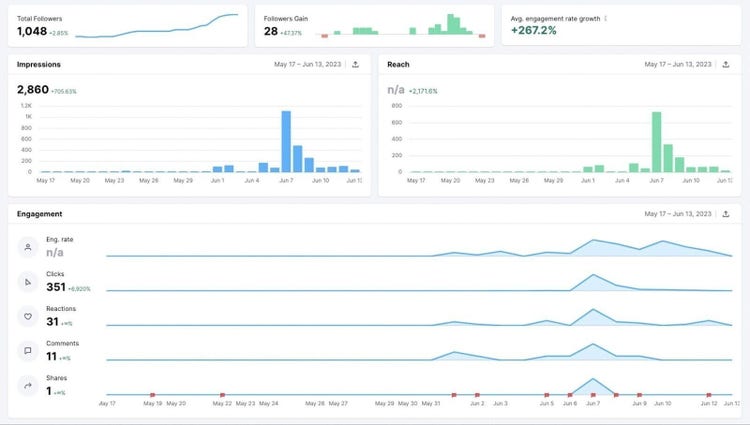
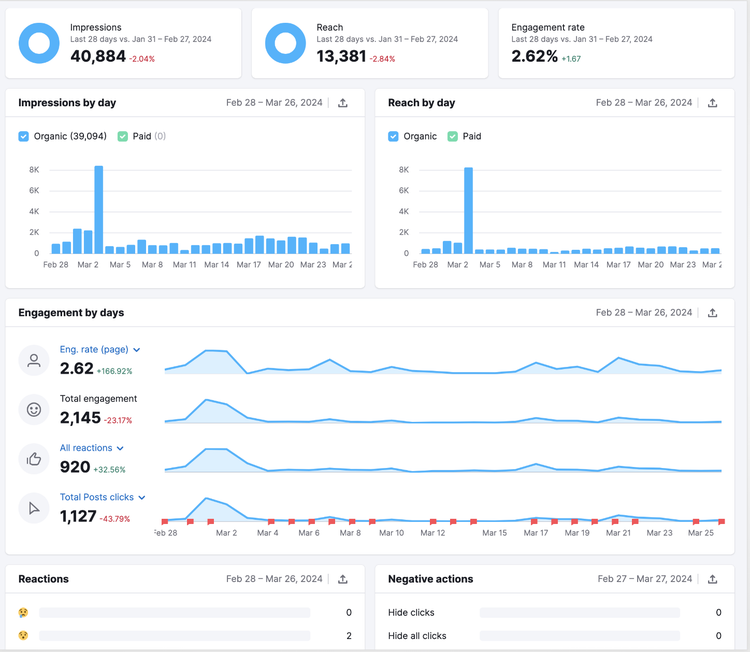
Social analytics tools track a variety of different metrics.
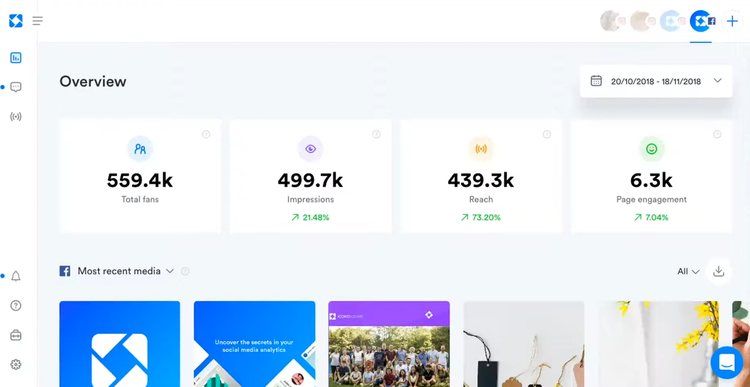
Followers: How many people follow you on Facebook, Instagram, LinkedIn, and more
Reach: How many unique users have seen your content
Impressions: How many times users view your content
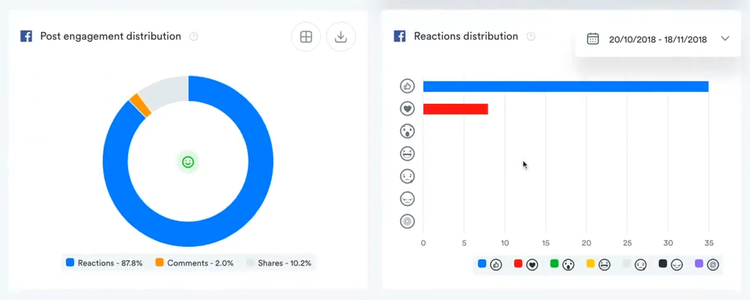
Total engagements: How many times people interacted with your content. Including clicks, likes, comments, shares, saves, or bookmarks.
Engagement rate: How much engagement your content received relative to how many times it was seen
Tracking these metrics is crucial to determining whether you’re meeting your social marketing goals. And whether you’re seeing a positive return on investment (ROI). Or return on ad spend (ROAS).
Social media analytics tools can help you save time. And streamline your workflows.
Along with built-in data analytics features, social analytics tools consolidate performance metrics into a single user interface.
This way, you don’t have to sign in to multiple platforms to analyze performance. Or compile reports.
Make Data-Driven Marketing Decisions
Many social media analytic tools use AI to identify patterns in your data. And offer recommendations to optimize your posts’ performance.
Including the best times to post. And which media types or formats get the most engagement.
This can help you make better decisions about resource allocation. And choose which social media channels to prioritize in your content marketing strategy.
For example, if Pinterest drives more traffic to your site than Instagram with the same budget, you might double down on Pinterest content.
Choosing the Right Social Media Analytics Tool
Before choosing your social media analytics tool, thoroughly research and compare features and limitations.
Take advantage of free trials to test and compare tools before you buy.
Goals
Ensure the tool supports your goals. For example, if your biggest following is on Instagram, ensure it works with that platform.
Ask yourself:
Does it support the specific channels you want to monitor?
Does it have the reporting capabilities you need?
Does it integrate with the other software and apps you use?
Which processes can it help you automate?
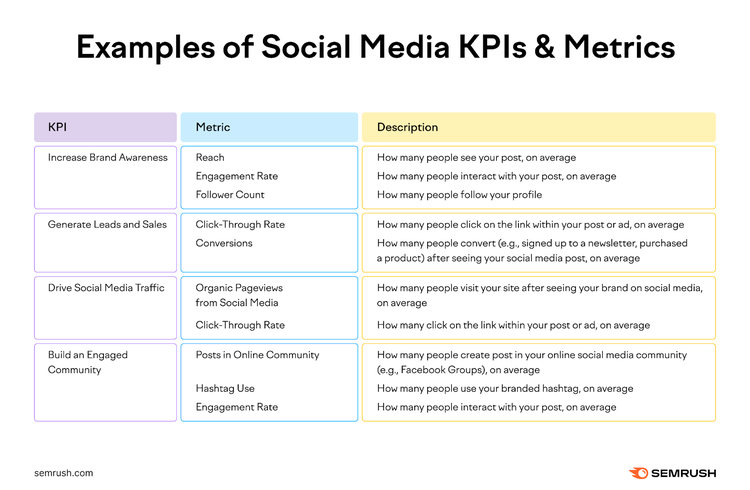
Does it track the specific key performance indicators (KPIs) and metrics you want to measure? Like reach, engagement rate, and conversions.
Budget
Some analytic tools are designed to support solopreneurs, freelancers, and small teams. And will have affordable pricing.
Others are designed for large teams and enterprises—and come with a price tag to match. Compare a few tools to ensure you find the right one for your needs and budget.
Compare each tool’s price and features
Consider plan usage limits
Decide how many users you need and select an appropriate plan
Look for hidden costs and cancellation fees
Check whether billing is monthly or annual. Consider annual pricing, as this drops the price for many tools.
Use free trials and discounts
Note
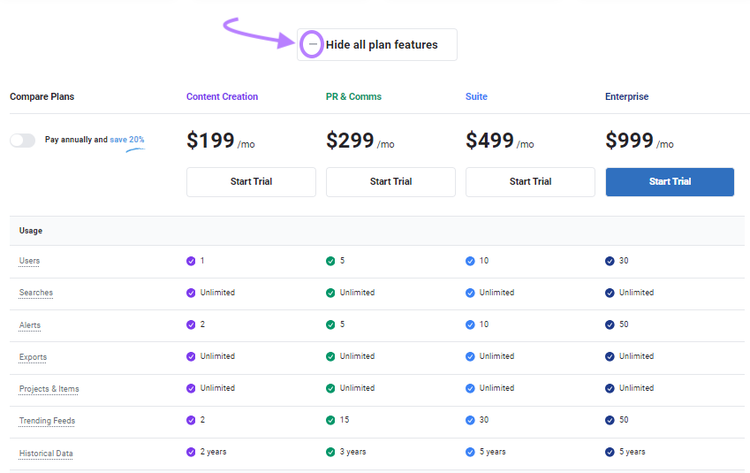
Many pricing pages have a drop-down you can select to see all features available across multiple plans. Use this function to compare capabilities and account limitations.
User-Friendliness
Don’t waste time dealing with complicated tools or dashboards. The best social media analytics tools automatically transform your data into intuitive visualizations. For strategic insights at a glance.
What to look for:
Intuitive and user-friendly user interface (UI)
Customer onboarding resources like how-to guides
Customer support availability and quality
Detailed and well-written product documentation
Ability to add custom branding
Automated reporting
Pro tip
Learn how to understand your target audience on social media and build long-term relationships in our free course: Building a Social Listening Program.
10 Best Social Media Analytics Tools in 2024
While most major social media platforms have their own native analytics feature, third-party analytics tools let you track and manage all (or most of) your social media channels in one place.
Below, we’ve listed 10 of the best.
1. Semrush Social
Semrush Social is a toolkit that has everything you need to manage and optimize your social media presence. From analyzing social media growth and competitor insights to tracking trends.
It’s perfect for small business owners, social media managers, and marketing teams looking to streamline social media with powerful analytics.
The various tools enable you to effectively grow and engage your online audience.
Social Analytics
The Social Analytics tool offers detailed reporting on your Facebook, Instagram, and LinkedIn pages.
Track and analyze the following:
Audience
Engagement
Engagement rate
Reach
Trends over time
Drill into individual social media posts’ performance metrics. For insights into why certain posts drive more engagement than others.
Social Tracker
Keep an eye on your competitors’ social media accounts with the Social Tracker tool.
Including:
Facebook
Instagram
YouTube
X
Pinterest
And compare how your social content performs against theirs.
Learn your competitors’ top-performing channels and analyze their most successful posts. For a better understanding of their social media strategy. And what their audience—and your audience—responds to.
Spot trending topics in your industry before others do. And create relevant posts your audience will love.
For example, imagine you're a small business owner of a local bakery. You use Social Tracker to analyze which types of competitor posts get the most engagement on Instagram and Facebook.
With insights from the tool, you discover that posts featuring special offers are the top performers. Now, you can tailor your content strategy to focus more on these high-engagement posts.
Driving more foot traffic to your bakery—and away from your competitors.
Social Poster
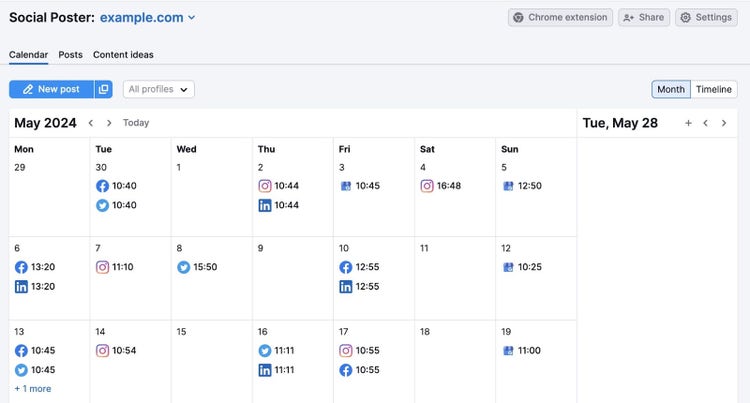
Use Social Poster to streamline your social media posting. Create all your posts in the same tool. And use the built-in content calendar to schedule them in advance.
Automatically publish your posts to multiple social media channels to create a consistent presence online.
Social Poster also has several time-saving features. Like a link shortener and UTM tracking code builder. Making it easy to track your posts’ performance.
Social Content Insights
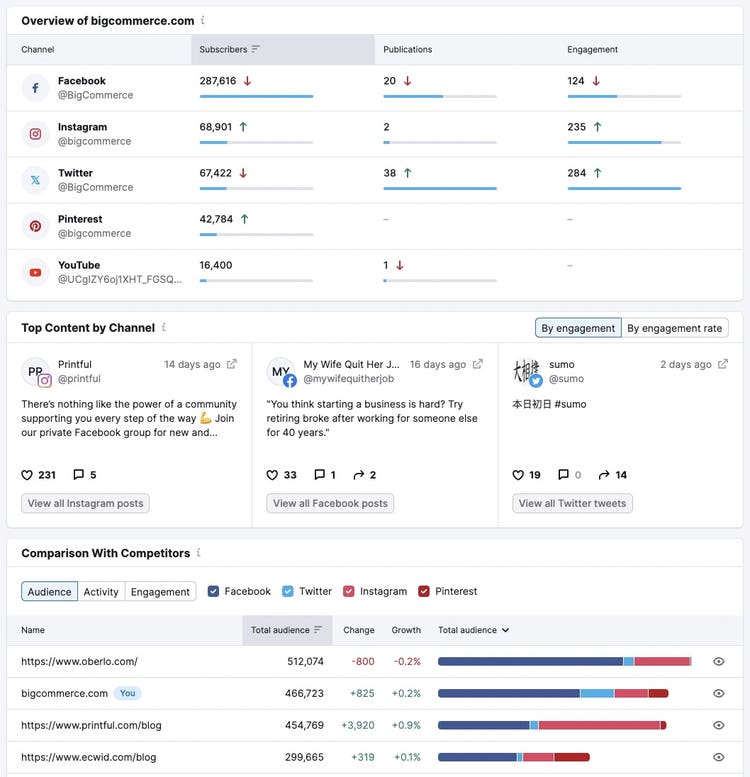
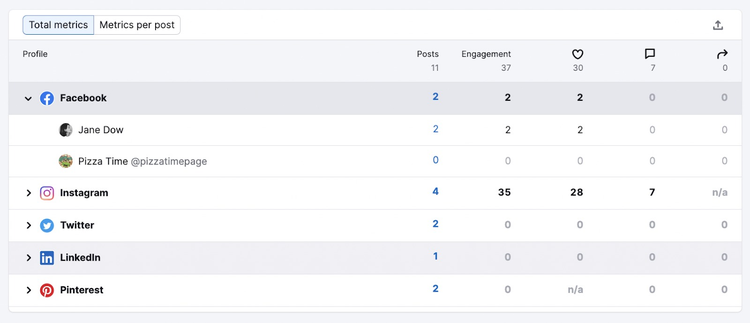
The Social Content Insights Tool enables you to measure and analyze your content’s performance across multiple social channels in a single dashboard.
The dashboard provides an overview of all your key metrics from all your social accounts in one place. Compare stats to see which accounts perform best. And decide which platforms to prioritize.
Check your stats in the Social Content Insights dashboard. To see your best-performing platforms and posts to guide your strategy.
Pricing
$20 per month. Includes all of the tools in the Semrush Social toolkit.
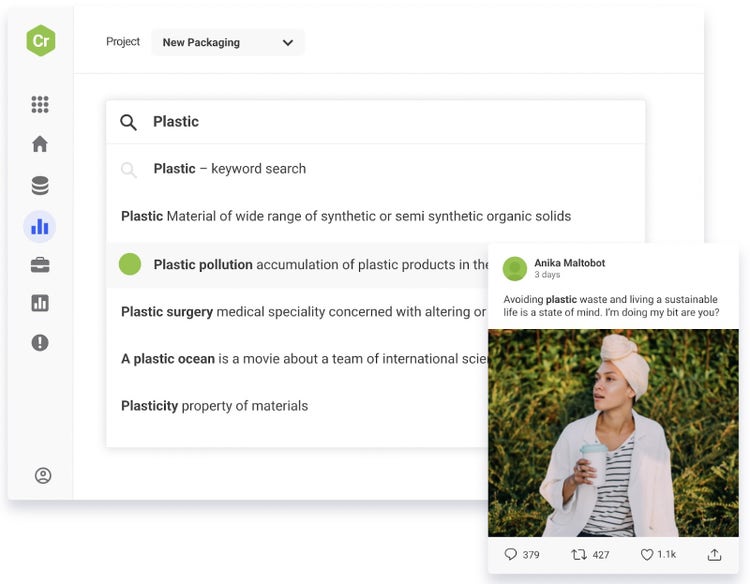
BuzzSumo is a content analysis tool that’s helpful for analyzing online trends. And planning social media content.
It’s ideal for content marketers and PR professionals who need deep insights into trending topics and influencer engagement. And want to create data-driven content strategies that resonate with their target audience.
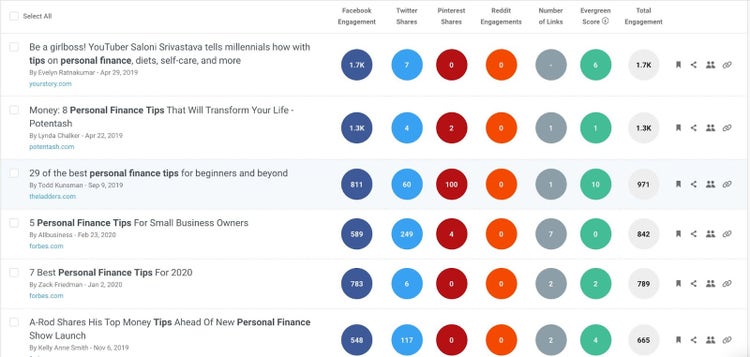
Compare content performance across social platforms
BuzzSumo offers insights into the most shared content for specific topics or sites. And your most popular content formats. Like how-to posts or infographics. Helping to refine your social strategy.
The tool also tracks brand mentions. And lets you benchmark competitor performance.
Create custom dashboards to track engagement on social posts
Monitor online brand mentions and proactively manage your reputation
Analyze content to understand the anatomy of a top-performing post
Track the performance of specific campaigns against competing content
Pricing
BuzzSumo starts at $199 per month for the Content Creation plan.
Additional plans are available, depending on your needs
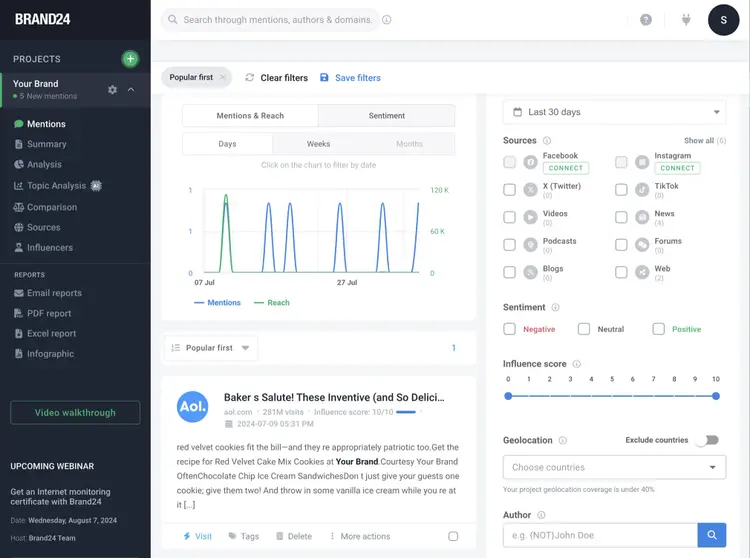
Brand24 tracks and analyzes multiple social media channels, including Facebook, Instagram, LinkedIn, YouTube, Twitter, TikTok, Reddit, Telegram, and Twitch.
With Brand24, you can:
Use advanced AI technology to analyze social media metrics for you and get social media statistics without manual effort
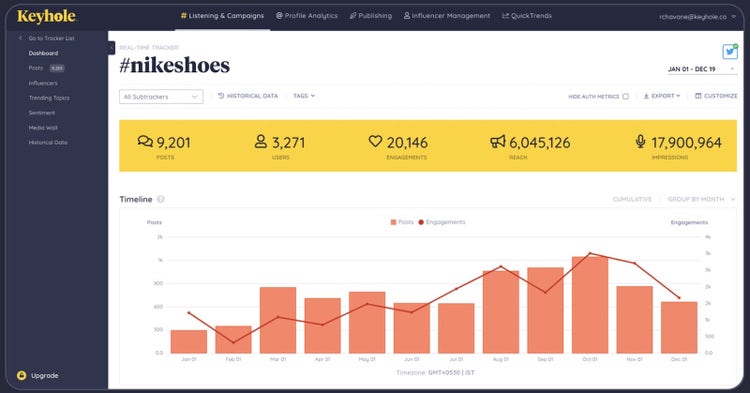
Evaluate the performance of your target keywords on Facebook, Twitter, Instagram, TikTok, and YouTube, including mention volume, social media reach, and sentiment analysis
Monitor engagement with social media posts, marketing campaigns, and mentions
Discover trending hashtags on Instagram and identify hot trends in your niche
Find out how often hashtags are used and how much awareness they generate.
Identify influencers for your brand to boost your social media presence through valuable collaborations
Compare your performance against competitors
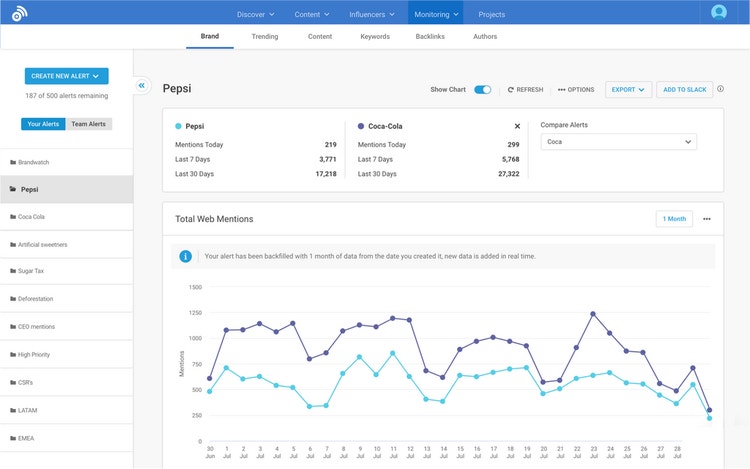
Brand24 allows you to track brand mentions in real time and create customized reports to suit your specific needs.
This makes it easier to extract and present data.
Pricing
Free 14-day trial
Starts at $99 per month, which includes one user, three monitored keywords, and basic AI features
4. Brandwatch
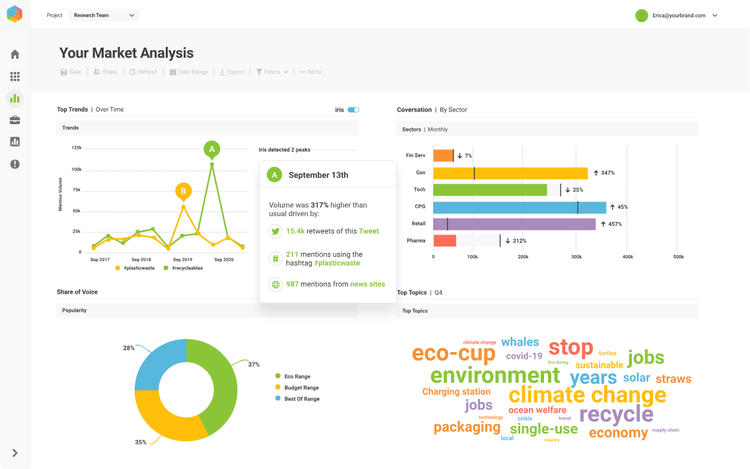
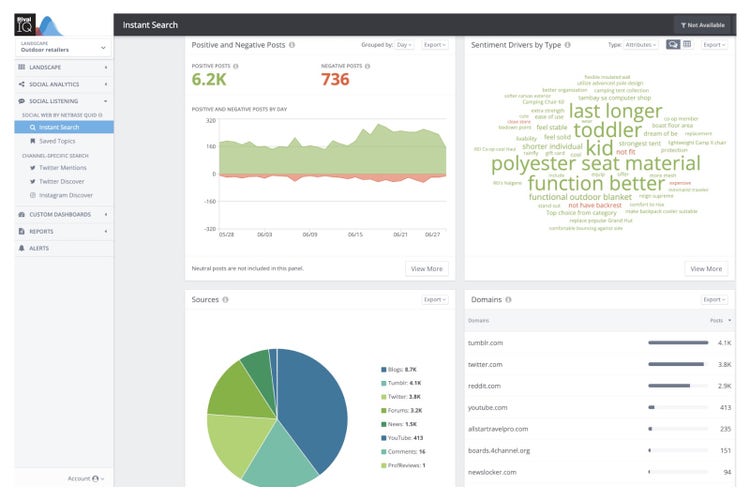
Brandwatch is known for its consumer intelligence capabilities. In addition to its social listening abilities, it offers robust social media management and influencer marketing features.
The tool is tailored to enterprise-level marketers and brand managers seeking comprehensive social listening and analytics capabilities.
For example, say you’re a marketing manager for a global fashion brand and use Brandwatch for comprehensive social listening.
You track conversations around your latest product launch to gauge public sentiment. And identify any emerging trends or potential PR issues.
This alerts you to a spike in positive mentions about a particular style of handbag on X and Instagram. Armed with this data, you amplify your marketing efforts around this product by collaborating with influencers. And capitalize on the positive buzz.
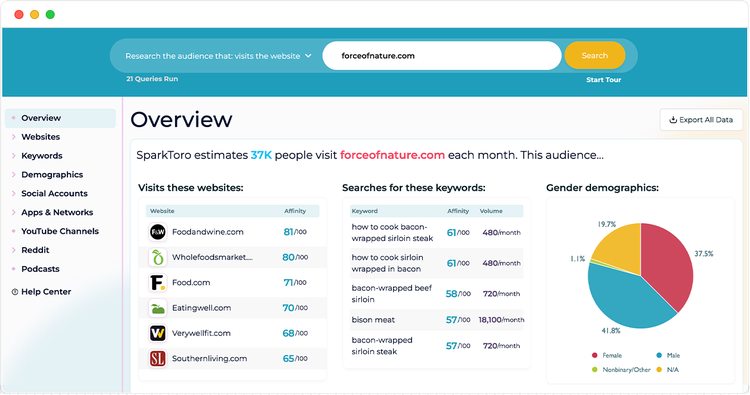
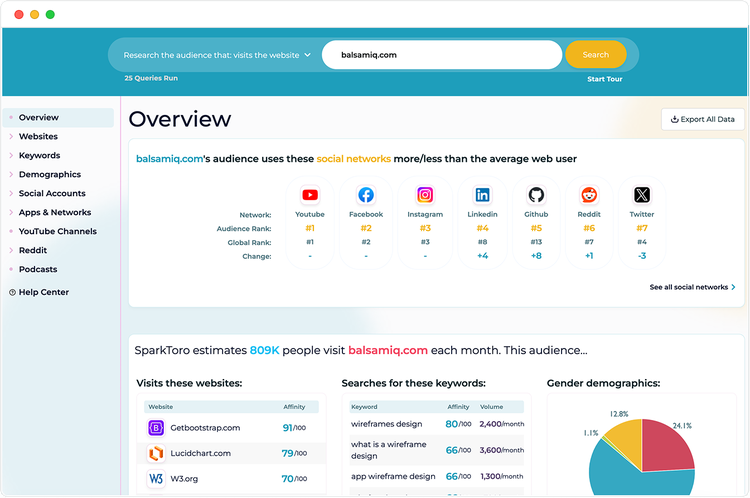
SparkToro is an audience intelligence tool that gathers data from social media sites and other online sources.
It’s best suited for marketers and small business owners who want to identify and understand their audience's online behavior and preferences.
The tool provides actionable insights for highly targeted and effective marketing campaigns and content. On the most impactful platforms relevant to your audience’s interests.
SparkToro can tell you which social networks your audience prefers. And which keywords audience members use in their search engine queries. It also gives you a breakdown of your audience’s demographics.
Data sources include social media profiles, podcasts, YouTube channels, websites, and more.
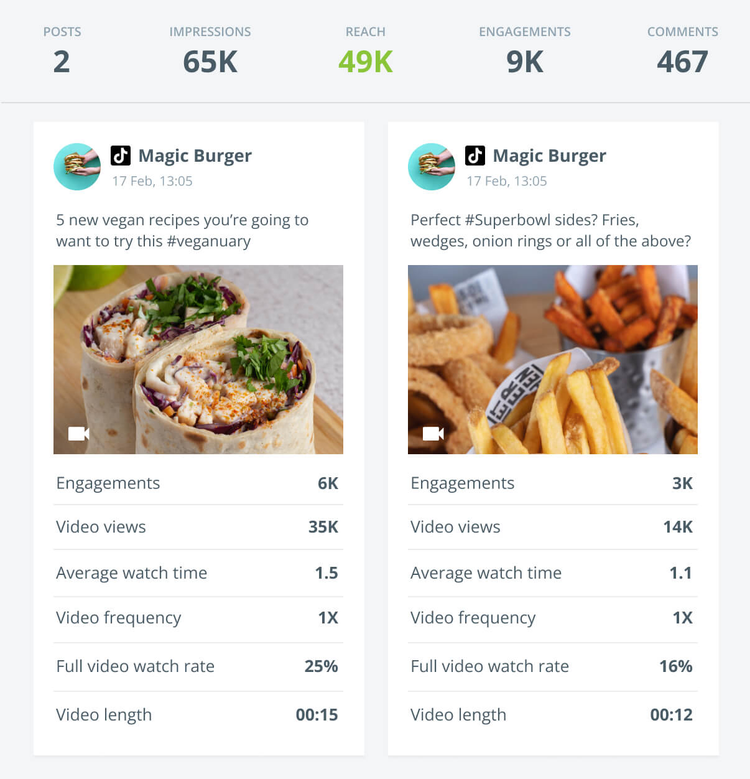
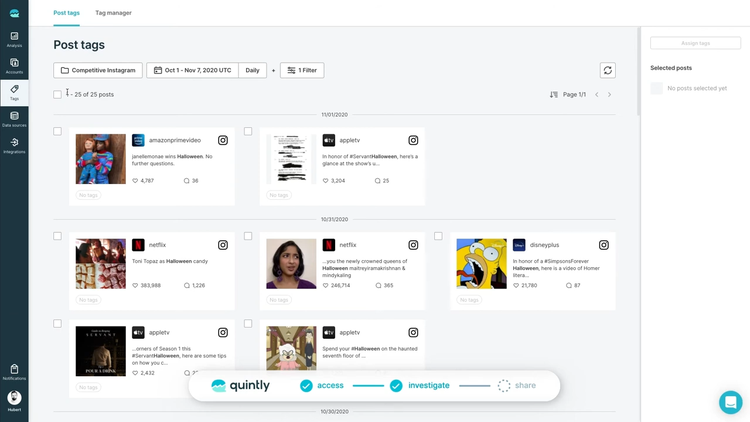
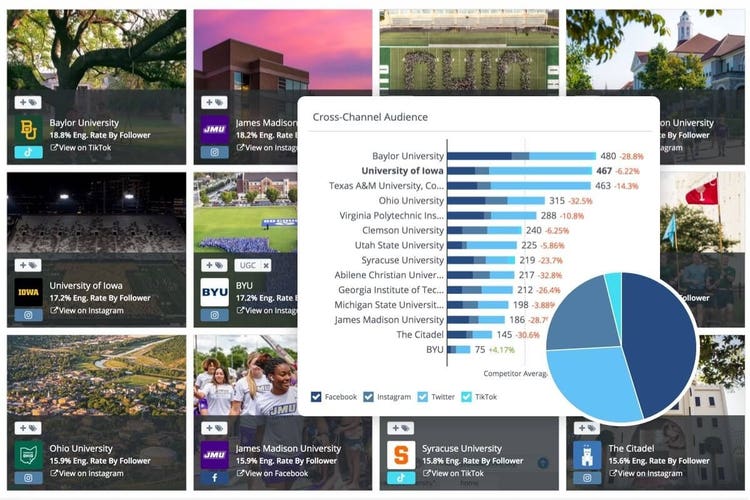
Facelift Data Studio (formerly known as Quintly) is a powerful social media analytics tool designed for enterprises.
This tool works well for large digital marketing teams who need to track hundreds (yes, hundreds) of social media accounts and profiles. And require advanced reporting and visualization tools to analyze social media performance.
It’s also one of the few tools that supports cross-network KPI and campaign tracking.
Facelift allows you to:
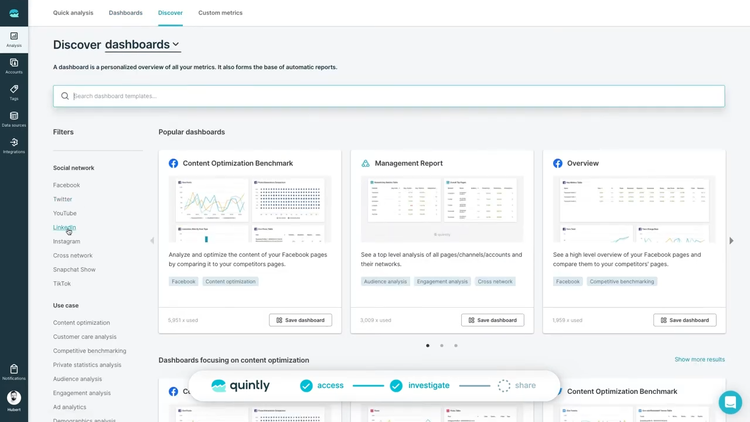
Create custom dashboards with a few clicks, using more than 500 metrics
Track and analyze hundreds of Facebook, Instagram, LinkedIn, TikTok, YouTube, X, and Snapchat profiles in one interface
Benchmark your performance against competitors. And track their profiles alongside your own.
The tool features advanced sentiment analysis, hashtag tracking, and audience segmentation. In addition to social engagement tracking and social listening.
Facelift Data Studio also has an API. Enabling you to plug the tool’s capabilities into your own applications.
Iconosquare is ideal for Instagram and Facebook marketers who need robust analytics and scheduling tools to optimize their social media strategy.
The tool provides in-depth performance insights and streamlined content management to boost your accounts’ engagement and growth.
For example, let’s say you’re a social media manager for a fitness influencer with a large following on Instagram. You use Iconosquare for insight into the best times to post. And to learn which content resonates most with your audience.
You find that workout videos posted in the early morning receive the highest engagement. While motivational quotes perform well in the evenings. This data helps you schedule your posts more effectively.
Additionally, customizable reports and dashboards make it easy to track key metrics. And demonstrate social ROI to stakeholders.
Pricing
Starts at $89 per month. Includes 10,000 social mentions, five trackers, and three users.
Additional plans are available depending on your needs
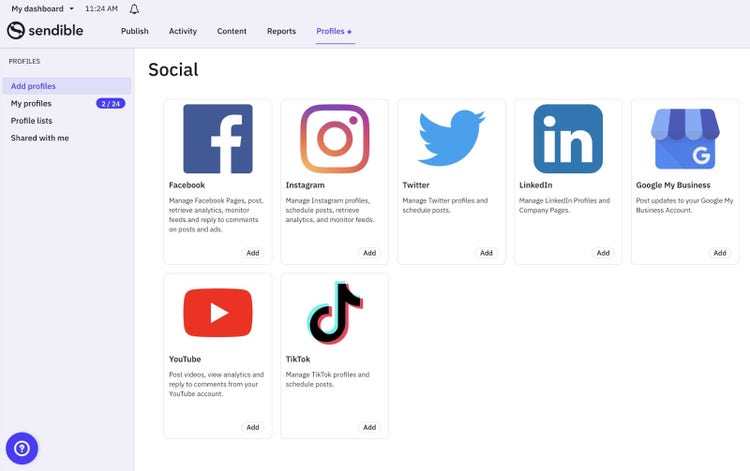
10. Sendible
Sendible is an all-in-one social media management tool with robust scheduling, analytics, and collaboration tools. To streamline your workflow. And deliver impactful results.
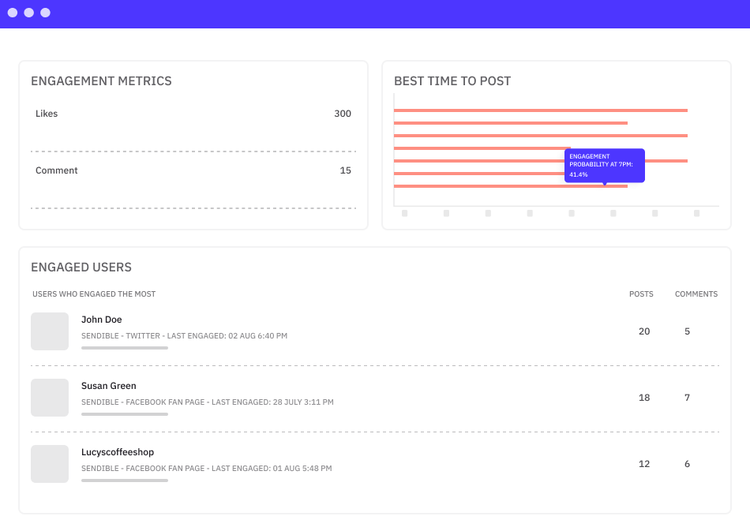
Use Sendible to identify your most engaged users. And start building relationships with your biggest fans.
Quickly generate detailed analytics reports using a drag-and-drop report builder.
Choose from more than 200 social media analytics modules. Rapidly brand, automate, and schedule reports to send to key stakeholders.
With multiple pricing plans, Sendible works well for everyone. From solopreneurs to large marketing teams.
Starts at $29 per month. Includes one user, six social profiles, monitoring, and reporting.
Additional plans are available depending on your needs
11. Google Analytics
While it’s not truly a social media analytics tool, Google Analytics lets you measure the impact of your social channels on your website’s traffic. And conversions.
Making it a valuable addition to your social media strategy.
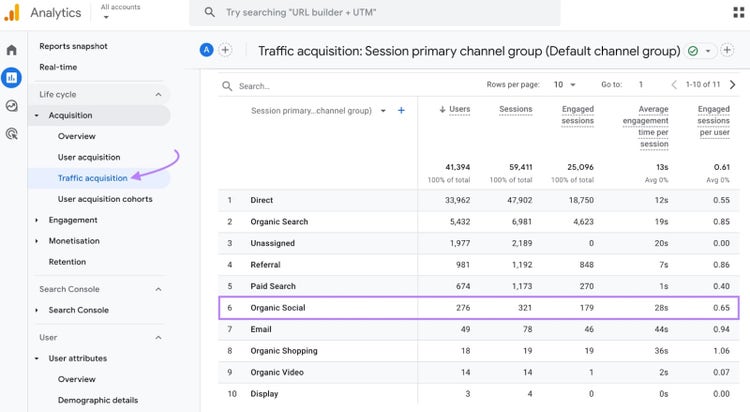
Open the “Traffic acquisition” report in Google Analytics. And scroll to “Organic Social” to see how much of your site traffic came from social media referrals.
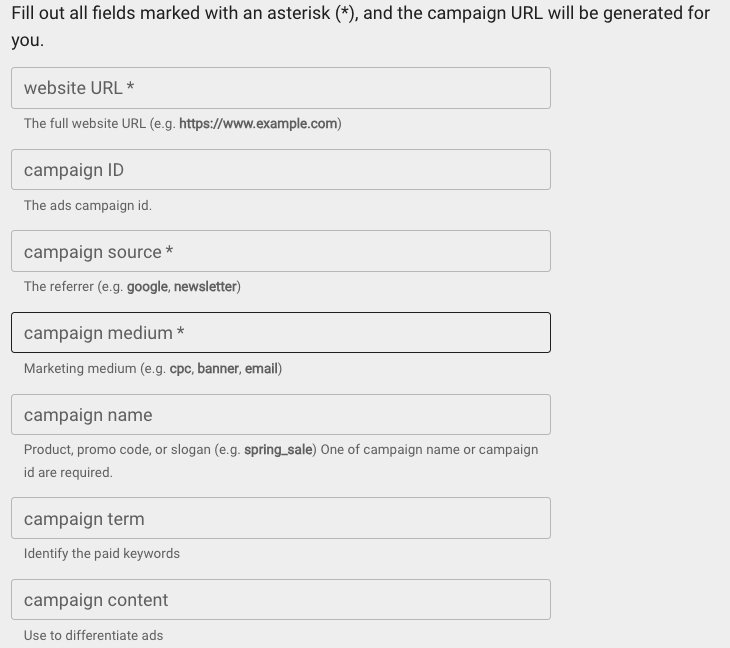
For in-depth social media data analytics in GA4, you’ll need to use UTM tracking codes in your social media posts and campaigns.
A UTM code is a code snippet at the end of a link URL that helps you identify where your site traffic came from. This means you can track all the clicks that came from that link separately from your other website traffic.
Note
UTM stands for Urchin Tracking Module—a holdover from Google Analytics’ precursor, Urchin Analytics.
UTM codes use UTM parameters to tell Google Analytics more about the link’s traffic source. These parameters help GA4 identify different marketing channels, campaigns, media types, or even specific keywords or pieces of content.
Use Google’s free custom URL builder to easily generate URLs containing UTM codes. Simply complete the form. And the resulting URL will contain your UTM parameters.
Pro tip
Learn more about creating and analyzing UTM codes. Including how to create effective parameters. In our step-by-step UTM code tutorial.
Pricing
Google Analytics is free to use.
Transform Social Media Data into Actionable Strategies
Social media analytics tools allow you to identify and analyze patterns over time. And get valuable insight into the factors influencing your content’s performance.
When you know whatworks, you can dig into the data to understand why it works. Use this knowledge to plan strategic social media campaigns that boost brand awareness, engagement, and conversions.
Semrush Social lets you analyze your social media content, audience, and competitors. So, you can create more effective content, amplify your results, and grow your brand.
Sydney has been creating content for over 10 years. She has been a writer, content manager and coordinator, editor, and strategist. At Semrush, she’s a blog editor who makes sure each article is as accurate, optimized, and helpful as possible.
Subscribe to learn more about Social Media
Subscribe
By clicking “Subscribe” you agree to Semrush Privacy Policy and consent to Semrush using your contact data for newsletter purposes
Share
Tells Google to show you more from Semrush in AI, Search, and Discover.