
13 Top Website Performance Tools for Site Owners
Website performance tools help keep your site running at optimal health. By automatically alerting you to potential issues before they can affect your rankings. Or user experience.
In this guide, we'll explore the best website performance testing tools to improve your site. From on-page optimization to technical SEO.
Benefits of Using Website Performance Tools for Site Owners
Enhances Search Engine Rankings
Website performance tools can measure your site's Core Web Vitals. Which are crucial user experience indicators that impact your SEO rankings.
Core Web Vitals consist of three metrics Google uses to assess the quality of a website's user experience:
- Largest Contentful Paint (LCP): Measures the time it takes for the largest content element on your page to load. Like a video or image.
- Interaction to Next Paint (INP): Evaluates a page's responsiveness to user inputs by measuring the time from a user's interaction to the page's response during their visit. Such as clicking a link. Or tapping a button.
- Cumulative Layout Shift (CLS): Gauges your site’s stability by measuring how often and how much page elements shift during loading
Run a free SEO audit to check your Core Web Vitals. For ongoing monitoring across your site, use Semrush Site Audit.
It also offers optimization tips, like eliminating render-blocking resources and reducing the impact of third-party code.
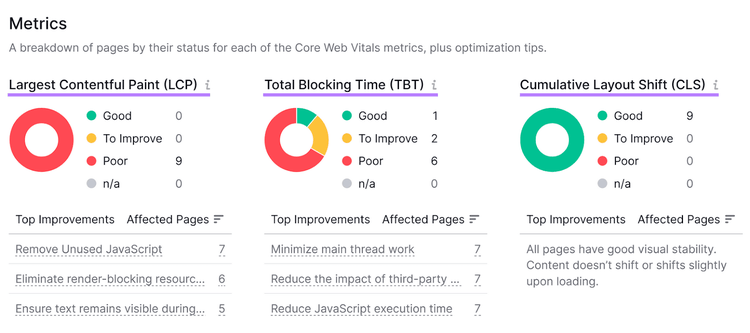
Note
Use the Total Blocking Time (TBT) metric to evaluate your website’s INP.
Improves User Experience
Website performance tools uncover issues that impact how visitors perceive and interact with your site. Including broken links. Slow-loading pages. And JavaScript errors.
Addressing these issues helps ensure your website offers a smooth, fast, and engaging experience.
Increases Website ROI
Visitors are more likely to purchase from a website that allows for fast and easy browsing.
According to Portent, the average conversion rate of ecommerce websites with a 1 second page load speed is almost 40%.
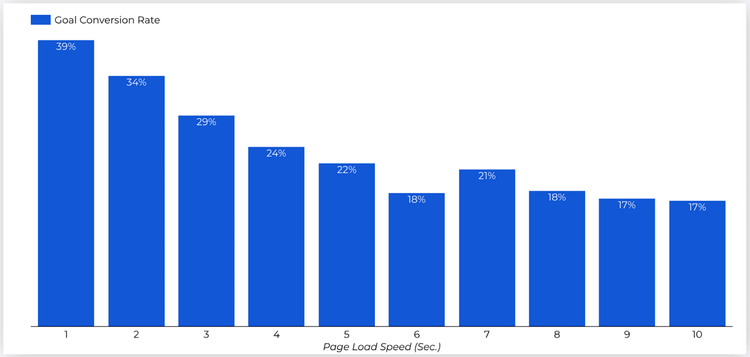
Image Source: Portent
Website performance tools provide recommendations for minimizing load times. And improving overall site responsiveness. This can result in higher conversion rates. Because visitors will face fewer barriers to complete a purchase. Or sign up for a service.
Optimizes Crawl Budget
Optimizing your crawl budget can help search engines efficiently index your website's important pages.
A crawl budget is a limit set by search engines based on a website's importance and the resources required to crawl that site.
A website performance test helps you optimize your crawl budget by:
- Testing the page load speed
- Checking for duplicate content
- Evaluating your internal linking structure
Address these performance issues to ensure search engine bots can efficiently crawl and index your site. This approach can improve your online visibility. And search engine ranking.
The Best 13 Website Performance Tools for Site Owners
1. Google PageSpeed Insights
Google PageSpeed Insights (PSI) comprehensively analyzes your site's speed and usability on desktop and mobile devices.
Enter your website’s URL in the search box, and hit the “Analyze” button to get a website performance report.
The report looks like this:
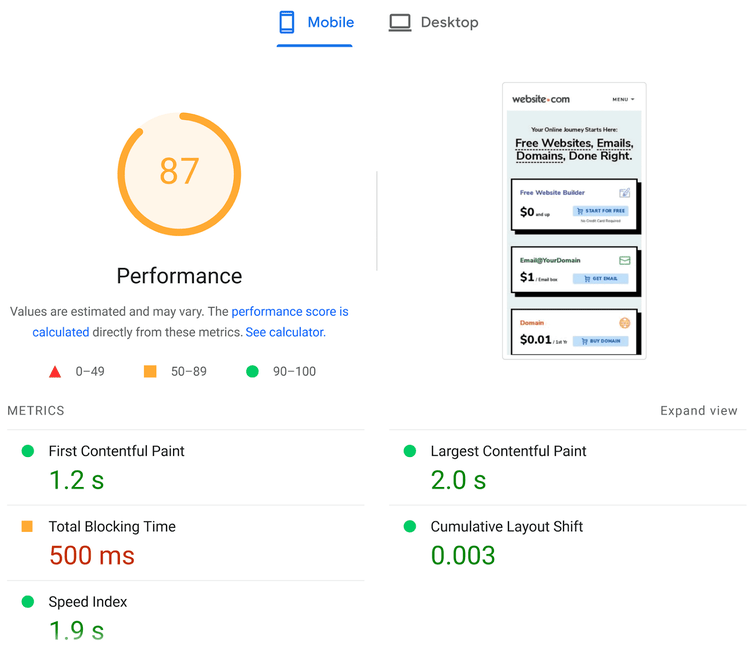
Google PageSpeed Insights key features include:
- Performance scoring: Your PSI score ranges from zero to 100 based on your site's speed. And user experience. It includes detailed insights into how PSI calculates the performance score.
- Actionable recommendations: Suggestions to improve your website's performance. From optimizing images to reducing server response times.
- Real user data analysis: Google PageSpeed Insights uses the Chrome User Experience Report data to offer insights into how users experience your website across different devices.
Google PageSpeed Insights also helps test your site's Core Web Vitals metrics. Follow its recommendations to improve your site’s load speed and user experience. To help increase your search engine rankings.
Pricing: Free
2. Google Search Console
Google Search Console (GSC) helps you monitor your website's visibility in Google’s search engine result pages (SERPs).
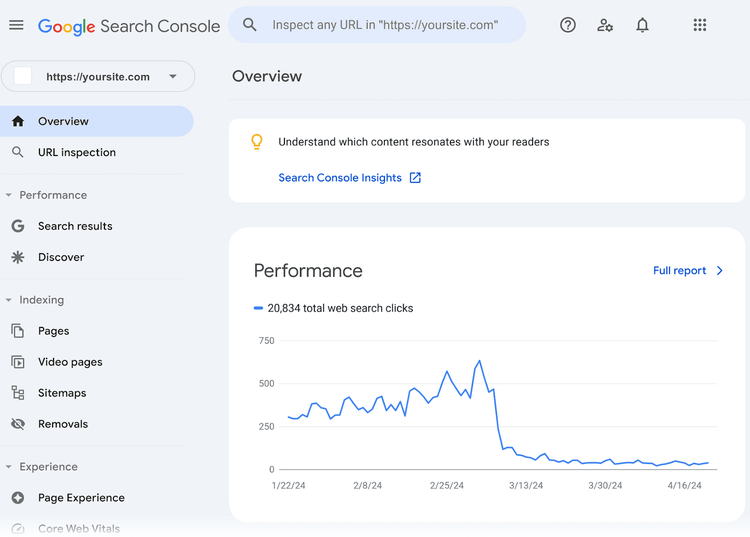
GSC offers the following features:
- Search performance analysis: GSC provides detailed reports on your website's performance in Google’s SERPs. And marketing key performance indicators (KPIs). Like impressions, click-through rates (CTR), and position.
- Index coverage: GSC alerts you when it detects issues that might prevent Google from indexing your pages. Such as errors and warnings. It also shows successfully indexed pages.
- Enhancements: GSC offers insights into various improvements to your site's user experience. Such as mobile usability, Core Web Vitals, and structured data.
Use GSC to understand how your website performs in Google Search. And troubleshoot issues affecting visibility. Addressing these issues can help you improve your website’s SEO. And drive more organic traffic.
Pricing: Free but requires a Google account
Further reading: Read our ultimate guide on Google Search Console to learn how to set the tool up and increase your search rankings.
3. Semrush
Semrush’s suite of user-friendly website performance tools enables you to audit site performance, track rankings, and discover SEO opportunities.
These three tools will help you identify issues and optimize your website content:
- SEO Audit: Identify issues affecting your website’s performance. From duplicate content to large HTML page sizes. Get detailed reports with actionable insights to optimize your website’s performance.
- Position Tracking: Monitor your website's keyword rankings with daily updates. Track how well your site performs in search results for targeted keywords. And get valuable data like historical rankings and landing pages to refine your content strategy. And improve your search visibility.
- On Page SEO Checker: Get recommendations to optimize your webpages' content and technical SEO. Including avoiding keyword stuffing, incorporating related keywords to boost relevance, and updating titles and meta descriptions.
Pro tip
Semrush has over 55+ tools, from SEO to content. View our features guide to learn more about each tool.
For example, use the Site Audit tool to measure your website’s performance. And resolve technical issues.
Here’s how:
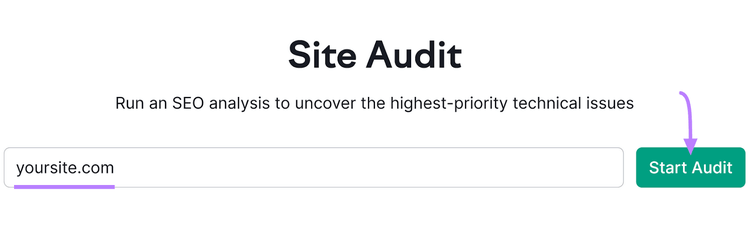
Navigate to Site Audit in Semrush. Enter your domain URL in the box and click “Start Audit.”
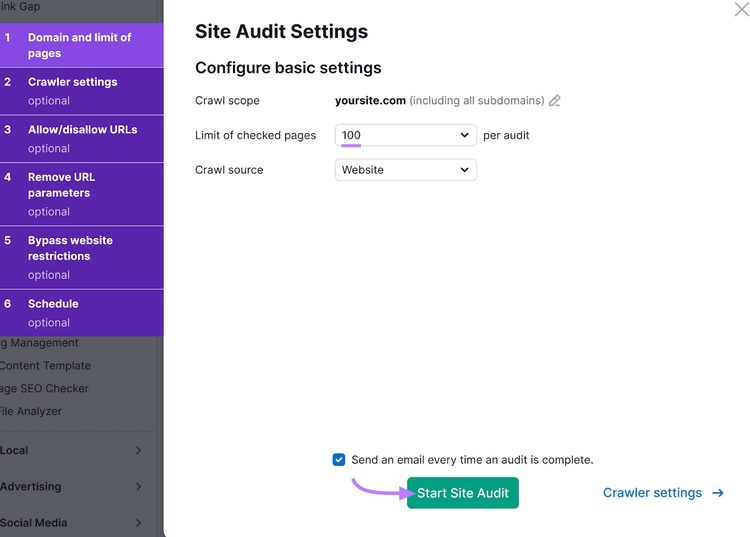
Configure Site Audit according to your preferences and plan. For example, your subscription level determines the number of pages you can check per audit per month.
After you finish setting your project up, click “Start Site Audit.”
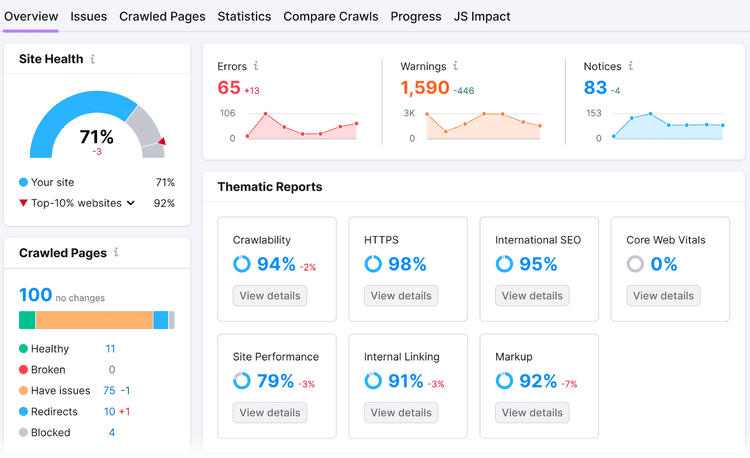
The Site Audit overview report looks like this:
Dive into your website’s performance in specific areas by clicking the “View details” buttons on the tabs under “Thematic Reports.”
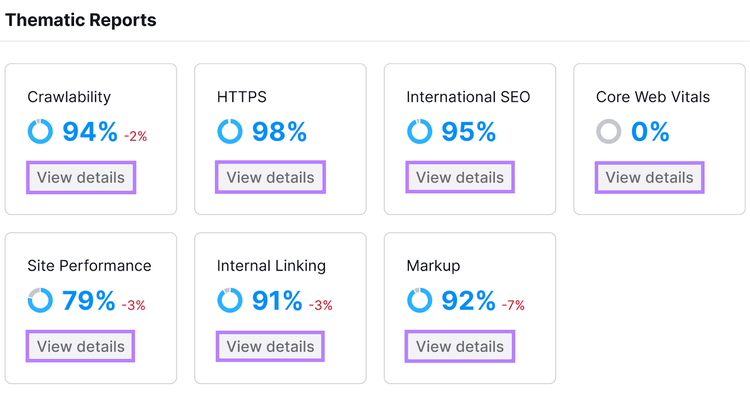
For example, in the “Site Performance” report, you'll find the speed-related issues.
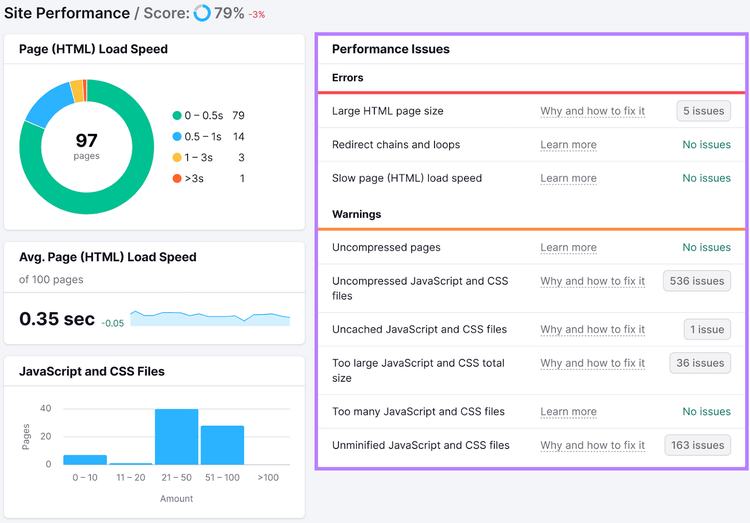
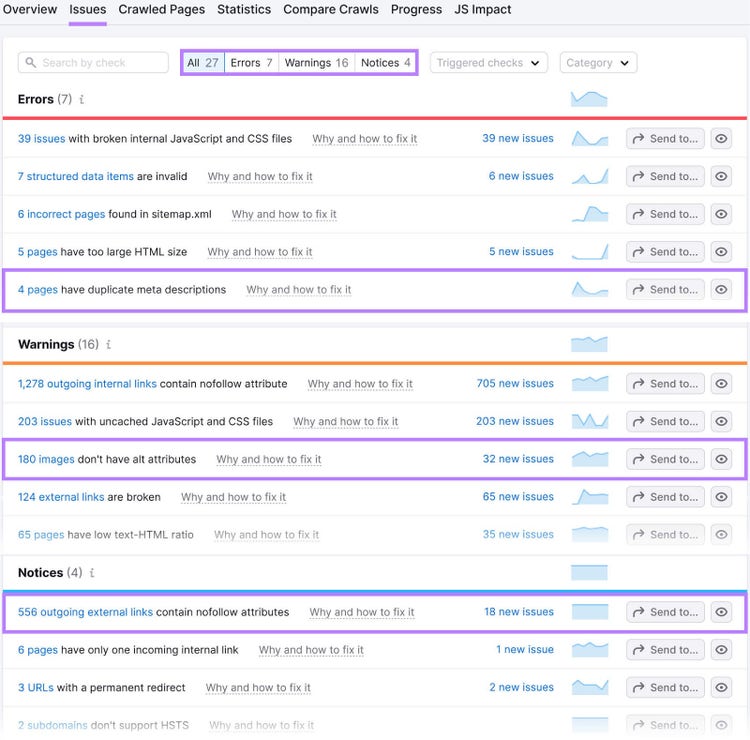
Navigate to the “Issues” report for a comprehensive list. This website performance report categorizes issues as errors, warnings, and notices, with differing levels of severity.
- Errors: The most severe issues SIte Audit found on your page. And the most important to fix. Like pages with duplicate meta descriptions.
- Warnings: Issues with medium severity. For example, images without alt attributes.
- Notices: These are not considered “issues.” But fixing them can help your website’s performance. For example, outgoing external links with nofollow attributes.
Click “Why and how to fix it” next to any issue or warning to learn more about it. And how to resolve it.
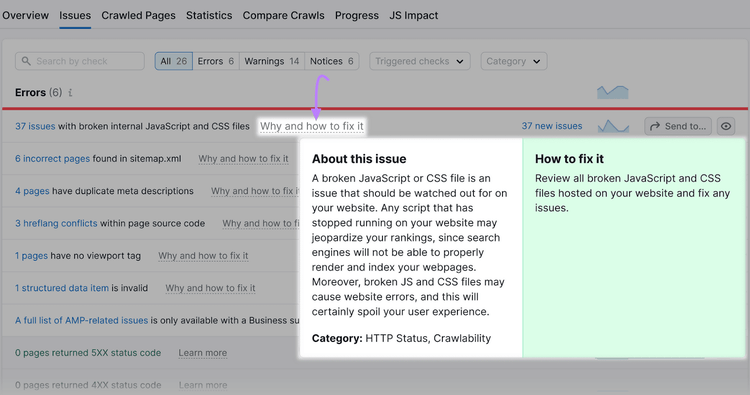
Implement these recommendations to help increase your website’s performance.
Pricing: Starts at $139.95+ per month for five projects, 500 keywords to track, and 10,000 results per report. Limited free plan and seven day trial available.
Find and Fix Website Performance Issues
with the Site Audit Tool
4. GTmetrix
GTmetrix is one of the best website speed test tools. It helps you analyze and improve web performance by diagnosing speed issues. And identifies opportunities for website optimization.
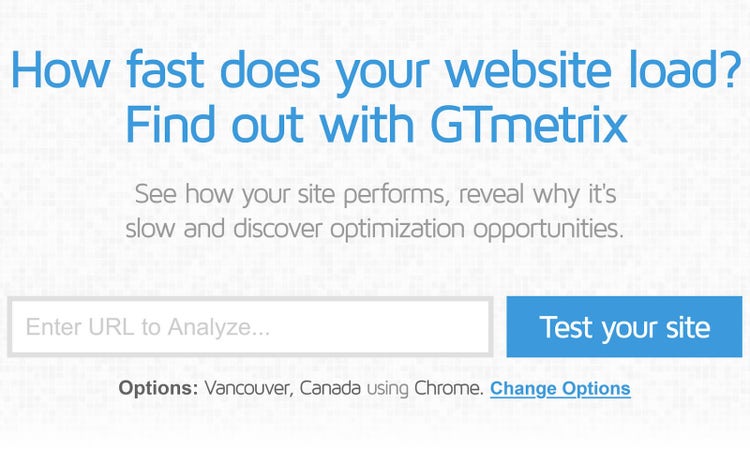
GTmetrix’s features include:
- Comprehensive performance analysis: GTmetrix assesses Core Web Vitals metrics and Google Lighthouse scores to give you a well-rounded view of your site's performance. Like accessibility,
- Speed visualization: Offers a unique visual representation of the order in which elements of your webpage loads. And explains how each one affects overall speed.
- Optimization opportunities: The tool pinpoints where you can speed up your site. Like shrinking large images. Or optimizing inefficient JavaScript and CSS files.
- Structure audits: GTmetrix evaluates your page against modern best practices. Like using compressed files and browser caching for optimized delivery.
Pricing: Starts at $5 per month for 25 weekly on-demand tests for one page. Basic free plan available.
5. Pingdom
Pingdom monitors your website in real time to provide valuable insights. From your site's uptime and speed to visitor interactions.
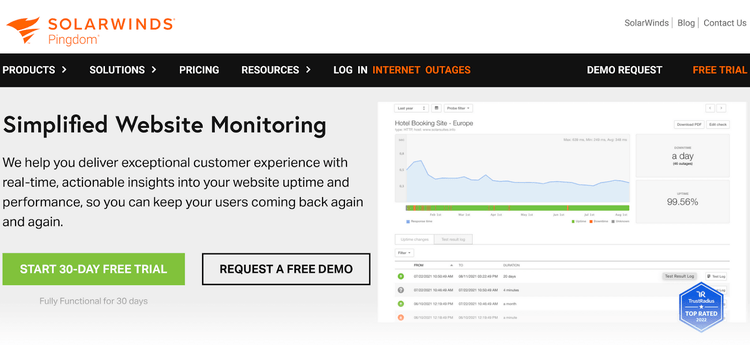
Key features include:
- Synthetic monitoring: Simulate user interactions to check key page functionalities. And user flows. This includes uptime monitoring from over 100 global locations. And detailed analysis to identify slow-loading elements.
- Transaction monitoring: Test a variety of user actions to ensure every step functions smoothly. From account signup to checkout processes.
- Real user monitoring (RUM): RUM provides insights into how visitors experience your site in real time. Discover how users navigate your site. Including which pages they visit most often. And where they may encounter issues. You can also identify differences in page load times and responsiveness. Across different browsers, devices, and geographic locations.
Pricing: Synthetic Monitoring and RUM are sold separately. Starts at $15 per tool, per month. 30-day free trial available.
6. WebPageTest
Catchpoint’s WebPageTest is a robust tool that examines your site's technical elements. It allows site owners to simulate and analyze the user experience across various conditions. Like location, browser, and network speed.
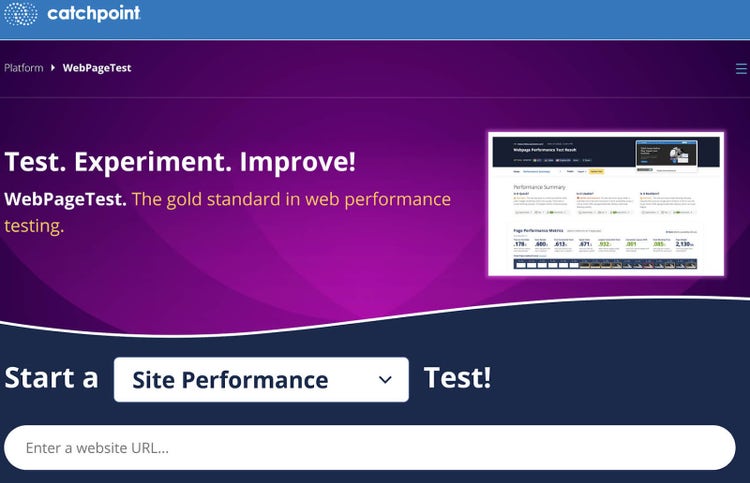
WebPageTest’s key features include:
- Global testing: Understand how different location, devices, and browsers affect your website’s load times. And user experience.
- Synthetic browser testing: Gain a comprehensive picture by testing from various browsers, viewports, and network speeds. To simulate diverse user environments.
- Real user monitoring: Use RUM to gain precise insights into how real visitors interact with your website. To optimize key performance metrics like user retention. And bounce rates.
- Automated testing: Schedule automated tests with different parameters to continuously monitor your site’s performance. And receive real-time alerts for issues.
- AI-powered dashboards: Use Catchpoint’s AI-driven smartboards and dashboards for an overview of your website’s performance trends. To facilitate easier debugging of issues.
- Developer tools: See detailed waterfall charts (which show how each part of your page loads step by step). And frame-by-frame breakdowns to visualize how smoothly your site runs.
Pricing: Starts at $18.75 monthly for up to 1,000 monthly test runs and 40 locations. The free plan allows you to run up to 300 tests monthly and choose from 30 locations.
7. YSlow
YSlow is an open-source tool that analyzes webpages based on Yahoo!’s rules for web performance. It evaluates a website's performance by assessing its page speed and offering actionable recommendations.
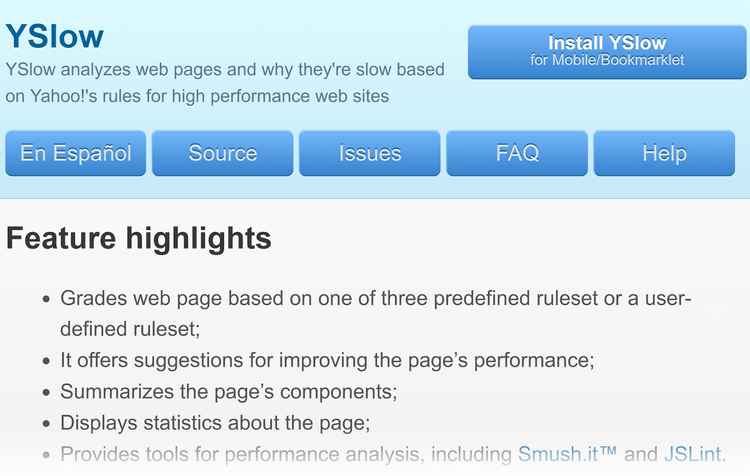
Key features:
- Comprehensive analysis: YSlow examines all elements of your webpage, including JavaScript dynamic content. To evaluate your site's overall performance.
- Performance grading: Grades your website based on predefined or user-defined rulesets like minimizing HTTP requests and removing duplicate scripts. To highlight your site’s strengths. And pinpoint areas for improvement.
- Actionable suggestions: YSlow offers tailored suggestions to help to boost your page's efficiency. Such as using image optimization tools to reduce file sizes. And conducting code quality checks.
- Detailed statistics: The tool provides detailed statistics and summarizes your webpage's components. Giving you a clear picture of what makes up your site. And how it performs.
Pricing: YSlow is a free extension for Chrome, Firefox, Opera, and Safari browsers. It’s also compatible with PhantomJS and Node.js
8. Speed Analysis
Contentsquare’s Speed Analysis (formerly Dareboost) is a speed test tool that assesses your website's functionality. And offers insights into how performance impacts user experience and business outcomes.
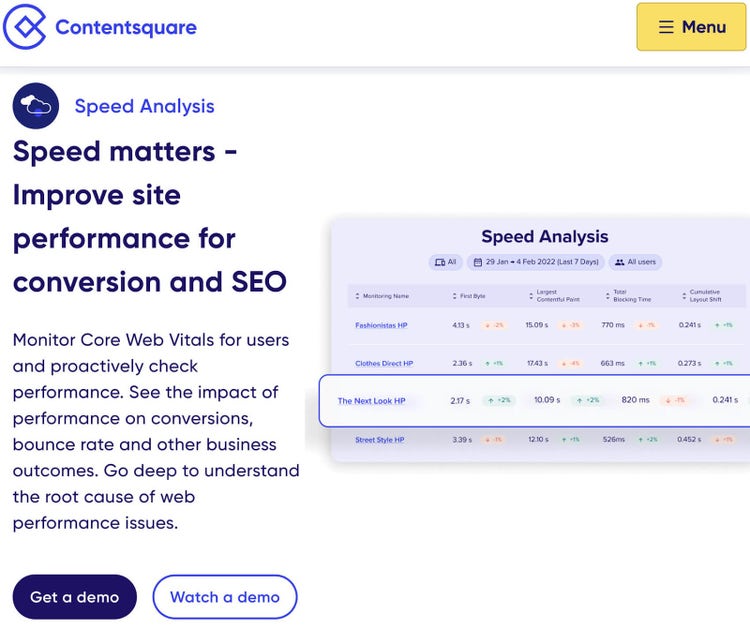
Key features:
- Real user monitoring: Track Core Web Vitals like how fast pages load and become interactive. To show you what visitors experience on your site.
- Synthetic monitoring: This feature tests how your site works on different devices and locations globally
- Impact quantification: Find out how your site's speed influences important business outcomes. Such as how often visitors leave your site quickly. And how often they complete a desired action. Like a purchase.
- Actionable recommendations: Get clear, prioritized advice on how to enhance your website’s performance. Like improving search engine visibility and accessibility. And optimizing how quickly your site renders on different browsers.
- Timeline/waterfall analysis: Examine a detailed breakdown of how each element on your page loads. Such as scripts, images, and media. This insight is essential for identifying and fixing bottlenecks to boost your site's search engine ranking and user experience.
Pricing: Contentsquare's pricing model depends on your website’s monthly pageviews. Contact their sales team for detailed pricing information based on your site’s needs.
9. Site24x7
Zoho’s ManageEngine Site24x7 web monitoring package can monitor websites every 30 seconds from over 130 locations worldwide. This frequent and widespread testing helps you understand if your website is accessible. And performing well for users. To minimize delays or disruptions.
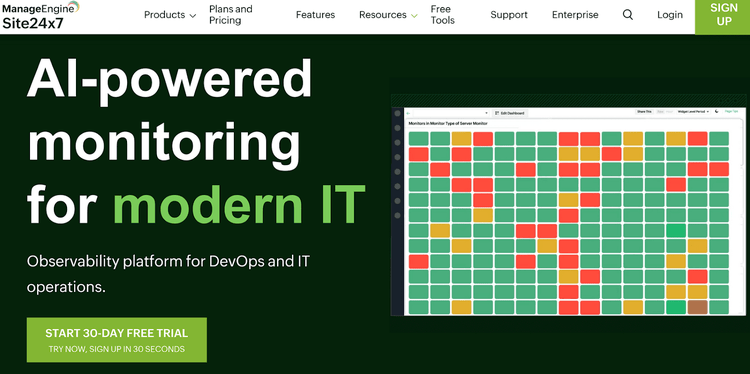
Key features:
- Global website monitoring: Site24x7 checks if your website is up and running every few seconds from 130 cities worldwide. Get alerts about issues before users notice a thing.
- Real browser rendering: Loads your website in browsers to track how fast each part renders. This helps pinpoint and fix slow-loading elements.
- Synthetic and real user monitoring: Tests how well key parts of your site work and tracks what real visitors experience. For a complete view of your site's performance.
- Diverse endpoint monitoring: Keeps an eye on various technical services like APIs, email servers, and network ports. To ensure they all run smoothly.
- Network performance: Monitors how well your site performs on different mobile networks, like 3G, 4G, and 5G. This helps you understand mobile user experiences on your website.
Pricing: Site24x7’s web monitoring starts at $39 per month for 40 basic monitoring resources. And up to eight locations. 30-day trial available.
10. Uptrends
Uptrends provides a global view of your website's uptime, speed, and overall health from 233 locations around the world. It provides detailed insights into what may be slowing down your site by monitoring Core Web Vitals. And other crucial web performance metrics.

Key features:
- Web performance monitoring: Tracks how quickly each part of your website loads using popular browsers. Like Chrome and Edge.
- Synthetic and API monitoring: Tests how well your website, applications, and interfaces work by simulating real user interactions
- Digital experience monitoring: Combine synthetic monitoring with RUM for a holistic view of your website's performance, tailored to real user behavior and technology use
- Bandwidth throttling: Simulates various internet speeds to see how your site performs under different conditions
- Error snapshots: Captures what users see when they encounter problems to help you understand and fix issues
- Interactive charts: Provides detailed, easy-to-read charts for a deeper analysis of your site’s data
Pricing: Starts at $100 per month for core functionalities, one year historical data, and 30-day saved logs. 30-day trial available.
11. New Relic
New Relic is a cloud-based observability platform that offers website performance monitoring among its suite of tools. This platform simplifies web performance to help you catch site outages quickly. And resolve issues faster.
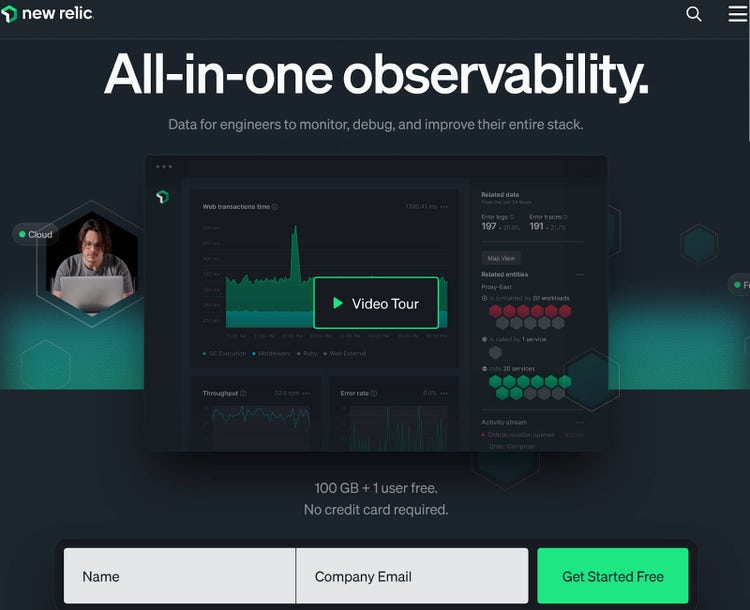
Key features:
- Active monitoring: New Relic lets you identify and fix issues before your customers notice. Its active monitoring capabilities ensure you're always one step ahead of outages. Or performance dips.
- Benchmarking web vitals: Easily compare your site’s performance against industry standards. To identify underperforming pages quickly and efficiently.
- No-code solution: This turn-key solution requires no code to track webpage performance. Simply enter your URL once, and New Relic will do the rest.
- Troubleshooting and recommendations: Access a dashboard with crucial metrics. Including Google’s Core Web Vitals. And receive explanations and best-practices recommendations to improve your UX and SEO.
Pricing: Free monthly monitoring for up to 500 performance checks. Pay $418.80 per month to increase this limit to 1,000,000.
12. Apache JMeter
Apache JMeter is open-source software for testing web applications. It's a 100% Java-based application that excels in load testing. And measures the functional behavior of applications.
Key features:
- Versatile testing: JMeter can perform performance testing on static and dynamic resources. These resources include web applications across different languages and frameworks. Including Java, NodeJS, PHP, ASP.NET) and SOAP/REST web services.
- Dynamic reports: JMeter provides comprehensive dynamic HTML reports ready for presentation
- Data extraction and correlation: Supports easy correlation with the ability to extract data from popular response formats. Like HTML, JSON, and XML.
- High extensibility: The tool is highly extensible through pluggable samplers, scriptable samplers (compatible with JSR223 languages like Groovy and BeanShell), and customizable data analysis and visualization plugins.
Pricing: Apache JMeter is free to use.
13. Crazy Egg
The Crazy Egg app is a CRO tool that combines behavior insights, testing, and feedback to show how people interact with a website. So you can improve conversions across the full user journey.
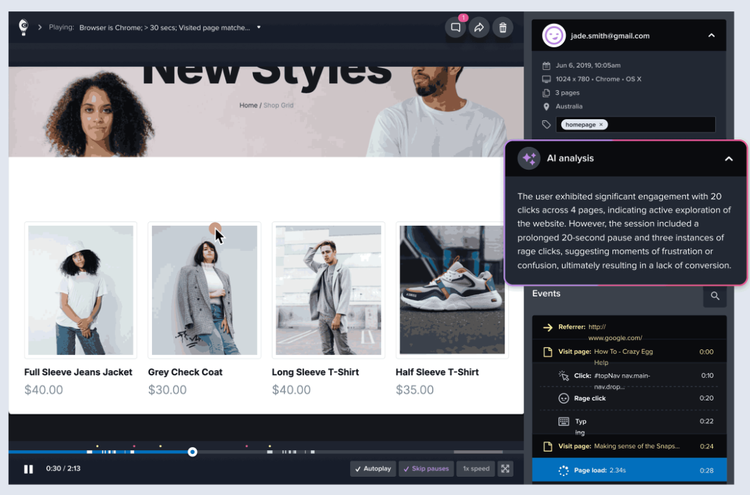
The Crazy Egg app reveals what visitors actually do using these key features:
- Heatmaps: Shows where users scroll and click across your pages. You can see where visitors are located and track for different device types.
- Session recordings: Monitors real user sessions that you can watch and includes behaviors like mouse movements, clicks, and scrolling. You can also spot bugs and ineffective elements on your pages.
- A/B testing: Lets you test different versions of your pages. So you can choose the one that drives the most conversions.
- Surveys: Allows you to place surveys on pages to ask your visitors why they're leaving or what they're looking for. This gives you ideas for optimization.
Pricing: Crazy Egg offers a free seven-day trial and tiered pricing suited to different business sizes.
Invest in the Right Tools for Optimal Website Performance
A tool's effectiveness depends on how well it aligns with your website's requirements and goals. Selecting the right ones can help you boost rankings. And attract and retain users.
Google PageSpeed Insights and Google Search Console are must-haves for any site owner. For deeper insights, use Site Audit to analyze and improve your site's speed, user experience, and rankings.
Optimize Your Website’s Performance
with a Semrush Subscription

Sydney has been creating content for over 10 years. She has been a writer, content manager and coordinator, editor, and strategist. At Semrush, she’s a blog editor who makes sure each article is as accurate, optimized, and helpful as possible.

Tells Google to show you more from Semrush in AI, Search, and Discover.