Google’s AI Mode is a search experience that uses generative AI to answer queries directly in Google Search.
By showing up there, your content can gain visibility, position your brand as a thought leader, and drive clicks.
However, Google currently provides only a limited view of AI Mode performance, leaving room to better understand your visibility and uncover opportunities to grow.
Semrush’s AI Visibility Toolkit (formerly known as the AI SEO Toolkit) fills that gap. In this guide, you’ll learn how to use it to track your AI Mode visibility step by step.
1. Analyze Your Brand’s Current Visibility in AI Mode
Start by analyzing where your brand currently appears in AI Mode answers and how you compare to other players in your niche.
To do this, open the Visibility Overview report in the Semrush AI Visibility Toolkit and enter your domain.
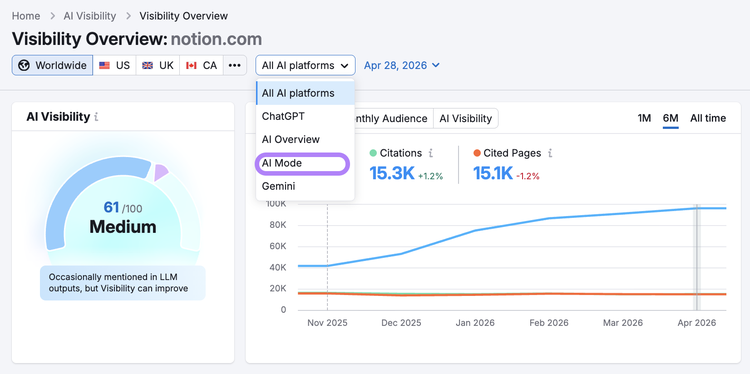
Select "AI Mode" from the platform filter at the top.
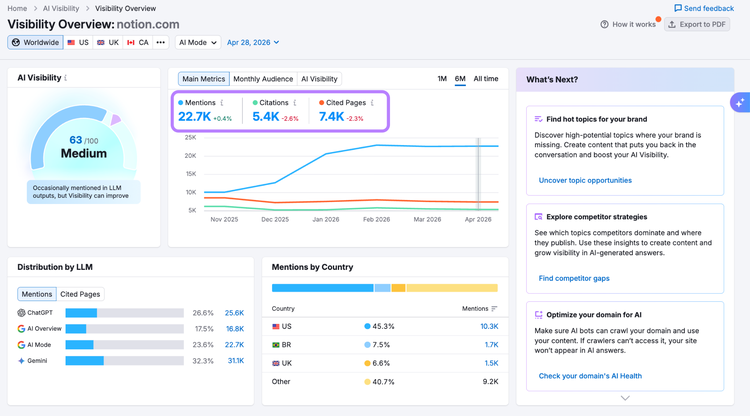
From here, you’ll see the monthly trend of how often your brand is mentioned in AI Mode answers (Mentions), and how many pages from your site are cited by AI Mode (Cited Pages).
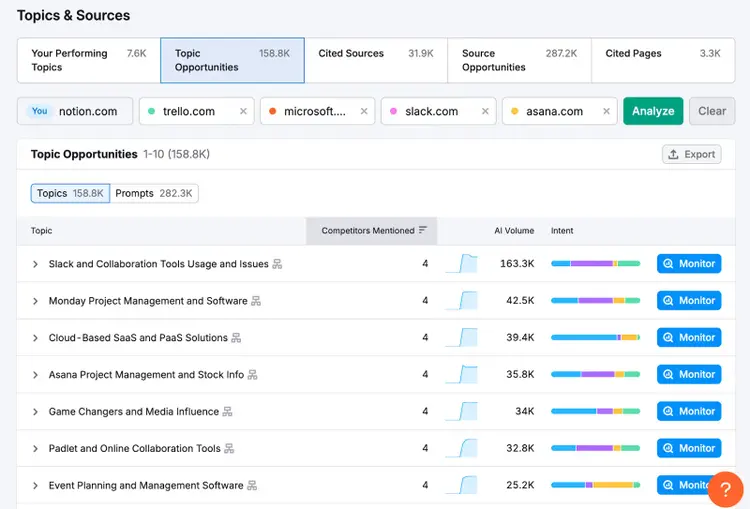
The Topics & Sources section helps you understand where your brand is showing up in AI answers—and where it’s missing.
Your Performing Topics: topics where your brand is already mentioned. These show what’s working.
Topic Opportunities: topics where your competitors are visible, but your brand isn’t—revealing clear content gaps to close.
Cited Sources: websites AI tools reference when generating answers. These shape how your brand is represented.
Source Opportunities: commonly cited sites that feature your competitors but not you. Getting mentioned there could boost your AI visibility.
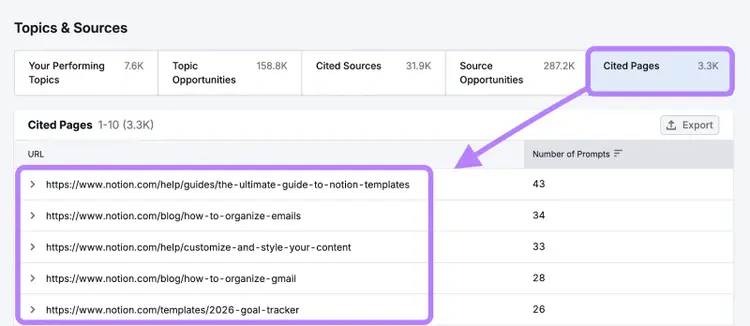
Cited Pages: your company’s own websites or content (like your blog or help center) that AI cited as a source in its responses.
Pay special attention to Cited Pages. They show what parts of your content strategy are already influencing AI, helping you double down on what’s driving results. Run this report on a competitor’s domain to measure how their content strategy wins visibility in AI Mode.
2. Identify Prompts to Prioritize for Your Content
Next, check the high-intent AI prompts your brand and your selected competitors are ranking for in AI Mode.
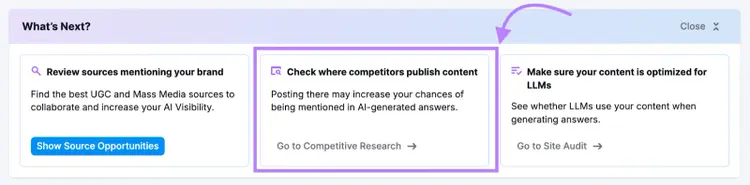
You can just click on the What’s next section or jump to the Competitor Research report
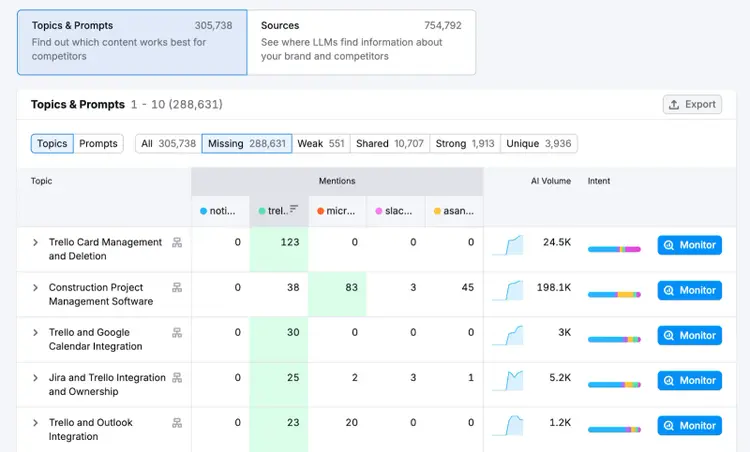
In this section, you’ll find a table that compares your brand’s AI visibility to your competitors across different topics and prompts:
All Topics: all of the topics where at least one of the competing brands is mentioned in an AI response to a prompt
Missing Topics: your competitors are visible in AI results, but your brand is completely absent.
Weak Topics: your brand is mentioned, but others are more prominent.
Shared Topics: your brand and competitors are both mentioned
Strong Topics: your brand stands out with higher visibility than your competitors.
Unique Topics: only your brand is mentioned.
These insights help you identify where you’re leading, where you’re falling behind, and where you’re missing entirely—giving you a clear roadmap to close visibility gaps and boost your presence in AI-generated answers.
Use this framework to understand what you need to do to optimize for these prompts:
AI Prompt Category
Action
Strong topics
Keep your existing content fresh to maintain your high ranking
Get mentioned in industry publications to reinforce your authority
Create related content pages and add internal links to build a topical content hub
Shared topics
Add original insights, data, or information your competitors are missing to boost your content’s value (known as information gain)
Build citations and backlinks to your content on relevant industry websites
Publish comparison content that highlights your brand’s advantages over your rivals
Weak topics
Publish your own content that covers what top-ranked competitors miss
Get your brand included in third-party listicles and comparisons
Produce original research or case studies on the topic
Missing topics (no visibility)
Develop new content that directly answers these specific AI prompts
Partner with non-competitive sites that frequently appear in relevant AI results
Promote this content across multiple channels (e.g., social media, LinkedIn, YouTube, email)
For example, Chargeblast, a fintech company specializing in chargeback solutions, used the AI Visibility Toolkit to identify key prompts related to its industry.
“With the prompts from the AI Visibility Toolkit, we've created targeted blog content to match these opportunities. We're trying to be at the forefront of chargeback-related queries by aligning our content strategy with what people are actually asking in AI platforms.”
Anj Viray, Head of Marketing at Chargeblast
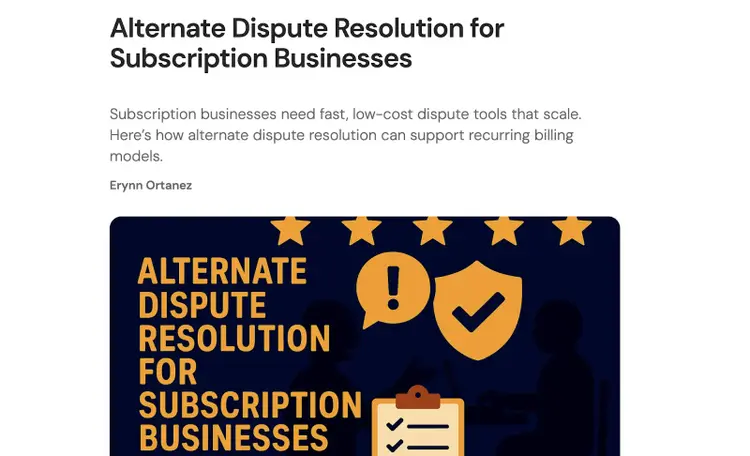
The company found relevant queries like “Are there chargeback solutions specifically for subscription-based businesses?” and added new pages targeting each of them:
By creating such pages tailored to real user prompts, your brand can capture more qualified traffic from AI search.
3. Analyze Your Brand’s Sentiment in AI Mode
Next, look at how AI Mode describes your brand.
This shows you any gaps between how AI tools see you versus how you want to be seen. Use these insights to improve your messaging and boost your visibility in AI responses.
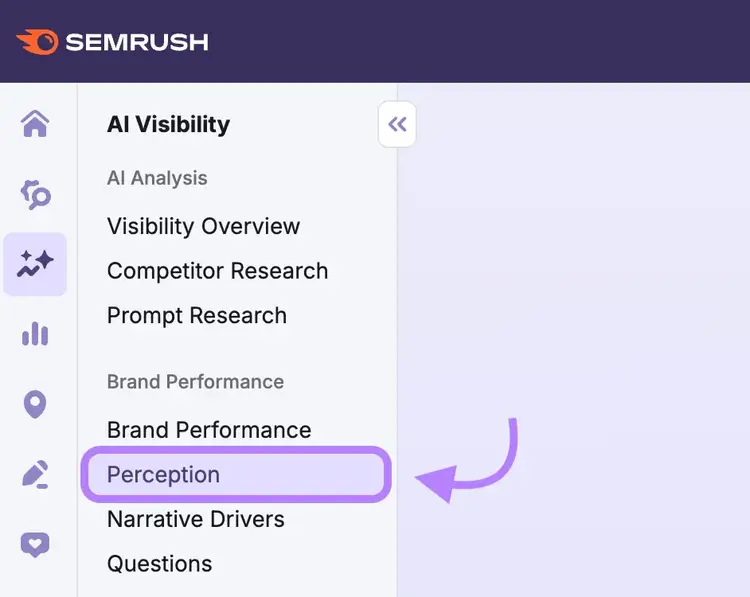
In the AI Visibility Toolkit, head to the “Perception” report.
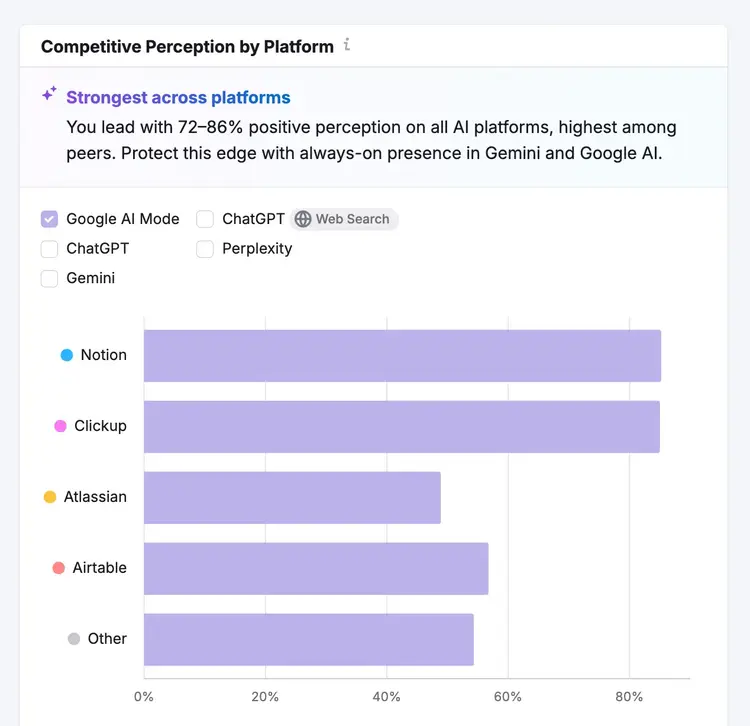
Start by analyzing the “Competitive Perception” chart to see how your brand's sentiment compares to competitors in Google AI Mode (you can also check this across other platforms like ChatGPT and Perplexity).
If you notice certain platforms consistently favor your competitors, check out their messaging strategies to understand what's working for them.
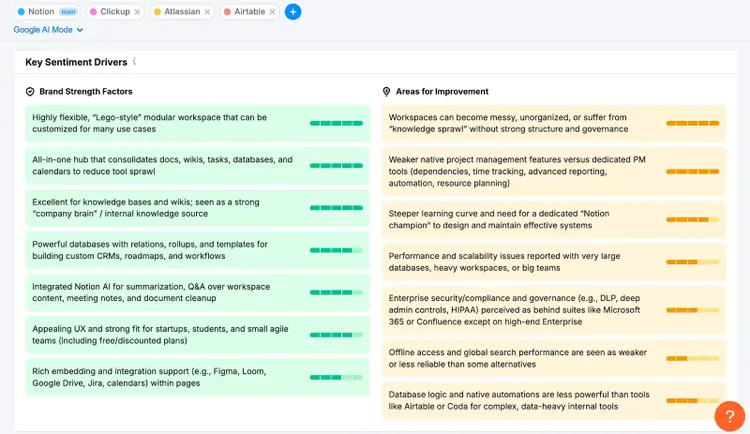
Then, review the “Key Sentiment Drivers” section to understand what aspects of your brand AI tools tend to highlight positively and negatively.
Use the brand strength factors to reinforce your marketing messages and product offerings. Then look at the areas for improvement to identify opportunities to turn negative sentiment into positive.
4. Apply Strategic Opportunities for Your Business
You can also use the data from your AI Mode analysis as a strategic feedback loop for your entire business. This helps you spot messaging gaps, product opportunities, and competitive advantages.
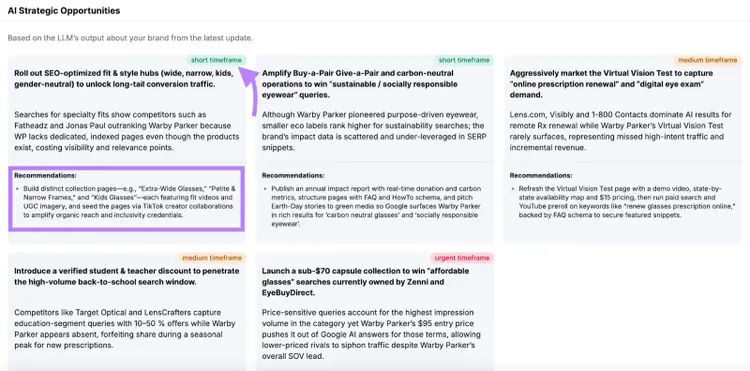
The Brand Performance reports provide these insights through the “AI Strategic Opportunities” section at the bottom of each report.
For example, you can find tips for offering new products, launching campaigns, tweaking your messaging, and more.
Plus, each opportunity comes with concrete action steps and priority levels to help with planning.
Pro Tip
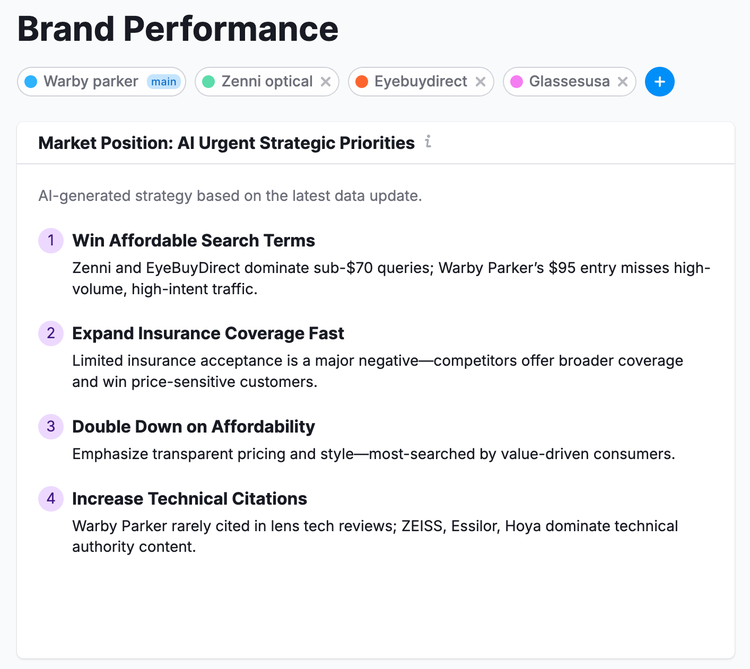
You can also see the most important strategic priorities at the top of the “Brand Performance” report. This summarizes the top AI visibility insights for your brand.
5. Track Your Visibility in Google AI Mode
Finally, start tracking your Google AI Mode visibility for your key terms. This shows you how your new and optimized content is performing for your target keywords and prompts.
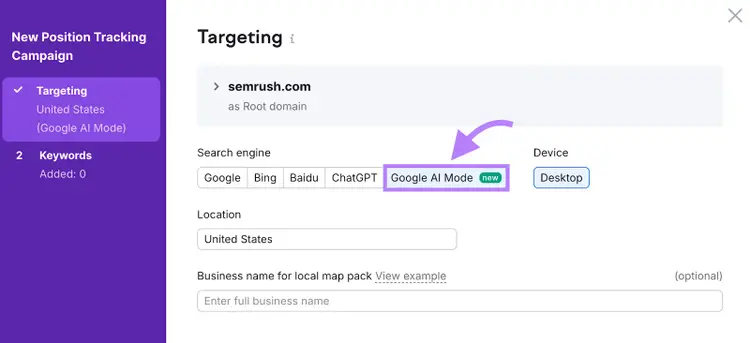
Head to Semrush’s Position Tracking tool and create a new project. Select “Google AI Mode” as the search engine. (You can also track your rankings in ChatGPT and traditional search engines.)
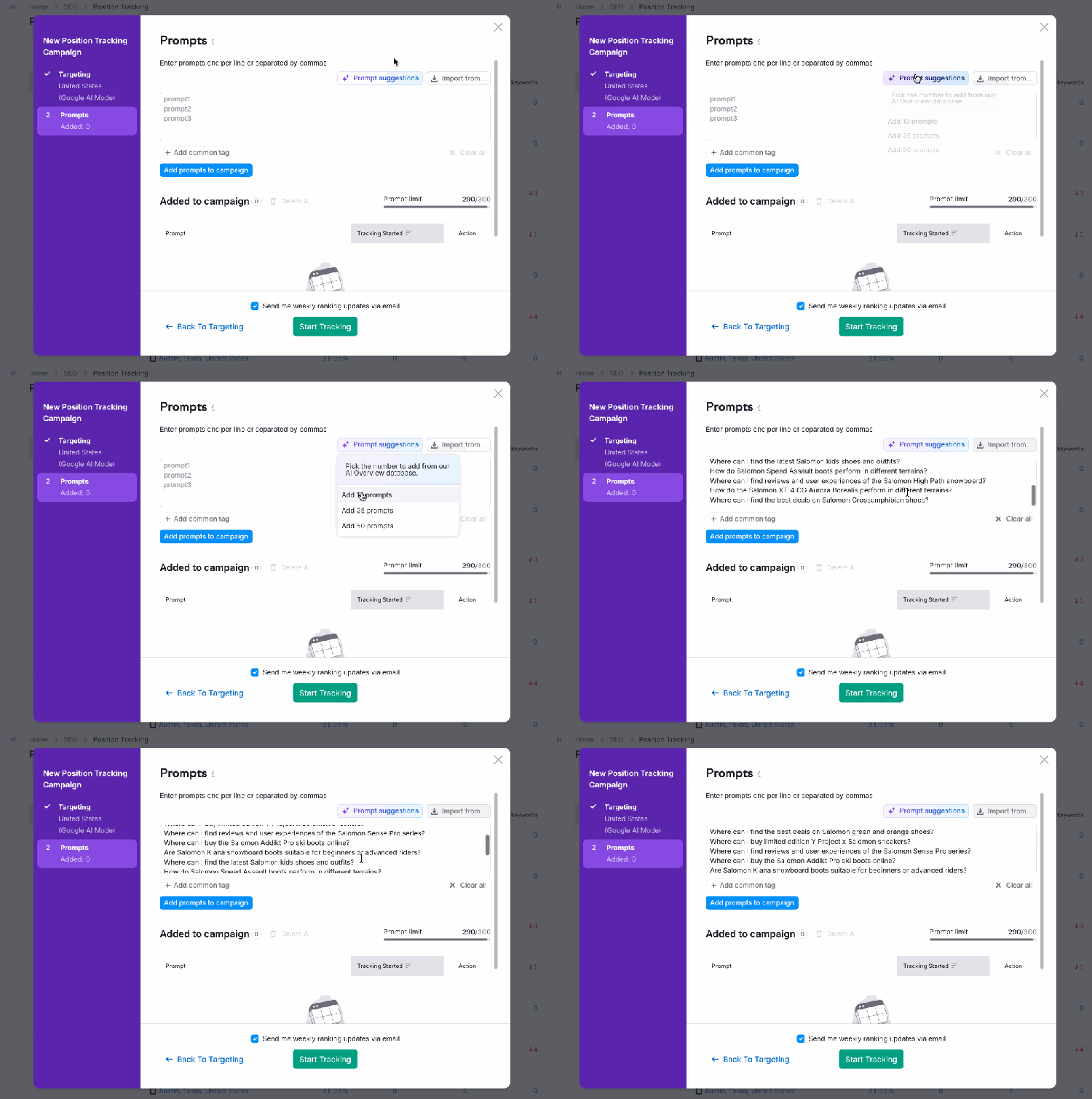
Next, add the keywords you want to track in Google AI Mode. You can add prompts manually, from a file, or from Semrush’s prompt suggestions.
Once you have your list of prompts to track, click “Start Tracking.”
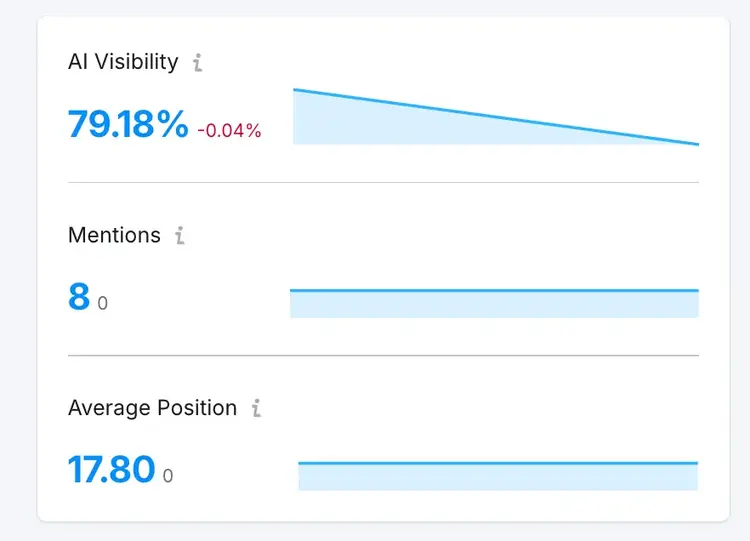
In the Position Tracking dashboard, you’ll see your brand’s AI visibility, mentions and average AI Mode position across your tracked prompts.
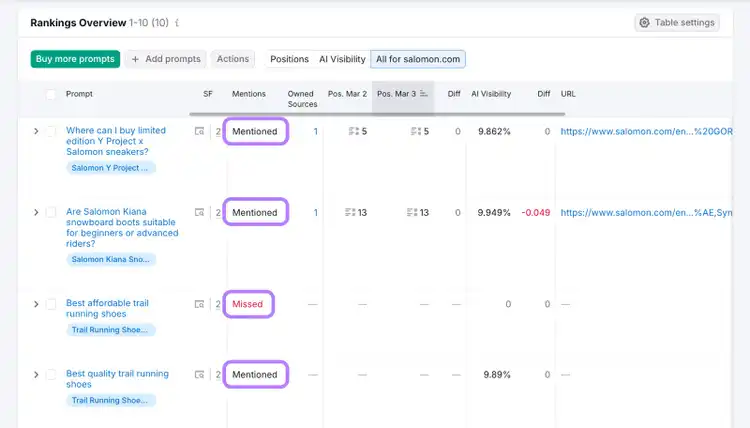
For every keyword you track, the tool shows whether your brand name is mentioned in the response, along with your number of Owned Sources (pages on your site being cited), position of your cited page, and overall AI visibility score.
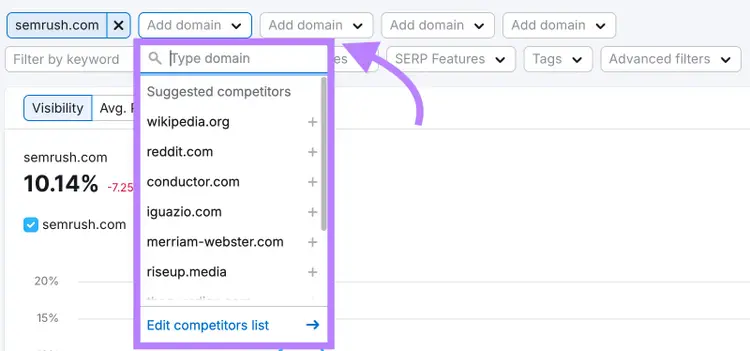
In addition, you can track these rankings against your competitors. Just add a specific domain to compare against or choose one from the tool’s suggested options.
FAQs About Google AI Mode
How Does Google’s AI Mode Work?
Google's AI Mode uses Google’s latest Gemini model to generate direct answers to search queries, instead of showing traditional search results.
When you submit a question to AI Mode, it:
Breaks your query into multiple sub-questions (this process is known as query fan-out)
Retrieves relevant content from across the web for each part
Builds a comprehensive response that synthesizes this information
Cites original sources with links
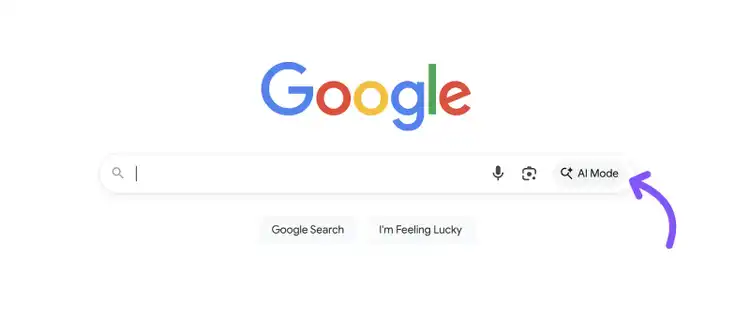
You can access it by clicking the “AI Mode” option on the Google homepage:
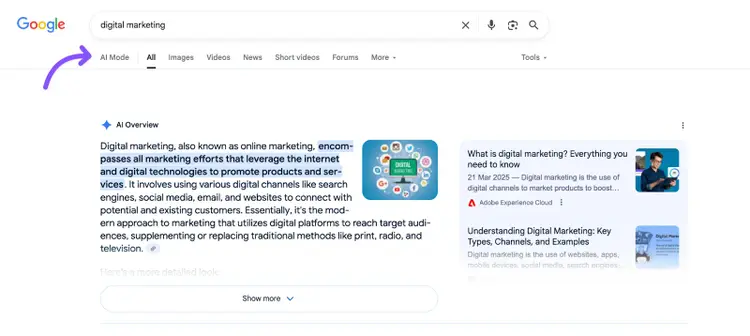
Or at the top of your normal search results page:
When you enter a search prompt, AI Mode provides an AI-generated summary with built-in citations instead of the usual list of links:
How Do I Grow My Visibility in AI Mode?
To grow your visibility in Google's AI Mode, you need a multi-level approach focused on brand authority, content strategy, and platform diversity. This involves optimizing your website and content while also building your reputation across the web.
In a Semrush study analyzing 5,000 keywords and 150,000 citations across AI platforms, we discovered three key strategies to improve your AI Mode visibility:
Strengthen your brand's overall authority: Focus on creating quality content throughout your site, not just your main landing pages. Since AI Mode pulls from different pages than traditional search (only 35% URL overlap vs 67% for AI Overviews), improving content across your entire site increases your chances of being cited.
Match content depth to query intent: Keep informational content concise and direct. But create in-depth comparisons and detailed guides for commercial intent keywords to maximize your citation chances. The study showed that AI Mode’s responses to commercial queries are nearly twice as long as those to informational ones.
Expand beyond your website: Develop content for other platforms like YouTube and Facebook, which receive more AI Mode citations than many traditional websites. Also establish yourself on Reddit, as it appears in 68% of AI Mode answers that contain external links.
Monitor Your AI Mode Visibility Over Time
Treat your Google AI Mode visibility efforts the same way you approach traditional SEO: monitor your progress, spot what’s working, and adapt when it’s not.
Margarita is a passionate Content Marketer with over 6 years of experience in various tech industries and 3 countries. She also holds two MBA degrees in Marketing.
Subscribe to learn more about Semrush
Subscribe
By clicking “Subscribe” you agree to Semrush Privacy Policy and consent to Semrush using your contact data for newsletter purposes
Share
Tells Google to show you more from Semrush in AI, Search, and Discover.