
6 Best AI Email Assistants for 2025
Looking to level up your email game?
You're in the right place.
In this post, we'll break down the best email assistants that can help with writing messages, organizing your inbox, and more.
These AI email assistants are useful for anyone who uses email regularly—entrepreneurs, marketers, etc.
Let’s look at them one by one.
Semrush’s AI Writing Assistant
The AI Writing Assistant app automates content writing. Including for emails.
If you’re a marketer or business owner looking to streamline your email communications, this tool can be used to:
- Craft cold emails to introduce your company to potential leads
- Create follow-up emails that nurture leads and guide them through the sales funnel
- Compose attention-grabbing subject lines that entice recipients to read the full message
- Write confirmation emails that reassure customers about their purchases and provide next steps
Open the AI email app and select from the available email types.
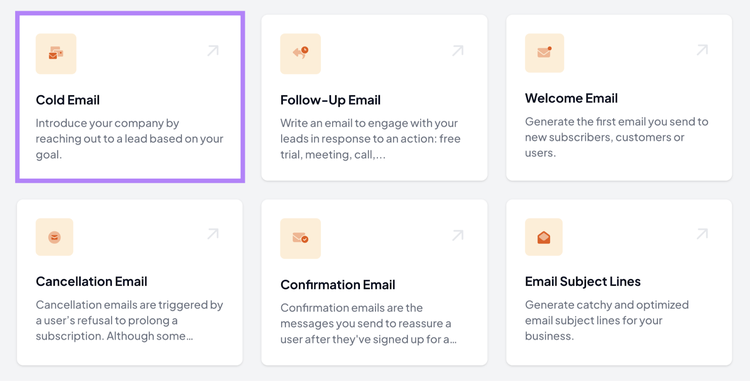
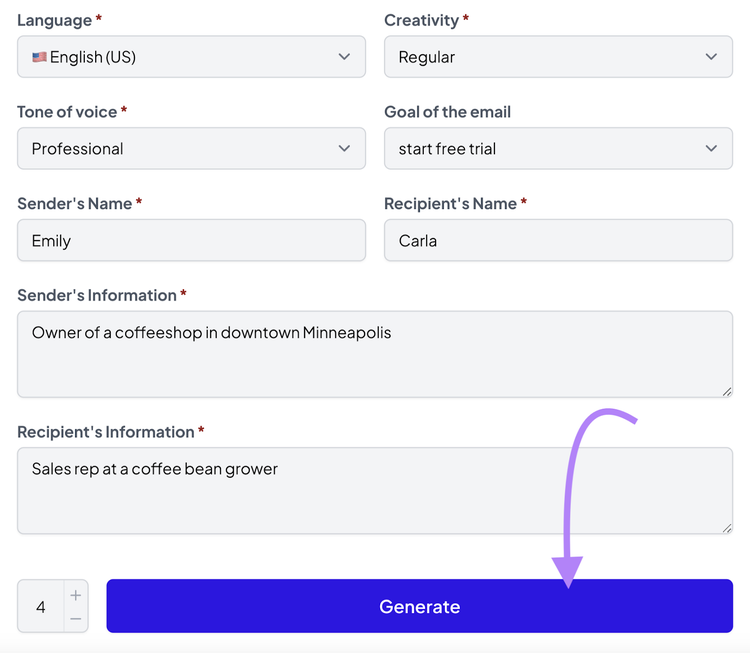
A dialog box will appear.
Here, provide details like the language the message should be in, your desired creativity level, who your audience is, etc. And click the “Generate” button.
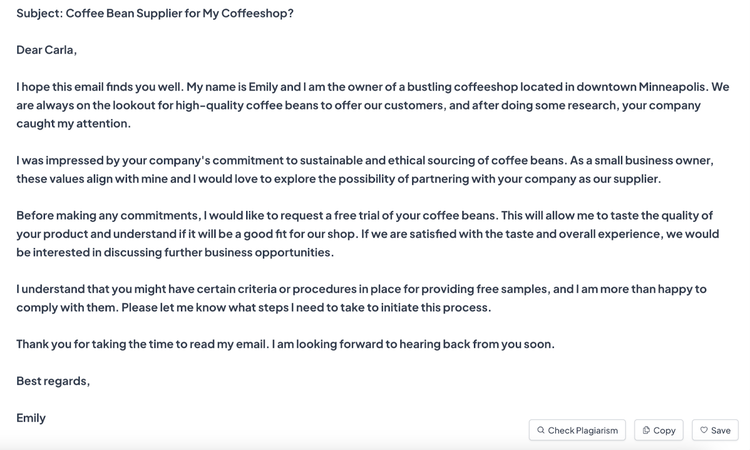
AI will generate an email draft based on your input. You can then review and tweak it as needed to better suit your specific needs.
Key Features
- Comes with more than 70 content creation tools
- Generates copy in minutes
- Can write in 28 languages
- Stores all your content in an easy-to-navigate library
- Uses natural language processing that takes into account tone of voice, audience, and creativity
Pricing
The AI Writing Assistant app offers a seven-day free trial. Once the trial period is over, you can continue using the tool for $25 per month.
Automate Email Writing
with the AI Writing Assistant
Mailbutler
Mailbutler is an email extension with productivity features that help you stay organized and communicate more effectively.
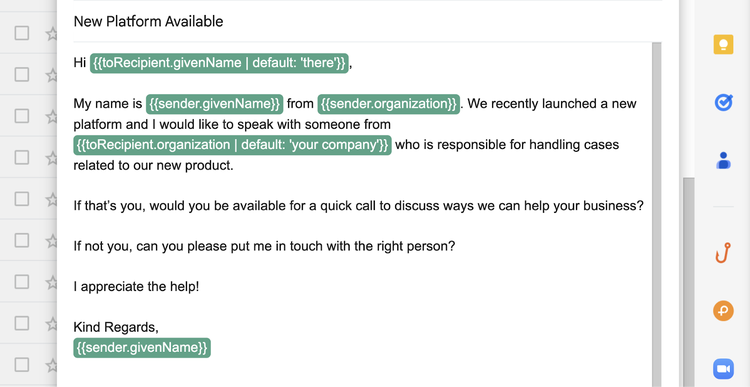
For example, Mailbutler lets you use tags and notes to keep your inbox organized and help you find information quickly. And create reusable templates for common messages that you can customize as needed.
The tool can also summarize emails you receive. So you can understand key details without reading every message in full.
If you’re looking to streamline your email workflow, this tool can be a valuable addition to your productivity toolkit.
Key Features
- Works with Apple Mail, Outlook, and Gmail
- Lets you use AI to quickly write and respond to emails
- Tracks when your emails are opened and links are clicked
- Enables you to use automated reminders for follow-ups, so you don’t forget to reply to important emails
Pricing
Mailbutler offers a 14-day free trial. Then, you can choose from various subscription plans based on the features you want to use.
Pricing starts at $4.95 per user per month.
SaneBox
SaneBox is an AI-powered email management tool that helps you take control of your inbox by prioritizing important emails and filtering out distractions.
During the setup process, the tool will guide you in selecting folders to filter your emails. So you can manage your inbox more effectively.
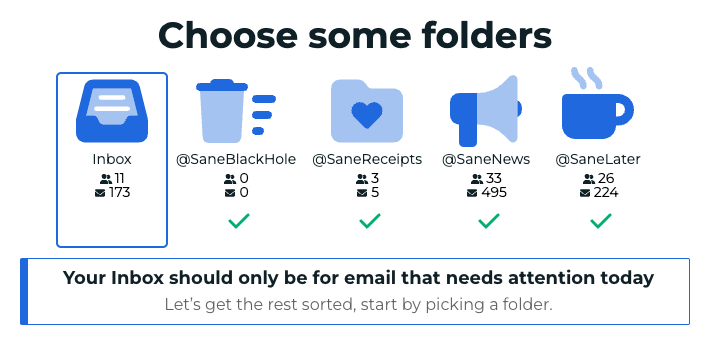
The idea is that important emails will stay in your main inbox. But less important ones will be moved to other folders.
This tool is especially useful if you’re someone who gets a large volume of emails daily.
Key Features
- Lets you pause incoming emails from hitting your inbox. So you can focus on your work without interruptions.
- Allows you to filter unimportant emails into specific folders. So your main inbox only contains crucial messages.
- Keeps track of emails you've sent that haven't received responses. So you know when to follow up.
Pricing
SaneBox offers a 14-day free trial to let you explore its features.
After the trial period, you can choose from different subscription plans based on the features you want to use. Pricing for a single email account starts at $7 per month.
Missive
Missive is an assistant that creates shared inboxes for email, WhatsApp, Instagram, etc. To collaborate with other members on your team.
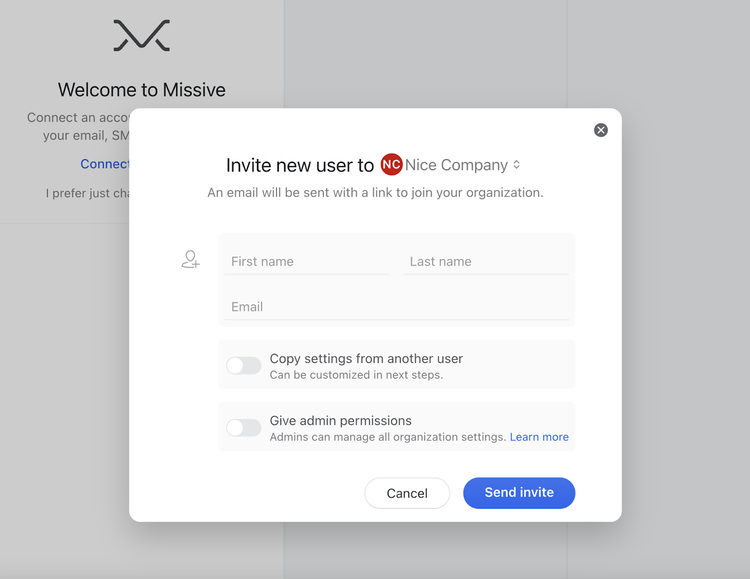
You’ll need to invite your team members. Then you can start using internal chat and managing tasks together.
This tool is especially useful for handling customer support queries for your business.
Key Features
- Integrates with OpenAI, so you can automatically generate emails
- Allows you to easily create tasks and assign them to team members
- Enables you to create and save templates for common email responses
- Lets you connect with popular platforms like Asana, HubSpot, and Aircall to streamline your workflows
Pricing
Missive offers a limited free plan for up to three users. And you can choose from three different subscription plans:
- Starter: $14 per user per month (billed annually)
- Productive: $24 per user per month (billed annually)
- Business: $36 per user per month (billed annually)
Superhuman
Superhuman is an email app designed to make every part of email management more efficient. And works with Gmail and Outlook.
It's known for having a sleek interface and can be used to compose copy, organize incoming emails, and collaborate with your team members.
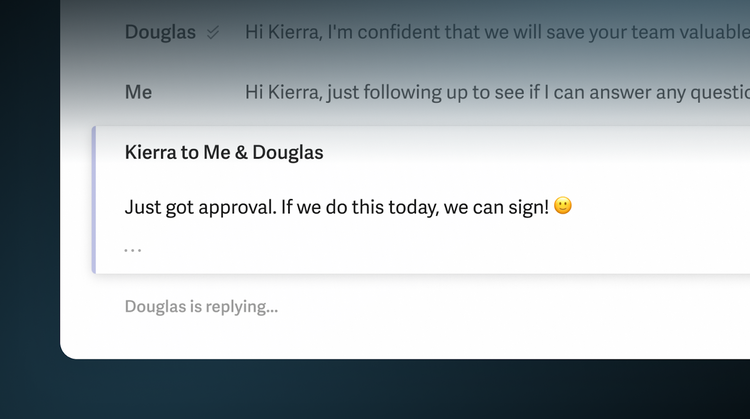
This tool is especially useful for professionals who work on a large number of emails that require input from other team members.
Key Features
- Uses AI to write complete emails based on a few phrases
- Offers keyboard shortcuts for many actions. So you can manage emails without touching your mouse.
- Allows you to undo sent emails within a short window, giving you a chance to correct mistakes
- Provides details about your contacts directly within the tool, including their social media profiles and recent emails
- Lets you split up you inbox to prioritize more effectively
Pricing
Superhuman offers three subscription plans. Pricing starts at $25 per user per month.
Lavender
Lavender is an AI-powered email assistant designed to help you write better emails.
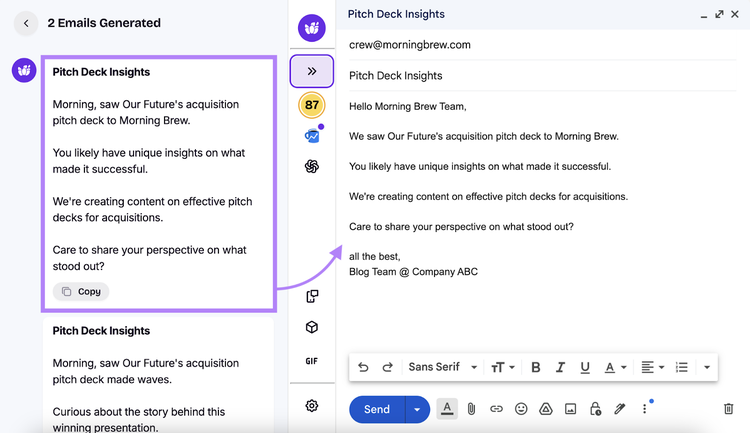
The analytics tools show how your emails are performing. And provide recommendations to improve.
This tool is especially useful for sales professionals, recruiters, and anyone who relies on email outreach as a key part of their job.
Key Features
- Uses AI to help you craft emails from scratch
- Helps you tailor email content based on the recipient for more effective communication
- Scores your emails to help you optimize them
- Allows you to track email opens and reply rates
Pricing
Lavender offers a seven-day free trial. As well as a free plan with limited features.
To get more out of the tool and access its AI features, you’ll need to subscribe to one of their paid plans. The most basic plan is for one user and costs $27 per month (billed annually).
Choose the Right AI Email Assistant
Choosing the right email assistant with AI functionality depends on your individual needs and preferences.
Here's what to consider to make the best choice:
- Compatibility with existing email systems: Ensure the tool works seamlessly with your current email provider
- Integration capabilities: See if the assistant integrates with other tools you use—like your customer relationship management (CRM) or project management software. This can streamline your workflows and improve efficiency.
- Specific features: Look for features like smart email categorization, AI-powered writing assistance, and predictive reply suggestions. These can enhance productivity.
- Quality of customer support: Reliable support can help you resolve issues quickly. So, consider tools with good reviews for customer service.
- User interface: A user-friendly interface makes navigation easier and improves your overall experience
- Budget constraints: Ensure the tool fits within your budget. Compare pricing plans and consider the value offered by each option.
- Security measures: Verify that the tool has strong security protocols to protect your data
- Customization options: Look for tools that allow you to customize settings to align with your specifications
No matter your circumstances, there's an email assistant for you.
For example, AI Writing Assistant can help you write compelling emails to send to potential customers or clients.
Sign up today.
Automate Email Writing
with the AI Writing Assistant

Sydney has been creating content for over 10 years. She has been a writer, content manager and coordinator, editor, and strategist. At Semrush, she’s a blog editor who makes sure each article is as accurate, optimized, and helpful as possible.

Tells Google to show you more from Semrush in AI, Search, and Discover.