
What Is Content Automation & How Can You Use It?
What Is Content Automation?
Content automation is using technology to expedite content-related tasks like writing, editing, distributing content, and tracking performance to allow you to focus on more important tasks.
It can be used for blog posts, social media posts, advertisements, and even videos.
And because content automation can streamline your workflows, it’s possible to deliver more high-quality content to your target audience.
What Are the Benefits of Content Automation?
There are many benefits to content automation, including:
- Increased efficiency: Content automation can speed up time-consuming tasks, so you can focus on the most important ones
- Cost savings: Content automation can save your business money. Because content automation tools cost less than hiring additional team members or outsourcing to freelancers and agencies.
- Reduction of human error: Content automation can prevent common errors associated with content marketing. Like including outdated information, misspellings, or SEO mistakes.
- Scalability: By completing content tasks faster, content automation empowers your business to scale
How to Use Content Automation in Marketing
Below are eight content marketing tasks that are good candidates for incorporating automation.
Keyword Research
The keyword research process involves identifying valuable terms related to your business that your target audience enters in search engines. And it's far easier and faster with the help of a free keyword research tool.
Good keywords for your website will:
- Be relevant to your website’s primary topics
- Have reasonable search volumes (the average number of monthly searches a term gets)
- Be feasible to rank for
- Often have good conversion potential
The Keyword Magic Tool can automate finding keywords that meet the above criteria.
Start by entering a broad topic related to your niche into the text bar. Then, add your domain, select your target location, and click “Search.”
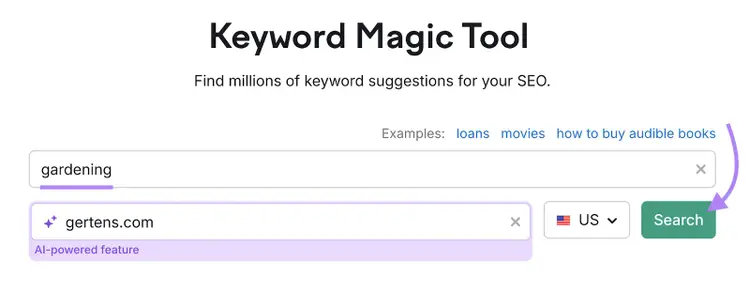
You’ll get a table of keywords related to your topic.
Depending on your topic, there may be thousands or even millions of keywords in the table.
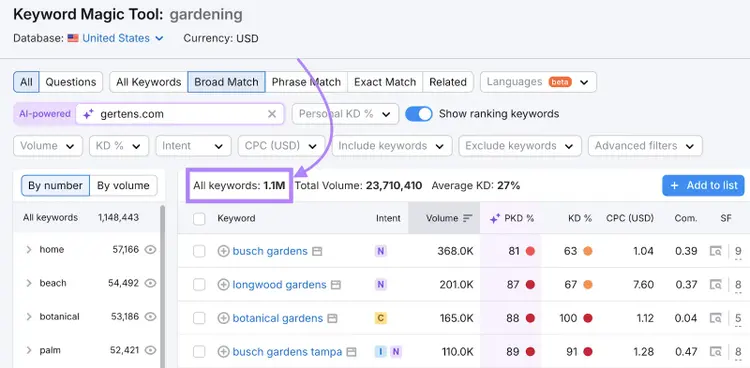
Browsing through all of these keywords wouldn’t be efficient. So, use the filters above the table to quickly narrow down the keywords.
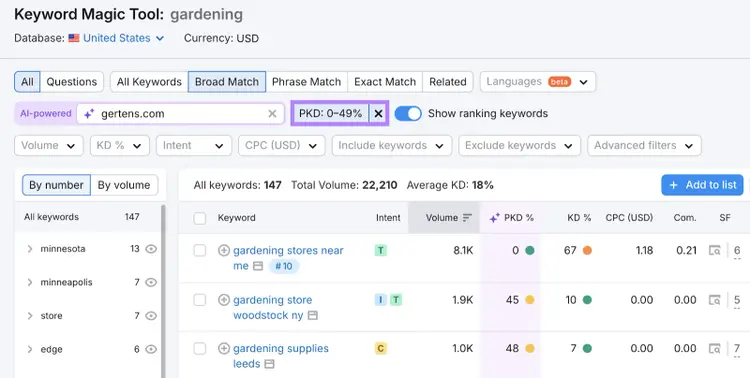
We recommend first focusing on Personal Keyword Difficulty (Personal KD%)—a metric that indicates how likely your specific site is to rank in the top 10 results for a term.
Anything lower than 50% is a feasible opportunity. So, set the “Personal KD %” filter to a custom range from 0% to 49%.
Pro tip
Your Personal Keyword Difficulty for different terms will likely change over time as you create more content and your website authority increases. So, make sure to check keywords regularly to find new ones to target.
Then, narrow your list further by search volume. Set the “Search Volume” filter to the 101-1,000 range.
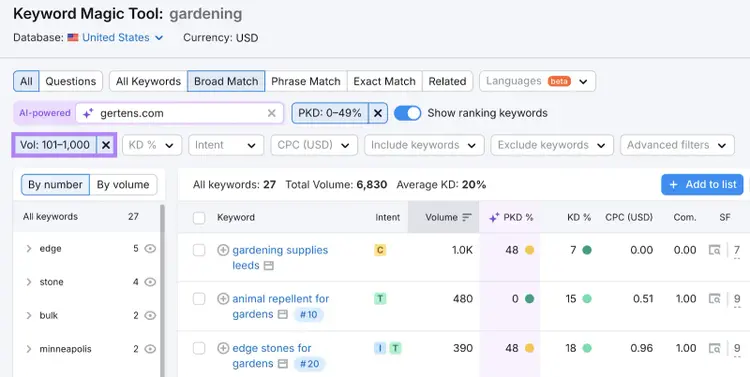
Now, there’s a shorter list of keywords that are likely easier for you to rank for. But still have enough search volume to get eyes on your content.
To determine which keywords to prioritize first, look at the cost per click (CPC) column. This is the average price advertisers pay for a click on one of their search ads.
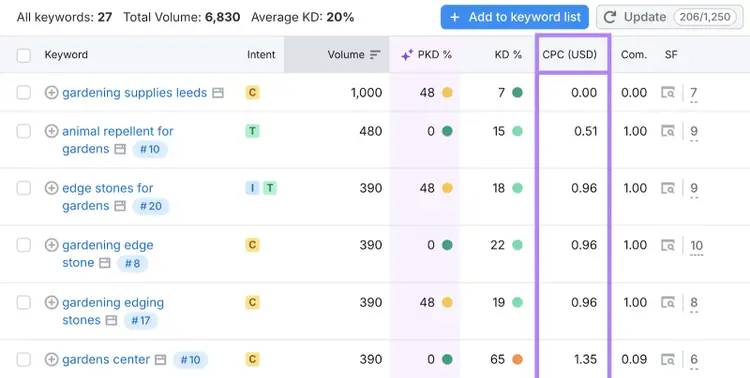
Higher CPCs can represent qualified traffic—users who are interested in products and services like yours.
If advertisers are paying a higher price to appear in ads for those keywords, it may be because they’re getting results from them. And those terms may be worth ranking for organically.
Automate Keyword Research
with the Keyword Research Tool
SEO Topic Clustering
Topic clustering is the process of creating interconnected, thematically related content with the goal of ranking in search engine results pages (SERPs). It’s good for SEO because Google prefers to rank websites that show topical authority in the subjects they write about
Because topic clustering involves a range of tasks (topic ideation, SERP analysis, etc.), automation can drastically reduce the time you spend on it.
You can automate topic clustering with Keyword Strategy Builder.
Enter up to five broad terms that reflect your main topic areas, select your target location, and click “Create list.”
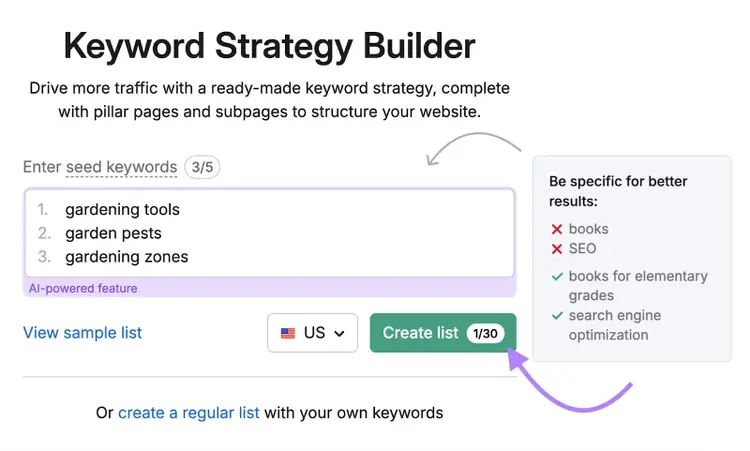
It may take a few minutes to build your clusters. You’ll receive an email when it’s ready.
Then, you’ll be able to see your topic clusters split into pillar pages and subpages.
Pillar pages are focused on broad topics. While subpages explore relevant subtopics.
And each page will contain its own keyword cluster—a group of terms that all share the same intent.
You can see these in the table that appears when you scroll down:
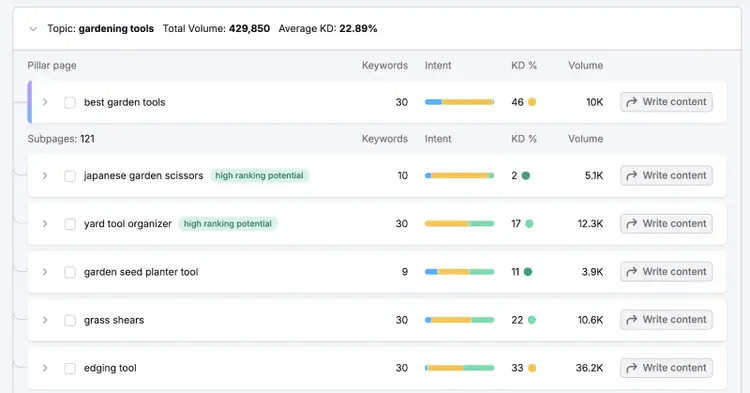
Creating these pages can help you start to rank for the low-difficulty terms. And help you work toward appearing for more competitive ones over time.
Content Writing
Google prefers to rank helpful content that’s written with people in mind, and that means content writing for SEO can take a lot of time and effort to create from scratch.
Tools inside Semrush’s Content Toolkit make it easier to create SEO-friendly content that’s also tailored to your brand voice.
To set your brand voice, go to the Settings from the Content Dashboard, then navigate to the Brand Voice tab.
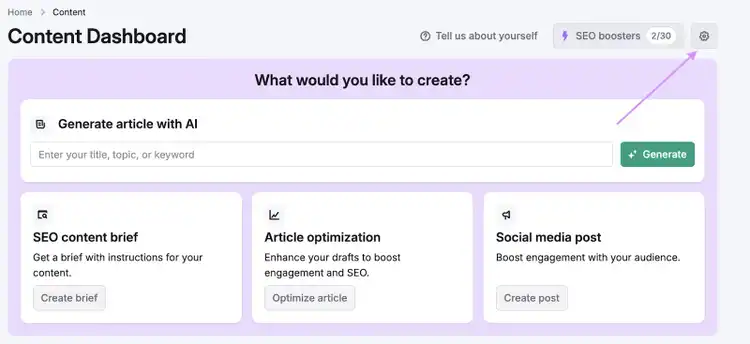
Next, select “+ Create Brand Voice.”
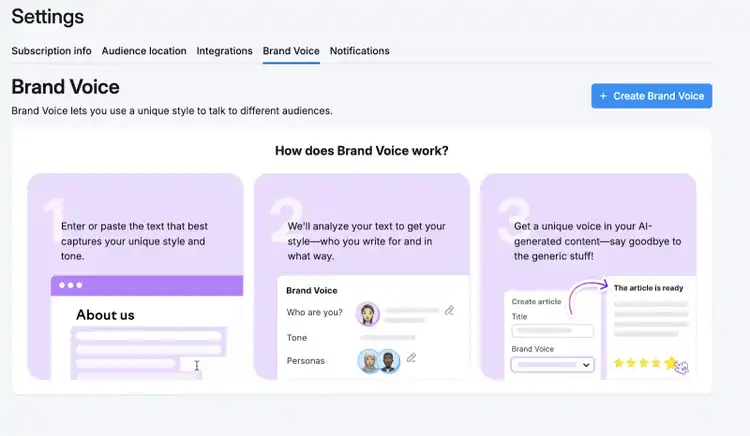
Paste in a sample of your existing content—like copy from your homepage, About page, or blog. The Toolkit will analyze the tone and generate a writing profile based on that style.
Then, select “Create Brand Voice.”
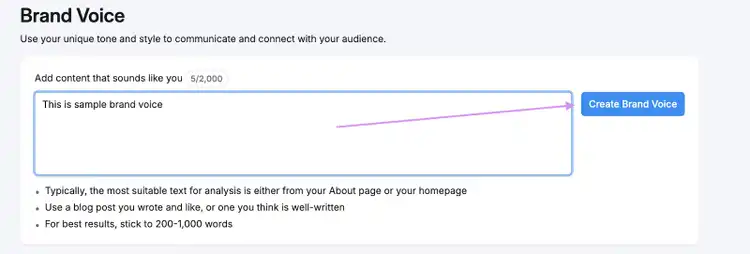
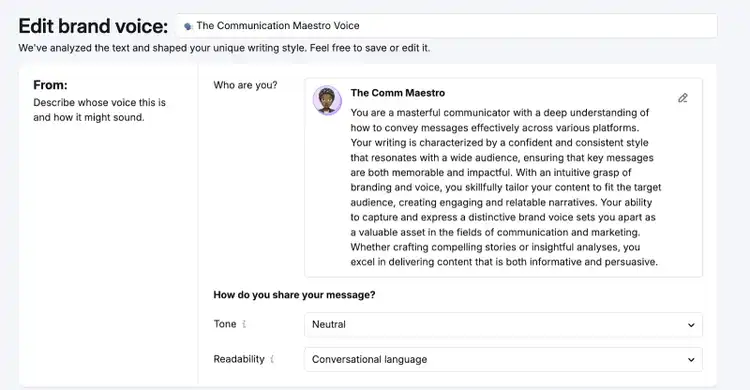
The tool will use the content you provided to define your brand voice.
Make edits if needed. Once you’ve saved the changes, this voice will now be available across all tools in the Toolkit.
Next, you can either choose a topic from the Topic Finder or enter your own idea inside the AI Article Generator.

Fill in the setup fields (title, target keywords, audience location, article length) and select your saved brand voice. Then, click “Create article.”
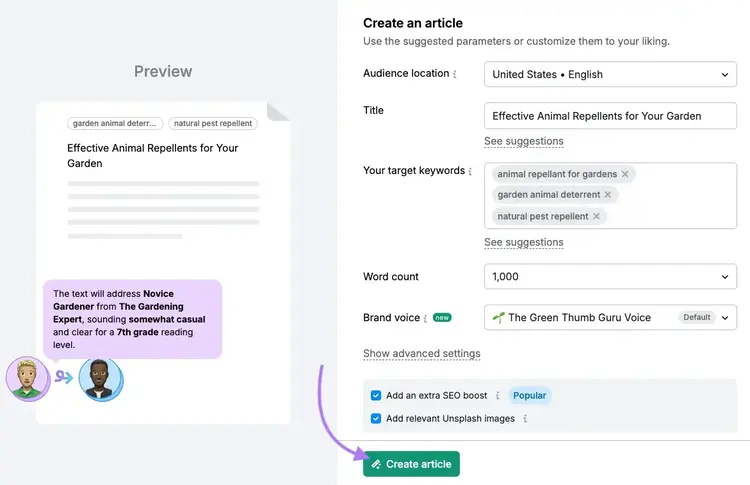
The AI Article Generator will then create a full-length draft.
From here, go to the Editor to refine the content using the Improvements tab, which gives suggestions for:
- SEO
- Readability
- Tone of voice
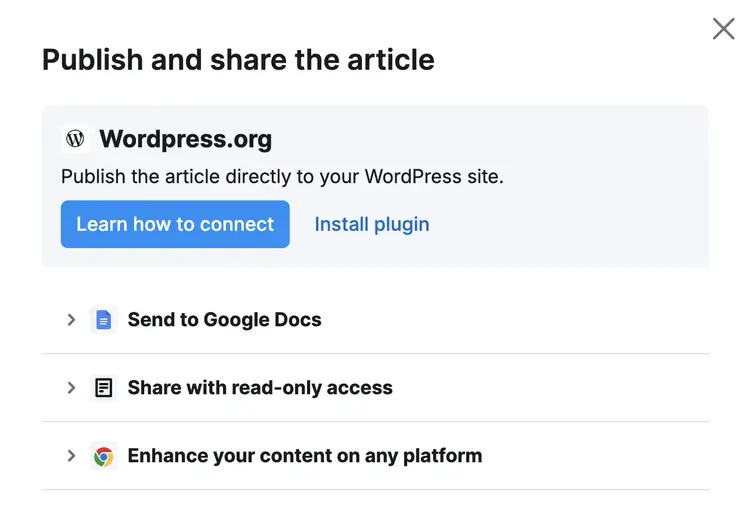
Once you’re done editing, you can export the article to Google Docs, WordPress, or generate a shareable link—all within the same toolkit.
Editing and Proofreading
Editing and proofreading make sure your content is readable and error-free, and these steps can be easily automated with tools like Grammarly.
Grammarly will mark grammar, spelling, and syntax errors throughout your documents.
Like this:
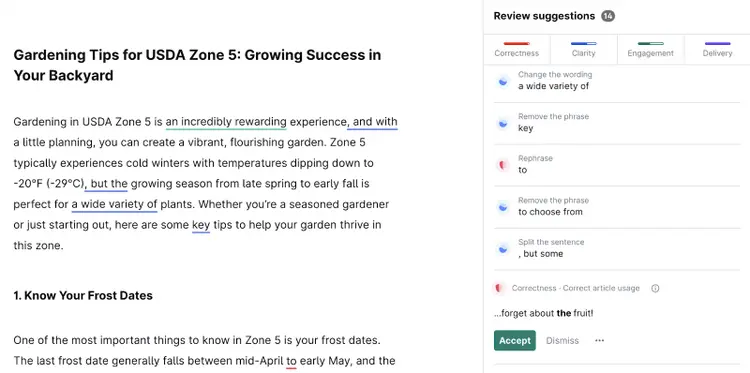
And you can resolve issues with one click to update your document accordingly.
SEO Content Optimization
SEO content optimization is the process of enhancing your webpages’ content to increase their chances of ranking in organic search results. And automation tools are critical for quickly identifying ways to do that.
Why?
Because it involves analyzing your content and coming up with ways to optimize webpage elements like:
- Title tags: HTML elements that provide webpage titles to search engines. Each page on your site should have a unique title tag
- Headings (H1-H6): HTML elements that define headings and subheadings on a webpage
- URLs: Addresses of where webpages are located
- Body content: The main text, images, or other assets displayed to users in their web browsers
- Internal links: Hyperlinks that point to other pages on the same website
- Image alt text: HTML elements that describe images to the visually-impaired that also appear when images fail to load
To streamline optimizing your existing content, use the On Page SEO Checker.
Follow the configuration steps to set up your project.
When the tool is ready, you’ll see an overview of the main opportunities for your site. And an estimate of how much you could potentially increase organic (unpaid) search engine traffic by implementing the suggestions.
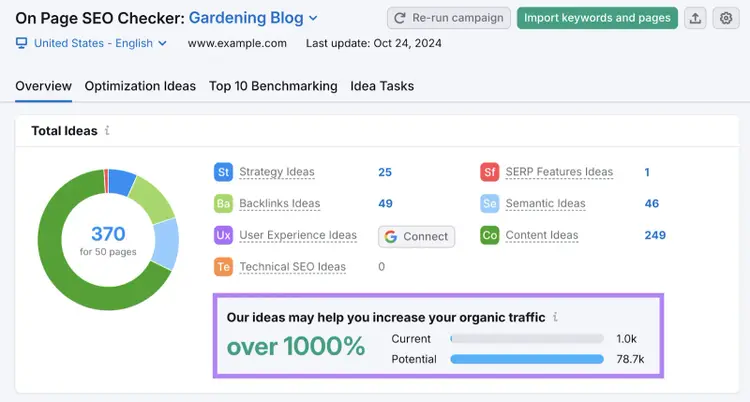
Scroll down to the table, and click on the “# ideas” button next to a page you want to evaluate.
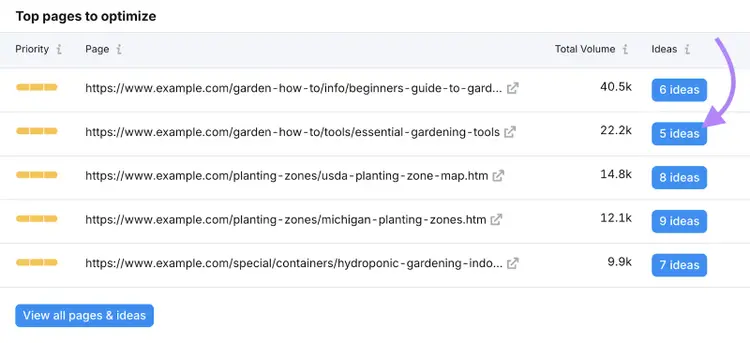
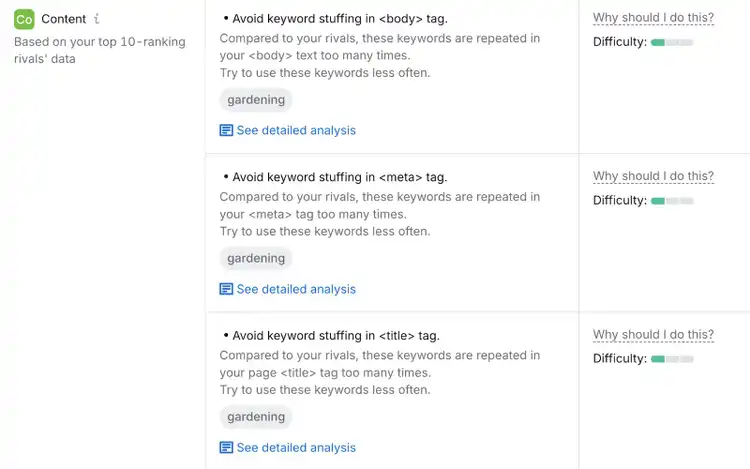
You’ll then see all the tool’s ideas for how to improve that specific page.
For example, the “Content” section checks for keywords in critical places.
Copywriting
Copywriting is centered on writing text that guides users toward a conversion. Because it requires creativity and persuasion, automating some of the writing can quickly give you a good starting point to revise.
This is especially true when you consider that many businesses hire dedicated copywriters to write certain website content and paid advertising campaigns.
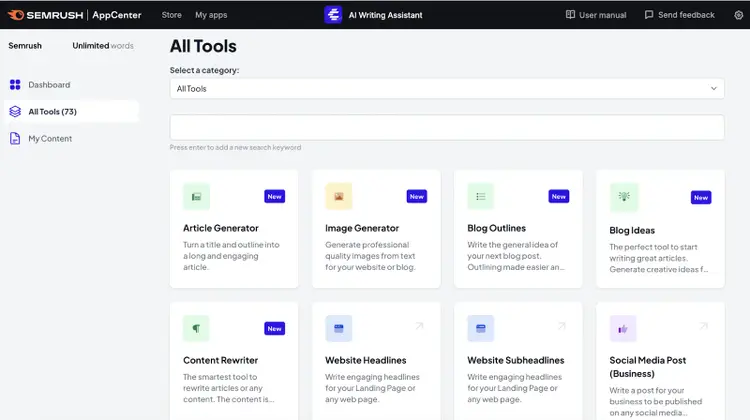
Speed things up with the AI Writing Assistant app.
The tool uses AI to create effective copy for over 70 content types, including:
- FAQ answers
- Pros & cons
- Ecommerce product descriptions
- Website headlines
- Google Ads descriptions
Start by clicking your content type.
Then, complete the required prompts. And click “Generate” when you’re done.
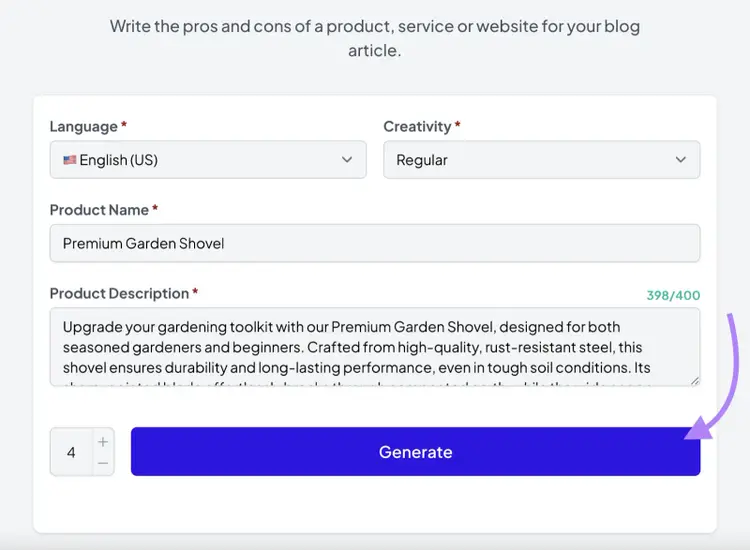
The tool will provide a variety of copy options to choose from.
You can easily check them for plagiarism. And then polish them for final use.
Content Distribution
Content distribution involves content publication and promotion via email outreach, social media posting, public relations, etc.
It requires you to jump between multiple platforms, which can leave plenty of room for mistakes. But automation tools can streamline this process and amplify your reach.
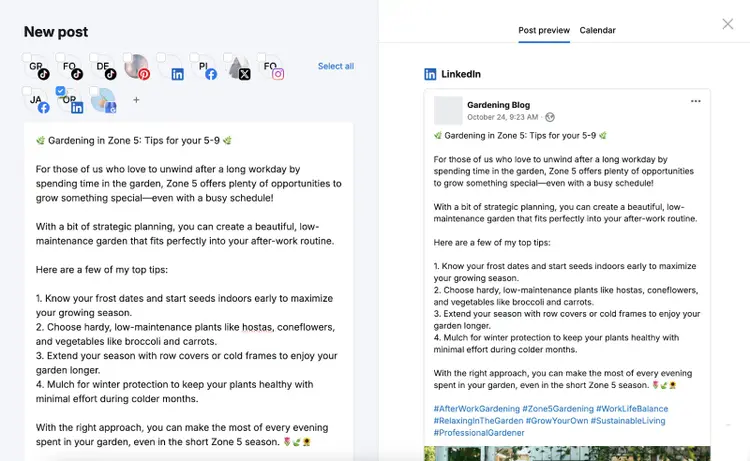
For example, Social Poster lets you schedule your posts for Instagram, Facebook, X (formerly Twitter), Pinterest, LinkedIn, TikTok, and Google Business Profile in one place.
Edit and preview your posts in the tool. Like this:
Then, click the “Schedule” button to choose an exact date and time for posting.

Your posts will go live on your profiles as scheduled. Meaning you can reach your target audience online without having to be online around the clock.
Performance Tracking & Analytics
Tracking your content performance reveals insights that can help you improve your results. And using automation tools reduces how much time you have to spend manually inputting data into spreadsheets and/or creating performance reports.
Marketers use different metrics depending on their strategies, chosen channels, and content types. But the most common to measure SEO content are:
- Organic traffic (the number of visits your site gets from unpaid search results)
- Impressions (how many times your website is viewed in search results)
- Keyword rankings
- Click-through rate (how many times your results were clicked out of the number of times your results were viewed)
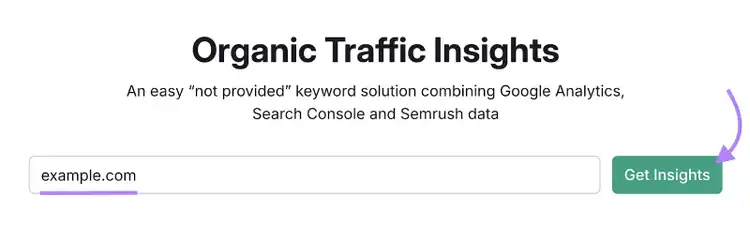
You can track all of these using Organic Traffic Insights.
Enter your homepage URL. Then, click “Get Insights.”
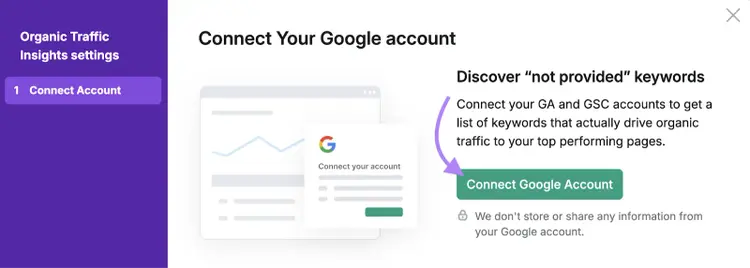
Next, click “Connect Google Account,” so you can compile data from across Google Search Console, Google Analytics 4, and Semrush.
Once your accounts are connected, you’ll see detailed reports related to your content’s SEO performance. Like this:
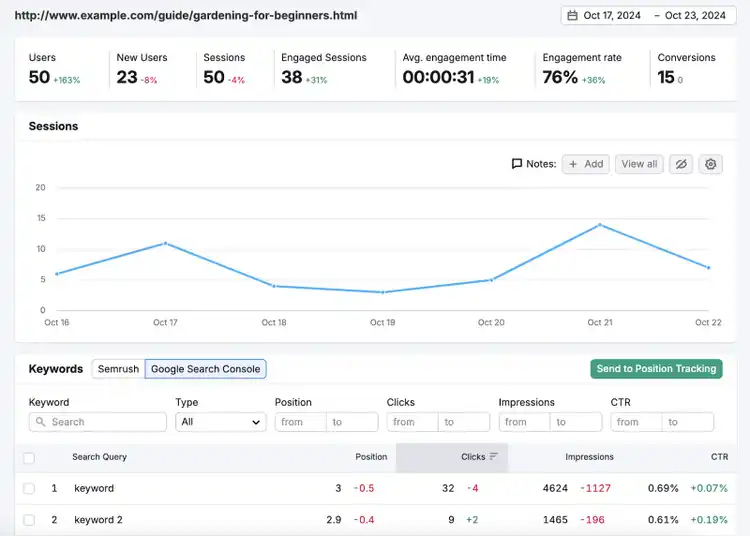
This makes it easy to track your SEO content’s performance.
Content Automation Tools
There are so many tools available for automating content marketing tasks. The below list organizes them by use case.
And many of the tools listed below have free versions. So, you can test them out to see if they meet your business’s needs.
Keyword research automation tools:
Topic clustering automation tools:
Automated SEO content writing tools:
- Semrush’s Content Toolkit
- Jasper AI
- Writer
- SEO.AI
Automated proofreading and editing tools:
Automated SEO content optimization tools:
Copywriting automation tools:
Automated content distribution tools:
Automated content performance tracking tools:
Streamline Your Content Creation Process
Automating certain content tasks can lead to benefits like cost savings, improved efficiency, and optimized workflows.
Some content automation tools may require a learning period. But the time and resources you’ll save in the long run are well worth that effort.
You can test out many of the content automation tools mentioned in this article with a Semrush account.
Access 55+ Automation Tools
with a Free Semrush Account

Sydney has been creating content for over 10 years. She has been a writer, content manager and coordinator, editor, and strategist. At Semrush, she’s a blog editor who makes sure each article is as accurate, optimized, and helpful as possible.

Tells Google to show you more from Semrush in AI, Search, and Discover.