Our subject matter experts have reviewed this article to ensure it meets the highest standard for accurate information and guidance. Learn more about our editorial standards and process.
Note: To run Site Audit, you must first have a Project set up in Semrush.
Fixing these issues is good for your website’s SEO and user experience.
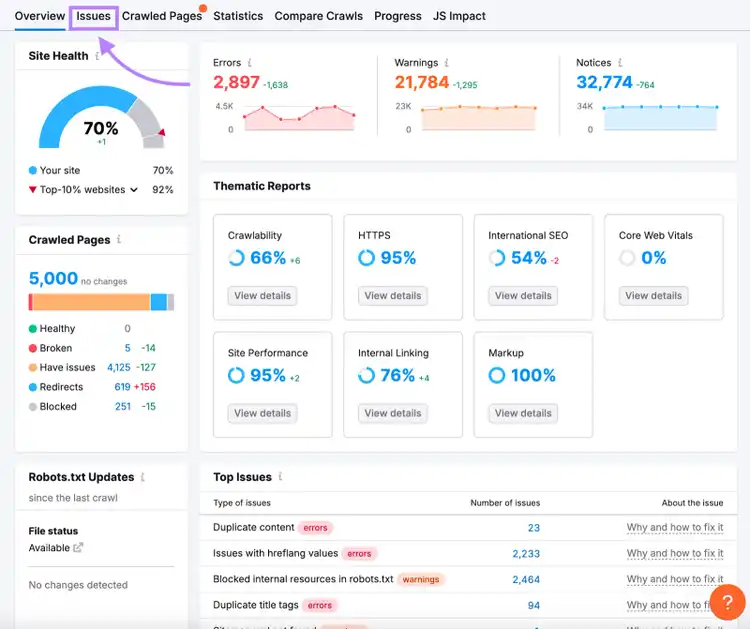
To start, click on “Issues” from the Overview page.
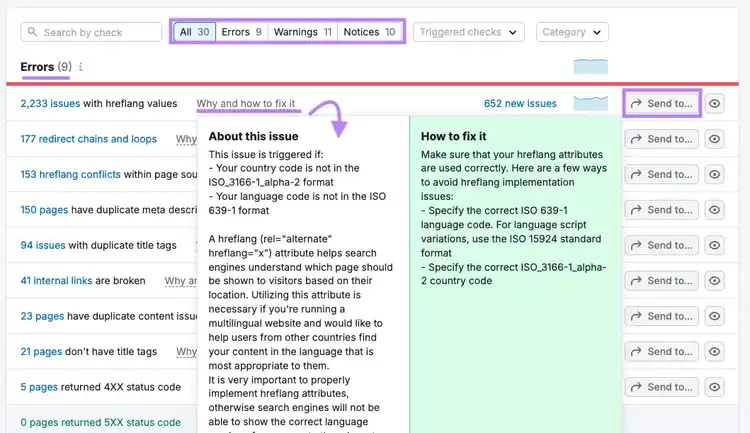
Work through them in order of priority (“Errors,” then “Warnings,” then “Notices”). And follow the advice provided.
You can click “Send to…” to create a task via Trello or Zapier.
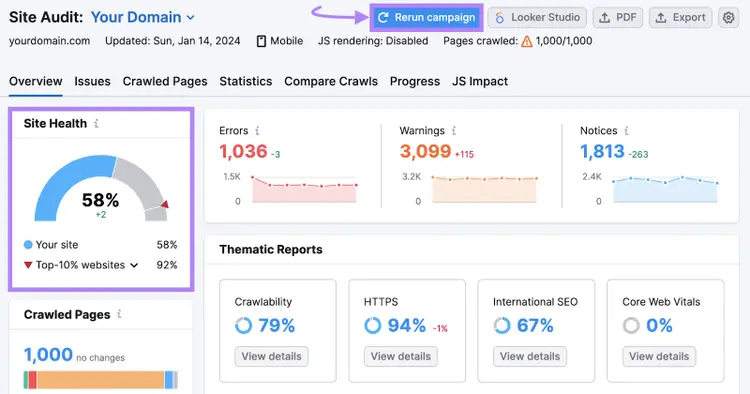
After making website improvements, rerun your audit.
You should see your site’s overall health score improve.
Availability
Site Audit is a web app available through Semrush.
Pricing
With a free Semrush account, you can crawl 100 pages per month.
If you upgrade to a Pro plan, you can crawl 100,000 pages per month. This costs $117.33 per month when you pay annually. And it gives you enhanced access to dozens of small business marketing apps.
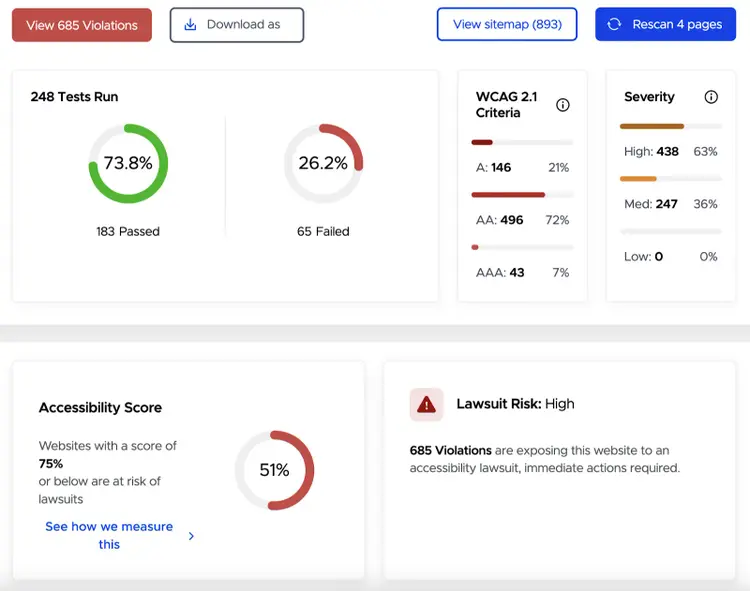
The Accessibility Scan & Monitor app checks your website for accessibility issues and prioritizes them based on severity.
This allows you to improve compliance with the Web Content Accessibility Guidelines (WCAG), the Americans with Disabilities Act (ADA), and other standards.
Plus, accessibility can play an important role in improving:
User experience
Conversion rates
Website traffic
Availability
Accessibility Scan & Monitor is a web app available through Semrush’s App Center.
Pricing
You can scan five pages per month for free. In-app purchases are available if you want to scan more, with prices starting at $39 for an additional 25 pages.
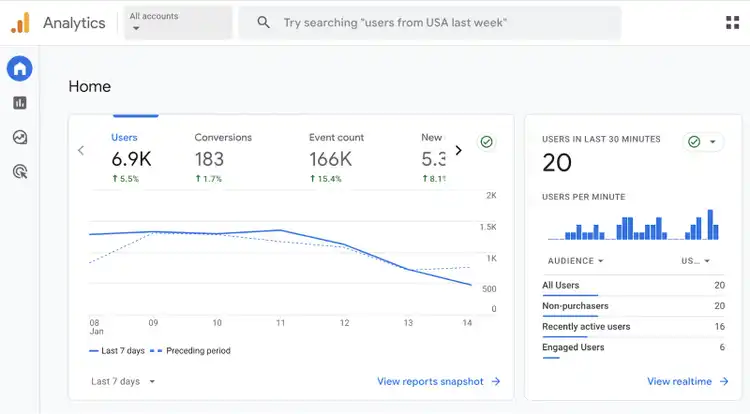
Google Analytics 4 (GA4) is one of the best free marketing apps for small businesses. Because it gathers data about the users visiting your site. And what they do when they get there.
For example, you can find out:
How many users visit your site and what channels they come through (e.g., organic search)
What percentage of visits generate conversions (e.g., online purchases)
Which pages on your site are most popular and how long users typically spend on them
You can access GA4 through your browser. Or use the Google Analytics mobile app (available for iPhones and Android) to access key metrics on the go.
Pricing
GA4 is free to use.
Content Creation Apps
Content creation tools can help you produce high-quality blog posts, images, videos, and more.
Here are our favorite apps for small business marketing teams and individuals in this category:
4. Semrush’s Content Toolkit
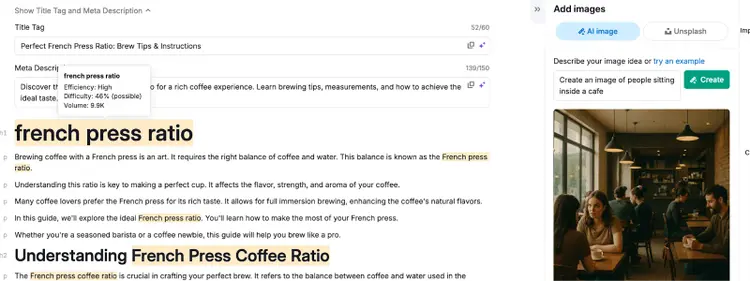
The Content Toolkit makes it easy to create full-length, SEO-optimized blog posts faster.
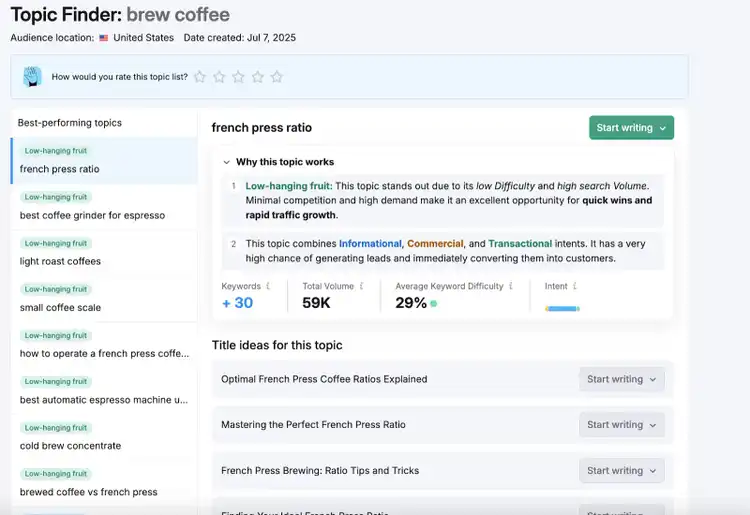
Start by entering a primary idea or keyword inside the Topic Finder. You’ll get high-impact content ideas, along with AI-powered analysis explaining why each topic is worth covering based on search volume, difficulty, and intent.
When you find a topic worth covering, click “Start Writing” next to your favorite idea.
Or generate a full-length, SEO-friendly directly inside the AI Article Generator.
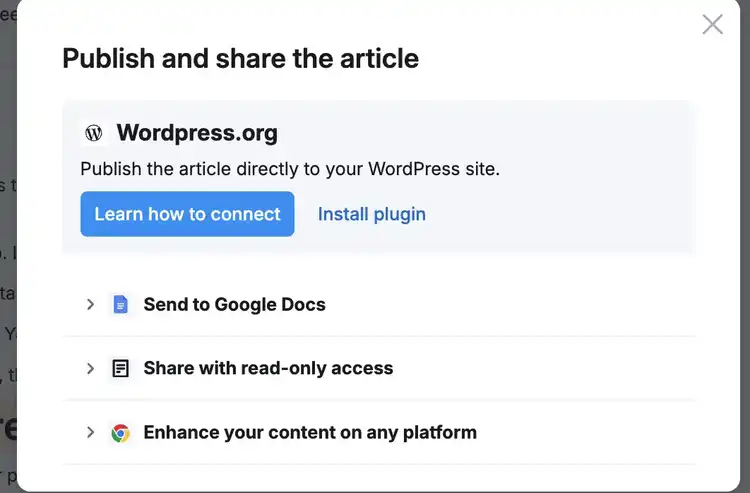
When you’ve finished, you can send your article to Google Docs, publish it via the WordPress plugin, or create a shareable link to send to other stakeholders.
Availability
The Content Toolkit is fully integrated into the Semrush platform.
Pricing
You can explore the Content Toolkit with a 7-day free trial. After that, it costs $60 per user/month.
Your subscription includes unlimited article creation, 5 SEO Boosts per month, Brand Voice support, AI-generated images, and full access to all toolkit features.
We’ve picked Canva as the best graphic design app for small businesses because it’s versatile and easy to use. And has a free option.
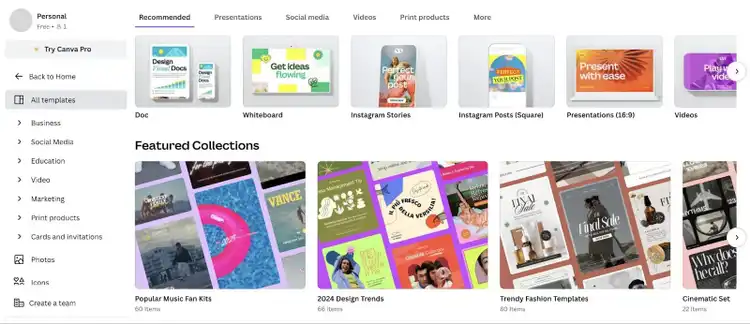
If you don’t have graphic design experience, start with one of their templates. They’re available for infographics, presentations, videos, and much more.
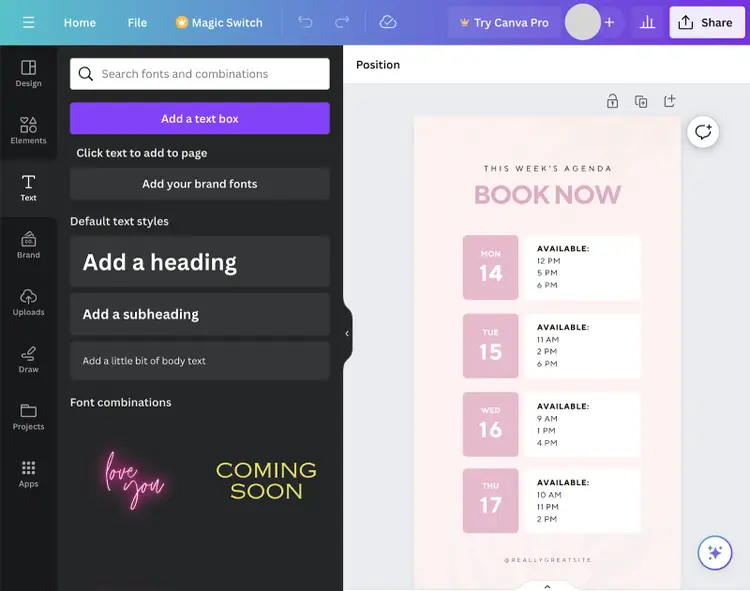
Here are some of the things you can do with your design:
Change colors to match your branding
Generate new images using AI
Upload your own image, video, and audio files
Input data to create charts
Add and edit royalty-free photos
When you’ve finished, you can easily share, download, or embed your content.
Availability
You can use Canva online or download the app for iOS, Android, Windows, or Mac.
Pricing
A free Canva account gives you access to lots of tools, features, and media. But you can access even more with a paid subscription (prices start at $14.99 per month).
During setup, you’ll enter your target keywords and competitors. So the tool can use them to identify backlink prospects (i.e., sites that might link to you).
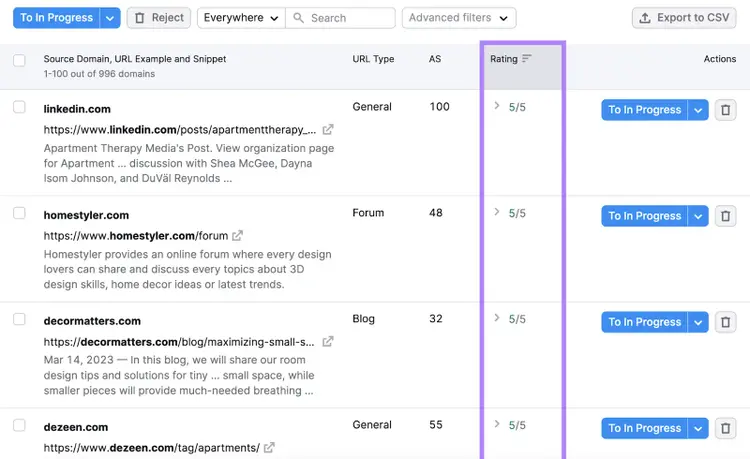
Under the "Prospects" tab, the rating considers how valuable the backlink might be and how hard it’ll be to acquire.
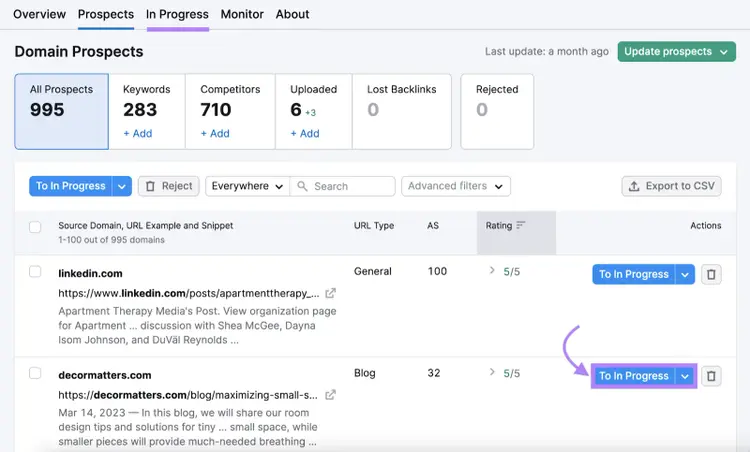
When you’re ready to pursue a backlink, click “To In Progress.”
Then, go to the corresponding tab.
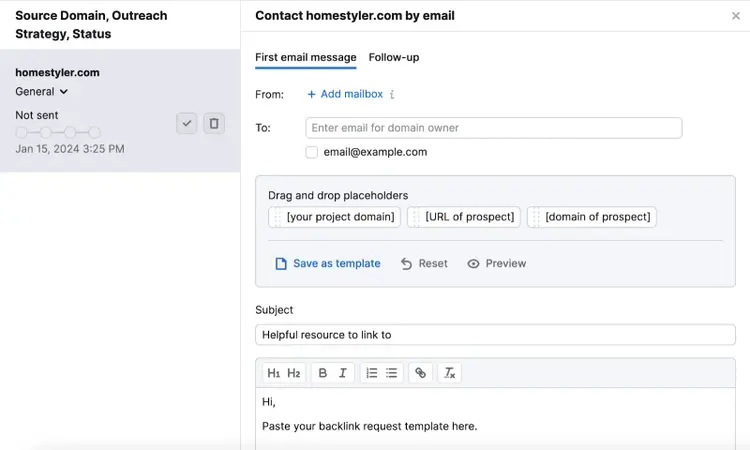
At this stage, you can connect your email inbox and start contacting prospects.
The tool will keep track of each email’s status.
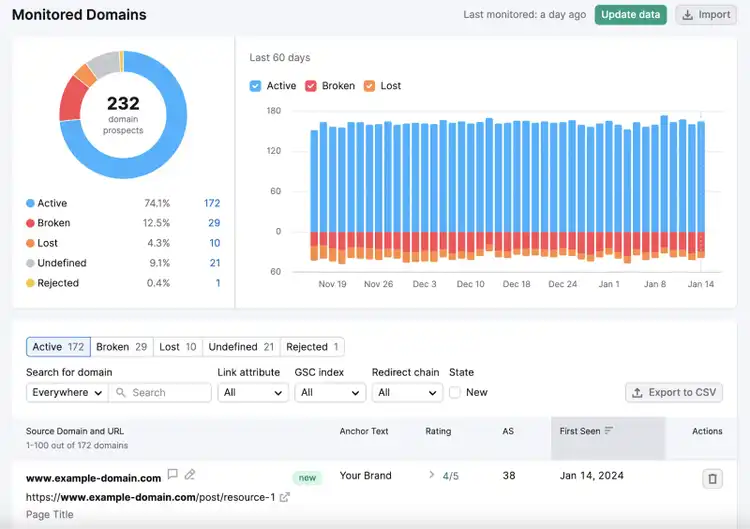
When you secure a backlink, move the prospect to the “Monitor” tab.
Here, you can ensure your backlinks remain intact.
Availability
Link Building Tool is a web app available through the Semrush platform.
Pricing
Semrush’s Link Building Tool is free to use. You’ll only need to upgrade if you want to import more than 100 prospects of your own. Or access the many other benefits that come with a Pro subscription.
(As a reminder, the Pro plan costs $117.33 per month when you pay annually.)
8. Google Search Console
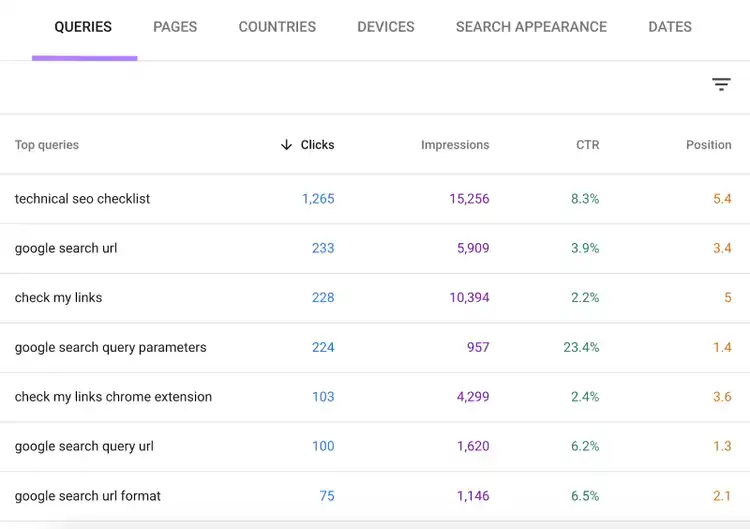
Google Search Console is one of the best marketing tools for small businesses looking to improve their technical SEO. Because it allows you to:
Submit your XML sitemap (to help Google understand your site structure)
Check your Core Web Vitals (speed metrics that affect Google rankings)
Ensure all your pages use HTTPS (a security protocol)
See which pages aren’t in Google's index (database of possible results) and why
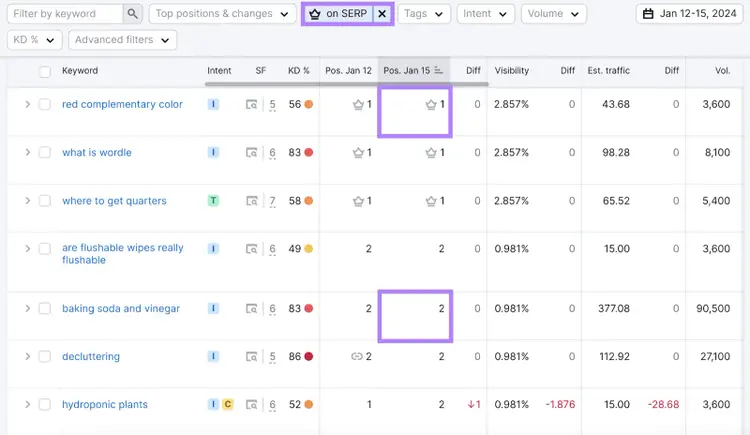
Unlike Google Search Console, in the “Overview” section, this tool shows whether each query triggers any SERP features (e.g., a featured snippet). And if so, whether your site appears in them.
For example, this site owns the featured snippet for “red complementary color.” But not for “baking soda and vinegar.”
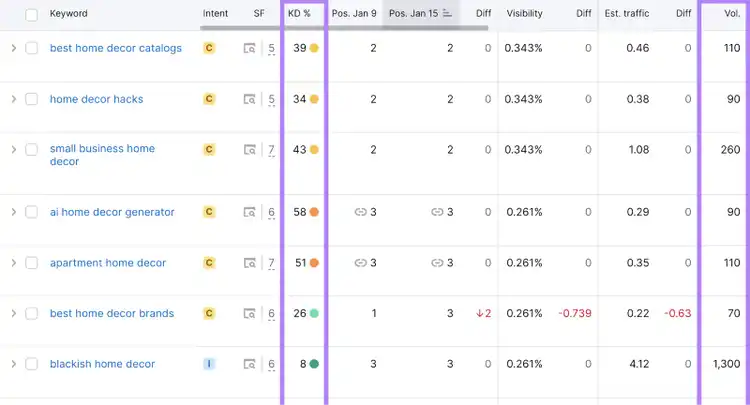
You can also see keyword difficulty scores and search volumes at a glance.
This makes it easier to understand your performance and determine plans of action.
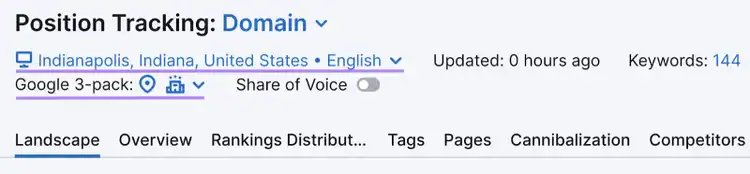
Position Tracking is particularly helpful for local businesses, because:
In addition to tracking rankings by country, you can track rankings in specific states/regions, cities, and ZIP codes
We’ll share more of the best local marketing apps for small businesses in the next section.
Availability
Position Tracking is a web app available through the Semrush platform.
Pricing
With a free Semrush account, you can track up to 10 keywords in the Position Tracking tool.
To track up to 500 keywords, you’ll need a Pro subscription. It’s priced at $117.33 per month when you pay annually. And you’ll get enhanced access to dozens of other tools.
Local SEO Apps
These are some of the best apps for small businesses marketing to local customers:
10. Google Business Profile
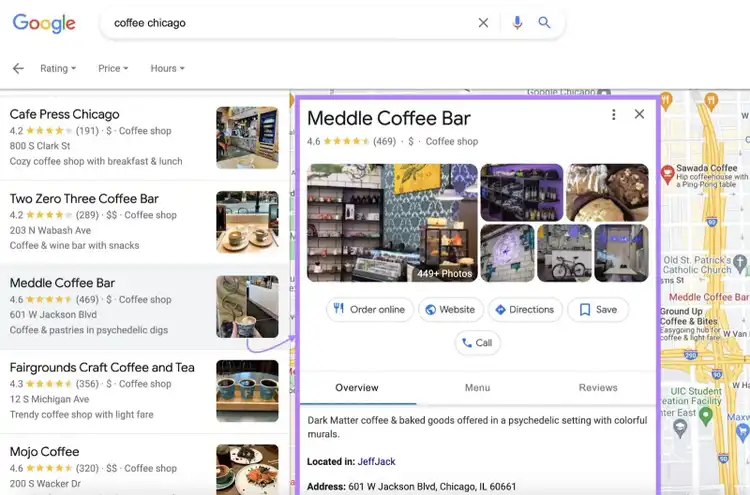
Google Business Profile (GBP) is a free tool that lets you manage your business listing on Google.
This is the listing that can show up in local search results. Like this:
You can then focus on providing complete and accurate information for would-be customers.
For example, you can:
Update your opening hours over the holidays
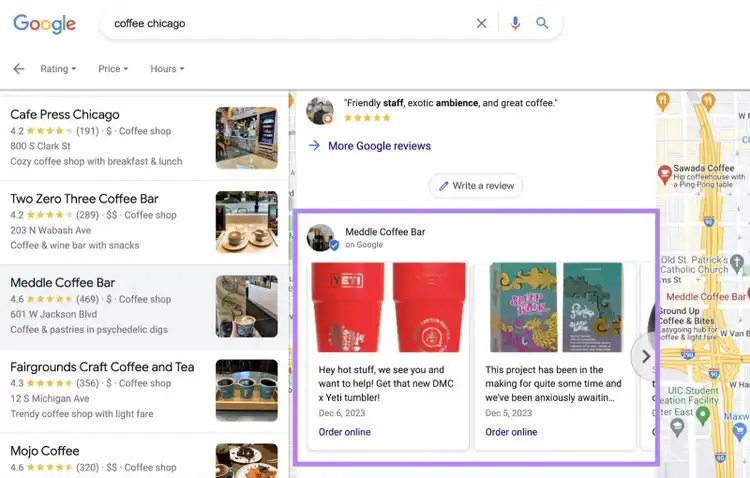
Post about sales and events
Add photos of new products
Tip
With Semrush Social, you can schedule GBP posts like the one below.
It’s also a good idea to read and respond to your Google reviews. So you can gather useful feedback and improve your brand image.
All these efforts can help your profile rank higher in local results. Which can lead to more web traffic, foot traffic, and inquiries.
Availability
To edit your profile, search “my business” in Google Search. Or tap “Business” in the Google Maps mobile app. (You must be signed into a linked Google account.)
Pricing
Google Business Profile is free to use.
11. Semrush Local
Semrush Local apps make it easy to manage online citations and reviews.
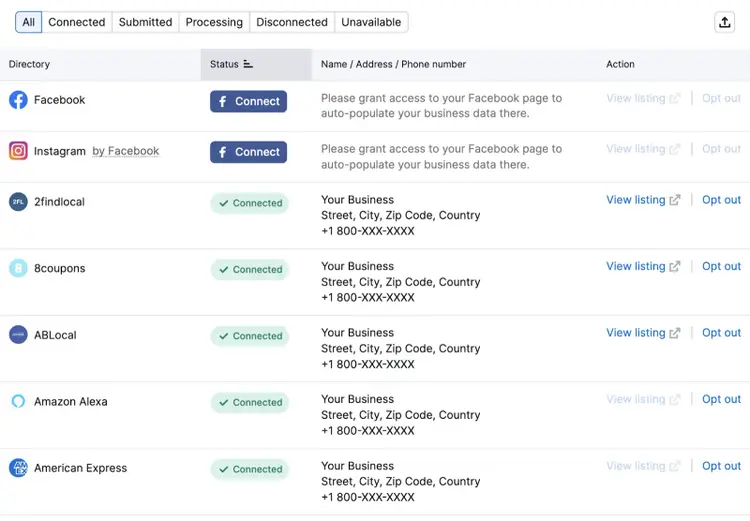
Enter your business information, and the Listing Management app will submit it to top directories like Apple, Foursquare, and Tripadvisor. So it’s easier for potential customers to find you.
This can also help your business profile rank higher in Google. Because it increases your prominence and corroborates your name, address, and phone number (NAP).
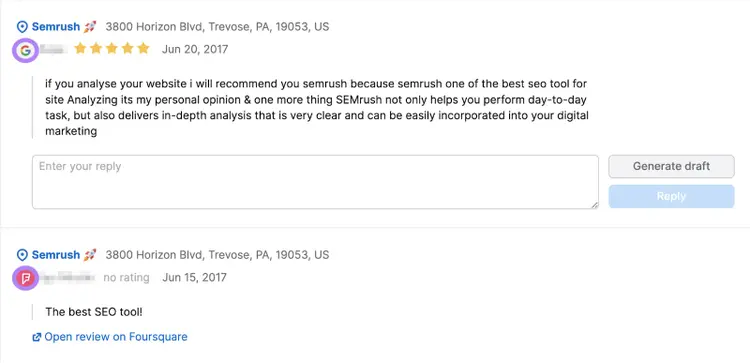
Here, you can read and respond to reviews from multiple directories.
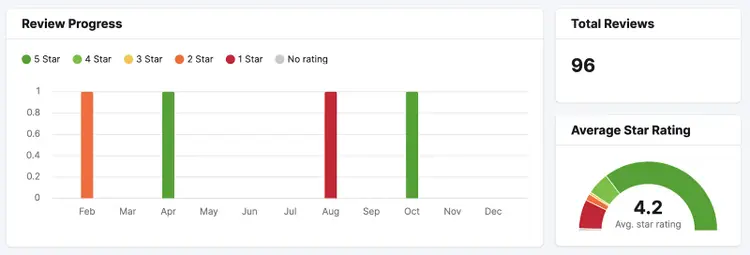
And monitor your reputation over time.
Availability
Semrush Local apps are available online through the Semrush website.
Pricing
The Semrush Local Basic plan costs $20 per location per month. You can access additional features with the Premium plan, which costs $40 per location per month.
Digital Advertising Apps
If you have the budget available, digital advertising can be a great way to increase your small business’s reach.
These apps will help you spend your money effectively:
12. Ads Launch Assistant
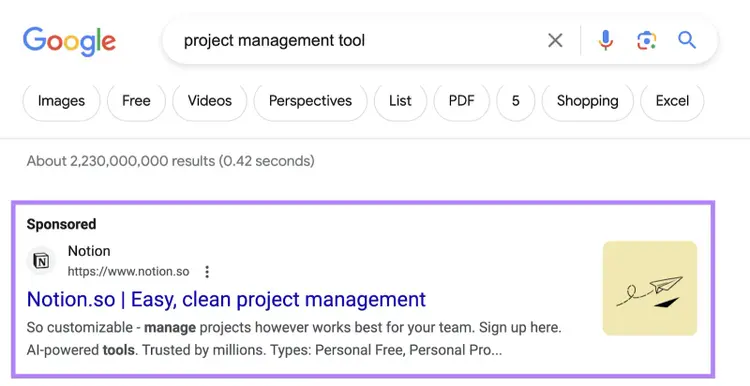
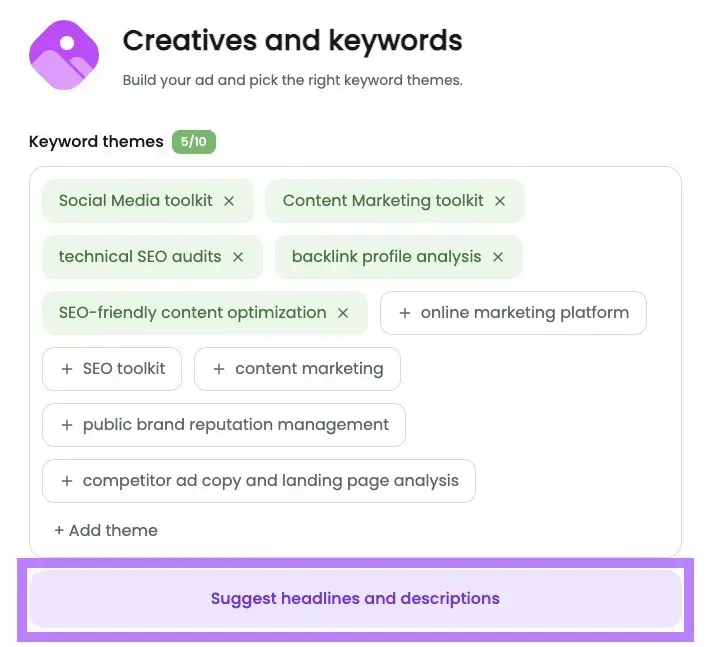
The Ads Launch Assistant is an app that helps you get started on Google Ads. (The service that lets you advertise on Google properties, including search results pages.)
You can set up search ads like the one below in minutes.
Just follow the simple step-by-step instructions.
And take advantage of the AI-generated keyword suggestions, headline ideas, etc.
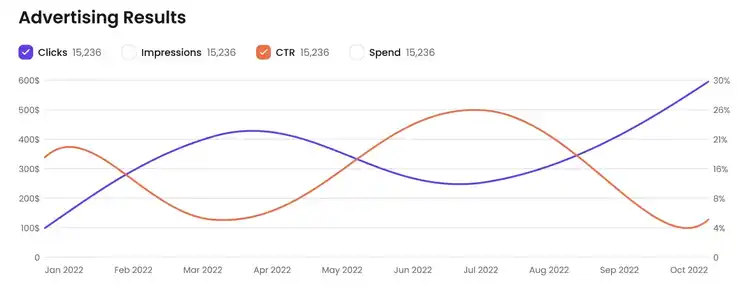
The app also provides easy-to-understand performance reports. So you can make informed decisions about your future ad campaigns.
Availability
Ads Launch Assistant is included inside Semrush’s Advertising Toolkit.
Pricing
$99/month
Check out our dedicated post to learn more about Google Ads costs.
13. Advertising Research
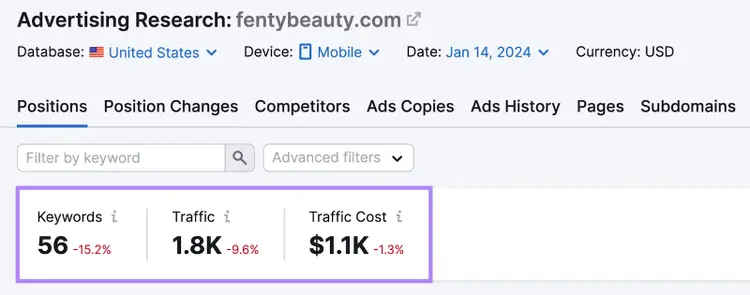
Semrush’s Advertising Research tool lets you analyze your competitors’ search ads.
Just enter their domain to see:
How many keywords they’re bidding on
Estimated traffic
Estimated traffic cost
And how these metrics have changed over time.
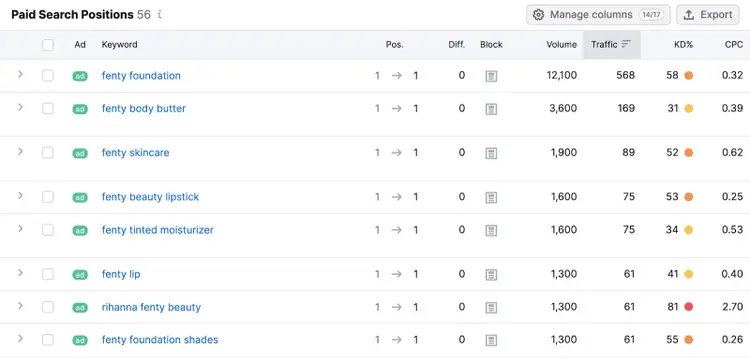
Then, scroll down for a full breakdown.
These details can help you emulate successful advertising strategies. And determine ways to gain a competitive edge.
Availability
Advertising Research is a web app available through the Semrush platform as part of the platform’s Advertising Toolkit.
Pricing
You get limited access to the Advertising Research tool with a free Semrush account. But we recommend upgrading to subscribing to the Advertising Toolkit’s Base Plan.
This costs $99/month, and it gives you enhanced access to a suite of interconnected tools designed to streamline and automate your paid ad campaigns.
Let’s look at some of the best apps for small business marketing on other channels.
14. AdCreative.ai
AdCreative.ai uses AI technology to generate visually striking, optimized ads for social media or Google Display campaigns.
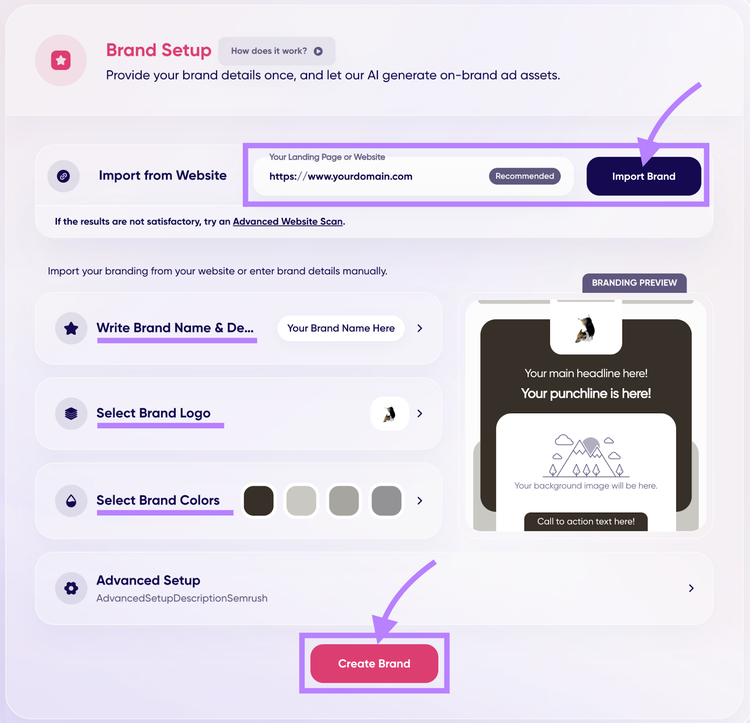
Start generating optimized ads by setting up your brand profile. You can let AI import your brand from your website or manually enter details.
When you’re done, click “Create Brand.”
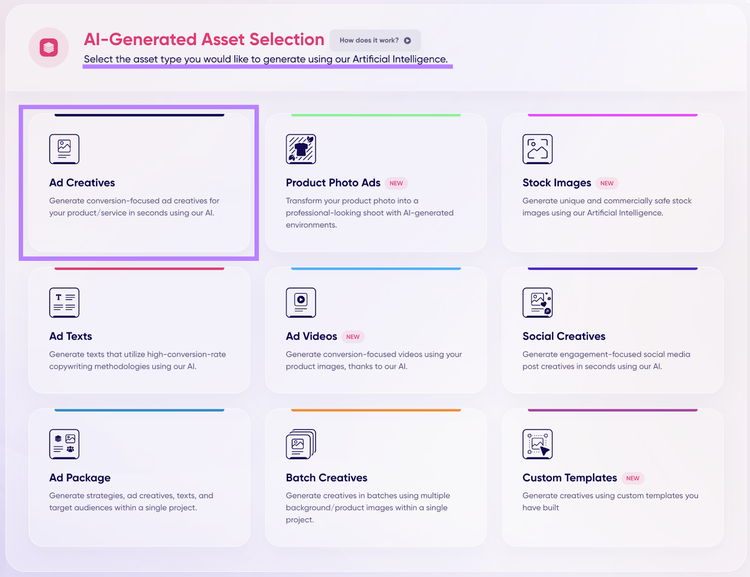
Then, select the project you want to create.
For example, we clicked “Ad Creatives.”
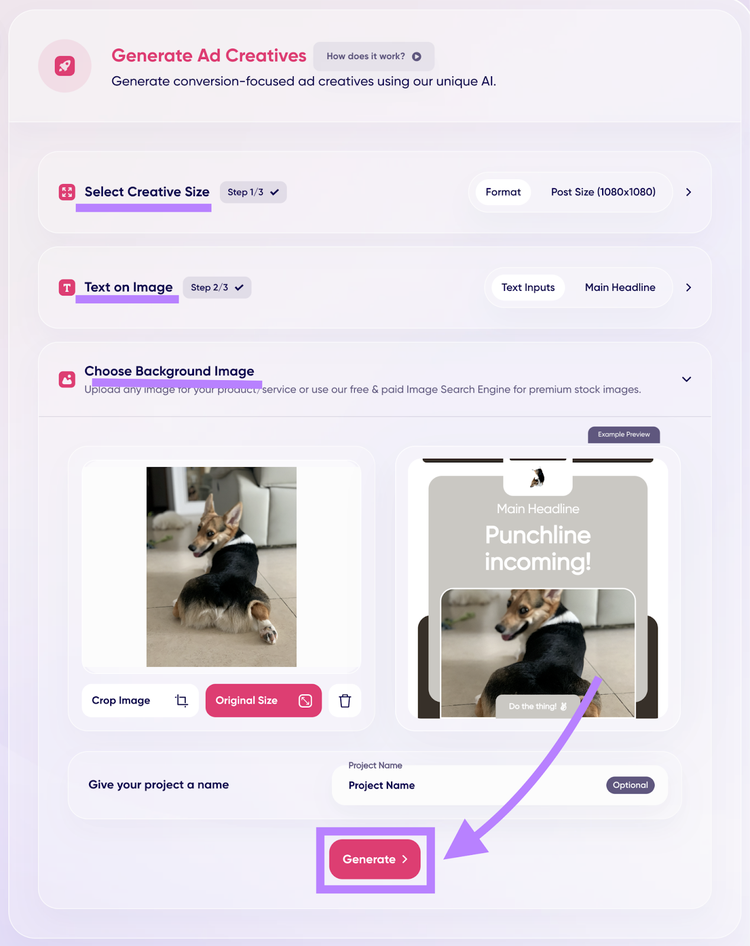
Set up your ad. By selecting your creative size, generating or manually writing your text on an image, and choosing a background photo.
Then, click “Generate.”
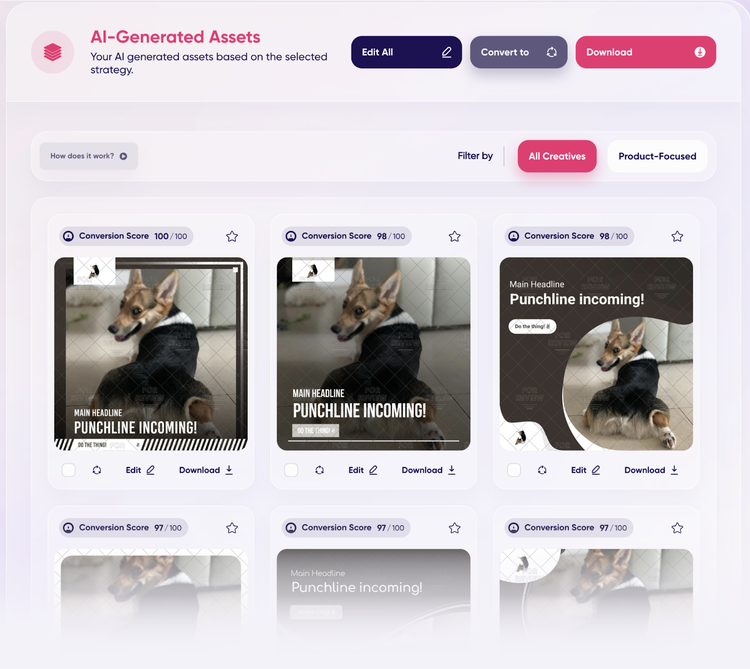
The tool will generate countless conversion-focused ad creatives and copy in a matter of minutes.
This app can act as your digital copywriter and graphic designer, freeing you to concentrate on your business.
Availability
AdCreative.ai is available as a web application through the Semrush App Center.
Pricing
AdCreative.ai offers full access with a three-day free trial, which includes 100 credits and allows you to manage up to five brands.
Then, it costs $109 per month.
If you need more resources, you can purchase more packages of 100 credits and five brands for $50 monthly. These packages can be added to your plan as often as needed.
15. AdClarity - Advertising Intelligence
AdClarity provides detailed insights into your competitors’ display, social, and video advertising ads. So that you can analyze your competitors’ ad spend, and see which of their ads are performing well.
That way, you can identify opportunities to refine your own advertising strategy. And gain a competitive edge.
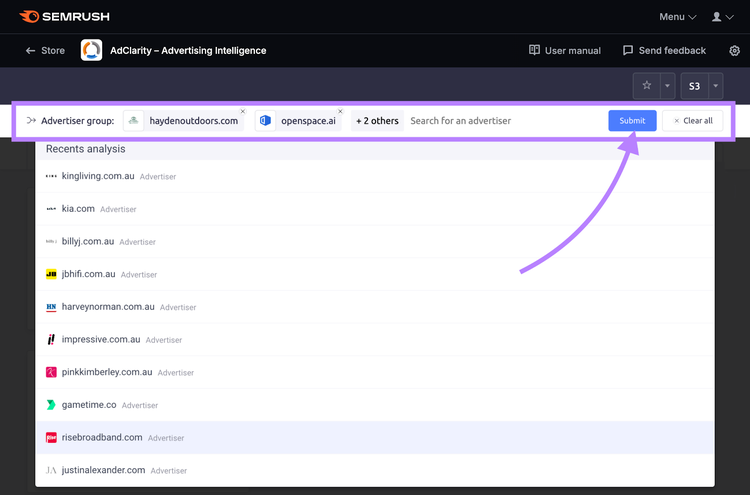
To use the tool, enter a competitor’s domain name in the search bar. Then, click “Submit.”
Note: You look up more than one competitor at a time.
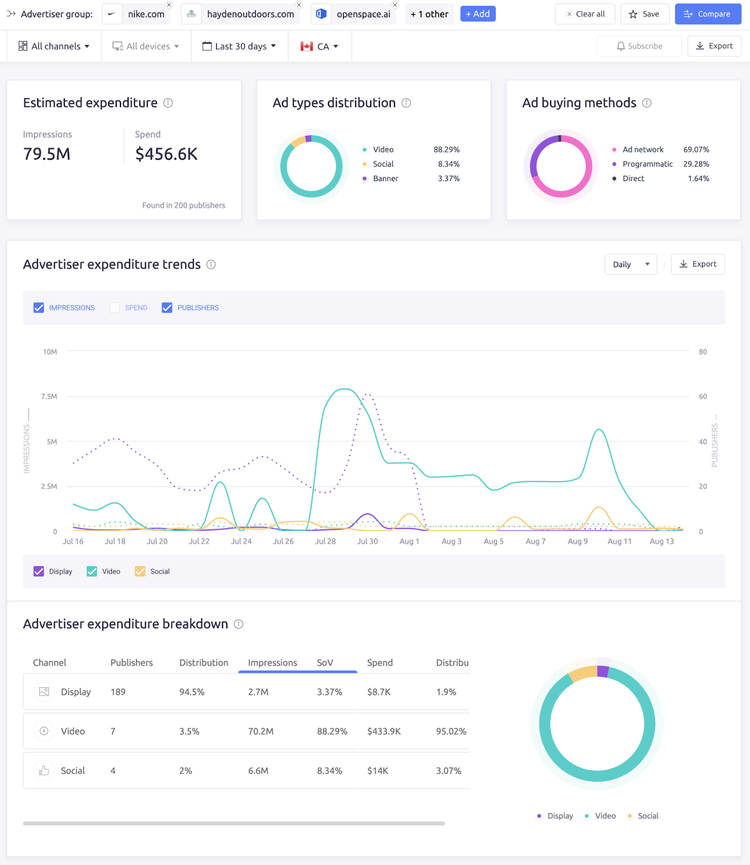
You can then review the channels your competitors are using, their ad spending, ad placements, and campaign engagement metrics.
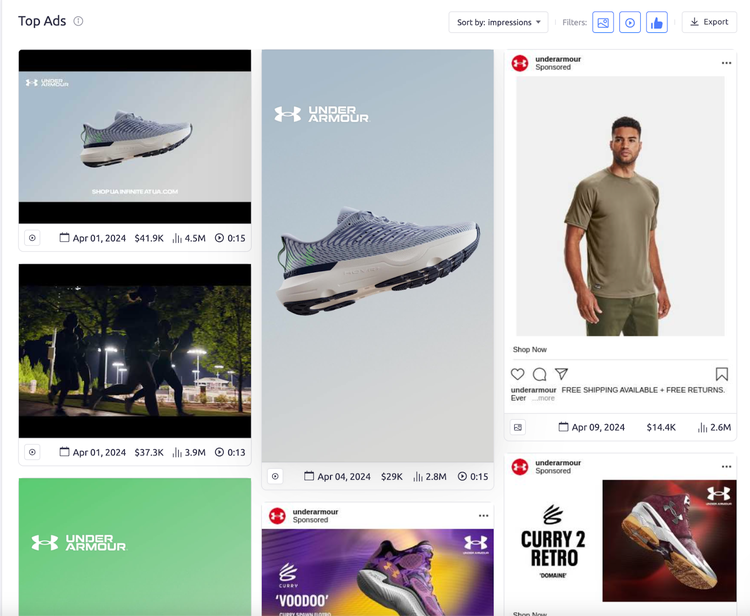
You can also view their top ads to see what’s actually working. These insights can help shape your own ad strategy.
Availability
AdClarity is included inside Semrush’s Advertising Toolkit. You can also purchase it as a standalone app from the Semrush App Center.
Pricing
Included in Semrush’s Advertising Toolkit ($220/month) and comes with AdClarity and other tools to automate and streamline paid ad campaigns
Available as a standalone app via the Semrush App Center where pricing depends on the plan: Starter ($129/month), Professional ($298/month), Team ($349/month)
16. Mailchimp
You can use Mailchimp to build, send, and analyze marketing emails. Which are great for keeping leads and previous customers engaged with your brand.
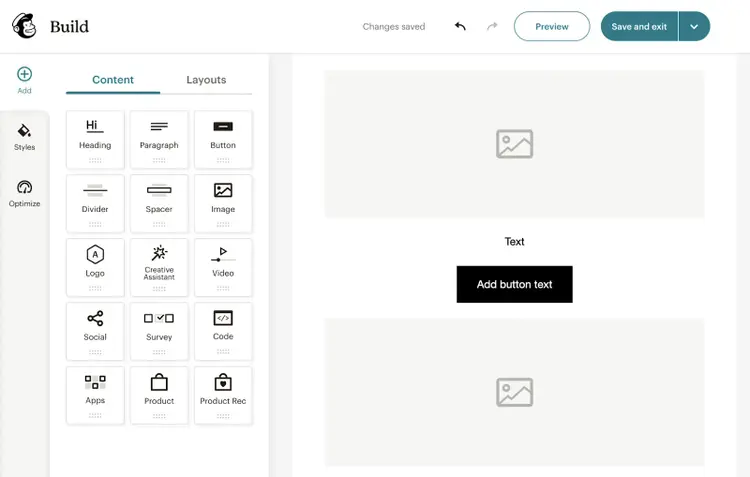
Just use the email builder to make a professional-looking email packed with interesting content.
You can even import designs from Canva.
Then, decide who you want to send it to.
If you don’t have a subscriber list yet, consider adding a sign-up form to your website.
And allow users to opt in when they’re submitting other kinds of forms.
After your emails are sent, you can monitor analytics such as:
Open rate: The percentage of recipients who opened your email
Click rate: The percentage of recipients that clicked a link in your email
Unsubscribe rate: The percentage of recipients who opened your email and unsubscribed
And you can then apply anything you learn to your next campaign.
Availability
Mailchimp has a web app, iOS app, and Android app.
Pricing
You can send 1,000 emails per month with a free Mailchimp account. To increase your limits and access advanced features, you’ll need a paid plan. Prices start at $13 per month.
17. Semrush Social
Semrush Social AI is a suite of tools to help you manage social media marketing.
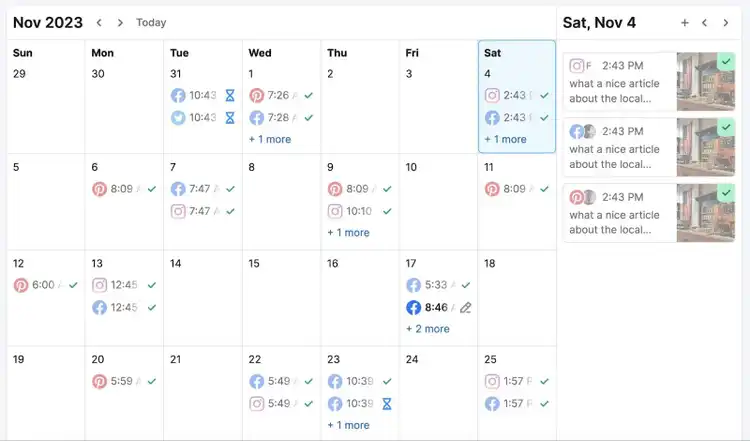
It includes a Social Poster app that allows you to schedule posts on Facebook, Instagram, X (formerly Twitter), Pinterest, LinkedIn, and Google Business Profile.
This makes it easier to maintain a regular posting schedule. And repurpose content across multiple platforms.
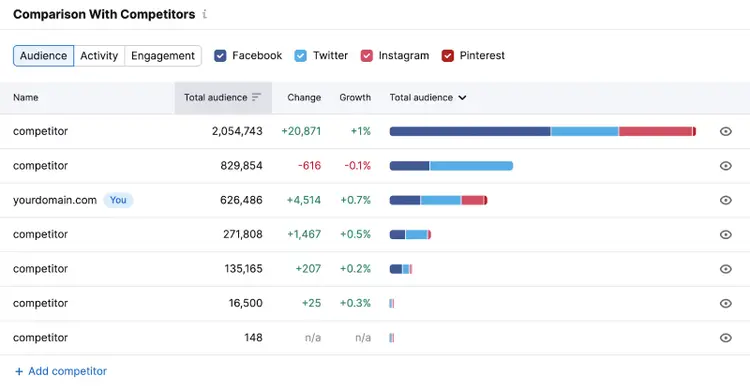
The Social Tracker app collects your and your competitors’ metrics from Facebook, X, Instagram, YouTube, LinkedIn, and Pinterest. So you can monitor all these results in one place. And see how you compare.
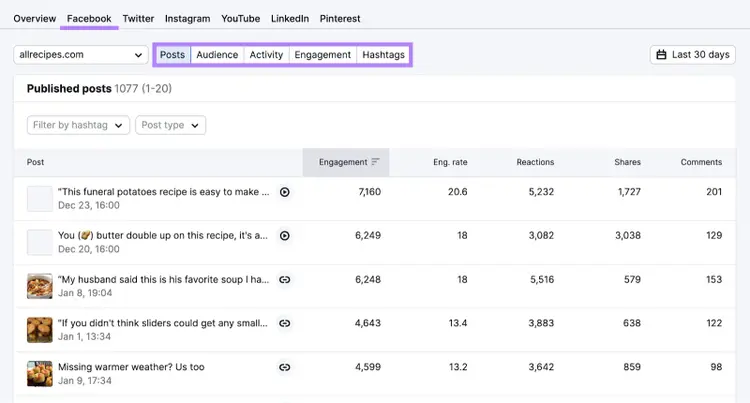
Visit the individual reports to see your and your competitors’ top-performing posts and gain other valuable insights.
The Social Analytics tool analyzes your metrics for Facebook, LinkedIn, TikTok, and Instagram channels.
And Social Content AI is an AI-powered tool that delivers content production across top social media networks.
Availability
You can access Semrush Social apps through a web browser.
Pricing
Semrush’s Social Toolkit starts at $20/month, with a free 7-day trial available.
These productivity tools help you (or your marketing team) to become more efficient, organized, and focused.
18. AI Social Content Generator
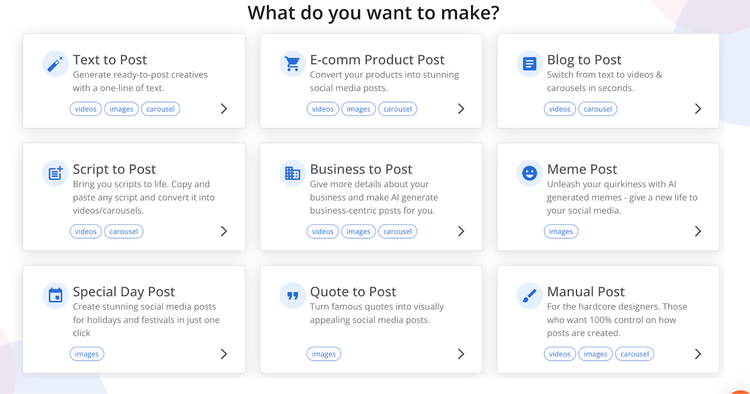
The AI Social Content Generator allows you to easily create branded social media posts at scale. The app supports the creation of unlimited posts, captions, hashtags, and various content types, including videos, carousels, and images.
To begin, pick the type of content you’d like to create.
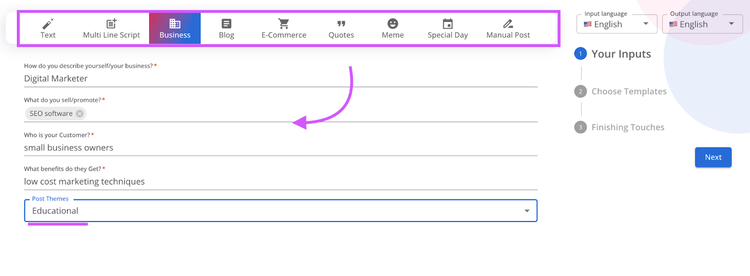
For example, when choosing Business to Post, AI automatically generates posts related to your business goals.
Start by simply filling in the blanks with your business info.
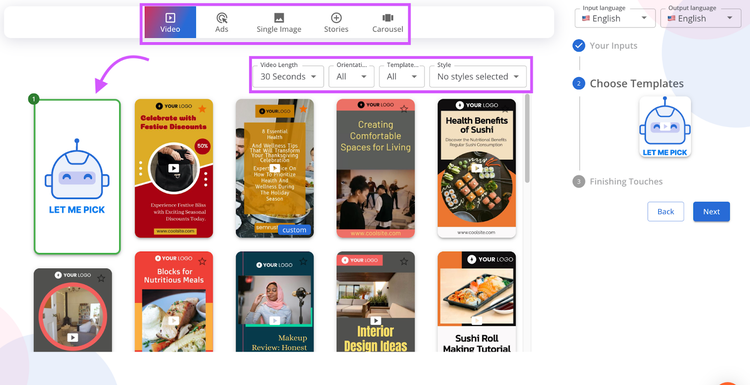
Then choose a template (or let AI choose it for you).
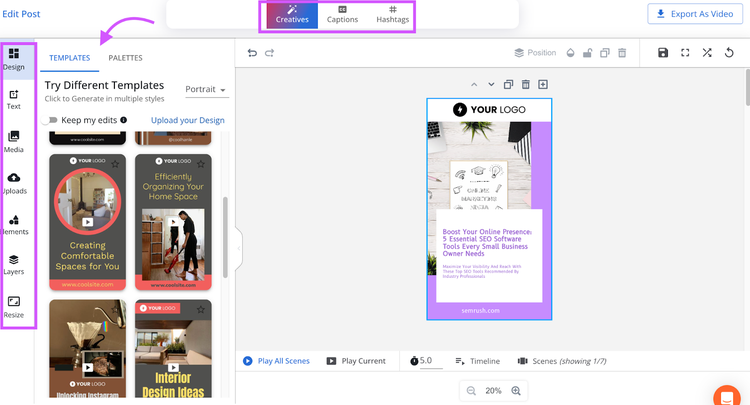
The app will generate fully editable social posts that are ready to be shared with your audience.
With this app, you can streamline your social media content creation process, ensuring that your posts are consistent with your brand and engaging to your followers.
Plans start at $35/month after a seven-day free trial.
19. Trello
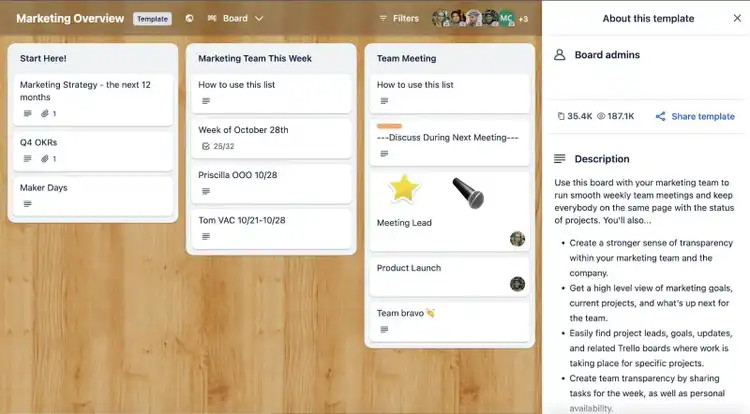
Trello is a project management app that helps individuals and teams stay organized.
You can create a board to get started.
Then, you’re able to add cards to represent individual tasks or notes. And organize them into lists.
Like this:
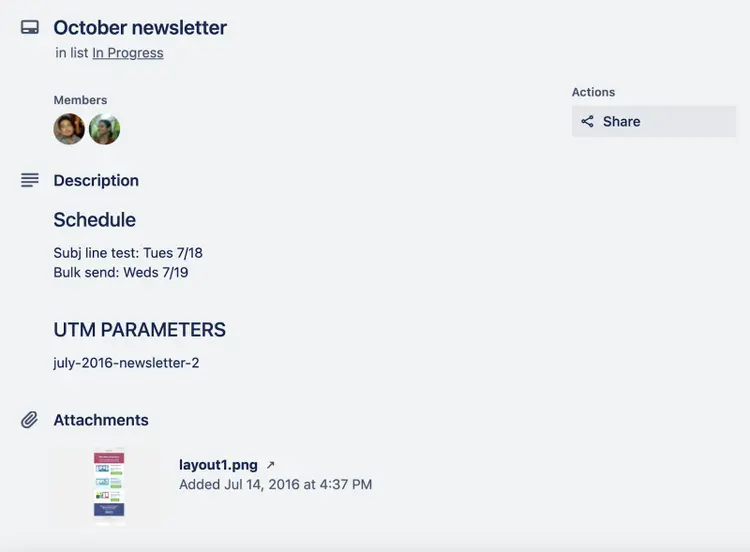
Cards can include descriptions, comments, checklists, attachments, due dates, and labels.
If you’re working in a team, using the “Members” feature lets you determine who gets notifications on each one.
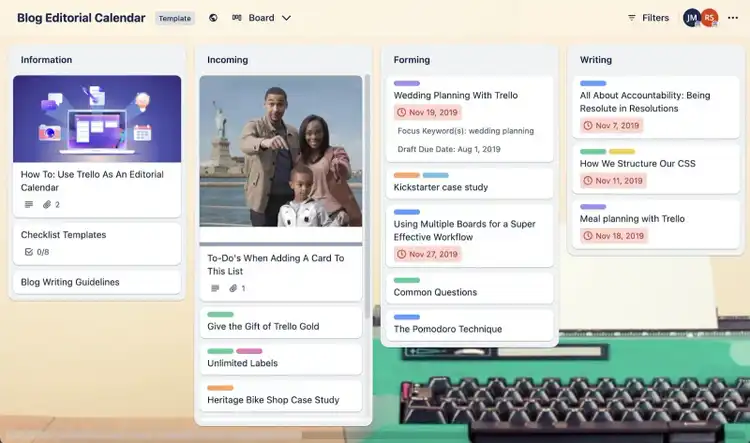
You might want to use one of your boards as a content calendar for your blog.
In the example below, users can easily track the status of each blog post. And find all the information they need to start writing.
Availability
Trello offers apps for iOS, Android, Mac, and Windows. But you can also use it through your browser.
Pricing
Trello has a free plan. But you can upgrade to access higher limits and extra features. If you choose annual billing, prices start at $5 per user per month.
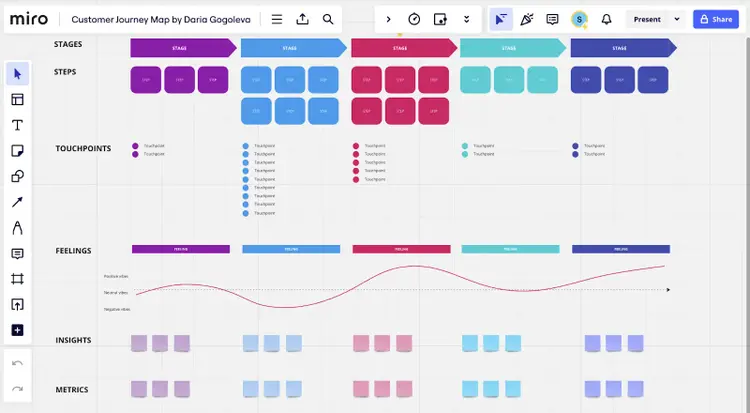
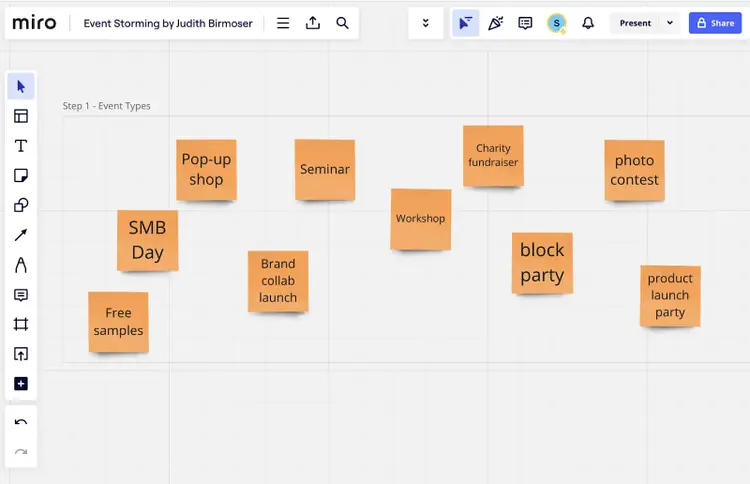
20. Miro
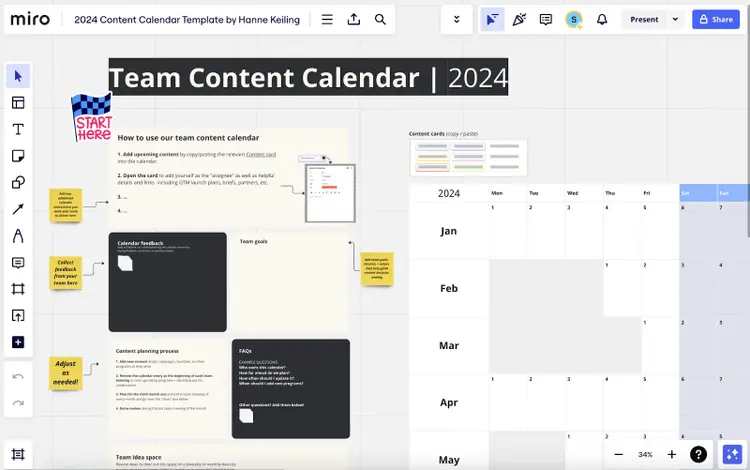
Miro is a digital whiteboard tool that helps individuals and teams to visualize ideas and concepts.
For example, you can use it to create content calendars:
Miro offers apps for mobile, tablet, desktop, and interactive display devices. You can also use the software through your browser.
Pricing
The free plan allows you to create three boards. You can access higher limits and additional features with a paid plan. Prices start at $5 per user per month billed annually.
21. Google Workspace
Google Workspace provides access to a suite of cloud-based apps, including:
App
Description
Uses
Gmail
Email platform
Sending and receiving emails
Google Meet
Video conferencing platform
Online meetings
Google Calendar
Online calendar
Event planning
Google Docs
Word processing app
Content writing
Google Sheets
Spreadsheet app
Data management and analysis
Google Slides
Presentation software
Creating slide decks
Google Forms
Form builder
Surveying customers
Google Drive
Cloud storage platform
Storing and sharing files
You can use these apps with a free Google account. But a Workspace subscription gives you access to extra features, better security, and other benefits.
For example, you can use a professional “@domain” email address rather than an “@gmail” address.
And business users get at least 30GB of storage (compared to the 15GB personal users get).
Availability
You can access Google Workspace apps through your browser. But there are also mobile apps for iOS and Android.
Pricing
Google Workspace has a Business Starter plan that costs $6 per user per month when paid annually.
22. Zapier
Zapier is an automation platform that helps you integrate various apps for small business marketing.
In other words, when something happens in one app, you can trigger an action in another.
For example, you can set up automations that:
Create Google Calendar tasks when new issues appear in your Semrush Site Audit
Measure new Mailchimp subscribers as events in Google Analytics
Add cards to Trello when images are posted to your Instagram
This can help you to save time and avoid mistakes.
Availability
You’ll need to set up Zapier automations (or “Zaps”) through the website.
Pricing
The free plan lets you create an unlimited number of two-step automations.
If you want to create multi-step Zaps, integrate Premium apps, and access other benefits, you’ll need a subscription. The Starter plan costs $19.99 per month when billed annually.
Try 55+ Tools with a Semrush
Semrush gives you access to dozens of powerful tools, organized into dedicated toolkits, each built to support a specific area of marketing.
For example:
SEO Toolkit: Includes tools like Site Audit, Keyword Magic Tool, Position Tracking, and Link Building Tool
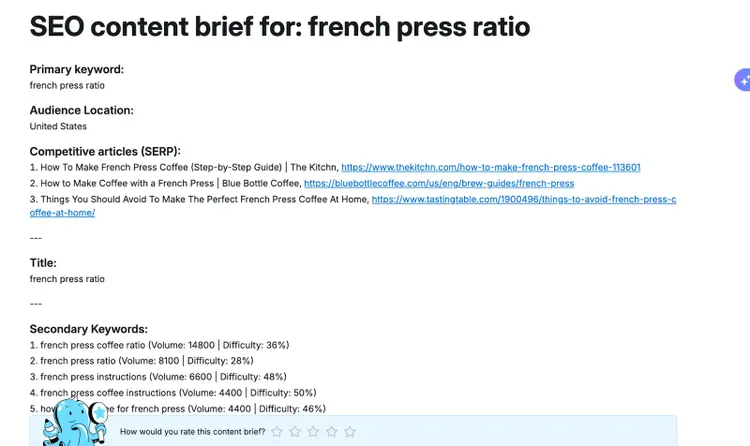
Content Toolkit: Offers AI-powered tools for topic discovery, SEO briefs, article generation, and optimization
Each toolkit is designed to help you work faster and smarter in your area of focus—whether you're building organic visibility, scaling content, or managing paid campaigns.
* A combination of Semrush Pro (annual billing), Semrush Social, Semrush Local, Google Workspace (annual billing), and free versions of all other apps. Cost of ads not included. Prices correct as of January 11, 2024.
Rachel is a Senior Content Writer with 12+ years‘ experience in content marketing and SEO. In a previous role as Head of Content at a digital marketing agency, Rachel developed and executed search-driven content strategies for a diverse range of clients, including global ecommerce brands and local B2B companies. She later transitioned to an in-house role at an SaaS startup, where she focused on scaling content operations and driving organic growth.
Subscribe to learn more about General Marketing
Subscribe
By clicking “Subscribe” you agree to Semrush Privacy Policy and consent to Semrush using your contact data for newsletter purposes
Rachel Handley
Rachel is a Senior Content Writer with 12+ years‘ experience in content marketing and SEO. She has worked agency-side, developing and executing content strategies for a wide range of brands, and in-house, driving organic growth for a SaaS startup.
Share
Tells Google to show you more from Semrush in AI, Search, and Discover.